



Building accurate carbon nanotube (CNT) models can be time-consuming, especially when you have to define chiral vectors or axis orientations manually. For researchers working in molecular modeling, materials science, or nanodevice design, a frequent challenge is quickly generating specific CNT structures to explore mechanical, electronic, or transport properties.
The Nanotube Creator Extension in SAMSON offers a streamlined, visual way to build both single-walled and multi-walled CNTs. If you prefer working directly in 3D, without typing coordinates or toggling through menus, here’s a simple approach using mouse interactions—no guesswork needed.
Modeling CNTs Interactively
Using the extension’s viewport mode, you can create a CNT in just two intuitive steps:
-
Set the axis and length: Press and drag the left mouse button in the viewport. This defines the direction and length of the nanotube (its
nparameter). As you drag, the status bar provides real-time feedback on axis orientation and tube length.
-
Set the radius: When you release the button, simply move your mouse to adjust the tube’s radius (the
mparameter). Click again to finalize.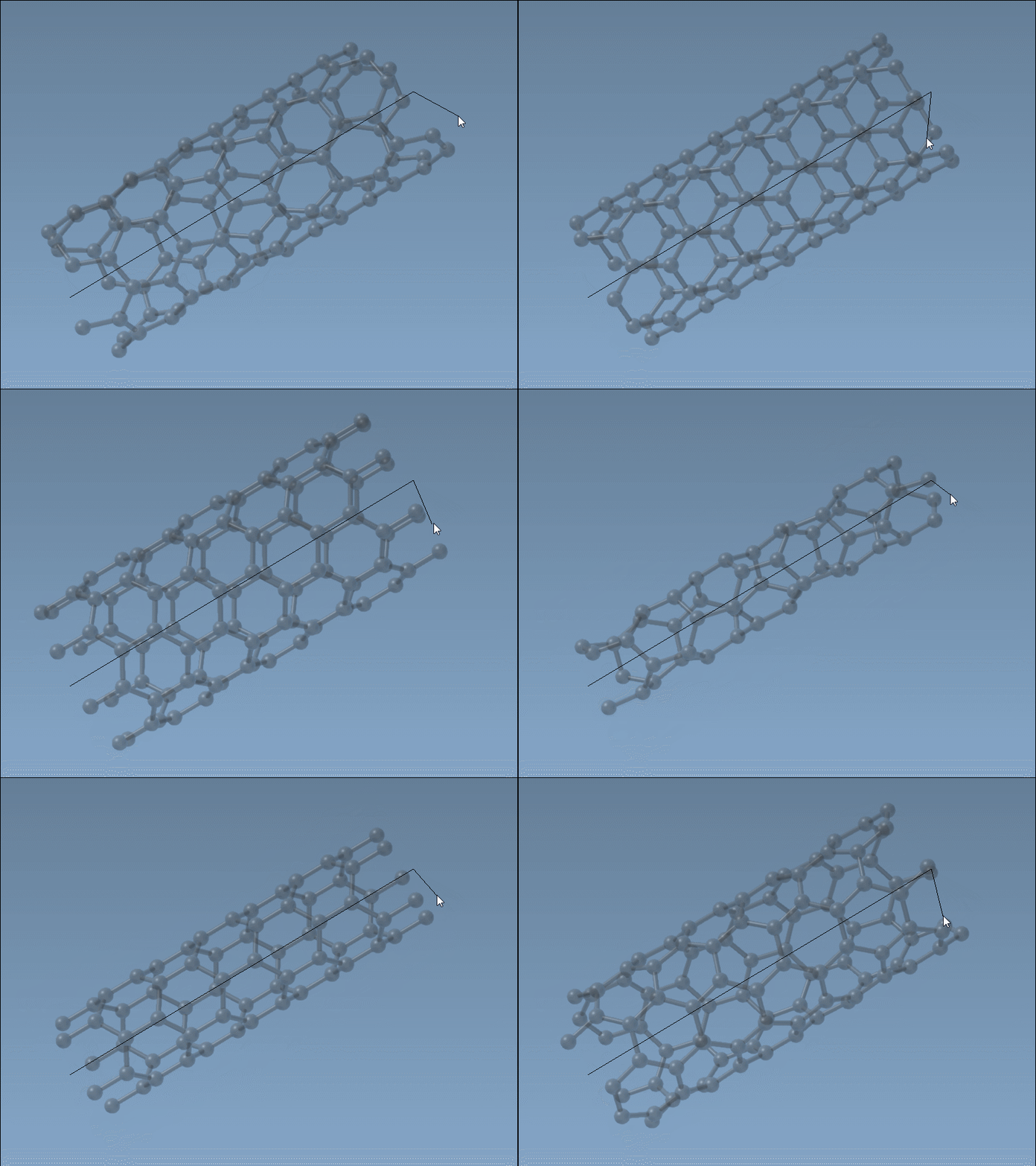
This kind of interactive modeling is particularly useful in early-stage design or during educational exercises, when visual and tactile feedback makes it easier to explore how chiral vectors and symmetry affect CNT properties.
Feedback While You Build
As you interact with the viewport, the status bar acts as a dynamic assistant, telling you what vector you’re creating and the size of your nanotube in real time. This helps refine your build interactively—before committing to definite parameters.

When to Use Interactive Building
This method can be especially helpful when:
- You want to explore a range of CNT geometries quickly
- You’re not working with fixed coordinates
- You’re teaching students or guiding newcomers through nanotube generation
- You plan to test different CNT sizes or chiralities for mechanical simulations
Researchers interested in precise control can still use the graphical interface or directly enter coordinates. But for fast prototyping or exploratory structure design, interactive mode is an efficient way to get started.
Once your CNT is defined, you can move on to visualize, simulate, or export it as part of a hybrid structure, pore system, or device.
To explore all available methods and features, visit the full tutorial at https://documentation.samson-connect.net/tutorials/nanotubes/building-nanotubes-models/.
SAMSON and all SAMSON Extensions are free for non-commercial use. You can download SAMSON at https://www.samson-connect.net.