



When working with large biological assemblies, symmetry detection can accelerate model simplification and simulation preparation. But what if your system doesn’t fit neatly into a single symmetry category? This is a common problem when dealing with complex structures like viral capsids or large protein complexes — and it’s where SAMSON’s Symmetry Detection extension becomes particularly useful.
Automatic symmetry detection is powerful, but it can return multiple plausible symmetry groups. This calls for an informed decision by the modeler. Choosing the most relevant symmetry group improves model accuracy and reduces simulation overhead — especially important when preparing systems for computation-intensive tasks.
Why Multiple Symmetries Happen
Biological assemblies are often imperfect. Structural variations, missing residues, or flexible regions can introduce uncertainty. Rather than guessing, SAMSON identifies all candidate symmetry groups with details you can evaluate: order, axes, and RMSD scores.
How to Choose the Best Symmetry Group
1. Start SAMSON and open your assembly (e.g., PDB 1B4B).
2. Launch Home > Apps > Biology > Symmetry Detection.
3. Click Compute symmetry.
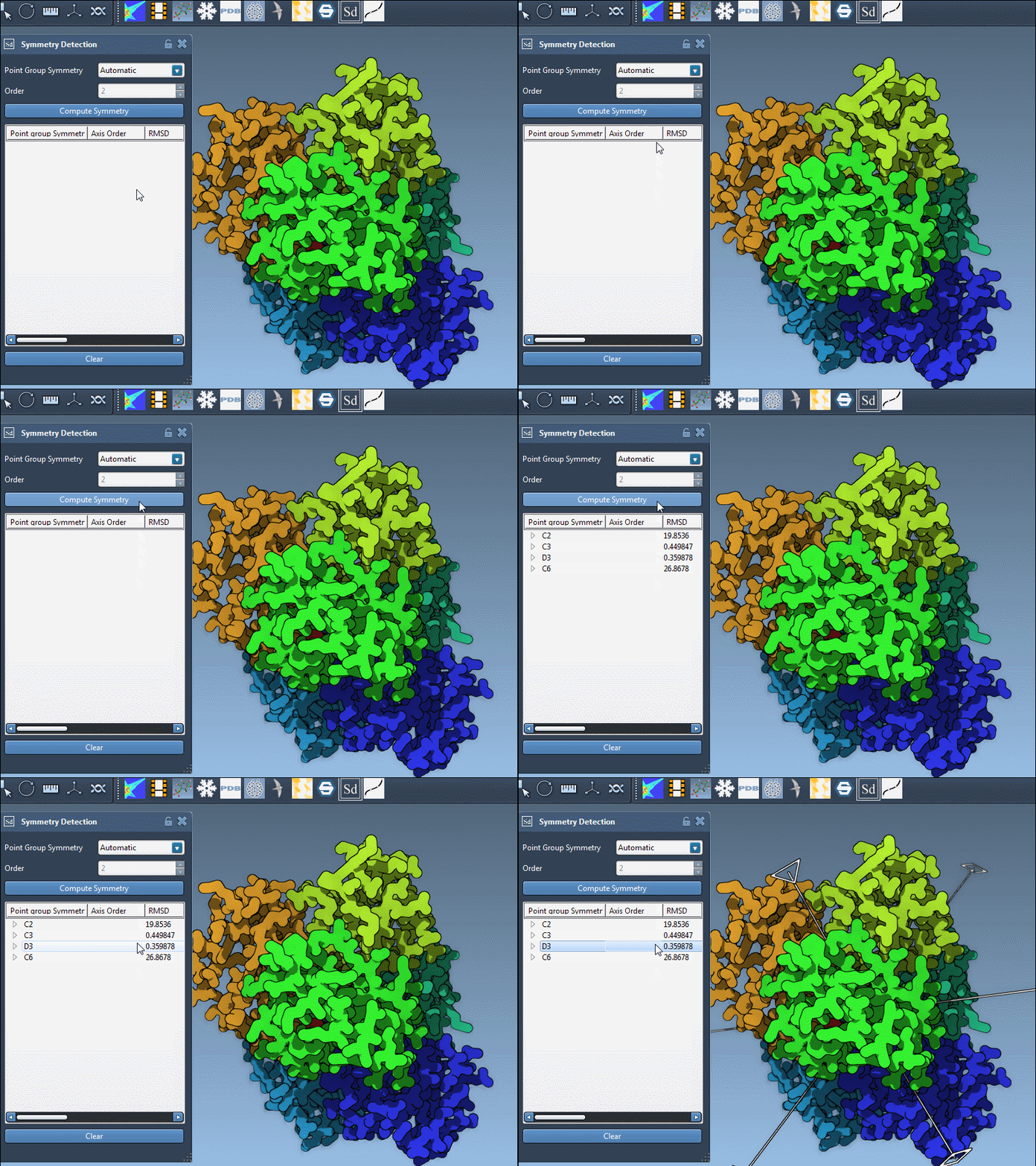
4. When multiple symmetry groups are found, compare their RMSD values — lower is better.
5. Favor higher-order symmetries with low RMSD but assess visual fit with the structure.
This is what symmetry candidates look like in practice:
Manual Override: Specifying Known Symmetry
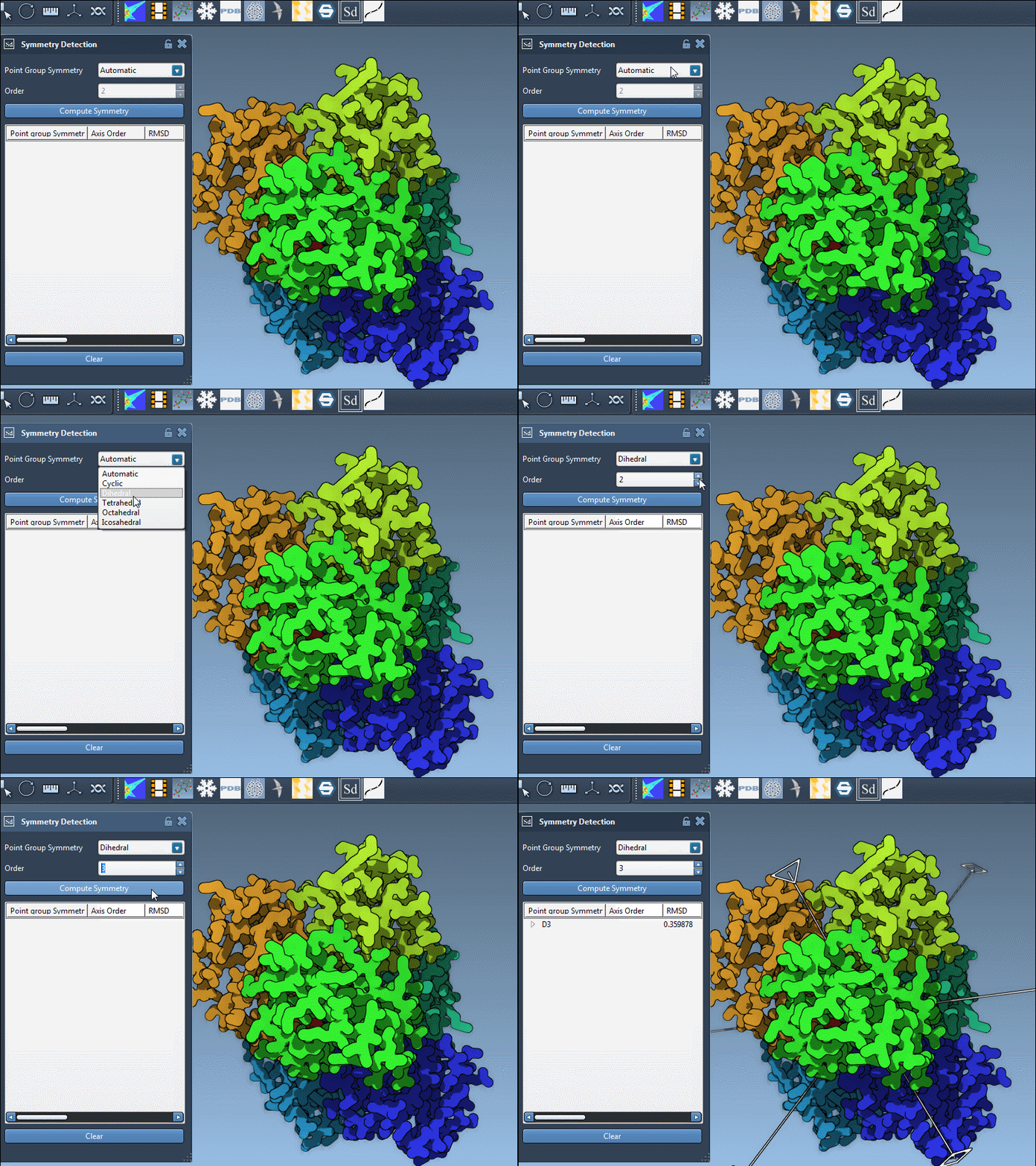
If literature or prior knowledge gives you a known symmetry (like D3 for 1B4B), you can manually select the group and order using dropdown lists in the app.
Understanding the Axes
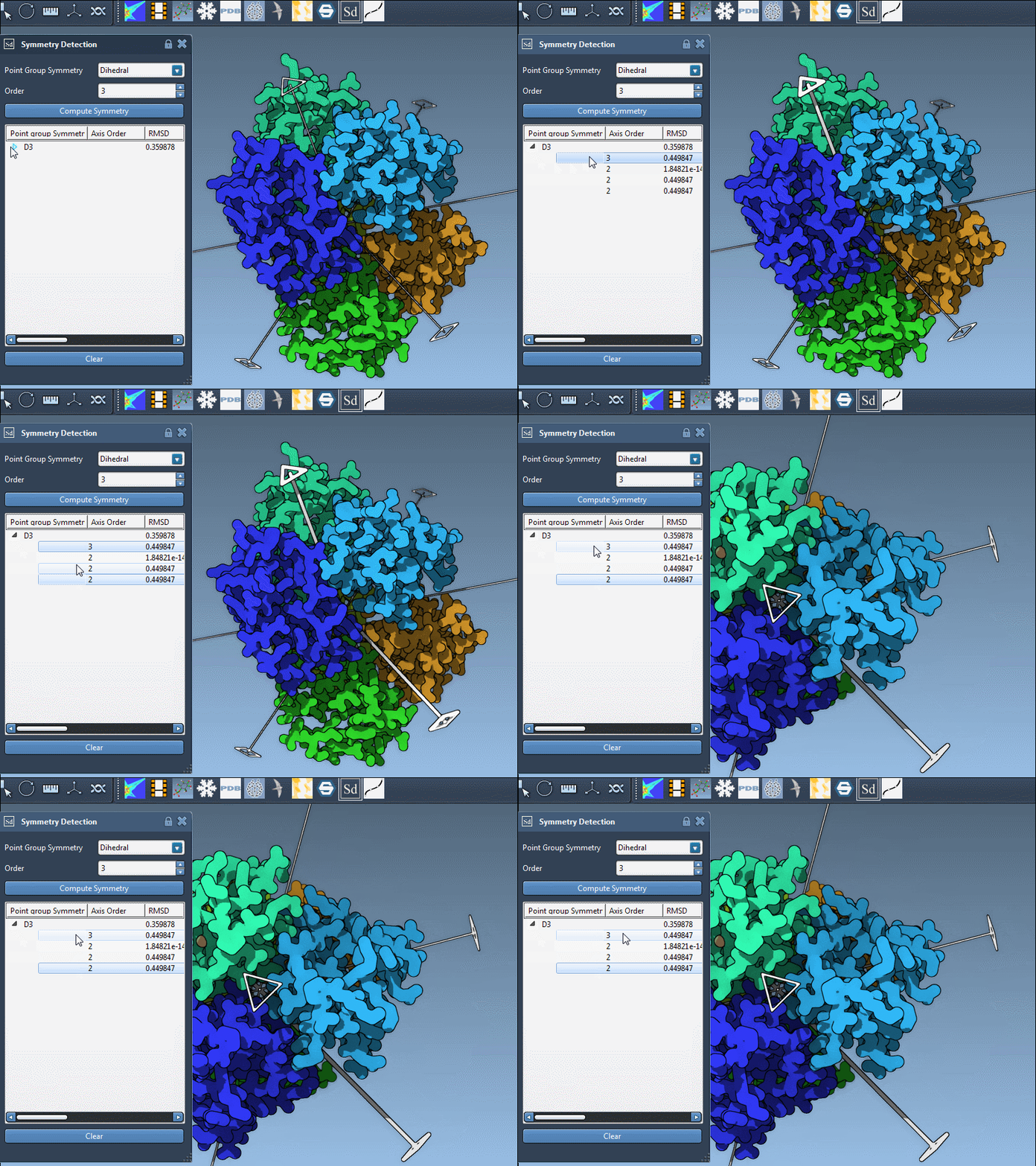
Each group can contain multiple symmetry axes. Here’s how to explore them effectively inside SAMSON:
- Single-click an axis to highlight it in the viewport.
- Double-click an axis to align the camera down that axis — useful for visualizing repetitive features.
Before You Simulate
Once satisfied with your symmetry choice, extract the asymmetric unit and use it for downstream tasks, such as molecular dynamics or mutation studies. Reducing the system size by a factor of N equals faster simulations, without compromising structural insight.
Takeaway
Selecting the right symmetry is an important step in modeling large assemblies. SAMSON doesn’t just detect axes — it equips you to make informed decisions by analyzing alternatives. Spend a few minutes comparing options. The result is a cleaner, leaner model for whatever comes next.
To learn more, visit the full documentation here: Symmetry Detection in Biological Assemblies.
SAMSON and all SAMSON Extensions are free for non-commercial use. You can download SAMSON at https://www.samson-connect.net.