



If you’ve ever tried to reconstruct the biological assembly of a protein from a crystallographic asymmetric unit, you know the process isn’t always straightforward. It’s easy to flood your workspace with copies or lose track as you apply symmetry operations one by one. Whether you’re exploring potential binding interfaces or building nanostructures, clarity and control matter.
That’s where the Symmetry Mate Editor in SAMSON can help. One particularly helpful (and often overlooked) feature it offers is previewing symmetry mates before generating them. This can save time and reduce clutter—especially when exploring complex or icosahedral symmetries.
How it works
When you activate the Symmetry Mate Editor—either via the Find everything search (Shift + E) or the Editors menu in SAMSON’s left-side viewport—you’ll notice a set of control nodes in the 3D viewport. Each node corresponds to one transformation from the protein’s PDB file, such as those coming from CRYST1 or BIOMT records.
By hovering over a control node, you’ll see a real-time preview of the resulting replica. This visualization helps you:
- Quickly evaluate whether a transformation is relevant for your system
- Decide which interfaces to explore further before committing
- Avoid cluttering the model with unnecessary copies
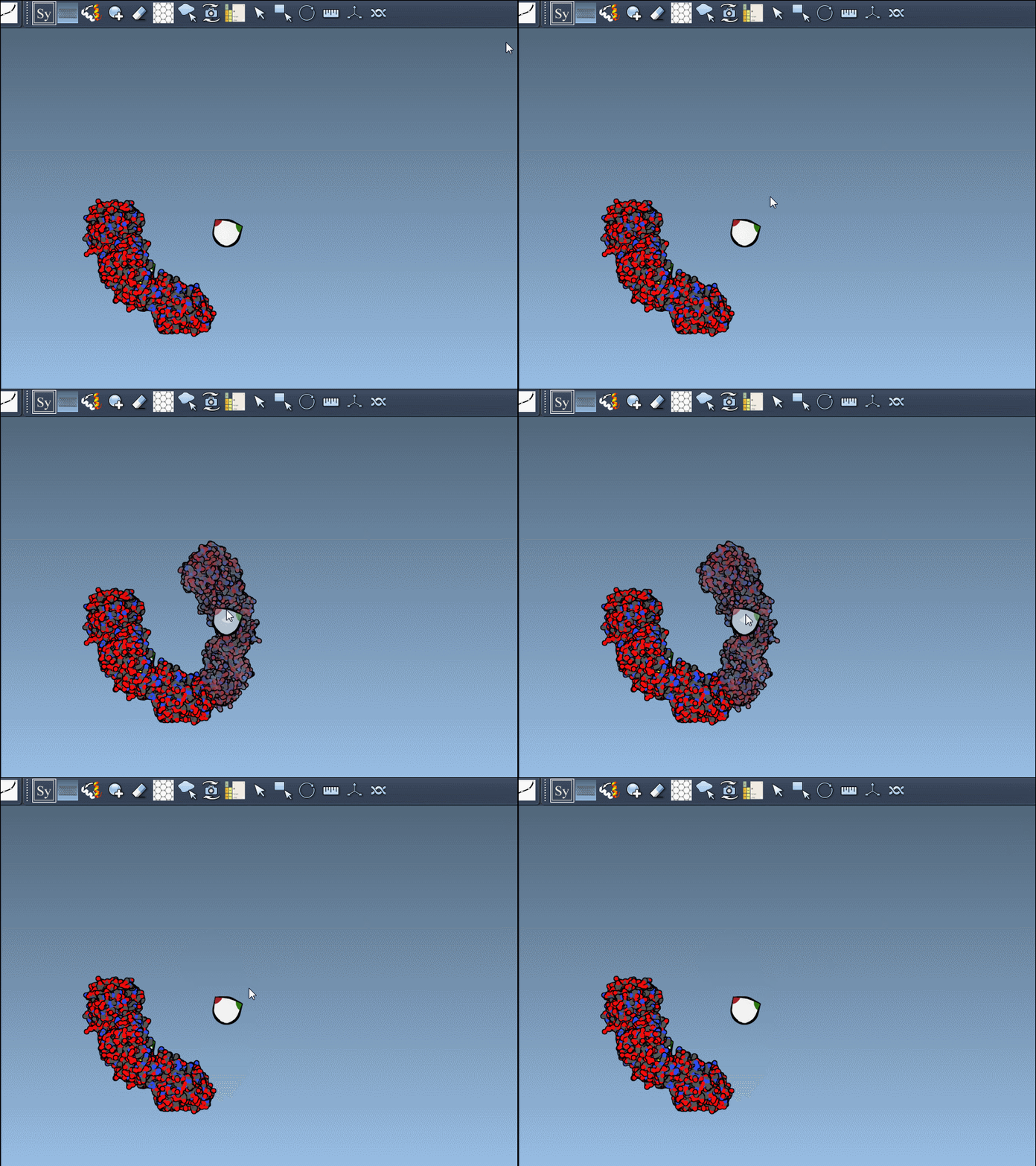
Once you’re ready, a simple left-click on the control node will generate the actual replica in your model. If you change your mind, a quick Ctrl+Z (or Cmd+Z on macOS) will undo the addition instantly.
Bulk generation when needed
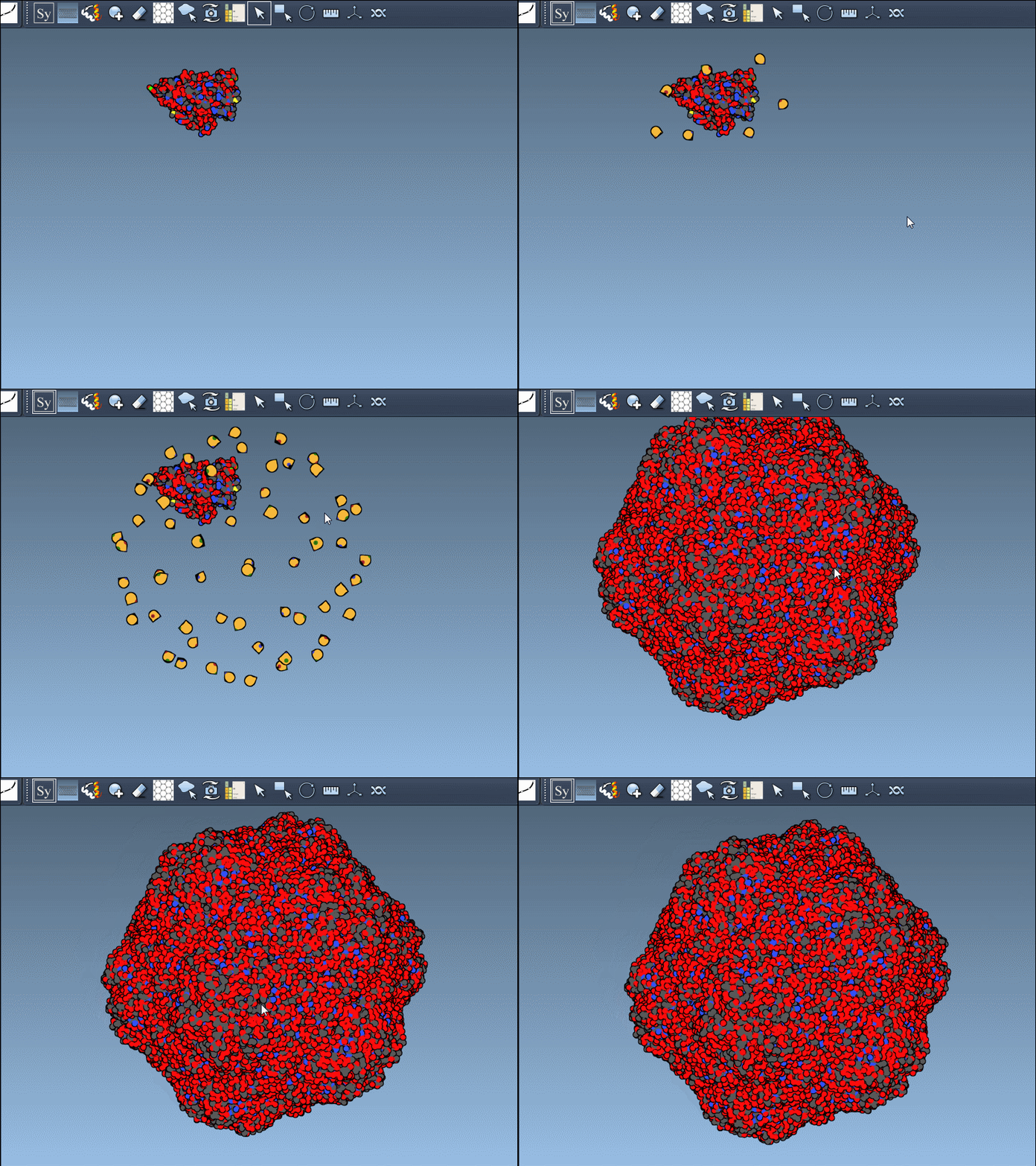
If you do want to generate all symmetry mates at once, there’s a shortcut too. Just press Ctrl (or Cmd) and then hover and click a control node. SAMSON will preview all replicas for the selected transformation set—and generate them in a single action.
When previews are particularly useful
This preview-before-generation approach is especially helpful when working with large proteins or assemblies with high symmetry. For example:
- If you’re designing a symmetrical protein cage and testing different motifs
- When you’re exploring if certain chains repeat in a biological assembly
- While analyzing how symmetric units interact in docking scenarios
Also, previews help avoid unnecessary simulation costs if you’re planning to run molecular dynamics on generated models. Instead of blindly generating full assemblies, you can home in on relevant configurations from the start.
Conclusion
Adding symmetry mates to proteins is essential for many workflows in molecular modeling, but it doesn’t have to be overwhelming. By using the preview functionality of SAMSON’s Symmetry Mate Editor, molecular modelers can inspect transformations before making changes to the model—staying efficient and focused.
To explore more about generating symmetry mates in SAMSON, head to the full documentation: https://documentation.samson-connect.net/tutorials/symmetry/generating-symmetry-mates/
SAMSON and all SAMSON Extensions are free for non-commercial use. You can download SAMSON at https://www.samson-connect.net.