



Exploring how small changes in your molecules impact their behavior is a key activity in molecular modeling, especially during hit expansion or lead optimization. But trying out dozens of variations by hand? That gets tedious quickly.
This is where the SMILES Manager extension for SAMSON can help. Among its features is a streamlined way to perform positional analogue scanning: a technique that helps you rapidly create and visualize analogs of a molecule by systematically modifying specific atoms or groups.
If your goal is to probe the structure-activity relationship (SAR) of a lead compound—say by replacing each aromatic hydrogen in a structure with a nitrogen or methyl group—this method accelerates the entire workflow in just a few clicks.
Start From a Known Structure
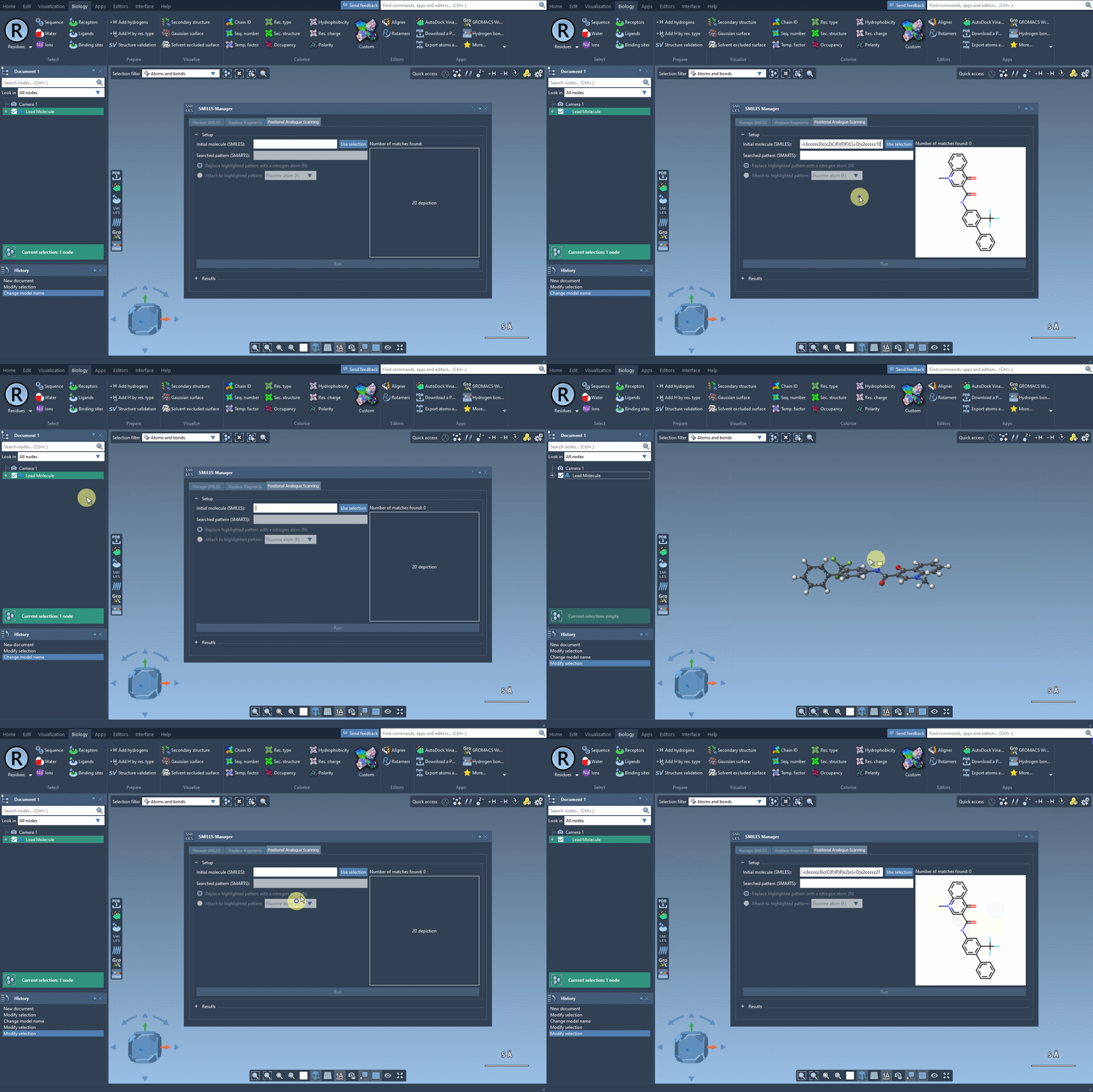
You can feed the starting molecule into the SMILES Manager either by typing in its SMILES code or by selecting it directly in the SAMSON document and clicking the Use selection button. For instance, here’s an example explored in the literature (Pennington et al., J. Med. Chem., 2020):
CN1C=C(C(=O)Nc2ccc(-c3ccccc3)c(c2)C(F)(F)F)C(=O)c2ccccc12
Target the Pattern You Want to Explore
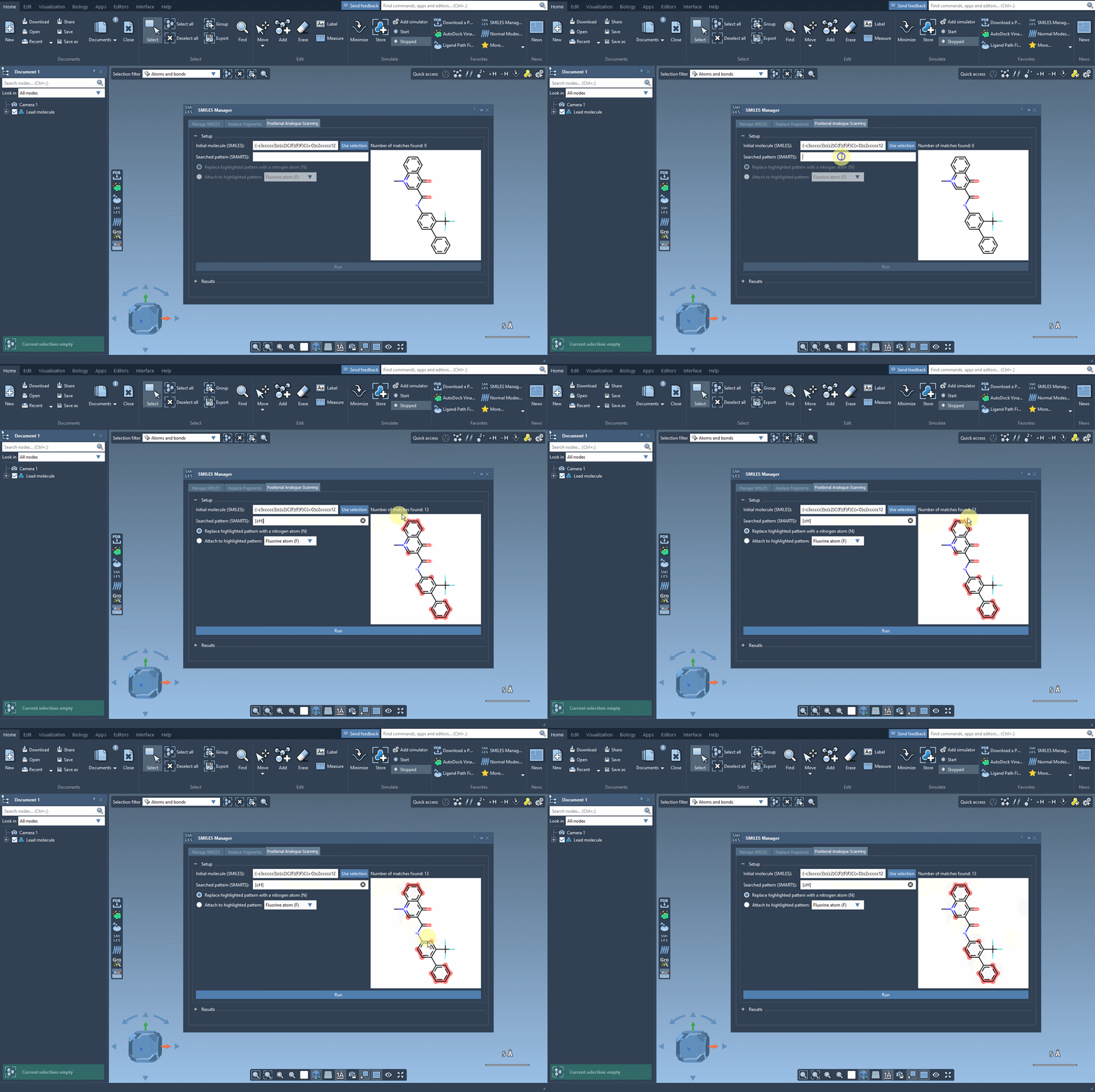
The power of this workflow lies in defining the specific pattern you’d like to replace—typically an atom type or substructure. For instance, you might be interested in every aromatic hydrogen atom. You can define this search using SMARTS codes, like:
[cH]
Once entered, occurrences of this pattern in the molecule are visually highlighted so you know exactly what will be modified.
Attach or Replace – Your Choice
At this point, you define what atom or group to test in place of the selected pattern. The replacement interface is flexible and supports either replacing the atom entirely (e.g. put a N instead of a hydrogen) or attaching something new (like a F or CH3).
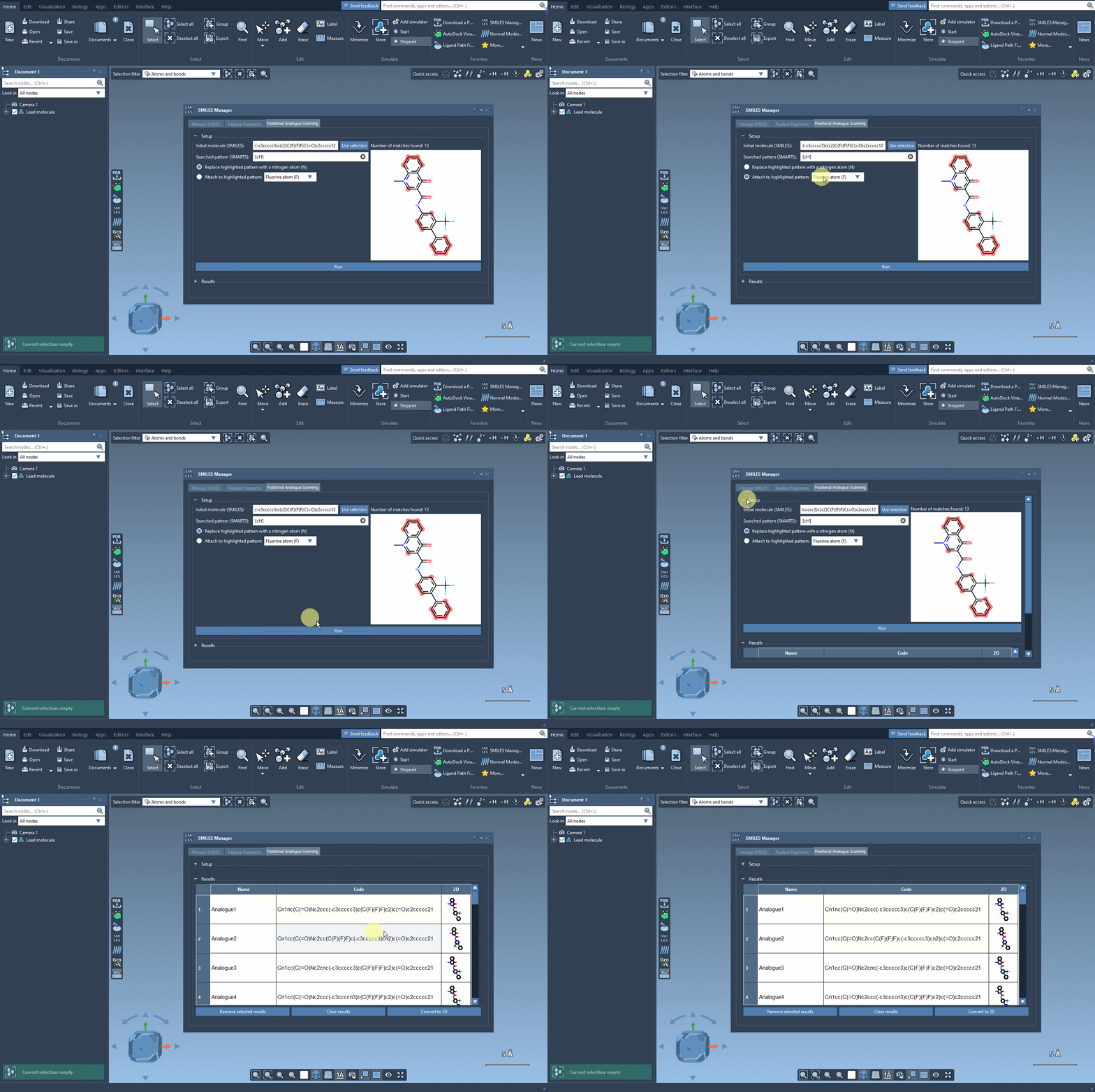
Once you hit “Run”, the SMILES Manager generates all the requested analogs. You’ll see a table with the structures’ names, SMILES strings, and 2D visualizations, ready for inspection—and just as importantly, ready to be converted into 3D structures.
What Makes This Useful?
Rather than drawing analogs manually or managing large spreadsheets, this compact visual workflow delivers:
- Immediate feedback via 2D images for every analog
- Editable names and SMILES strings if you want to tweak individual entries
- Interactive 3D generation to dive deeper into structure-based modeling, such as docking with Autodock Vina Extended
This turns an otherwise repetitive task into something fast and reproducible.
Learn more about positional analogue scanning and access the full documentation for this tutorial here: https://documentation.samson-connect.net/tutorials/smiles-manager/perform-positional-analogue-scanning-using-the-smiles-manager-element/
SAMSON and all SAMSON Extensions are free for non-commercial use. You can download SAMSON at https://www.samson-connect.net.