



When working with force fields like the Universal Force Field (UFF) in molecular design, default automatic typing and bonding are often quite effective. However, when modeling molecules with unusual bonding patterns or working with partially known structures, default algorithms may introduce errors or assumptions that don’t match your experimental data or expectations.
For molecular modelers, there is a recurring challenge: how can I precisely control how my molecular system is interpreted? Fortunately, SAMSON provides a way to interactively customize perception settings such as bond orders and atom types while running UFF simulations. This blog post presents how to make these tweaks safely and effectively.
Why Customize the Typization?
Sometimes, automatic detection mechanisms in modeling tools might misjudge atom hybridization states or calculate bond orders that don’t fit with your model hypothesis. For example, in coordination complexes or reactive intermediates, default force field parameters might lead to incorrect atom types, broken symmetry, or inaccurate energies.
With SAMSON and UFF, you don’t need to leave your system and reprocess everything from scratch—you can interactively update types, bonds, and valences under your control.
Steps to Guide Custom Typization
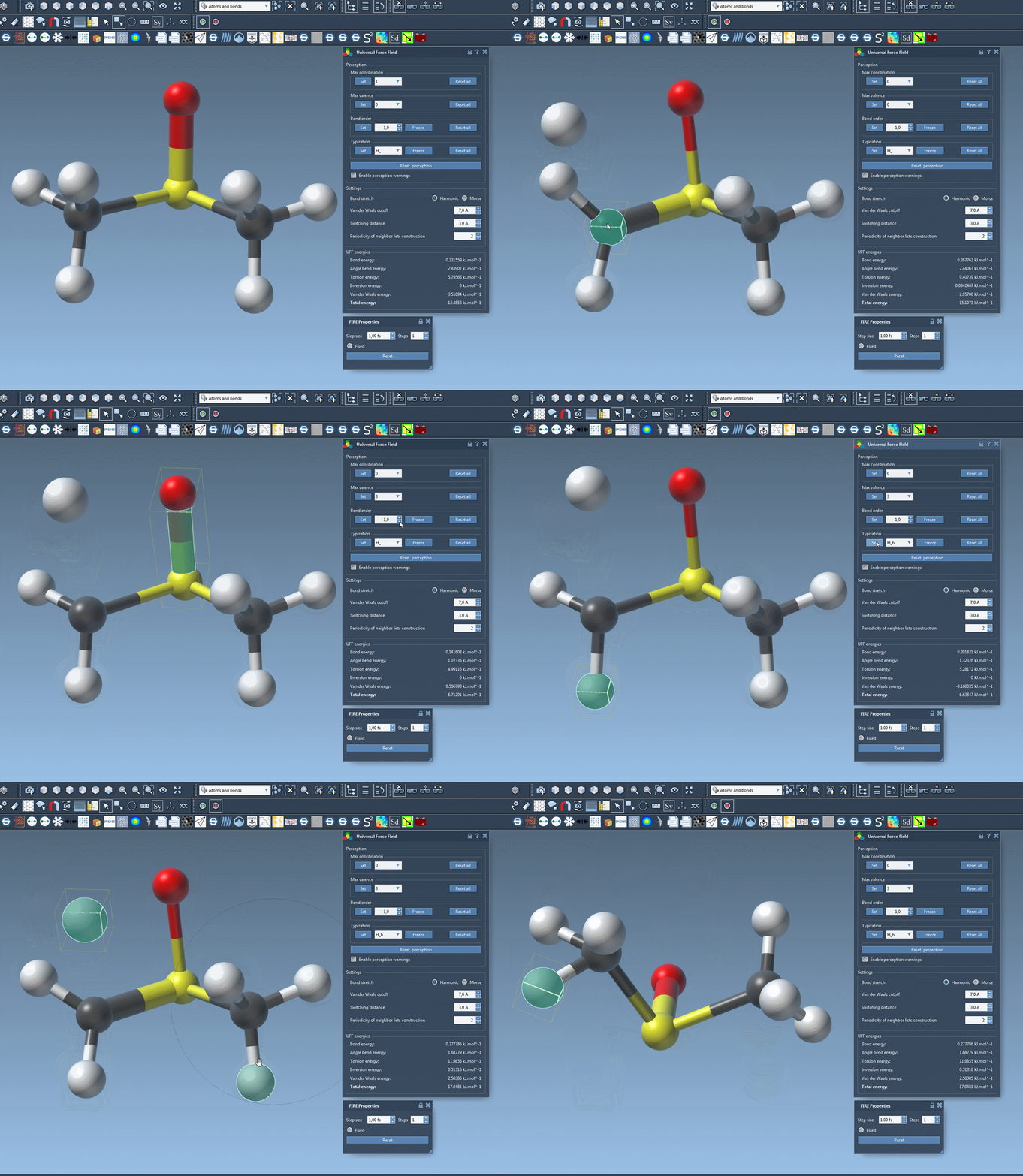
Customization in SAMSON’s UFF simulator unfolds once your simulation is already initiated. At this stage, you’ll see the UFF parameters panel. Here’s what you can control:
- Maximum coordination and valence: For each atom, set the allowed coordination (number of bonded atoms) and valence (sum of bond orders). These are capped to default values unless you reduce them.
- Bond order enforcement: Select one or multiple bonds, assign a new bond order (from 0.1 to 3.9), and click Set. Want to preserve this custom setting? Click Freeze to prevent future overrides.
- Force atom types: Modify specific atom types to guide how UFF interprets atom roles. This is especially useful in ambiguous structures. Again, hit Freeze to preserve.
- Reset and recompute: Missteps? Use the Reset all and Reset perception buttons to clear changes or restart perception from the structure you’ve built so far.
On-the-Fly Atom Editing Support
Customizing perception isn’t limited to parameters—you can also delete and add atoms in real-time. SAMSON will update the structure accordingly and reapply typization dynamically.
- To delete atoms, activate the eraser (rubber icon) and click the undesired atoms.
- To add atoms, select an element from the periodic table, click on a bonded atom, drag, and release to insert a new bonded atom in the model. UFF immediately adapts to this change.
When to Use Caution
Manually modifying types and bond orders is powerful but should be approached with care. It’s recommended mostly for advanced users and researchers who understand the bonding environment and electronic structure of the system. It’s also a helpful method when importing systems from third-party tools where bonds were preassigned.
Being able to make these updates mid-simulation streamlines workflows and encourages exploratory modeling with higher confidence in the accuracy of your physical constraints.
To dive deeper into this process, check out the full UFF tutorial on SAMSON’s documentation page: UFF tutorial in SAMSON.
SAMSON and all SAMSON Extensions are free for non-commercial use. You can download SAMSON at https://www.samson-connect.net.