



If you work with large biological assemblies, you’ve likely wondered how to make symmetry work in your favor. Automatic symmetry detection tools can analyze complex structures and identify repeating motifs—saving time when setting up simulations or designing new mutations. But what happens when the tool offers too many options?
SAMSON’s Symmetry Detection extension can return multiple plausible symmetry groups, especially for larger, multi-subunit systems. While this broad detection is valuable, it can also leave users uncertain about which group is correct—or most useful for their task.
Let’s look at how to take control by manually selecting the most appropriate symmetry group. This short guide can save hours of trial and error by helping you align symmetry analysis with your scientific intent.
Why Manual Selection Might Be Necessary
Imagine you import a structure like 1B4B. SAMSON may automatically identify a D3 dihedral symmetry group, but also suggest alternative matches. Visualizing all of these groups and inspecting their axes can be overwhelming, especially if your downstream simulation depends on a specific symmetry arrangement.
In cases like these, if you already know your system should follow a given symmetry (perhaps from experimental data or literature), it’s usually best to specify the group directly to avoid ambiguity—and potential errors downstream.
How to Specify a Symmetry Group Manually
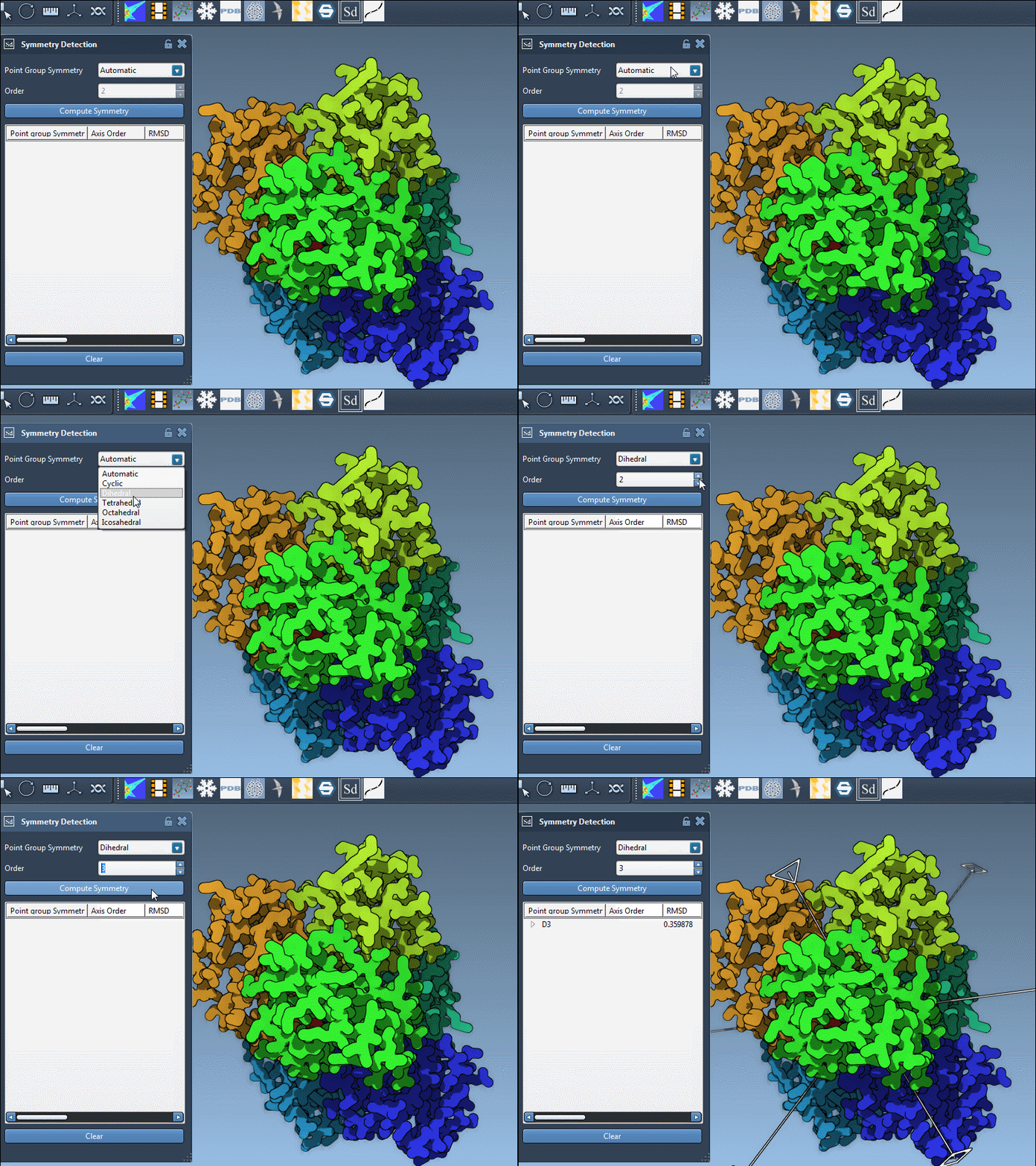
Once the Symmetry Detection app has analyzed your structure, simply choose the desired symmetry group from the dropdown menus:
- Select the group type (e.g.,
Dfor dihedral). - Select the symmetry order (e.g., 3 for
D3).
This overrides automatic ranking and visualization, allowing you to refine your workflow with the confidence that your group represents what you need.
Tips for Choosing the Right Group
If you’re unsure which group to pick—even when you want to do it manually—here are two helpful strategies:
- Prefer groups with high symmetry ranks and low RMSD values—they often represent more consistent internal repetition.
- Click on individual groups to visualize their axes in SAMSON’s viewport, and align your camera to inspect their orientation.
With a bit of trial and informed judgment, manual group selection can bridge the gap between visual inspection and computational readiness.
When to Use This Feature
Manual selection is particularly helpful when:
- You want to compare results across modeling tools or symmetry prediction methods.
- You are preparing a known asymmetric unit for simulation based on prior knowledge.
- You’re designing symmetric mutations or ligands and need precise axis control.
If you’d like to dig deeper into all available features—including visualizing axes, aligning the camera view, and working with multiple symmetry suggestions—you can read the full documentation here.
SAMSON and all SAMSON Extensions are free for non-commercial use. You can get SAMSON at https://www.samson-connect.net.