



A common challenge in molecular modeling is navigating complex macromolecular assemblies—especially when symmetry is involved. Many tools detect symmetry in biological structures, but what happens when more than one symmetry group is found? If you’re using SAMSON’s Symmetry Detection extension, this can happen frequently in large protein complexes or viral capsids.
This post walks you through practical steps to choose between multiple detected symmetries—helping you decide which one makes the most biological or modeling sense for your task 🧬
Why Multiple Symmetries?
Large biological assemblies often exhibit local or global symmetries and may conform to several plausible symmetrical arrangements. When the Symmetry Detection extension in SAMSON analyzes such systems, it may return several symmetry groups that approximately match the molecular geometry. These can include cyclic (Cn), dihedral (Dn), or even cubic symmetries.
Which Symmetry Should You Use?
Not all detected symmetry groups are equally useful. Here’s how to choose:
- Prioritize higher-order symmetries with low RMSD. Lower Root Mean Square Deviation (RMSD) indicates a closer match between symmetrical copies. Often, the best candidate balances biological relevance with geometric accuracy.
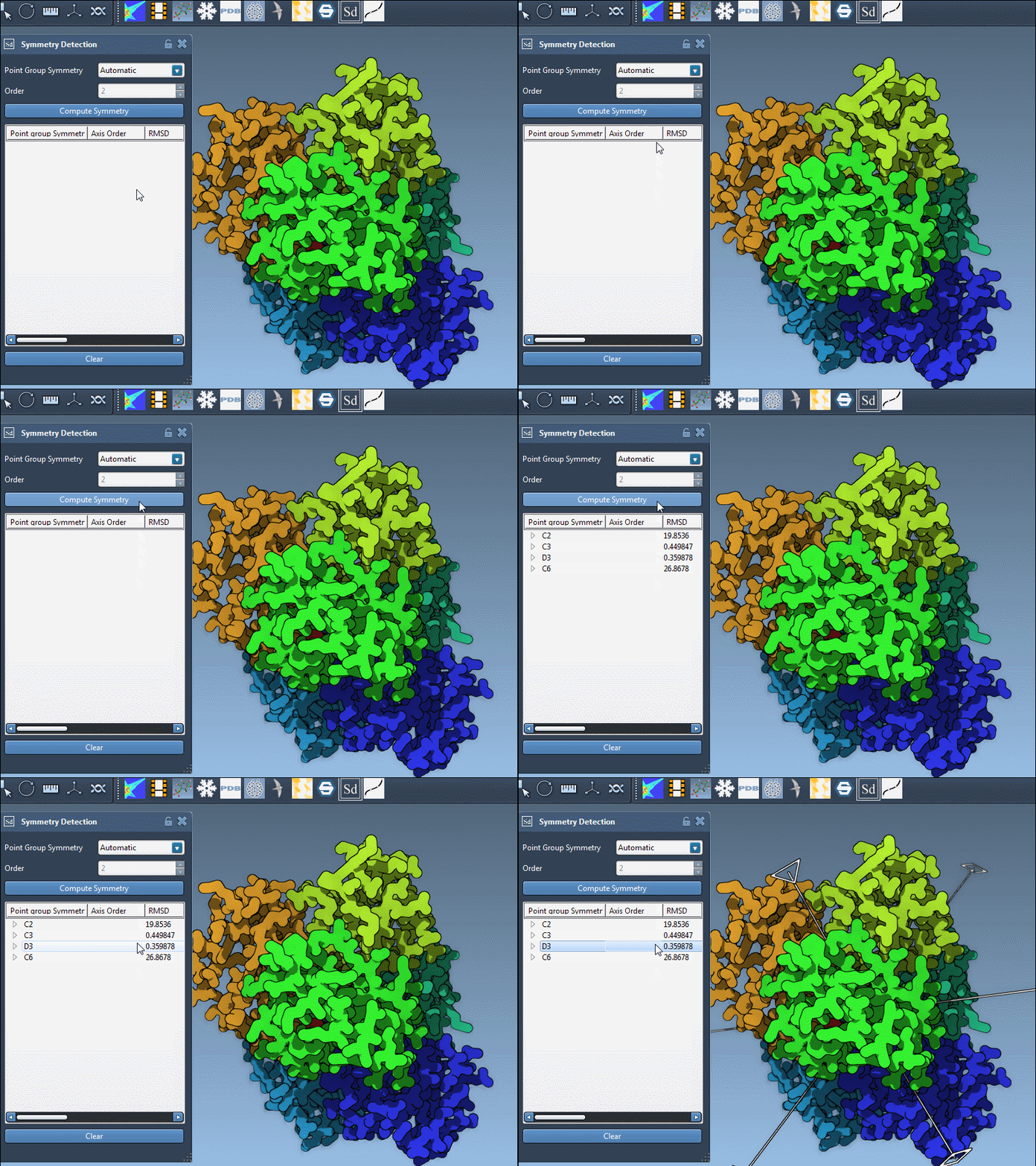
- Visualize before deciding. Click on a symmetry group in the interface—its main axis will be highlighted. This is especially helpful when multiple groups look reasonable on paper, but visually one fits the molecular structure better.
For example, in the 1B4B system, the Symmetry Detection extension identifies a dihedral D3 symmetry. Selecting it and visualizing the primary axis gives clarity on whether this arrangement is suitable for downstream workflows such as simulations or design.
Manual Selection: When You Know Better
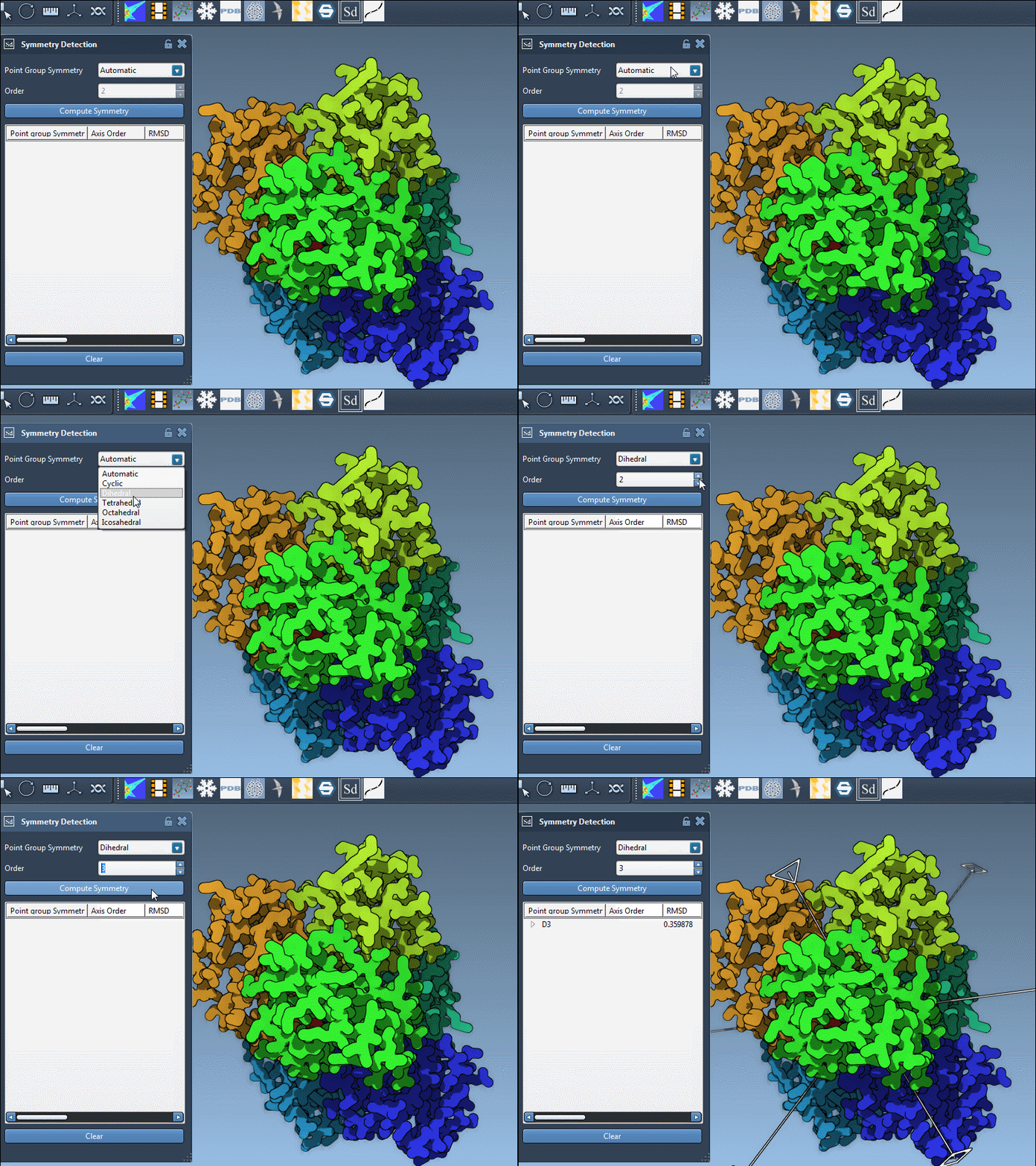
If your biological knowledge or the literature suggests a specific symmetry (say, D3 for 1B4B), you can manually pick it. In the extension interface, simply choose the group and order from dropdown lists. This lets you bypass other lower-probability predictions and focus your efforts more effectively.
Inspecting Axes and RMSD
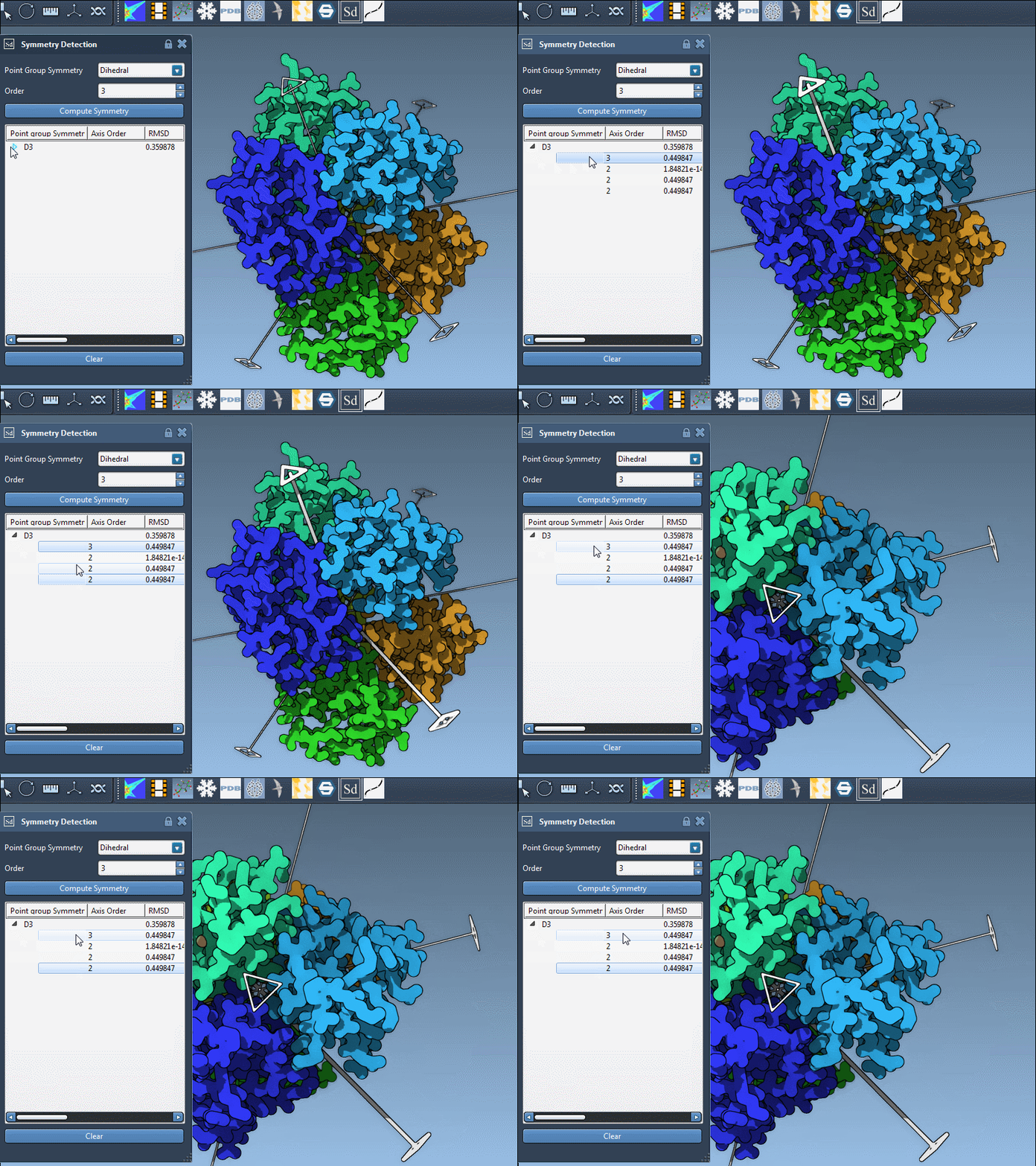
Each symmetry group may include several symmetry axes. To explore them:
- Click once on an axis to highlight it in bold in the viewport.
- Double-click to align the camera along the axis’ direction—perfect for checking symmetry visually.
Why This Matters
Using the most appropriate symmetry group can simplify your process dramatically—from reducing computation time by isolating asymmetric units, to ensuring your model is structurally valid. Taking a few minutes to explore multiple solutions can save hours of downstream adjustments.
When working with large assemblies, don’t rush symmetry detection. Explore, visualize, and make informed selections based on RMSD and biological expectations.
You can learn more about working with symmetry groups in SAMSON in the official documentation: Symmetry Detection in Biological Assemblies.
SAMSON and all SAMSON Extensions are free for non-commercial use. You can get SAMSON at https://www.samson-connect.net.