



When working with protein structures from the Protein Data Bank (PDB), one common challenge is visualizing how a single asymmetric unit extends into biological assemblies or crystal lattices. These symmetry mates can be critical for understanding quaternary structures, detecting interfaces, and planning molecular simulations.
If you’ve ever attempted to manually build full assemblies, you know it can be time-consuming and error-prone. That’s where real-time symmetry mate previewing in SAMSON’s Symmetry Mate Editor can make a difference.
Interacting With Symmetry Mates Effortlessly
Instead of blindly applying all transformations from CRYST1 or BIOMT records, the Symmetry Mate Editor provides a visual and interactive interface directly in the 3D viewport:
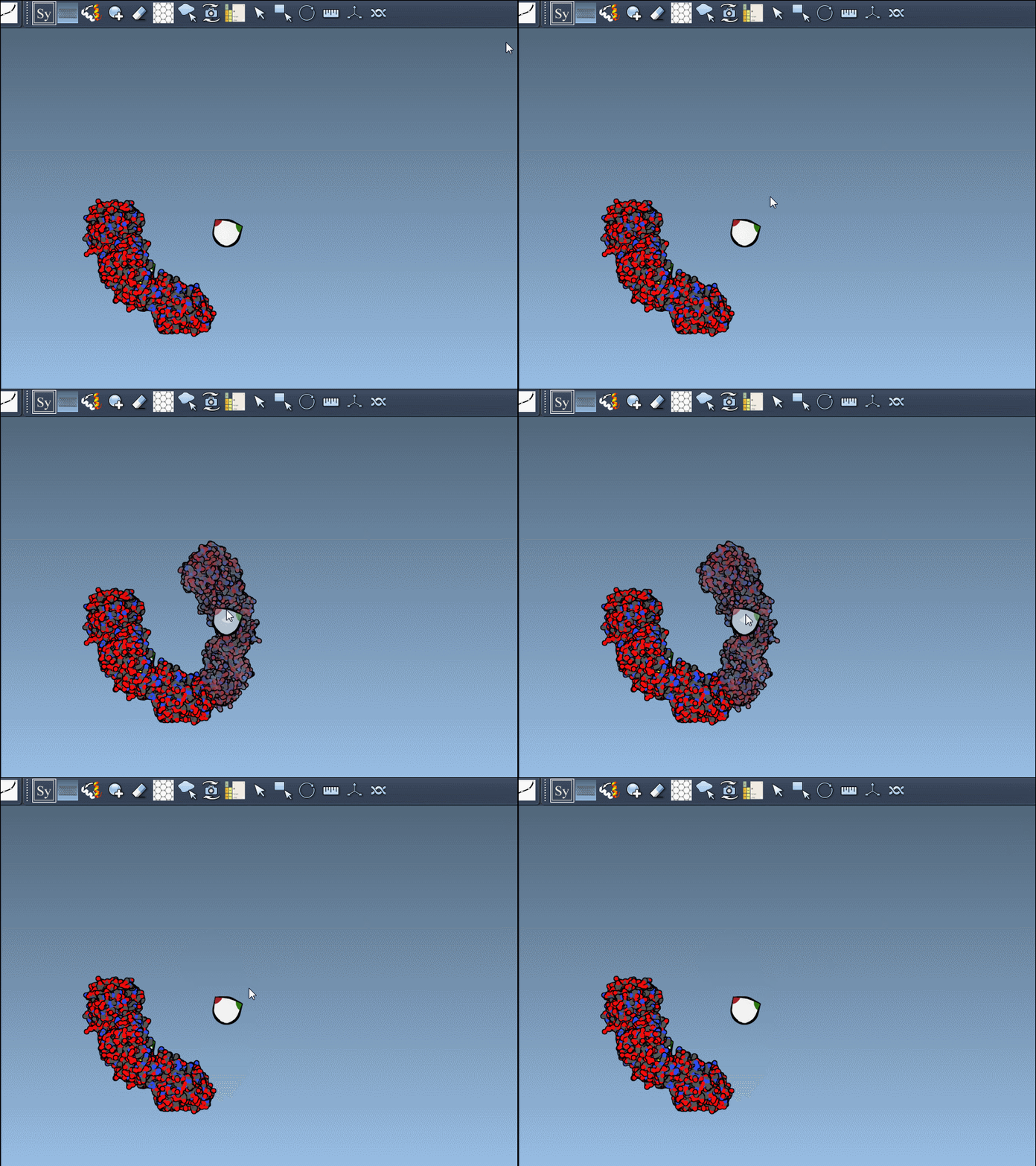
- Hover over a control node to preview the corresponding replica in real time.
- Left-click a node to generate the replica permanently in the scene.
- Undo if needed with
Ctrl/Cmd+Z.
This live preview capability helps you selectively generate only the symmetry mates that are relevant for your analysis, reducing clutter and unnecessary calculations.
Scale Interactions, Not the Hassle
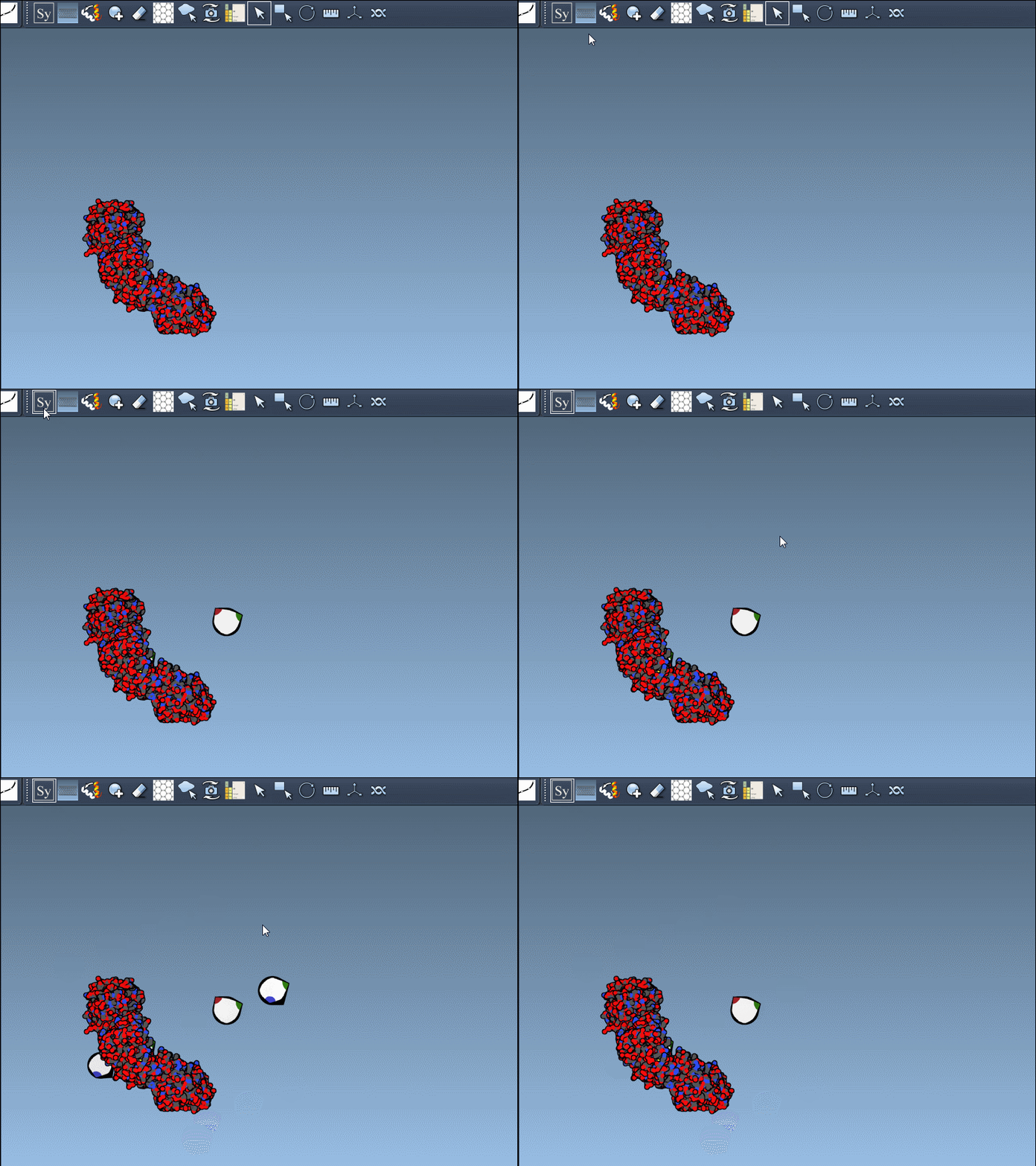
Some PDB entries contain many symmetry mates, which can quickly overwhelm a workspace. By using Ctrl/Cmd + mouse wheel, you can dynamically scale how many control nodes appear in your view—perfect for staying focused.
Generate Full Assemblies in One Click
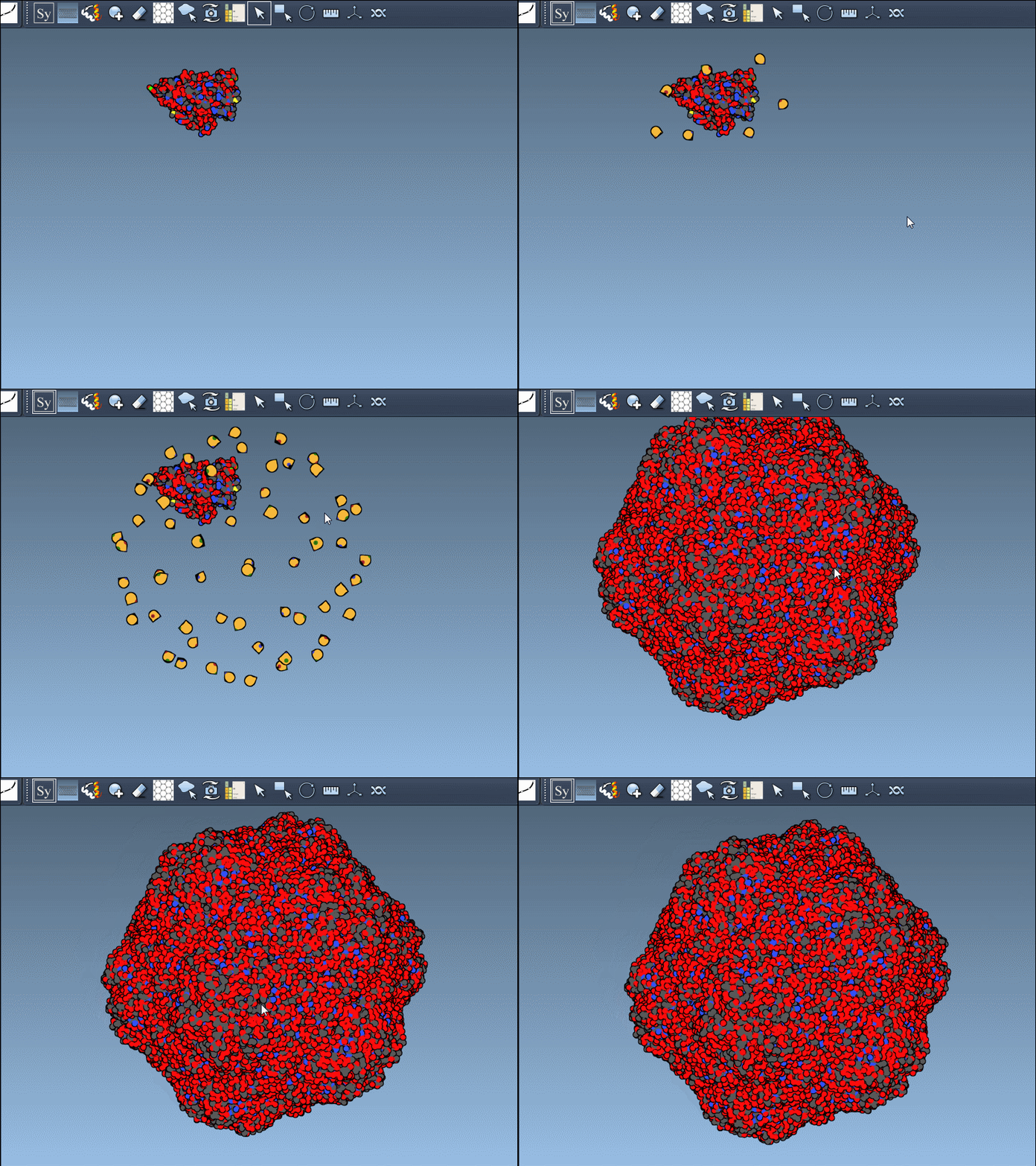
When you do want to generate all symmetry mates (e.g. for a viral capsid or multimeric complex), hold Ctrl or Cmd before clicking a control node. This previews and creates the full assembly in one go—a powerful option for building full quaternary structures or testing spatial complementarity.
Better Control, Better Structures
Whether you’re refining nanostructure designs or preparing simulations, being able to see and select symmetry mates without scripting or manual labor can significantly reduce overhead. Interactive symmetry mate previewing is not just time-saving—it also lowers the chance of symmetry mismatches or overlooking structural contacts.
To learn more and explore the full functionality of the Symmetry Mate Editor, visit the documentation page.
SAMSON and all SAMSON Extensions are free for non-commercial use. Download SAMSON from https://www.samson-connect.net.