



Visualizing and analyzing the symmetry of macromolecular assemblies can help streamline modeling workflows by focusing only on the essential asymmetric portion. However, what if your system doesn’t present a single, clear symmetry group?
This is a common situation when working with large assemblies such as viral capsids or oligomeric proteins. In these cases, automatic algorithms may detect multiple plausible symmetry groups, especially if there’s minor structural variation or experimental noise. Understanding how to interpret and refine these results can save time and improve the accuracy of downstream simulations and design steps.
Why do multiple symmetries occur?
Automatic detection tools, like those in the Symmetry Detection extension in SAMSON, compute groups based on similarity and spatial distribution. Because biological assemblies can exhibit near-perfect but not exact symmetry, the tool may return several possible symmetry options with different levels of fit (quantified by RMSD).
This might leave you asking: which group should I choose for further analysis?
Two strategies to identify the most useful symmetry group
1. Favor higher-order symmetry groups with low RMSD
When several groups are proposed, it’s a good idea to prioritize those with the highest order (more symmetry elements) and with lower RMSD scores. A low RMSD means the symmetry is a better fit. You can scan through the groups to find the best candidate for your application.
2. Manually select a known or expected symmetry
If you already know the symmetry of your system—perhaps from literature or a crystallographic database—you can set it directly in the app. From the group and order dropdown menus, choose the expected symmetry group. For instance, for the assembly with PDB ID 1B4B, you might know it has D3 (dihedral order 3) symmetry.
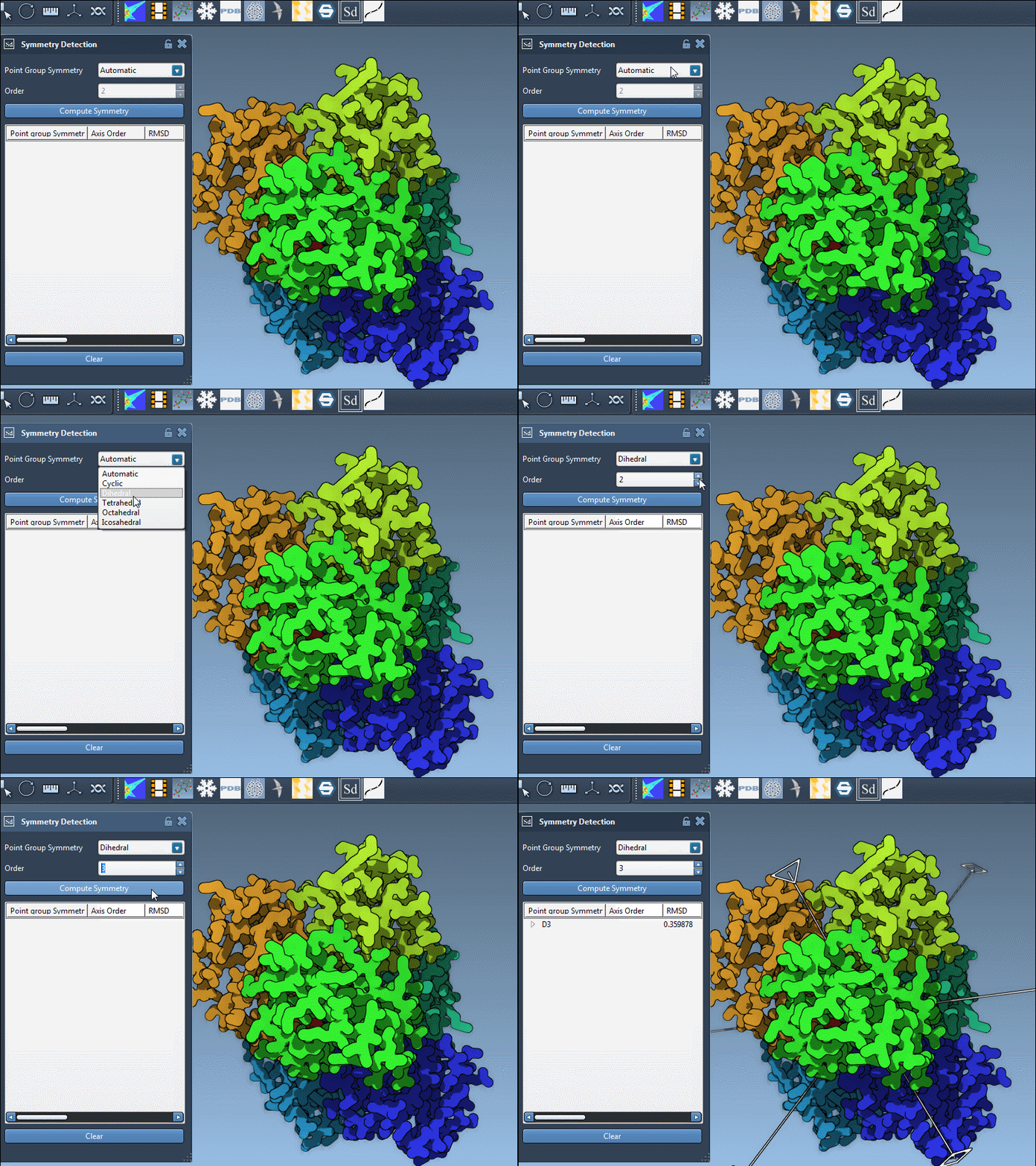
Visual cues: explore axes and RMSD values interactively
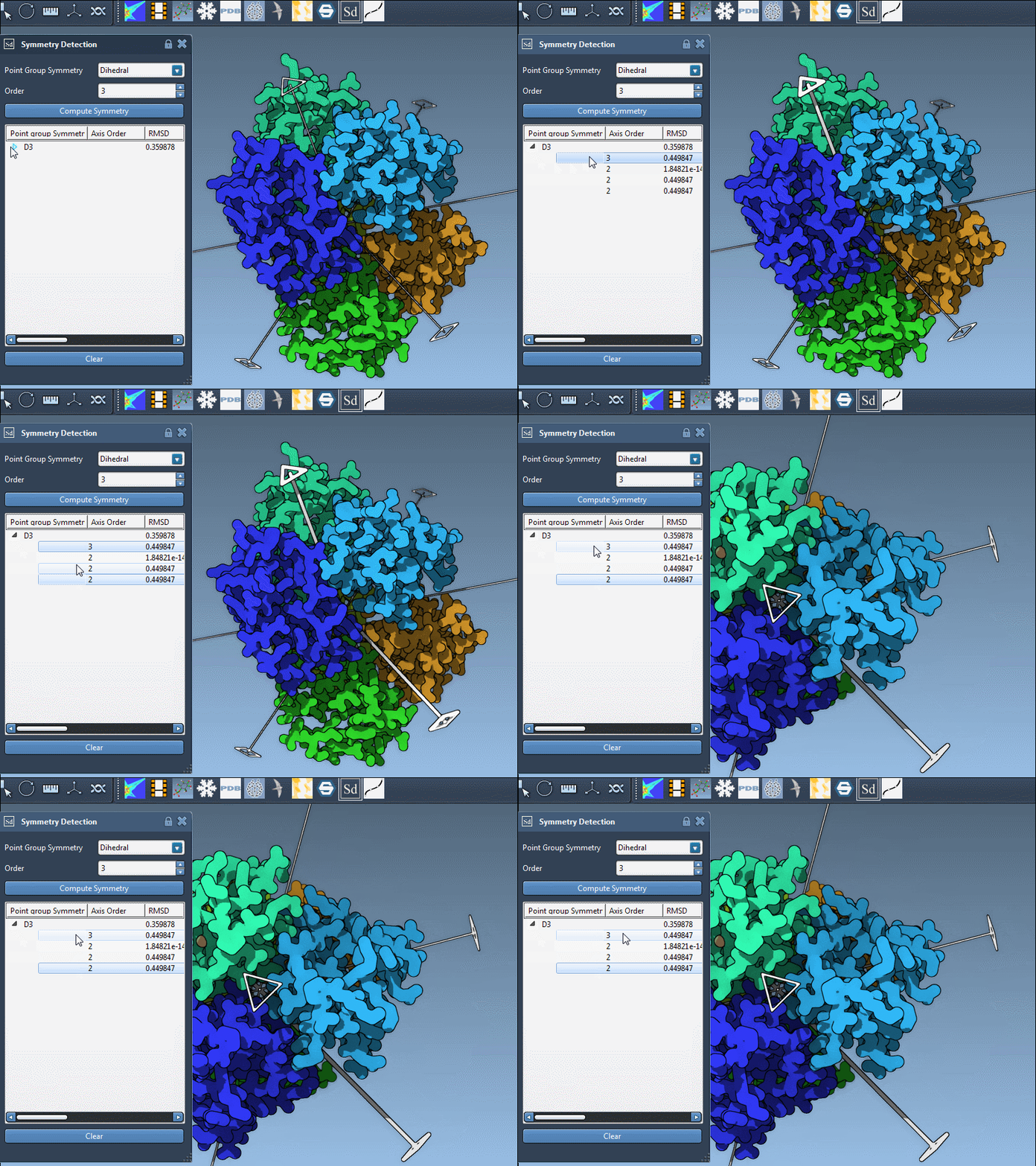
Each detected group can contain multiple axes. To explore them, expand the group in the interface. Visual and numerical feedback makes it easier to interpret symmetry:
- Single-click axes to highlight them graphically.
- Double-click to change the camera viewpoint and align along the selected axis.
This helps you evaluate how well each axis conforms to biological expectations.
Implications for modeling
Once you’ve determined the most relevant symmetry group, you can:
- Extract the corresponding asymmetric unit.
- Validate experimental data consistency.
- Reduce the system size for simulations.
- Design symmetric ligands or mutations.
This approach helps transform ambiguous symmetry detection into a concrete modeling decision, improving both efficiency and accuracy.
Learn more in the full documentation: Symmetry Detection in Biological Assemblies
SAMSON and all SAMSON Extensions are free for non-commercial use. You can download SAMSON at https://www.samson-connect.net.