



When working on lead optimization or virtual screening in molecular design, it’s common to generate multiple analogs of a candidate molecule. But once you’ve created these potential variants, how do you efficiently refine, edit, or investigate them without leaving your modeling environment?
If you’re using SMILES Manager in SAMSON, there’s a built-in interactive results table that lets you stay hands-on with your generated analogs—no need to switch between tools. Whether you need to correct a SMILES code, investigate a 2D structure more closely, or generate a 3D model ready for docking, it’s all a click away.
Edit and Tweak Analog Structures Directly
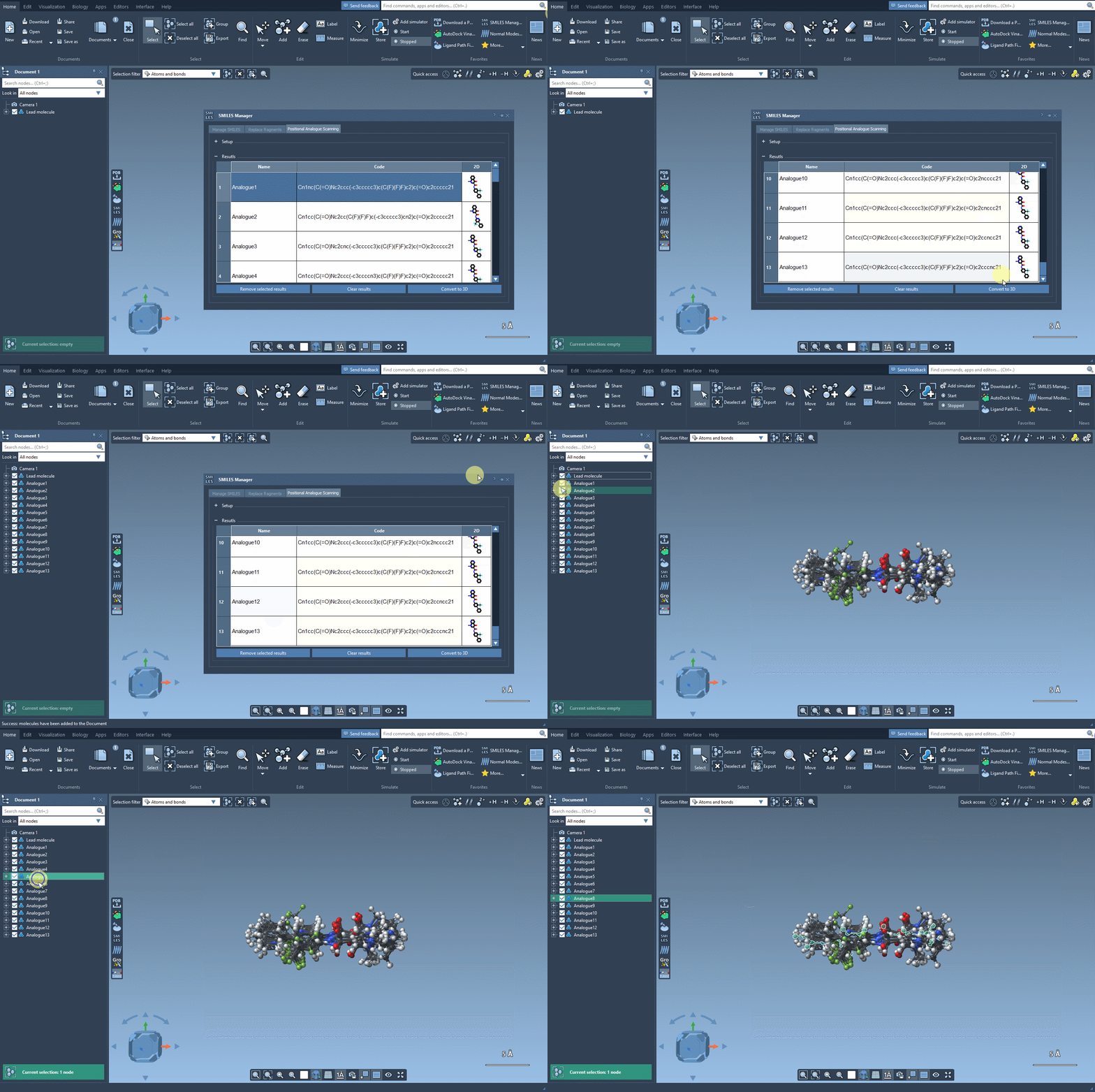
Once you’ve generated new analogs through positional analogue scanning, each analog appears in a results table. Here, you can refine and inspect your analog set right away:
- Rename or modify analogs: Simply double-click on a molecule’s name or SMILES code in the table to edit it. This is an efficient way to correct entries or insert new modifications manually without restarting the entire generation process.
- Examine 2D representations: Double-click a 2D image to open it larger, or right-click and choose “open” to explore complex atom connectivity at a glance.
- Declutter your view: Prefer a more compact table? Toggle the display of 2D depictions using the 2D header cell, especially useful when comparing a large number of analogs.
- Remove specific candidates: Select rows and hit Remove selected results to curate your collection. You can also clear the entire table with the Clear results button if you want a fresh start.
From 2D to 3D in Seconds
When you’re ready to go beyond flat depictions, right-click on any analog and choose Generate 3D Structure. SAMSON will build a three-dimensional model of the analog, which you can analyze directly or export for further studies like energy minimization, virtual screening, or interaction analysis.
Why It Matters
Minute changes in molecular structure can significantly affect properties like binding affinity or specificity. Having an interface that allows fast, interactive editing and 3D generation can make a difference when iterating on molecular ideas or preparing for downstream analysis like docking.
This approach keeps the workflow inside SAMSON, making it easy to go from SMILES manipulation to structure-based modeling without delays or format conversions.
Learn more about this process and additional features in the complete documentation: Positional Analogue Scanning Tutorial.
SAMSON and all SAMSON Extensions are free for non-commercial use. You can download SAMSON here.