



Designing and optimizing small molecules is central to many molecular modeling efforts, from drug discovery to materials science. But chemical space grows rapidly, and exploring it effectively is often challenging and time-consuming.
One common pain point is identifying how subtle structural changes affect molecular behavior—like modifying an aromatic ring or seeing the effect of replacing a hydrogen atom with a methyl or fluorine group. For many modelers, this involves structure drawing tools, file conversions, and other manual steps that break your workflow.
Luckily, SAMSON’s SMILES Manager makes this process much easier with a technique called positional analogue scanning. With just a few clicks, you can identify structural motifs in a molecule and systematically replace or attach atoms or groups to generate series of analogues—all while staying in the SAMSON workspace.
From SMILES to Analogues in Minutes
Let’s say you’re working with a ligand and want to explore how changes to its aromatic ring affect binding. Instead of exporting structures and recreating analogues in an external editor, just paste your molecule’s SMILES string into SMILES Manager. Or even quicker—select it directly in the SAMSON document and press Use selection.
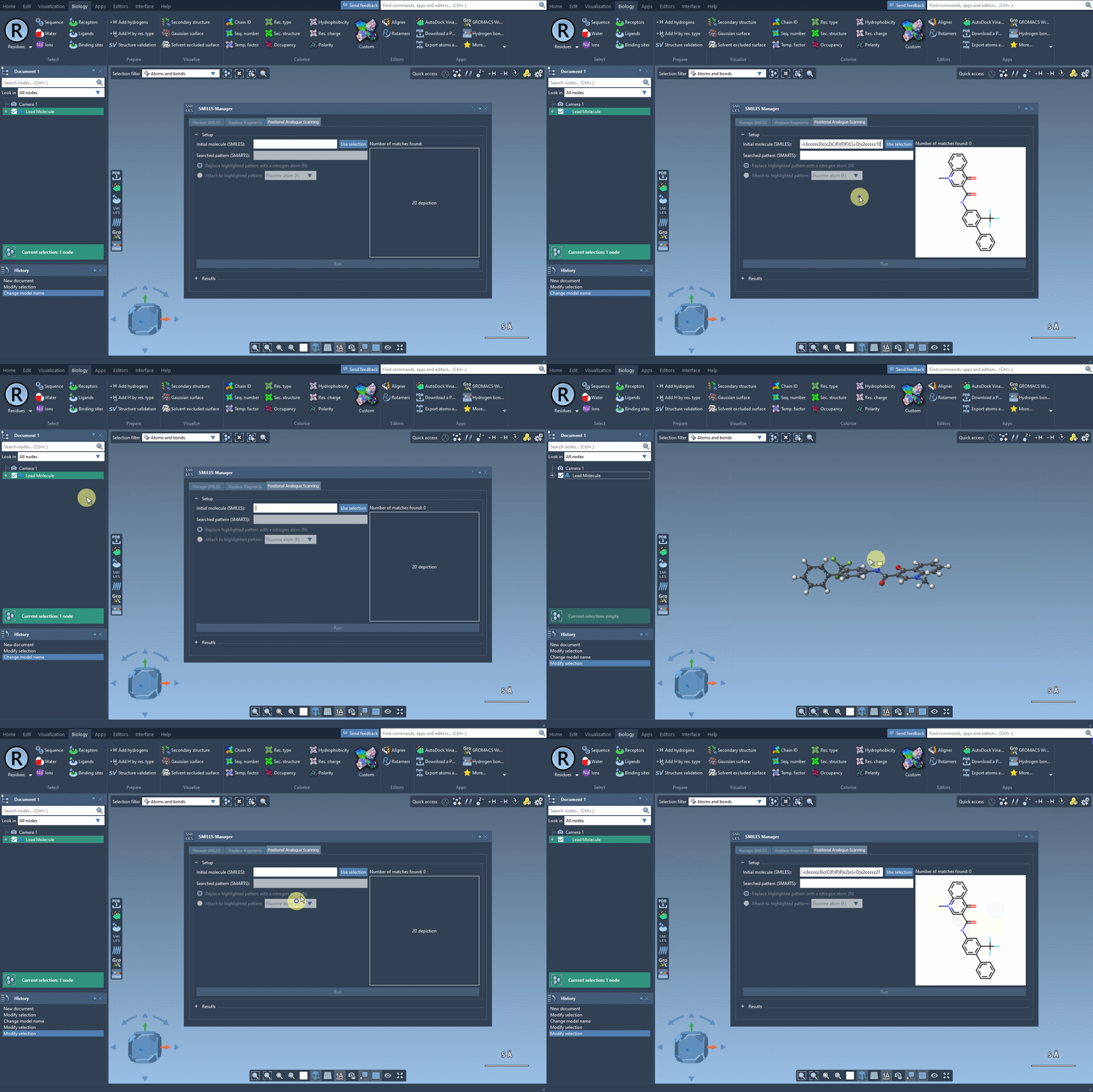
Define What to Modify
Once your molecule is loaded, choose the atomic pattern you want to scan. For example, you can target an aromatic hydrogen by entering the SMARTS code [cH]. SMILES Manager then highlights all matching atoms in your structure—a quick way to check that the pattern matches your intended sites.
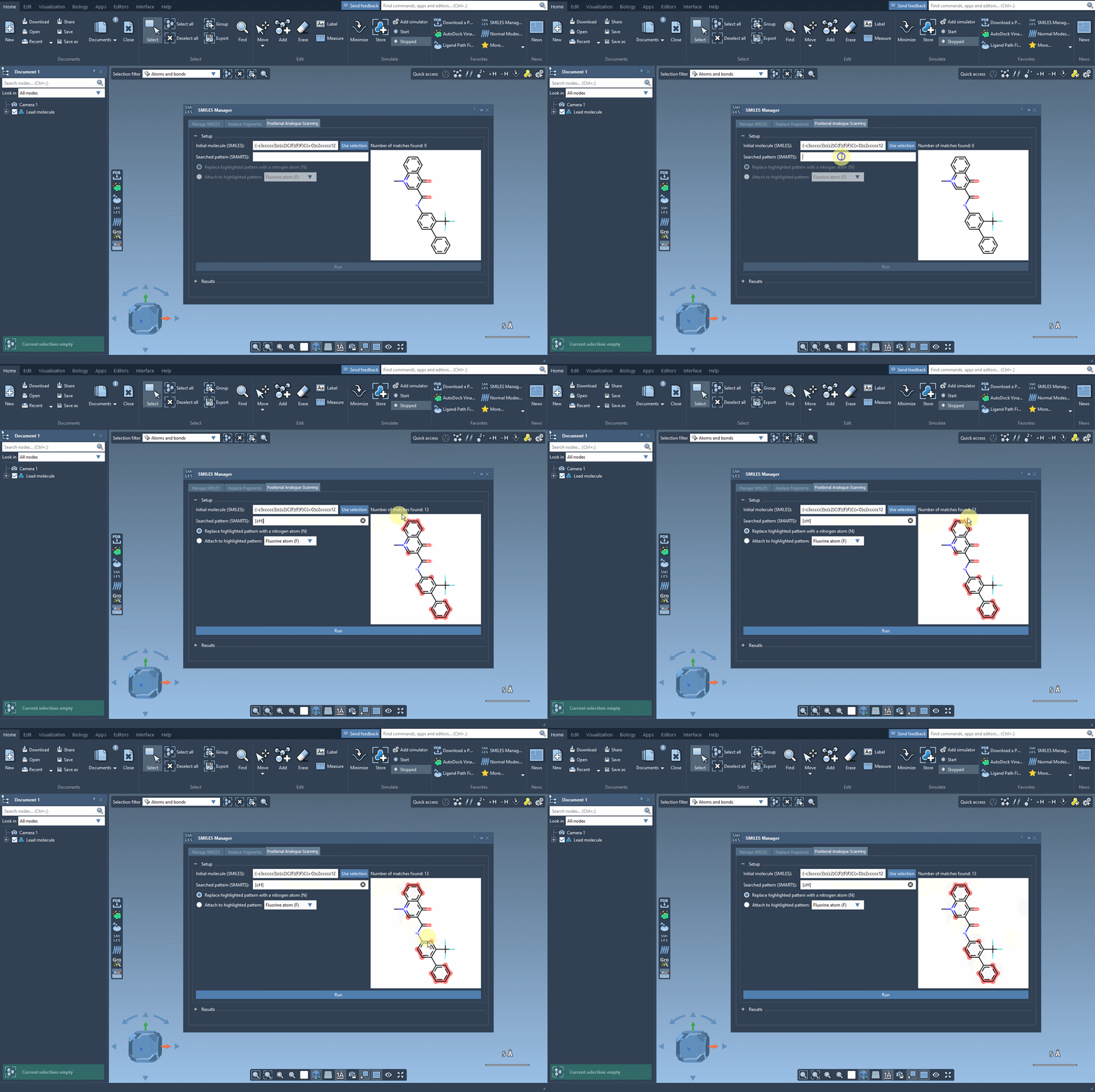
Attach or Replace: Your Choice
What makes SMILES Manager practical is its flexibility. You can choose to replace the selected atoms with another (for example, replace an aromatic hydrogen with nitrogen)…
…or you can attach something to them. Add a fluorine, methyl group, or other fragments to build new analogues. Then hit Run, and SMILES Manager quickly generates all variants in a clean list, with corresponding SMILES and 2D views.
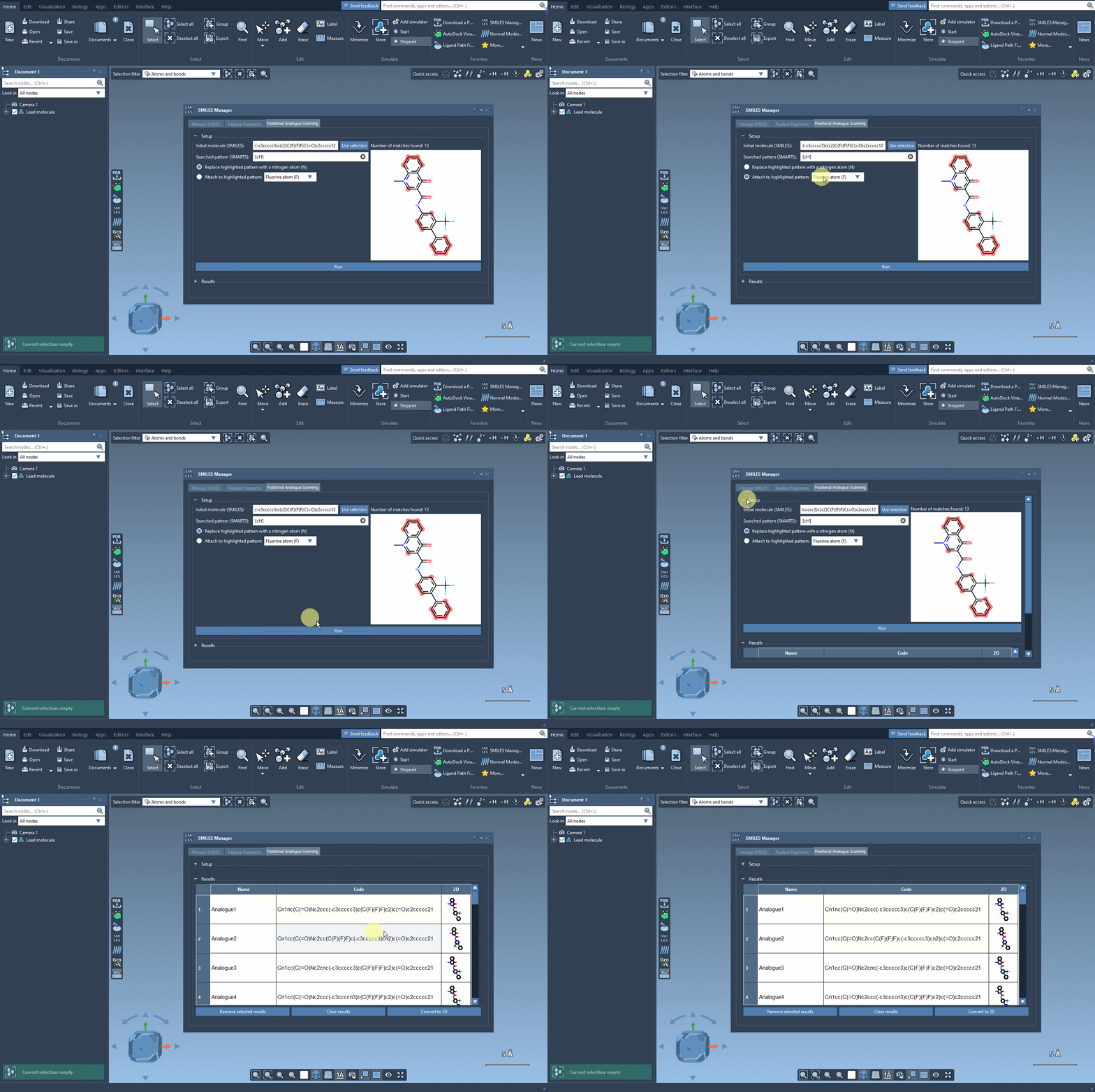
Interact with Your Analogue Library
The output table is interactive—you can edit SMILES, rename analogues, zoom in on 2D structures, or remove results. Right-click any analogue to directly convert it to 3D and continue your molecular workflow in SAMSON.
Why It Matters
Instead of switching between chemical drawing, conversion, and simulation tools, SMILES Manager consolidates analogue generation and visualization in one place. This is especially useful when running SAR studies, generating docking candidates, or preparing virtual screening sets.
By simplifying analogue generation, you reduce manual errors and get faster insights into your structure-function hypotheses. And since it’s embedded in SAMSON, you can move straight into tasks like energy minimization, docking, or interaction analysis without changing software.
To learn more about positional analogue scanning in SMILES Manager and see more examples, check the full tutorial here.
SAMSON and all SAMSON Extensions are free for non-commercial use. You can download SAMSON at https://www.samson-connect.net.