



Constructing carbon nanotube (CNT) models for molecular simulation or nanoengineering projects often requires carefully tuning structure-defining parameters. For many molecular modelers, this becomes a bottleneck—especially when dealing with multi-walled CNTs or trying to replicate specific geometries using external modeling tools.
If you’re working in materials science, nanotechnology, or molecular modeling and need to frequently build CNT structures, the Nanotube Creator Extension in SAMSON offers a streamlined solution with both speed and precision.
Why Geometry Matters in CNT Modeling
Single-walled and multi-walled CNTs are defined by two integers: n and m, the chiral vector parameters that determine their structure and properties. A seemingly small change in these parameters can drastically influence mechanical strength, electrical conductivity, or transport behavior.
Instead of manually placing atoms or writing scripts, SAMSON provides two methods to build nanotubes:
- Graphically and interactively—great for quick prototyping and visual feedback
- Using a parameterized GUI—for full control over chirality, radius, and alignment
Interactively Build Custom CNTs
The interactive viewport method lets users visually create nanotubes with a few simple mouse gestures:
- Set axis and length: Click and drag the left mouse button to choose the start and direction of your nanotube.
- Set radius: Release the button, then move the mouse to define the nanotube radius. Click again to confirm.
A dynamic status bar continuously updates n and m values so that users can adjust parameters accurately:

Prefer Precision? Use the Graphical Interface
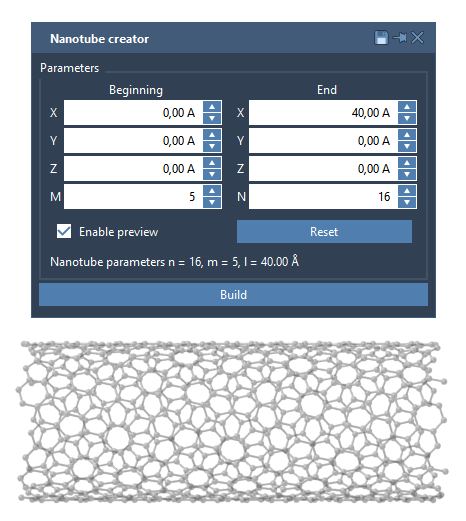
If you’re aiming for reproducible setups or need well-defined geometries, activate the Nanotube Creator’s GUI. It allows manual definition of:
- Start / End positions (3D coordinates defining tube placement and direction)
- Chiral vector parameters
nandm(affecting radius and symmetry)
Here’s what that looks like inside SAMSON:
Example: Building a Multi-Walled CNT
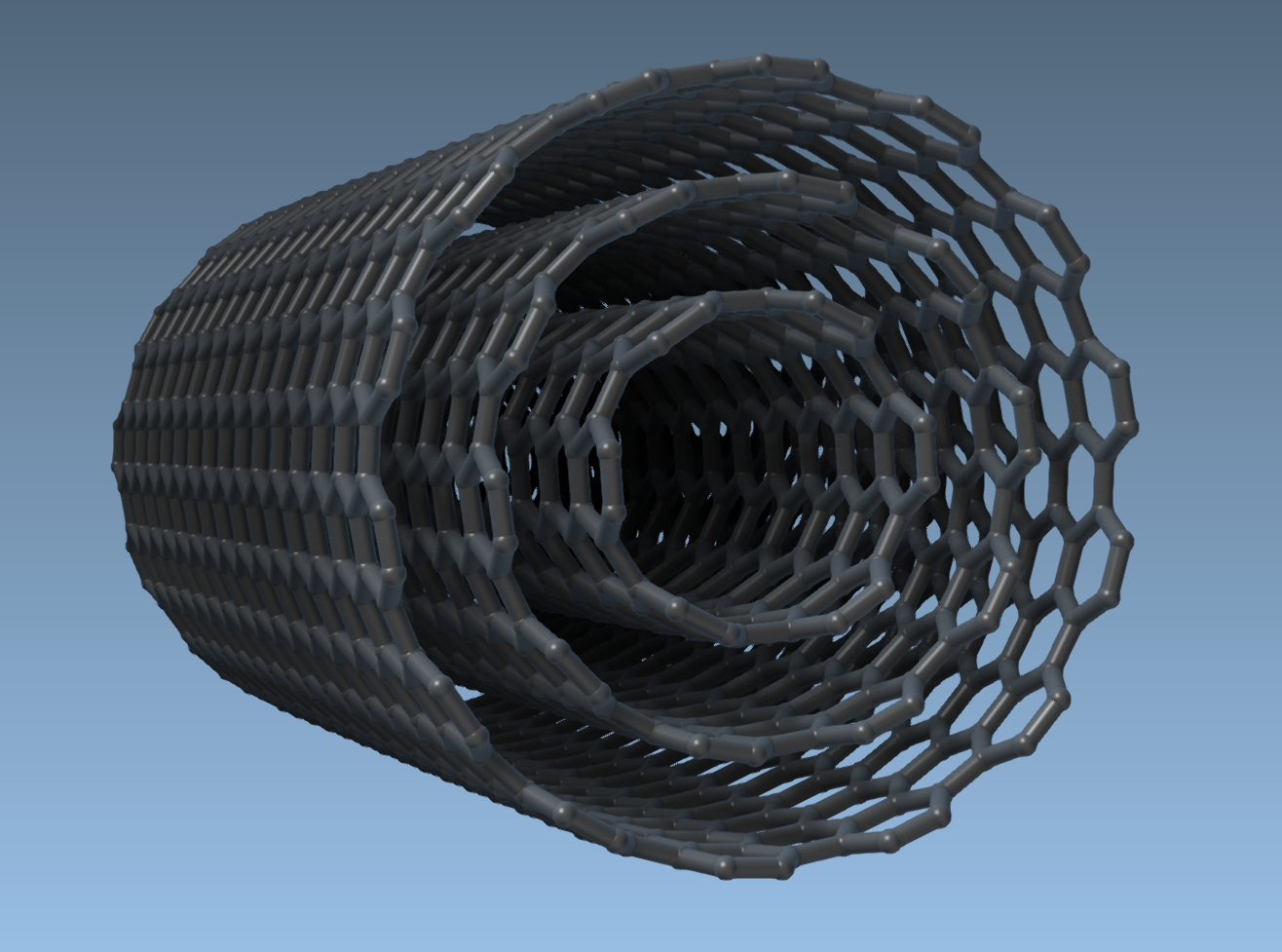
Let’s say you’re evaluating properties of multi-walled CNTs. Here’s how you’d build one using the GUI:
- Set axis from
(0, 0, 0)to(40, 0, 0)→ 40 Å tube along x-axis - Build CNT 1:
n = 6,m = 6 - Build CNT 2:
n = 10,m = 10 - Build CNT 3:
n = 14,m = 14
The result: three concentric tubes forming a symmetrical, multi-walled CNT.
Conclusion
This workflow is especially suitable for:
- Simulating fluid or ion transport through tubular nanostructures
- Creating realistic molecular composite models (e.g., CNTs with ligands or membranes)
- Analyzing chirality-driven electronic or mechanical properties
By combining simple interactivity with precise GUI controls, the Nanotube Creator bridges the gap between creative exploration and careful modeling—all without writing a single line of code.
Learn more in the official documentation.
SAMSON and all SAMSON Extensions are free for non-commercial use. You can download SAMSON at https://www.samson-connect.net.