



When modeling large biological assemblies like virus capsids or multi-subunit complexes, symmetry can be a valuable asset. It helps identify repeating units, reduce simulation costs, and guide structural analysis. However, molecular modelers often encounter a common scenario: multiple symmetry groups detected for the same structure. How do you choose?
The Symmetry Detection extension in SAMSON automatically detects axes of symmetry in biological macromolecules. For small or highly regular assemblies, the result is often straightforward. But for large complexes, more than one symmetry group may be plausible. Here’s how you can interpret and use these results effectively.
Why Multiple Symmetries Are Detected
Biological assemblies are often built by combining repeating subunits. Depending on the orientation and minor differences between subunits, several feasible symmetry groups can emerge. The extension detects these and ranks them based on how well they align with the actual structure—a measure often referred to as RMSD (root-mean-square deviation).
How to Choose a Symmetry Group
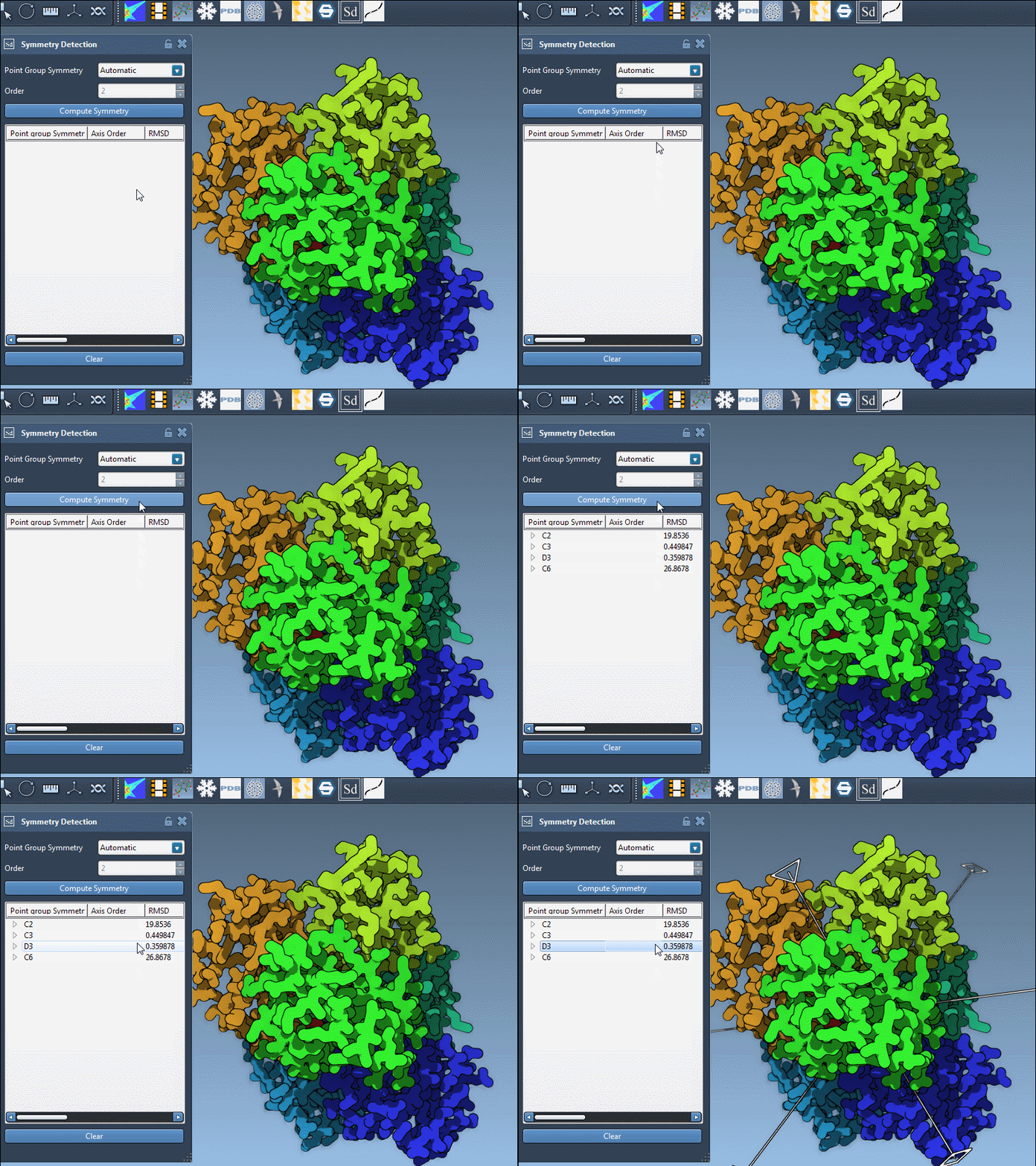
Once symmetry groups are computed, the extension presents them in a list. Here’s how to make your choice:
- Prioritize low RMSD values. These indicate better geometric fits.
- Prefer higher-order symmetries when RMSDs are similar—these often capture more structural information.
- Click on a group to highlight its primary axis in the 3D viewport. This helps visually verify alignment.
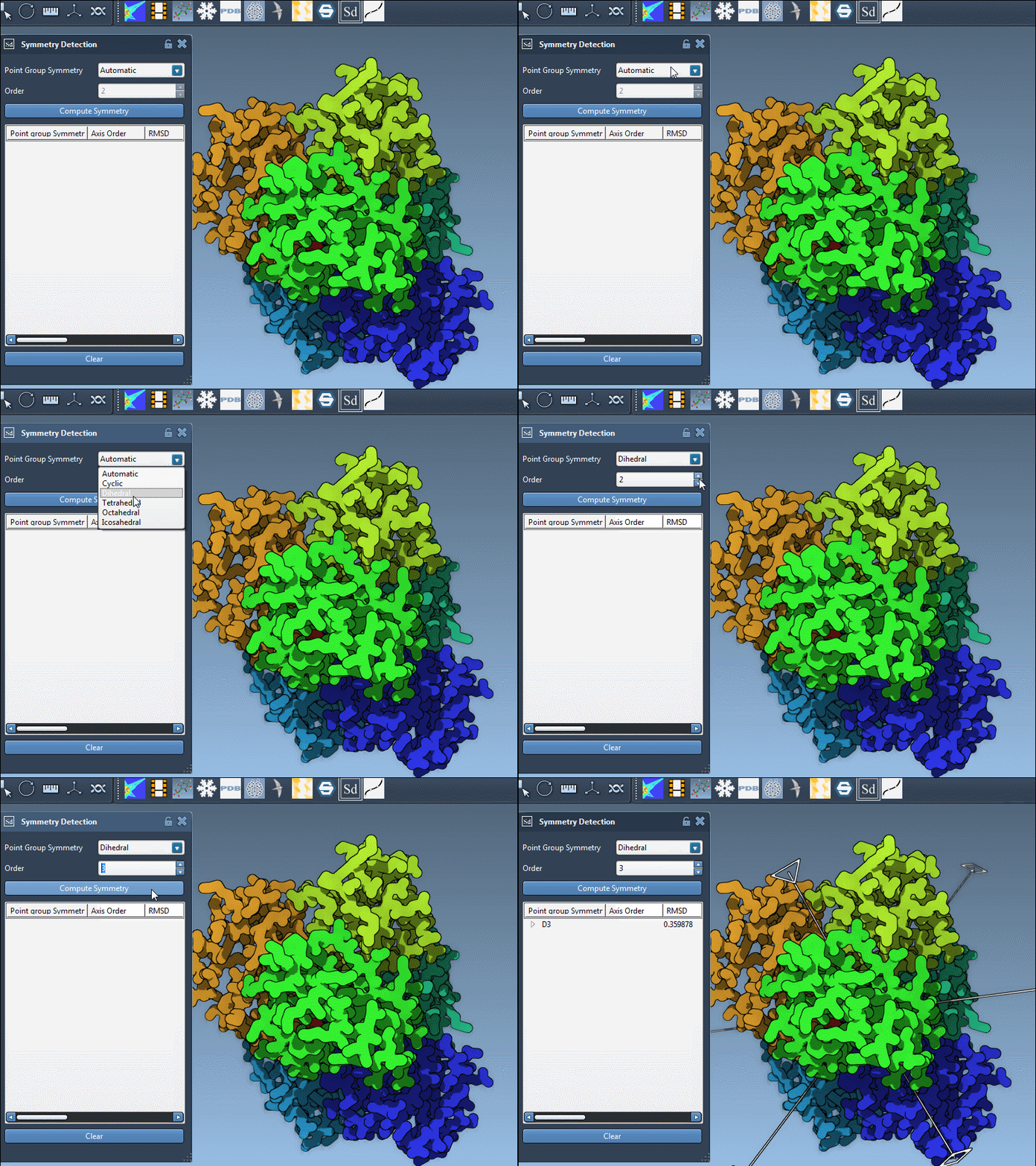
- If you already know the expected symmetry (e.g., from literature), you can select it manually from dropdowns.
For example, consider the structure 1B4B. The app detects a D3 (dihedral, order 3) symmetry group. You can visualize its axes, assess their RMSD, and choose accordingly.
Exploring Individual Axes
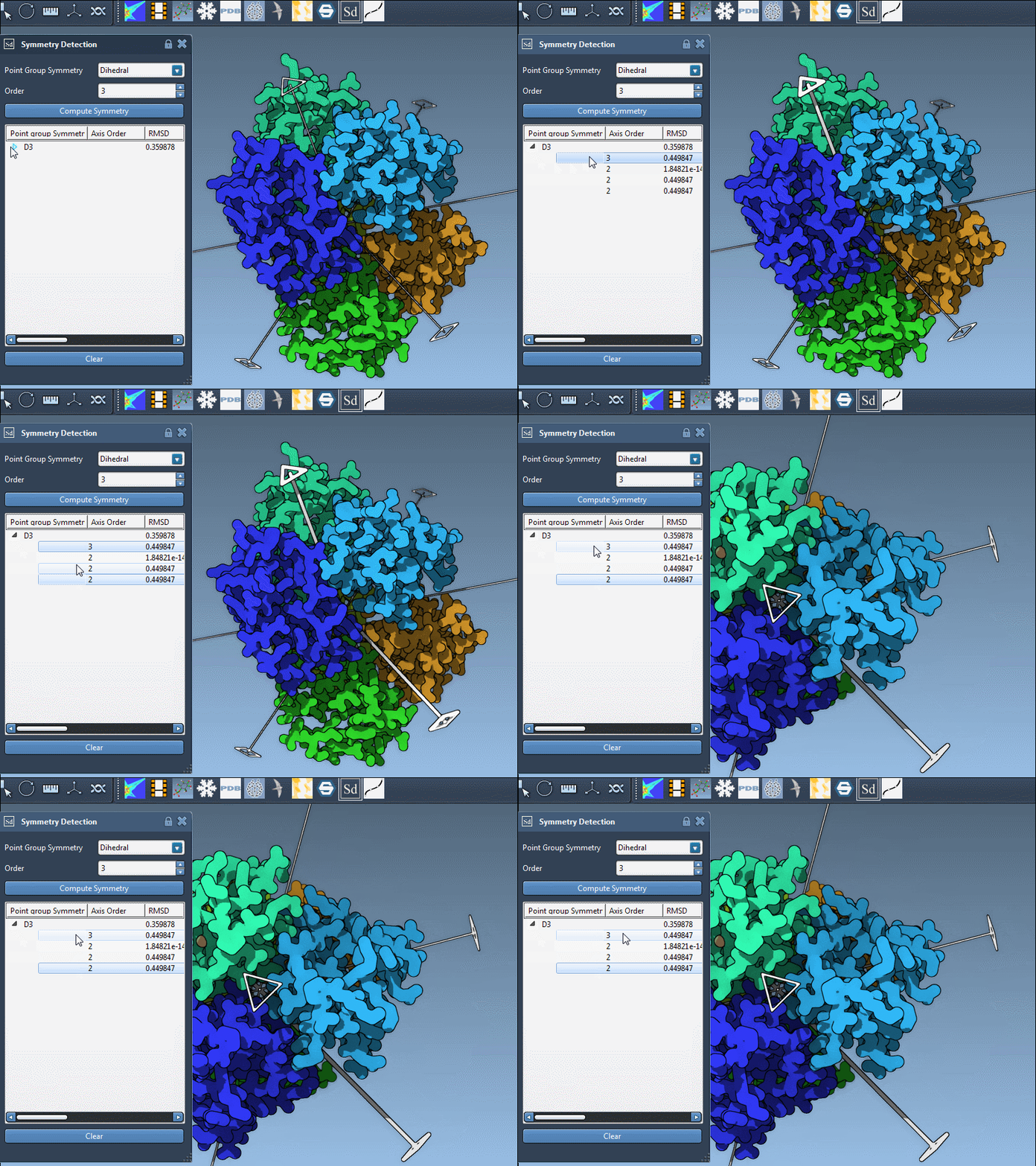
Each symmetry group contains multiple axes. To explore these:
- Single-click an axis: this boldens it in the viewport.
- Double-click an axis: this reorients the camera to give you a direct view along the axis.
When Should You Select a Symmetry Manually?
If you’re working on a structure known to follow a particular symmetry—based on literature or structural databases—you can specify it directly. This might be useful in validation steps or when constructing model systems from scratch.
What Comes Next?
Once you’ve selected the appropriate symmetry, you can:
- Extract the asymmetric unit to speed up simulations.
- Design symmetrical molecules or mutations.
- Use the symmetry for structural simplification in coarse-grained modeling.
Understanding and leveraging symmetry is particularly useful when working with repetitive systems at the molecular scale. It not only saves computing resources but can also reveal functional or evolutionary patterns.
To learn more, visit the full documentation page on Symmetry Detection in Biological Assemblies.
SAMSON and all SAMSON Extensions are free for non-commercial use. You can download SAMSON at https://www.samson-connect.net.