



When modeling large protein complexes, viral capsids, or other biological assemblies, symmetry can be both a powerful ally and a source of confusion. One challenge commonly faced by molecular modelers is deciding which symmetry group to retain when a structure appears to exhibit multiple plausible symmetries. Should you go with dihedral? Cyclic? Is a higher-order group always better?
In SAMSON, the Symmetry Detection extension automatically identifies symmetry elements in biological assemblies. But for large systems, especially those with partial or near-symmetries, it may detect more than one valid group. This is expected behavior — and an opportunity to increase modeling efficiency if used correctly.
Why Does Multiple Symmetry Detection Happen?
Biomolecular structures aren’t always textbook-perfect. Some exhibit noise, partial symmetry, or consist of different repeating subunits. As a result, algorithms may recognize more than one symmetry group, each with a reasonable but different level of geometric alignment (RMSD).
How to Pick the Best Symmetry Group
SAMSON provides useful tools to help you refine group selection:
- Look for higher-order groups with low RMSD. A lower RMSD signals closer geometric alignment between symmetric units. Prefer more symmetrical interpretations only when they are backed by good RMSD values.
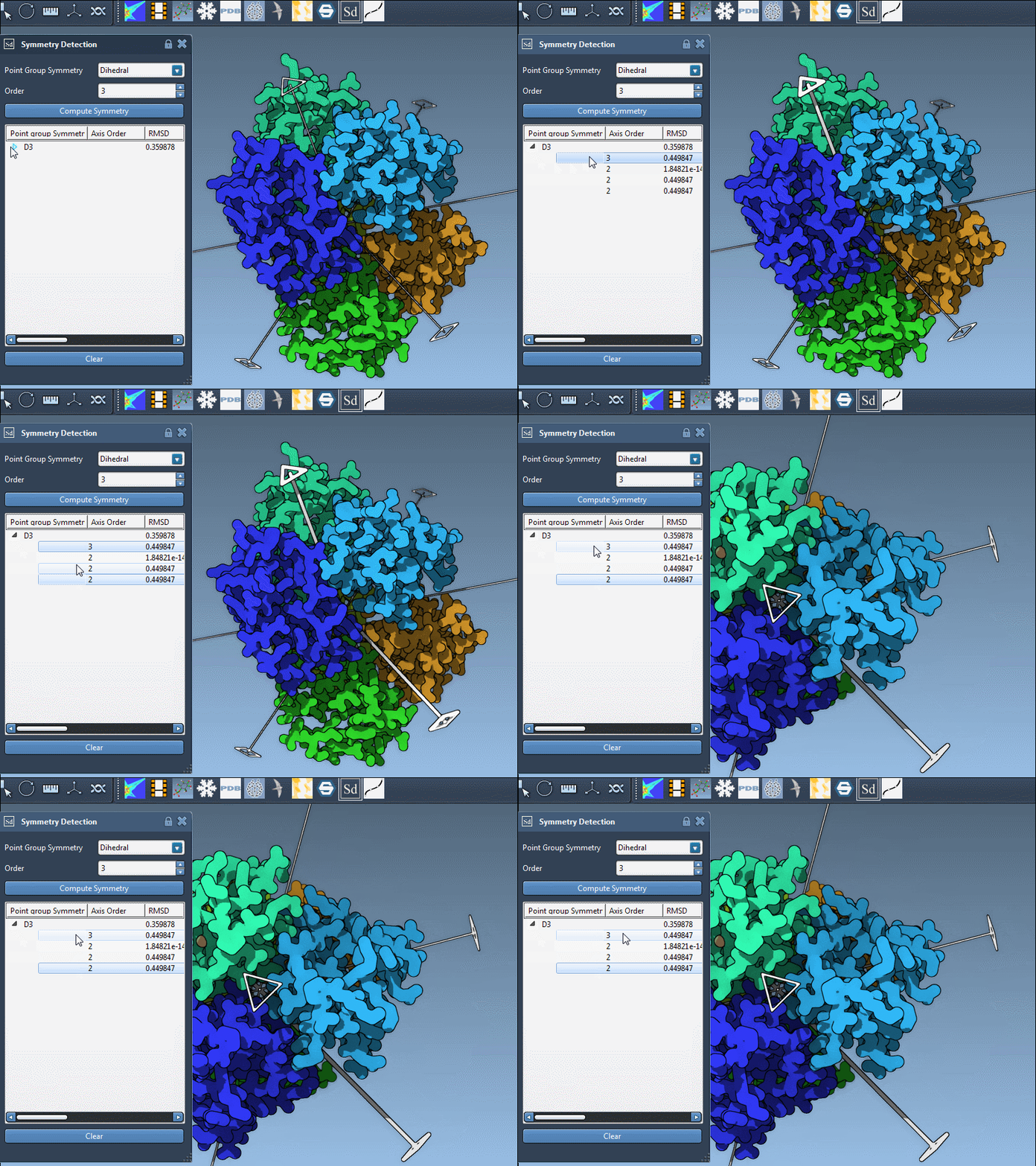
- Visual inspection is key. When SAMSON displays detected groups, click on any of them to highlight the primary axis in the 3D viewport. Double-clicking will align your camera along the axis — a helpful check for visual symmetry.
- Manual override is possible. If you know the expected symmetry, use the group and order dropdown menus to specify it directly. This is especially useful when you’re working with publicly available datasets where the symmetry is known in advance.
Example: 1B4B and D3 Symmetry
The 1B4B system contains a threefold dihedral symmetry — D3 — that the app detects among possibly several others. SAMSON lets you explore each option before committing.
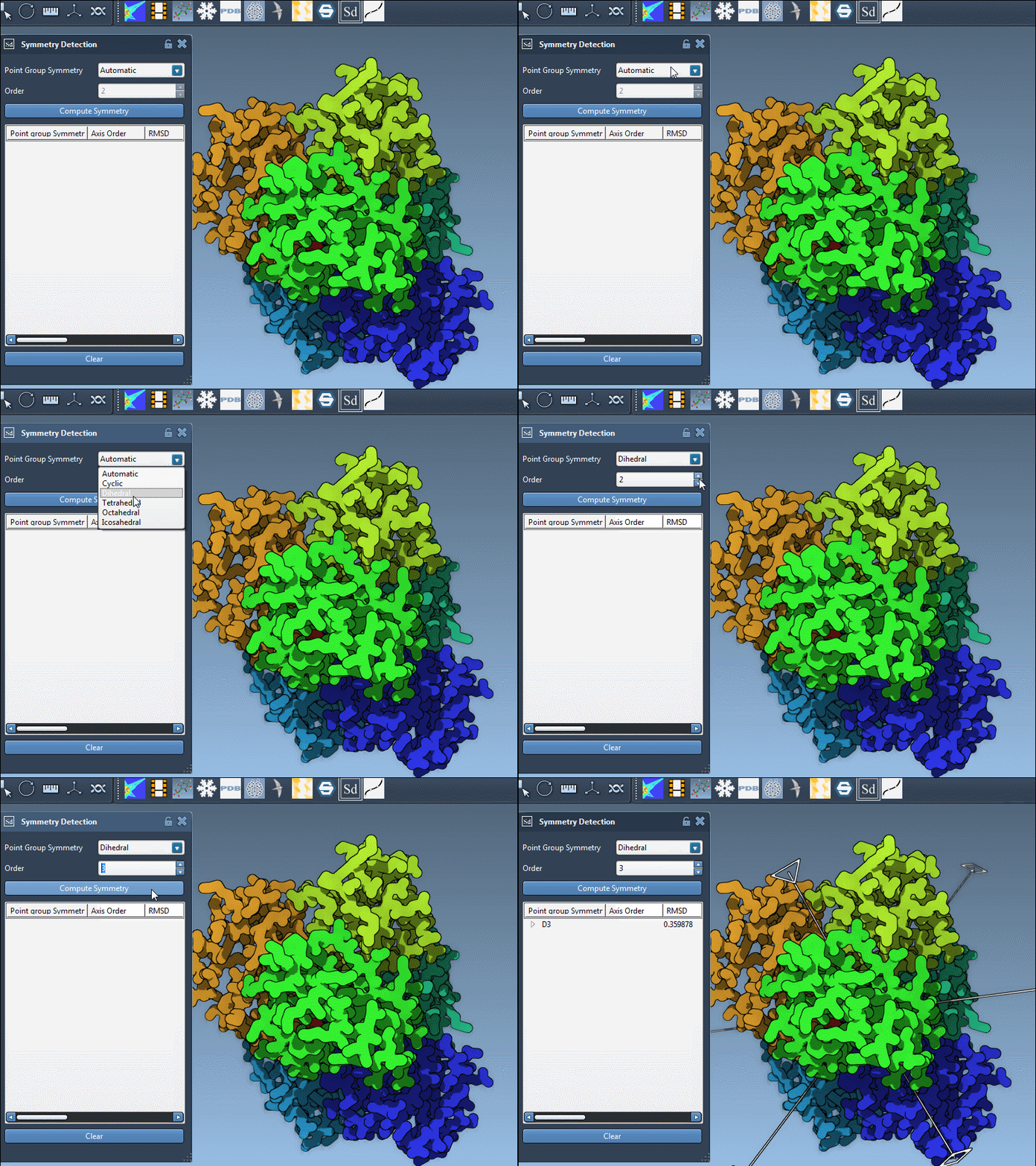
By clicking on different groups and axes, you can weigh their RMSD scores and pick the one that best fits your modeling purposes.
Tip: Dive Into the Axes View
Once a symmetry group is selected, expand it to list individual axes and their RMSD values. Here’s how you can make the most out of them:
- Single-click on an axis to highlight it in bold.
- Double-click to align the camera along that axis.
This makes it easier to see which axes contribute most to the symmetry, and which are marginal. It’s a fast and visual way to spot inconsistencies or validate the axis explicitly.
Final Thought
Handling multiple symmetry suggestions doesn’t need to slow down your modeling. Knowing how to interpret and select among symmetry groups can help you set up more efficient simulations and focus on biologically relevant repeat units.
To learn more about symmetry selection and visualization in SAMSON, visit the official documentation at this page.
SAMSON and all SAMSON Extensions are free for non-commercial use. You can get SAMSON at https://www.samson-connect.net.