



For many molecular modelers and cheminformatics researchers, going from a simple SMILES string to a complete 3D structure can involve cobbling together multiple tools, scripts, or web platforms. This can be time-consuming and disrupt workflow—especially when working with large datasets.
If this sounds familiar, the SMILES Manager extension in SAMSON might help streamline your process. Specifically, its integrated RDKit-based feature for converting SMILES into 3D molecular structures is worth a closer look. It works directly inside the SAMSON platform, eliminating the need for external tools or scripts.
Start with SMILES
You can quickly input your molecules into the platform via either:
- SMILES files (.smi) in RDKit-compliant format
- Plain text files (.txt) with just the SMILES strings
Here’s a snippet of what such a file could look like:
|
1 2 |
COc1cc(CNS(=O)(=O)CCCCC=CC(C)C)ccc1O Mol1 COc1cc(CNC(CCCCC=CC(C)C)C(F)(F)F)ccc1O Mol2 |
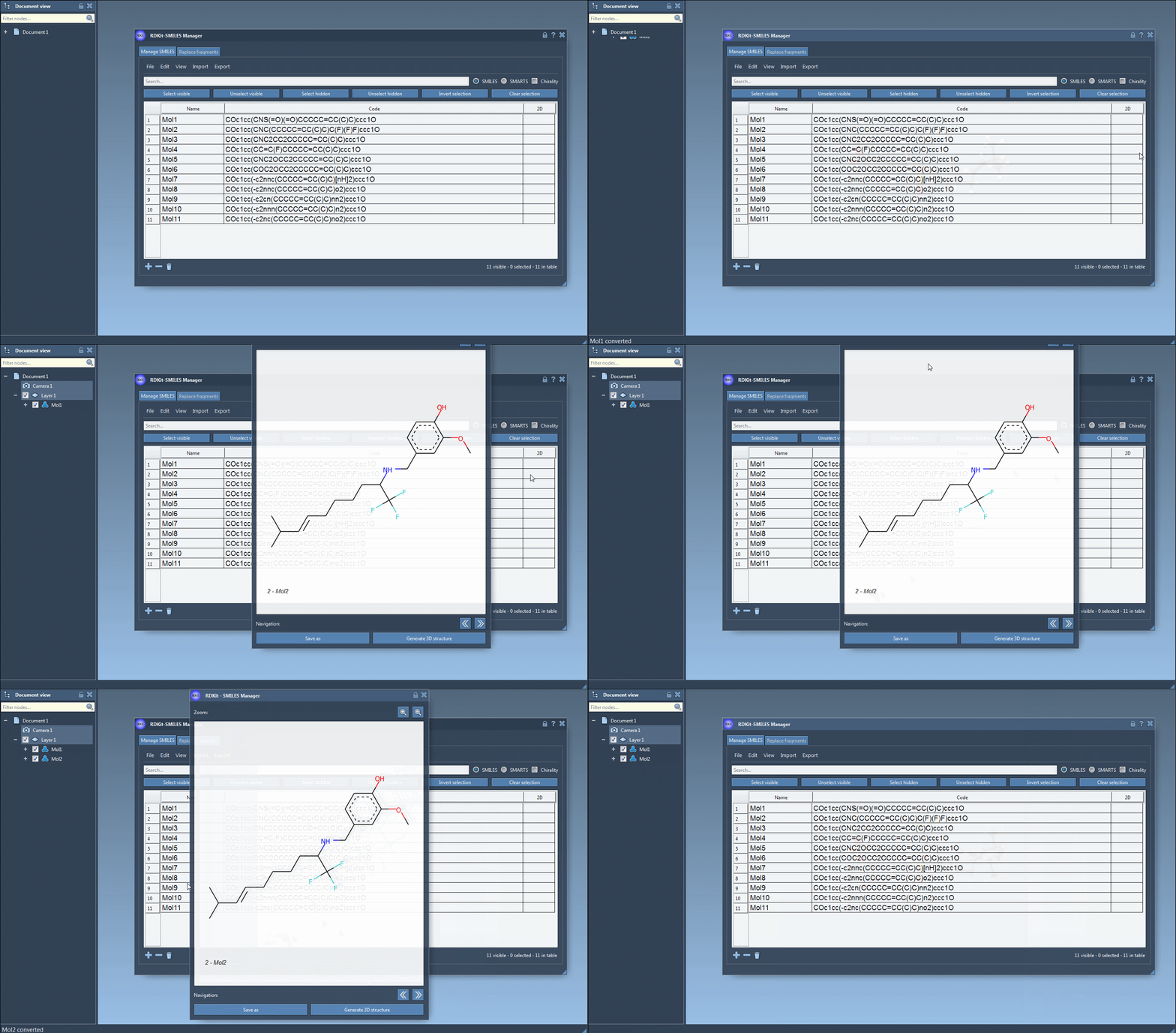
Once imported, each SMILES entry is displayed in a table with its name and 2D depiction (autogenerated by RDKit) to help you verify the structure.
Generate 3D Structures
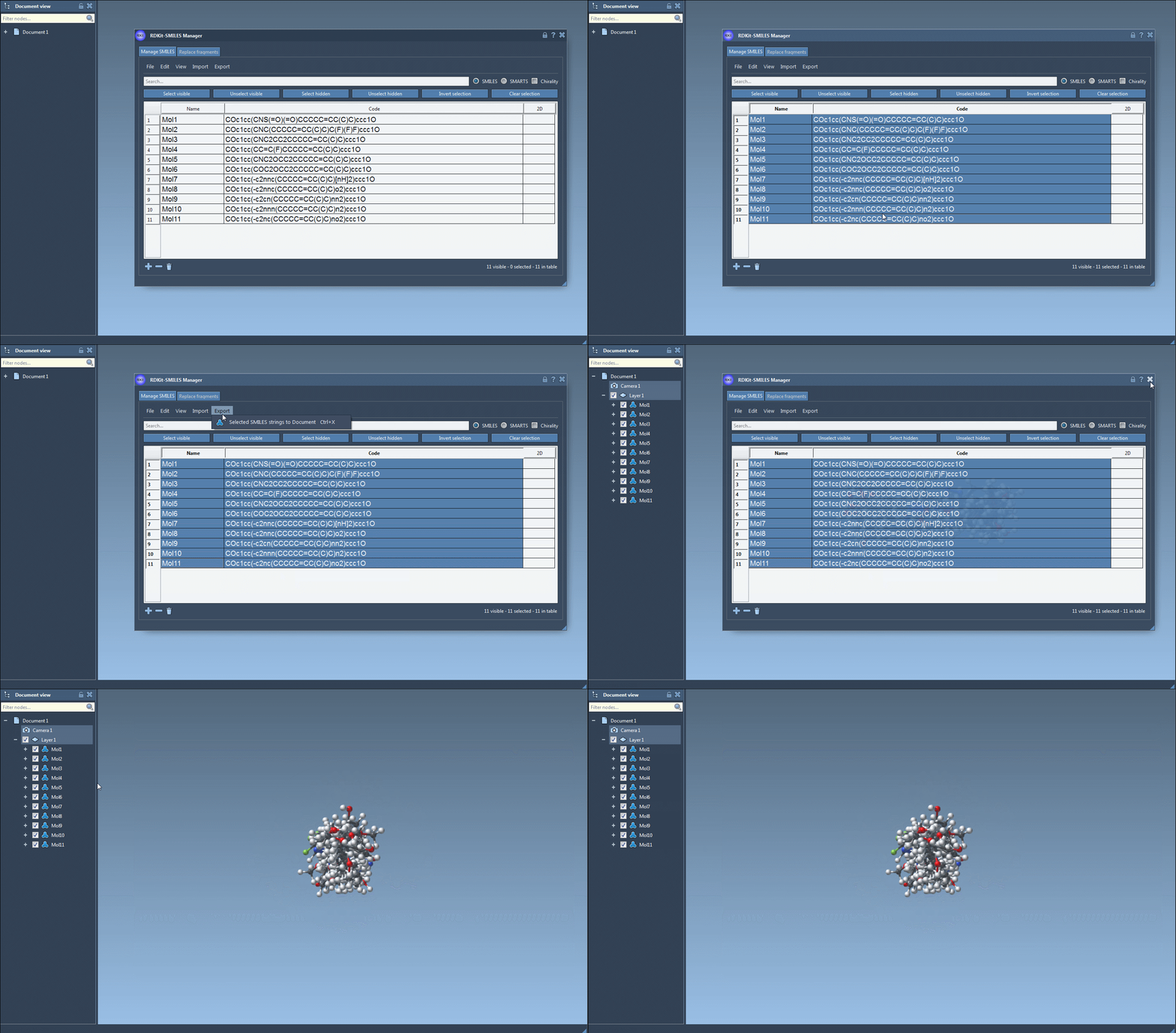
Now comes the part that saves time: with just a click, you can generate 3D structures from your SMILES strings.
To do this, simply select one or multiple entries in the table and choose:
- Export > Selected SMILES string to Document
This action instantly adds 3D representations of the molecules to your active SAMSON document. For individual molecules, a right-click context menu lets you generate the 3D version via Generate 3D structure.
Why It Matters
Converting 2D information into 3D space is vital for tasks like docking studies, property prediction, and structure-based drug design. This module simplifies that conversion into a one-click operation.
And it doesn’t stop there. The 3D model updates automatically when a SMILES string is edited, so you can experiment interactively. It’s also possible to save depictions, export selected molecules, and use follow-up tools in SAMSON or other extensions.
Bonus: Visual Feedback at Every Step
If your SMILES string has an error, SAMSON highlights the problematic line and substitutes a clear error image instead of the 2D depiction. This immediate feedback prevents missteps early in the design workflow.
Conclusion
If you regularly work with SMILES strings and need accurate 3D representations for modeling, simulations, or visualization purposes, the SMILES Manager extension in SAMSON offers a streamlined, integrated approach.
Learn more on the official SAMSON documentation page.
SAMSON and all SAMSON Extensions are free for non-commercial use. You can download SAMSON at https://www.samson-connect.net.