



Molecular modelers often rely on automatic perception tools to assign atom types and bond orders, which keeps simulations quick and intuitive. However, these automated systems may not always capture specific bonding environments or unusual structures, leading to inaccuracies in energy evaluations or geometry during a simulation. This is especially true for structures with resonance, non-standard coordination, or intermediate bond states.
In SAMSON, the Universal Force Field (UFF) implementation provides a way to manually customize typization — allowing you to override default atom types and bond orders for improved control over your molecular systems. This capability is especially helpful when you’re working on fine-tuning a system for simulation, prototyping new molecular assemblies, or validating experimental structures.
Why Manual Typization Matters
Sometimes, the molecular context is more complex than what an automatic typization engine can capture. For example:
- You might want to define partial bond orders (0.5, 1.5, etc.) to reflect resonance structures.
- Certain atoms may have unusual hybridizations or bonding patterns requiring manual intervention.
- You might want to freeze changes to certain parts of the system during re-perception.
Getting Started with Custom Typization in SAMSON
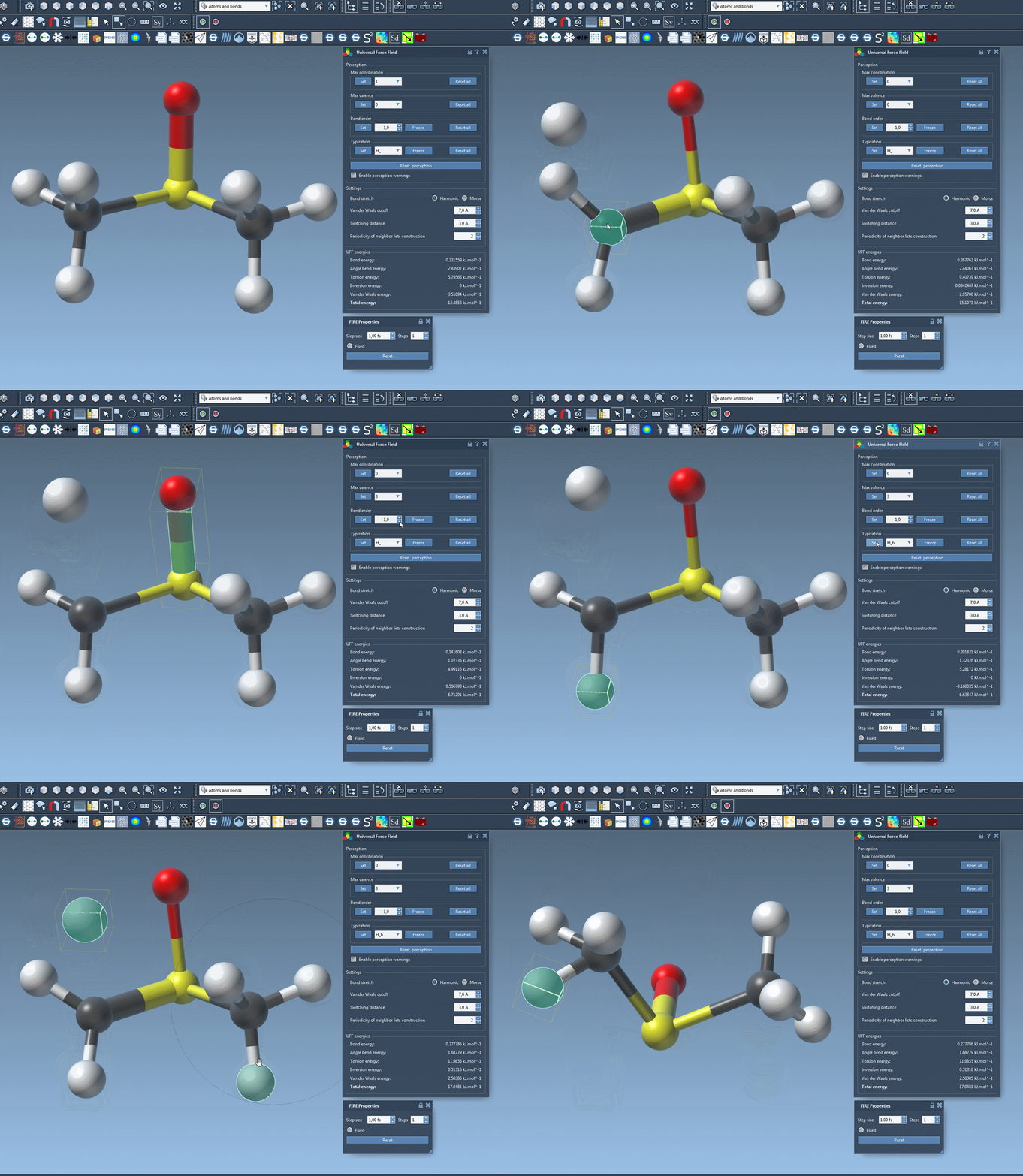
Once you have your UFF setup window open in SAMSON, you’ll find tools that let you override atom and bond properties. Here’s how it works:
Modifying Atom Coordination and Valence
- Select the atom(s) you want to modify.
- Choose a new value for maximum coordination or maximum valence in the corresponding fields.
- Click the Set button to apply changes. These values are only taken into account if they reduce the default ones (so setting a higher value won’t have an effect).
Forcing Bond Orders
- Select the bond or bonds you want to customize.
- Choose a bond order value between
0.1and3.9. - Click Set to apply the bond order.
- Click Freeze to lock this bond order through subsequent rounds of perception.
This is especially useful for handling systems with delocalized pi-bonds or partially formed bonds.
Assigning Specific Atom Types
- Select the atom(s) in your structure.
- Choose the desired atom type from the dropdown menu.
- Click Set to assign it.
- If you don’t want the atom type to be changed during future re-perceptions, use the Freeze option.
Reset and Recalculate
Want to go back to defaults or start over?
- Click Reset all in any section (coordination, bond order, or typization) to undo changes.
- To recompute a perception based on your current settings (e.g., new atomic positions or distances), just click Reset perception.
This flexibility lets you iteratively refine your system, whether you’re tweaking a large biomolecule or building a novel material.
Conclusion
Manual typization in SAMSON’s UFF module is a powerful feature for modelers who need precise control over their systems. By customizing coordination numbers, atom types, and bond orders, you can ensure your simulations better reflect experimental reality or specific hypotheses.
To learn more, visit the full UFF documentation page.
SAMSON and all SAMSON Extensions are free for non-commercial use. You can download SAMSON at https://www.samson-connect.net.