



When working with molecular simulations, seeing is understanding. But if you’re analyzing ligand unbinding events, conformational changes, or diffusion mechanisms, it can be surprisingly hard to visualize how a group of atoms actually moves through space over time.
Often, researchers resort to watching bulky animations or interpreting plots of numerical data—but there’s a better way. If you’re using SAMSON, the Pathlines visual model offers an intuitive solution: visualize the trajectory of the center of mass of selected atoms along a path, directly in 3D.
Why show center-of-mass pathlines?
The center of mass (COM) is a great proxy for how a whole group of atoms moves—think a ligand, a domain, or even a complete protein. By mapping its trajectory as a clear line in 3D space, you gain insight into major conformational shifts, transport pathways, and mobility patterns—without cluttering your screen with every atom’s trail.
This is especially helpful in:
- Ligand transport/unbinding—See where and how a ligand escapes a binding pocket.
- Domain movements—Trace large-scale changes in a protein’s shape.
- Diffusion—Track displacements across membranes or protein channels.
Creating a pathline in SAMSON (in 3 steps)
Here’s a quick walkthrough using a sample system of Lactose permease with a ligand and unbinding paths:
1. Select atoms and paths
In Document view, select the atoms you want to track (e.g., a ligand) and the paths you want to analyze. If you don’t select anything, SAMSON will default to using the whole system and all available paths.

2. Add the pathline visual model
Go to Visualization > Visual model > More… or use the shortcut (Ctrl+Shift+V). Choose Pathline of the center of mass in the dialog box and click OK.
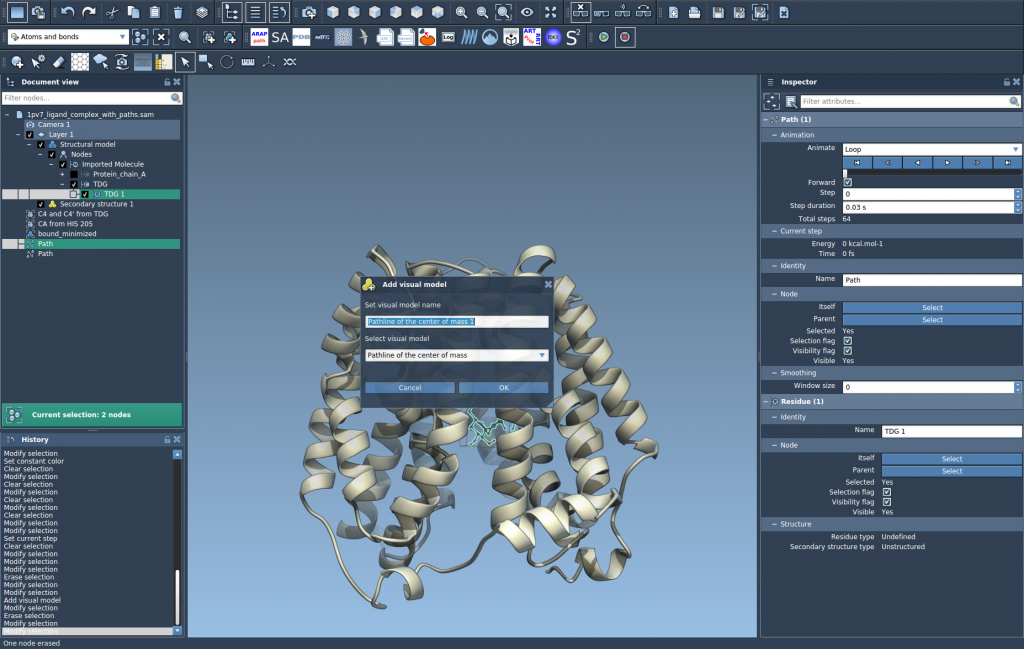
The result: a smooth line showing how your selection’s COM moves along the chosen path(s).
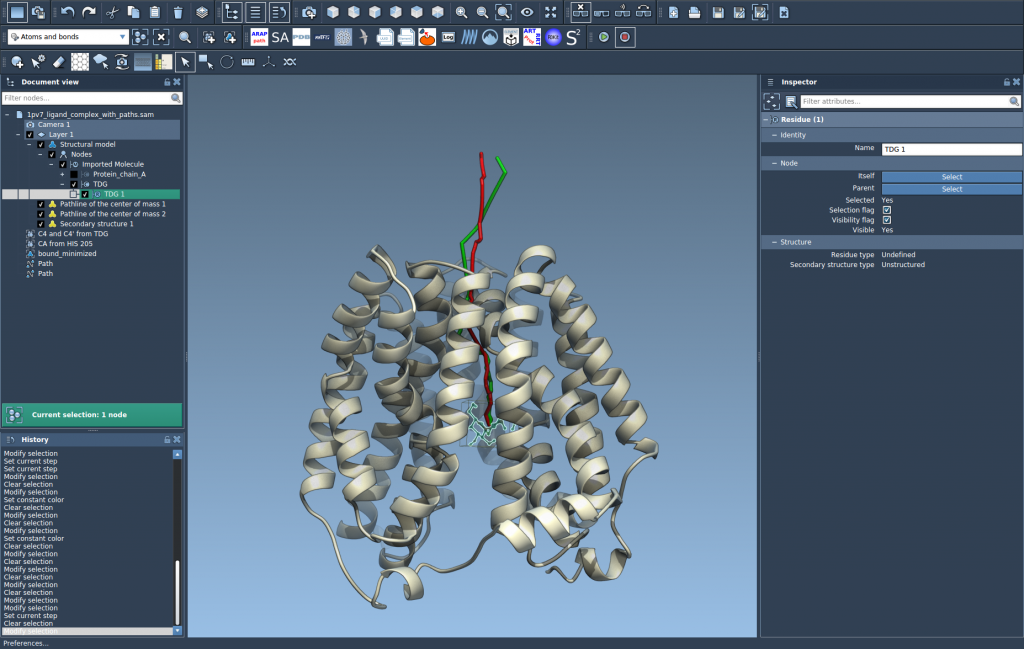
3. Customize and explore
You can:
- Double-click a path in Document view to play/pause it.
- Use the Inspector (Ctrl+2) to fine-tune the look: adjust color, thickness, or other visual details.
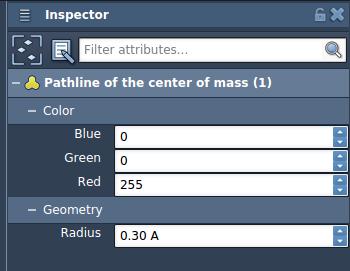
Smarter visualization, better insight
Pathlines don’t just make your results easier to interpret—they can help you discover overlooked behaviors. For example, a slow unbinding path with unexpected direction changes might suggest intermediate metastable states. Domain motions that initially seem chaotic may reveal reproducible pivoting around a hinge.
And since the visualization is interactive, you can quickly test different atom selections, paths, and visual styles to match your hypothesis.
Ready to give it a try? Follow the full instructions for Pathlines in the SAMSON documentation: View Tutorial
SAMSON and all SAMSON Extensions are free for non-commercial use. You can download SAMSON at https://www.samson-connect.net.