



When working with molecular simulations, especially those that rely on force fields like the Universal Force Field (UFF), one frequent pain point is correctly setting up a molecular system for simulation. A common obstacle arises during bond perception—how bonds, bond orders, and atom types are determined before running simulations. This step is critical, and incorrect perception can easily compromise results without the user immediately realizing it.
In SAMSON, the UFF extension offers an automatic approach to bond and atom typization, but many users might overlook the importance of reviewing and possibly customizing the perceived structure before starting a simulation. This post explores how bond detection works in UFF and what you can do to manage it effectively.
Why Perception Matters
UFF requires a detailed understanding of your system’s bonding to compute meaningful interactions, yet different molecular inputs can result in slight variations in how bonds are interpreted and assigned. Misassigned atom types or bond orders lead to incorrect energy calculations, which in turn impact geometry optimizations. If you tried a simulation and got bizarre outcomes, improper perception may be the unseen culprit.
Using UFF’s Automatic Perception
By default, SAMSON’s UFF module runs an automatic typization routine when you launch a simulation. If “Use existing bonds” is unchecked during setup, the system will:
- Compute covalent bonds from atom positions
- Assign bond orders
- Determine each atom’s UFF type
This automatic routine is often sufficient, but for complex or unusual molecules (e.g. organometallics or molecules with resonance), you might want more control.
Customizing the Perception: When and How
Advanced users can override automatic settings directly from the UFF parameter window:
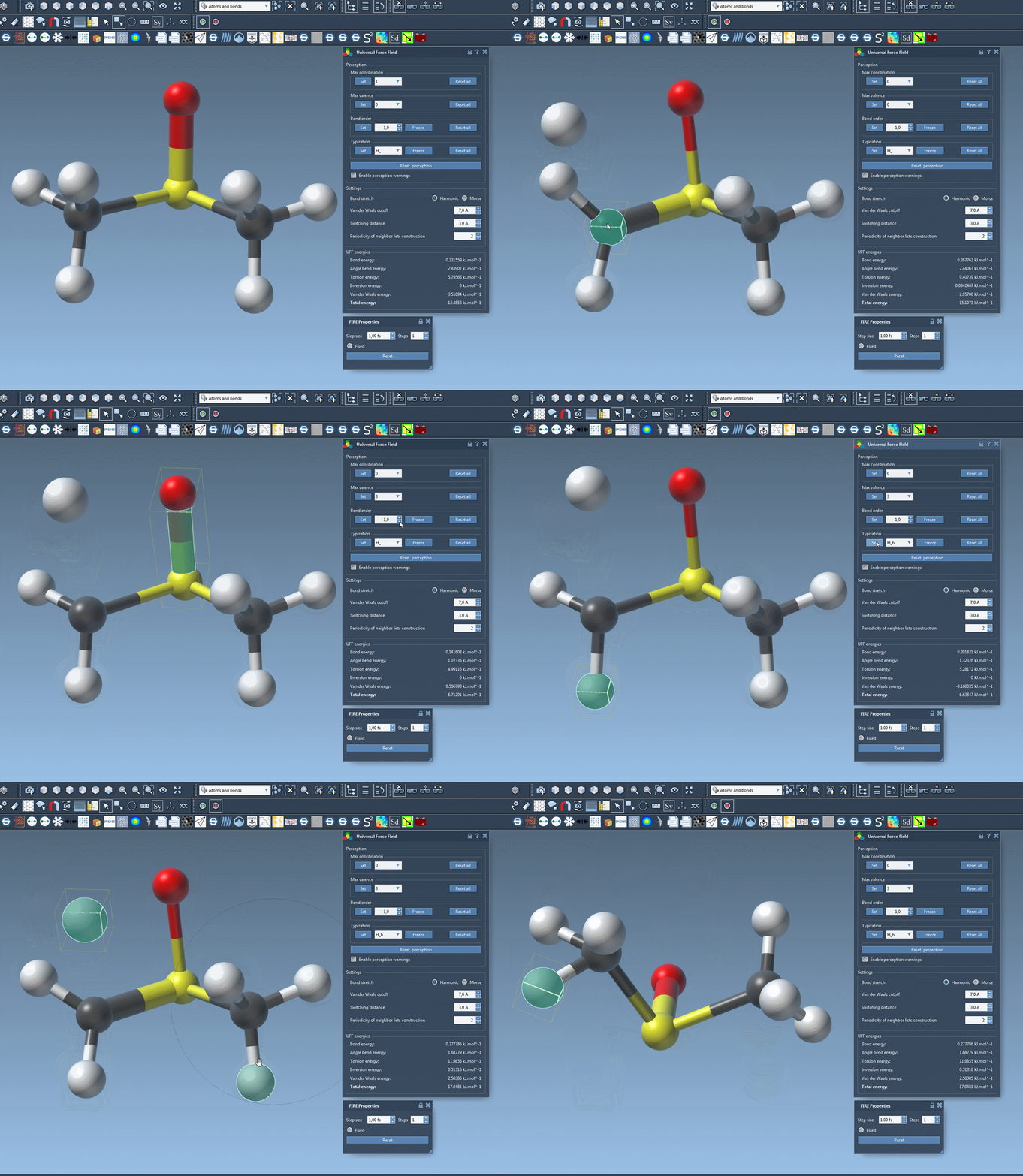
- Custom bond orders: Select one or more bonds, assign a bond order between 0.1 and 3.9, and click Set. You can freeze them to prevent future automatic updates.
- Force atom types: Select atoms, choose the desired UFF type, and lock it with the Freeze button to avoid overwrite in future rounds of perception.
- Adjust maximum coordination or valence: A useful trick if the system keeps over- or underestimating an atom’s bonding environment.
Resetting and Recalculating
Not happy with how things are computed? At any time, you can:
- Reset all adjustments made to bond orders, atom types, coordination, etc.
- Click Reset perception to recompute bonding based on current atom positions—and optionally your custom constraints.
This lets you iterate safely and fine-tune detection without starting from scratch or modifying the original molecular file.
Takeaways
Bond perception is often underestimated but has a significant impact on simulation quality. SAMSON’s UFF module offers flexibility to assist users of all levels—from automatic perception suitable for many workflows to manual fine-tuning for more complex or sensitive systems.
To learn more or explore UFF in greater detail, you can visit the original SAMSON documentation: documentation.samson-connect.net/tutorials/uff/uff/
SAMSON and all SAMSON Extensions are free for non-commercial use. You can download SAMSON at https://www.samson-connect.net.