



If you work with protein structures from the Protein Data Bank (PDB), you’ve likely encountered files that only include the asymmetric unit of a biological assembly. While useful, that limited view hides the full structural context proteins adopt in crystals or biological multimers.
Generating symmetry mates helps expose the bigger picture: protein-protein interfaces, oligomeric arrangements, and binding sites that span chains or subunits. However, reconstructing that context has traditionally been tedious, involving external scripts, manual transformations, or specialized tools.
SAMSON’s Symmetry Mate Editor offers an interactive, visual way to generate these symmetry replicas efficiently. In this post, we’ll focus on how to preview, explore, and generate symmetry mates right inside SAMSON, using real-time 3D visual feedback—no scripting required.
Interactive Symmetry with Control Nodes
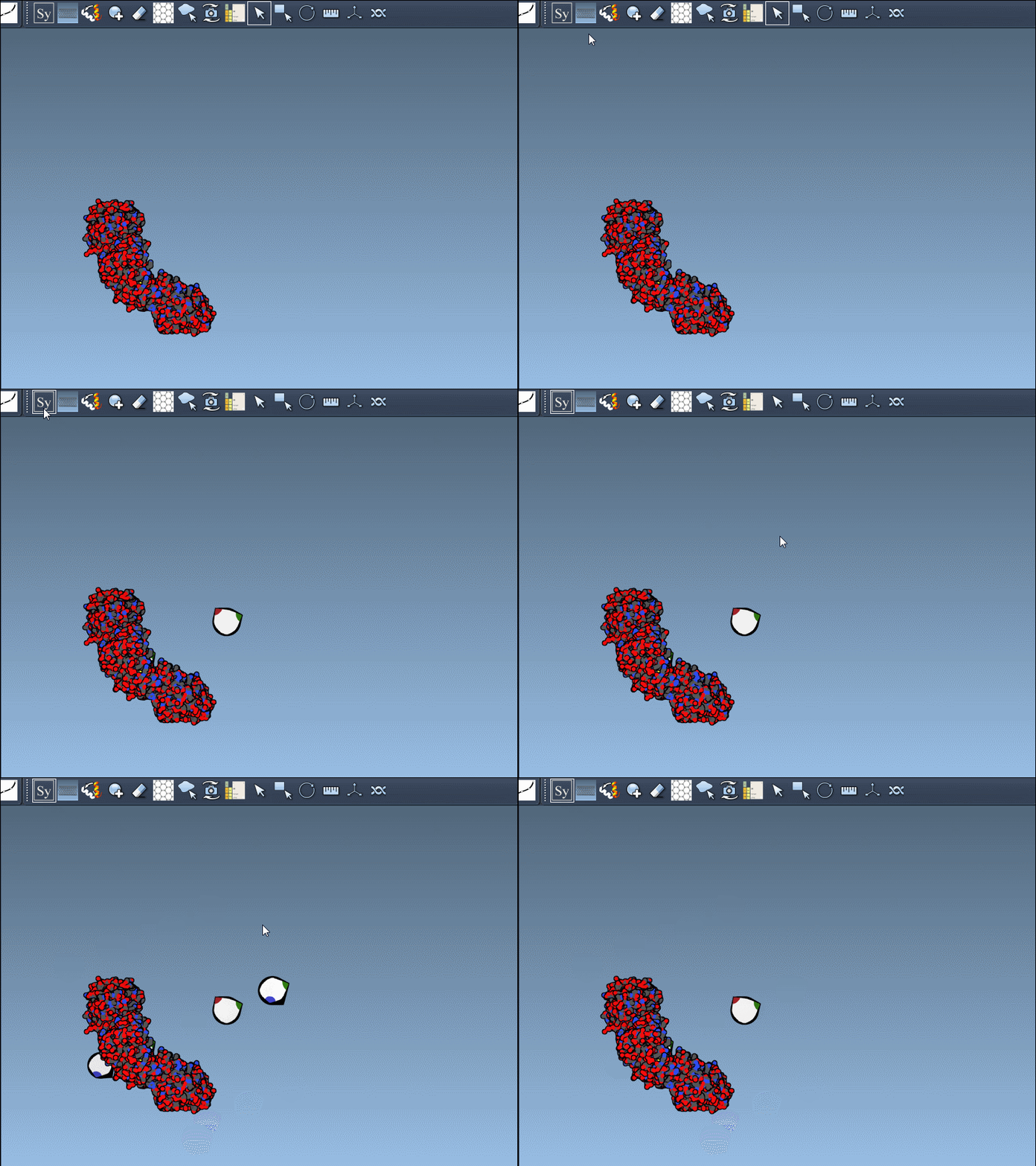
Once you’ve activated the Symmetry Mate Editor (Shift + E or via the editor menu), control nodes appear in your 3D viewport. These nodes represent symmetry transformations encoded in the original PDB file. You can scale how many you see at once using:
- Ctrl / Cmd + Mouse Wheel → Adjust number of visible nodes
Real-Time Previews Before Commitment
A common risk with symmetry generation tools is destroying your current structure or creating unwieldy assemblies before you’re ready.
The good news: in SAMSON, you can hover over any control node to preview the symmetry mate before generating it.
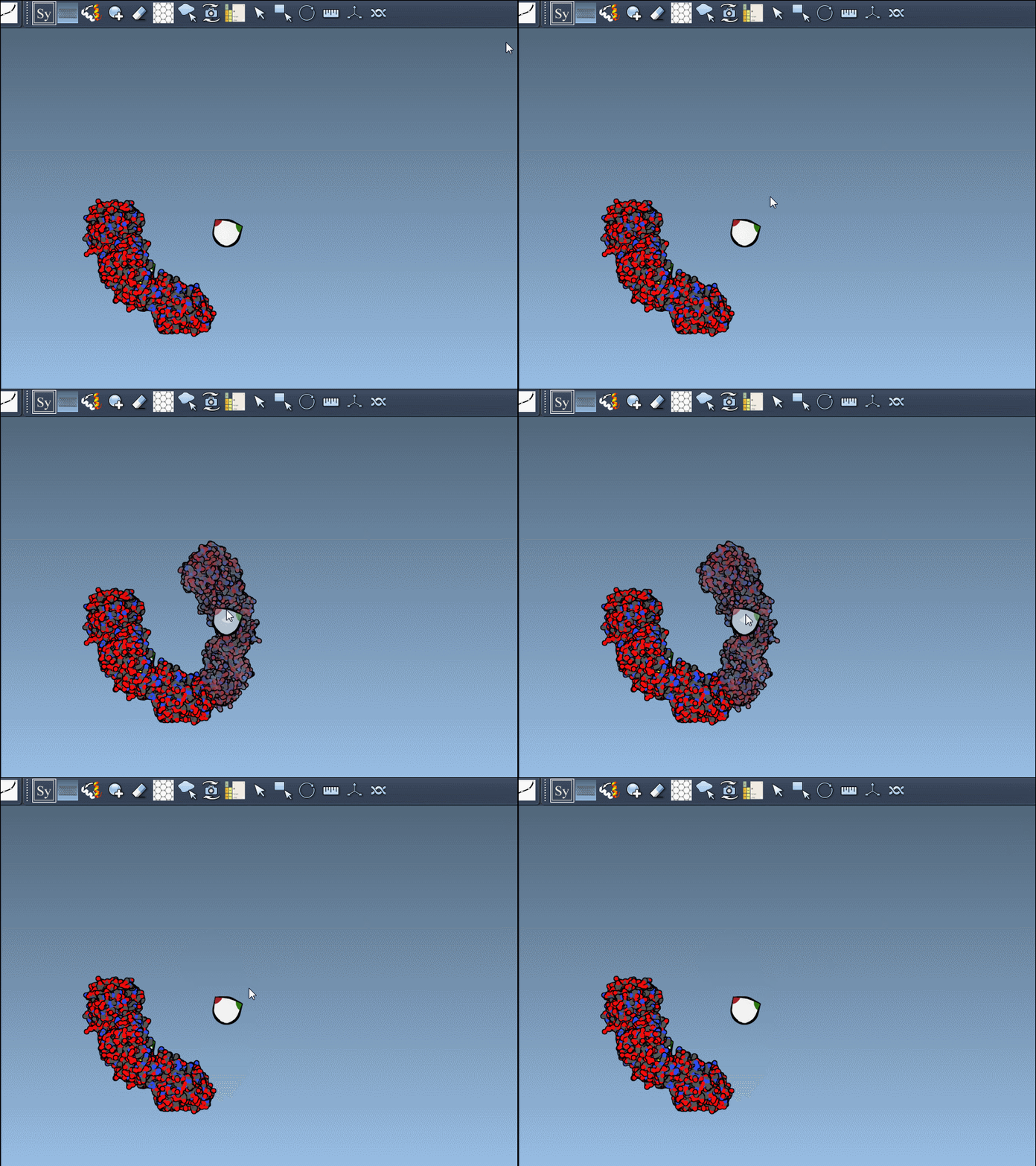
This makes it easy to explore different symmetry possibilities and only commit to replicas that are useful for your study.
Click to Generate, Undo to Explore
Once you find a transformation you want to keep, just left-click the control node. That symmetry mate becomes a permanent part of your model.
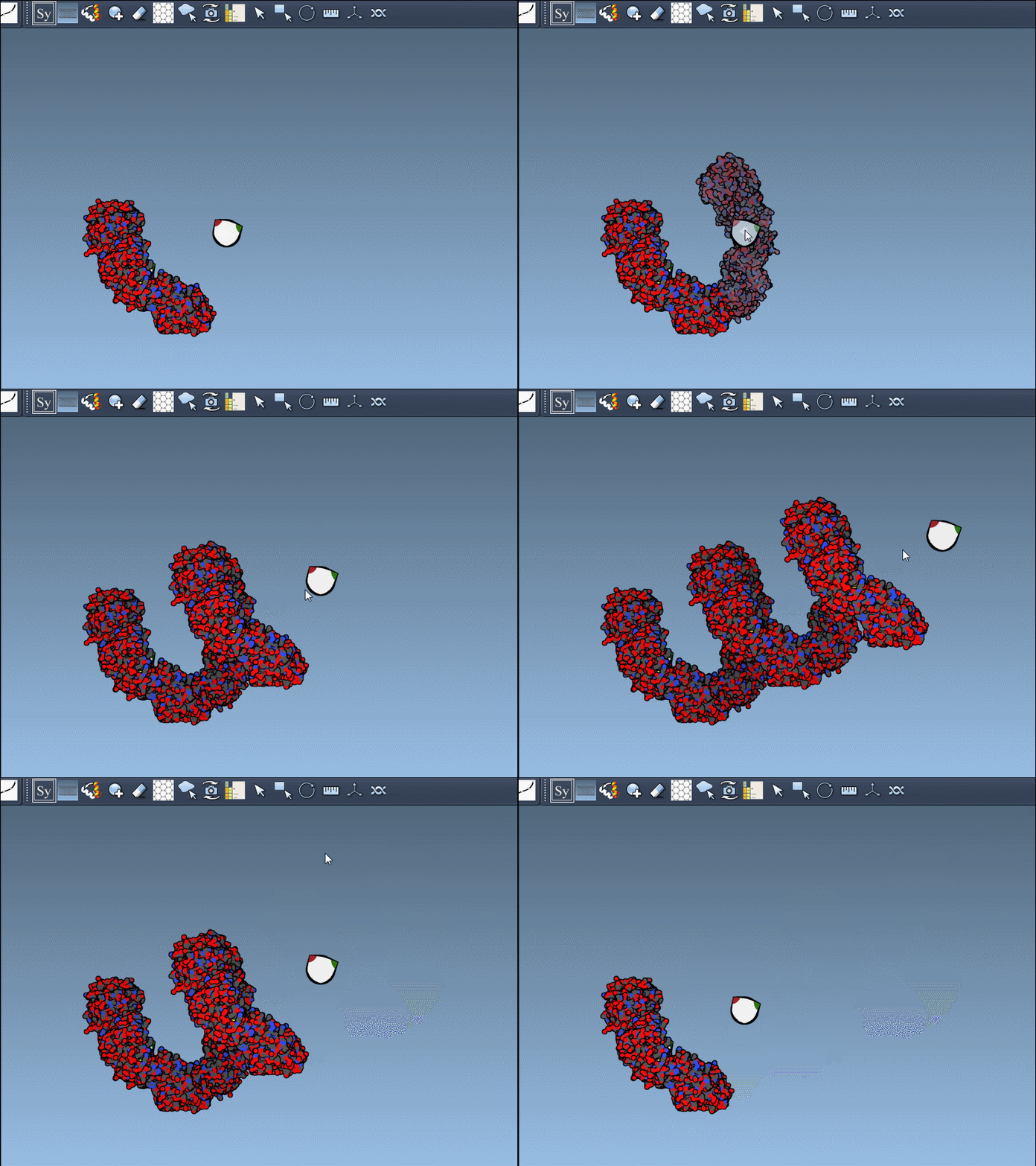
Changed your mind? Press Ctrl/Cmd + Z to undo.
Batch Mode: All Replicas in One Go
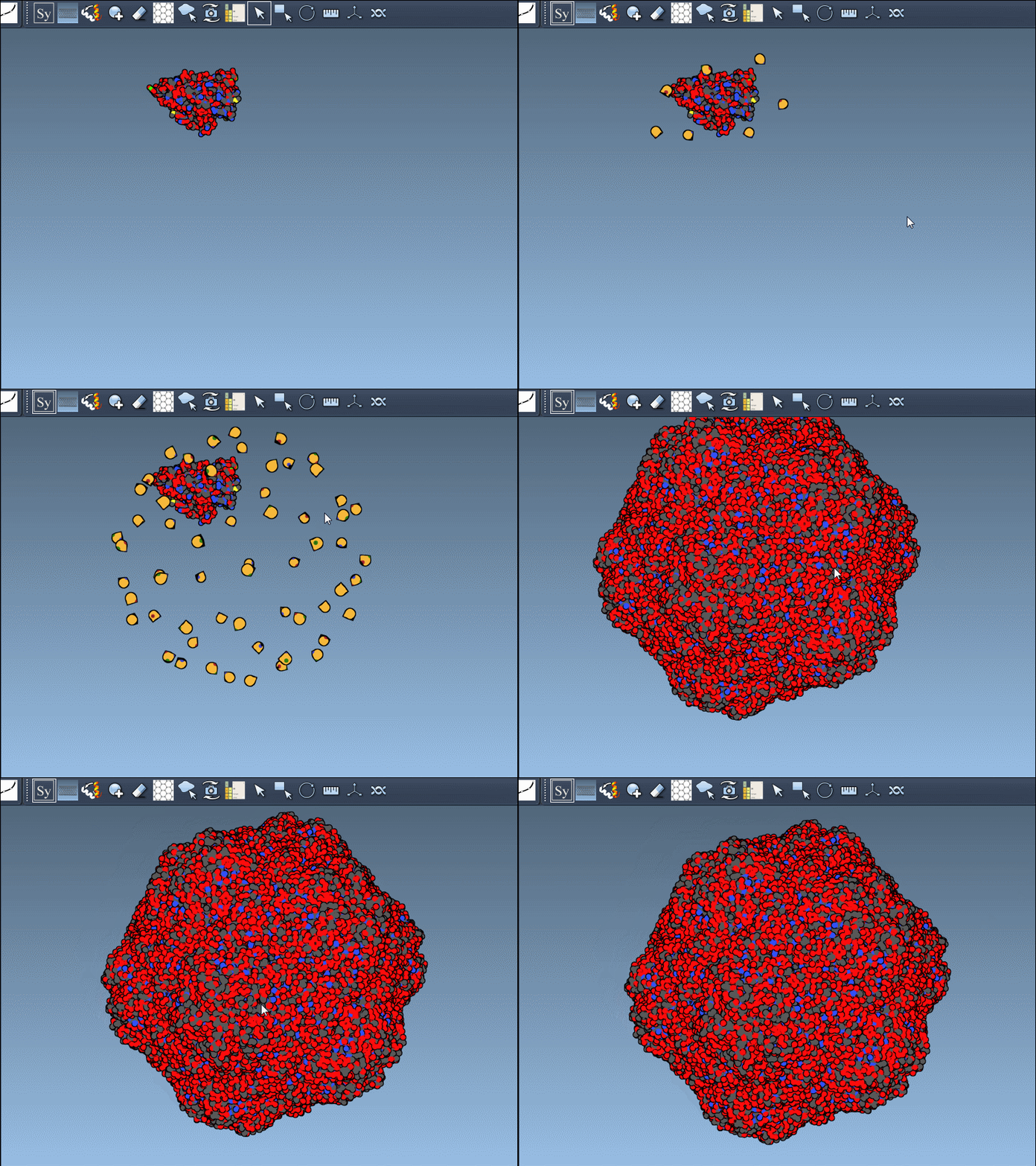
Need all biological assembly mates at once? Just hold Ctrl / Cmd before hovering and clicking a control node. This previews and generates all symmetry-related copies instantly.
Example:
Visual Workflow Benefits
This visual system prevents common mistakes, streamlines your modeling workflow, and saves time:
- No manual editing of transformation matrices
- No guesswork about interface regions
- Instant visual feedback before committing
For structural biologists, modelers, and simulation experts, this makes it much easier to reconstruct functional multimeric proteins or prepare starting structures for simulation pipelines.
To explore more capabilities, see the full tutorial here: https://documentation.samson-connect.net/tutorials/symmetry/generating-symmetry-mates/
SAMSON and all SAMSON Extensions are free for non-commercial use. You can get SAMSON at https://www.samson-connect.net.