



If you’re working with custom polymers, one of the most repetitive (and error-prone) steps in your workflow might be building complex chains from fragments you designed. Whether you’re researching synthetic polymers or developing molecular scaffolds for prediction models, you likely need a way to easily reuse molecular fragments as building blocks.
This is where monomer registration in the SAMSON Polymer Builder extension becomes especially helpful. Instead of manually reconstructing every fragment, you can save your monomers once and reuse them flexibly in larger structures. Here’s a closer look at how it works and why it’s useful.
Saving Time by Registering Monomers
In the Polymer Builder, a monomer is just a molecular fragment with clearly defined start and end atoms. After registering a monomer, you can:
- Use the monomer in multiple polymers or sequences.
- Mix it with other fragments and adjust connectivity automatically.
- Edit and update its information directly in the registration table.
To register a monomer, simply select a molecule in either the Document view or the Viewport, and click Register monomer from selection. SAMSON automatically detects connection atoms, but you can also pick them manually using shortcuts:
- S: Set atom from current selection
- P: Pick atom from the structure’s atoms list
- V: Highlight atoms in the molecule
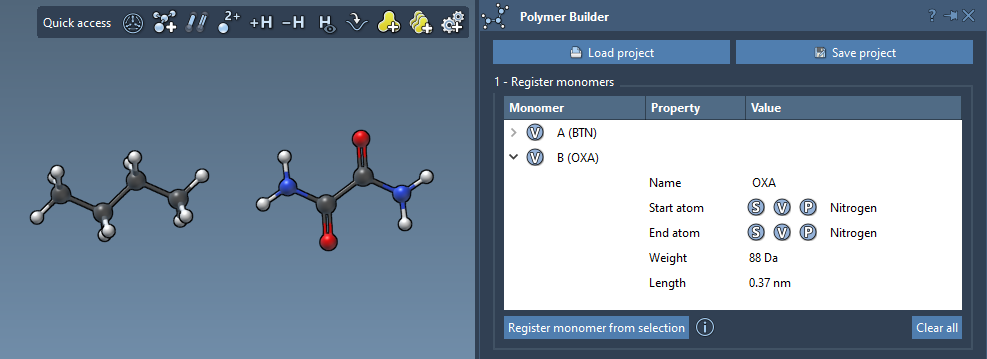
Each monomer is assigned a unique letter—A, B, C, and so on—which you’ll later use when building sequences.
Editing and Managing Your Monomers
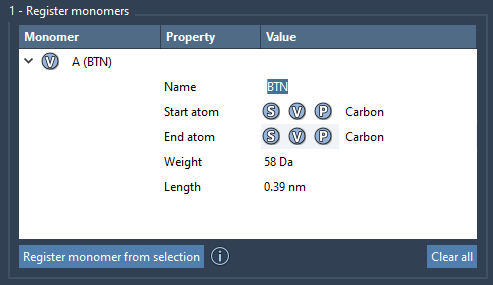
Once a monomer is registered, it appears in a table showing its:
- Name or ID
- Molecular weight (in Daltons)
- Distance between the start and end atoms
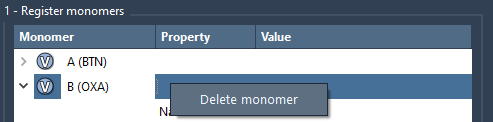
You can modify any field directly in the table. Right-click to delete individual monomers, or use Clear all to start fresh.
It’s worth noting: if you make structural changes to a registered monomer (e.g., by adding or deleting atoms), it will be automatically deregistered. This ensures that only intact, reproducible fragments are used during polymer generation.
Why This Matters in Practice
Rebuilding the same fragments repeatedly slows down your design workflow and increases the risk of mistakes. With monomer registration, you only define each monomer once, and can re-use it consistently across projects. This approach makes it easier to:
- Build long chains or branched architectures from standard modules
- Test how variations in monomer sequences affect polymer properties
- Enable compatibility with coarse-grained or atomistic simulations
In practice, this means better reproducibility, faster turnaround, and less time spent cleaning up atom mismatches or hydrogen valences.
You can explore the full capabilities of the Polymer Builder in the original documentation:
https://documentation.samson-connect.net/tutorials/polymer-builder/polymer-builder/
SAMSON and all SAMSON Extensions are free for non-commercial use. You can download SAMSON at https://www.samson-connect.net.