



When analyzing large macromolecular assemblies, symmetry can be a powerful tool to simplify structure, improve visualizations, and reduce computational cost. However, many biological systems allow for multiple plausible symmetry descriptions. So how do you decide which symmetry group to use?
The Symmetry Detection extension in SAMSON makes identifying symmetry groups almost automatic—but interpretation still matters. This post walks you through how to evaluate multiple symmetry suggestions and pick the most appropriate one for your modeling tasks.
The Problem: Ambiguous Symmetry
Especially in large assemblies or capsids, automatic symmetry detection may return several candidate symmetry groups. These can differ in order (e.g., D2 vs. D3), type (cyclic vs. dihedral), or RMSD (root-mean-square deviation) fit quality. Picking the wrong one might lead to unwanted artifacts or inefficient simulations.
Step-by-Step: Choosing a Symmetry Group
- Look for Higher Orders with Low RMSD
SAMSON computes several symmetry fits and provides their associated RMSD values. All things being equal, a higher-order symmetry that provides a low RMSD score offers a more compact way to describe the structure. - Review Visual Fit
Click on each proposed group to highlight the axis in the viewport. A good fit will visually align atomic repeats along symmetry axes. - Check Compatibility with Known Structure
If the structure is known (e.g., from literature or a PDB entry), see if the detected symmetry matches expected biological assembly information.
For example, in the 1B4B structure, SAMSON may detect multiple symmetrical fits. Users can interactively explore these fits and eventually select the correct D3 dihedral symmetry, either from the list or by manually specifying it.
Need to Pick One Yourself?
If you already know what the symmetry should be, SAMSON lets you manually specify the group type and order from drop-down lists. This is particularly helpful when working with designed assemblies or validating a crystallographic hypothesis.
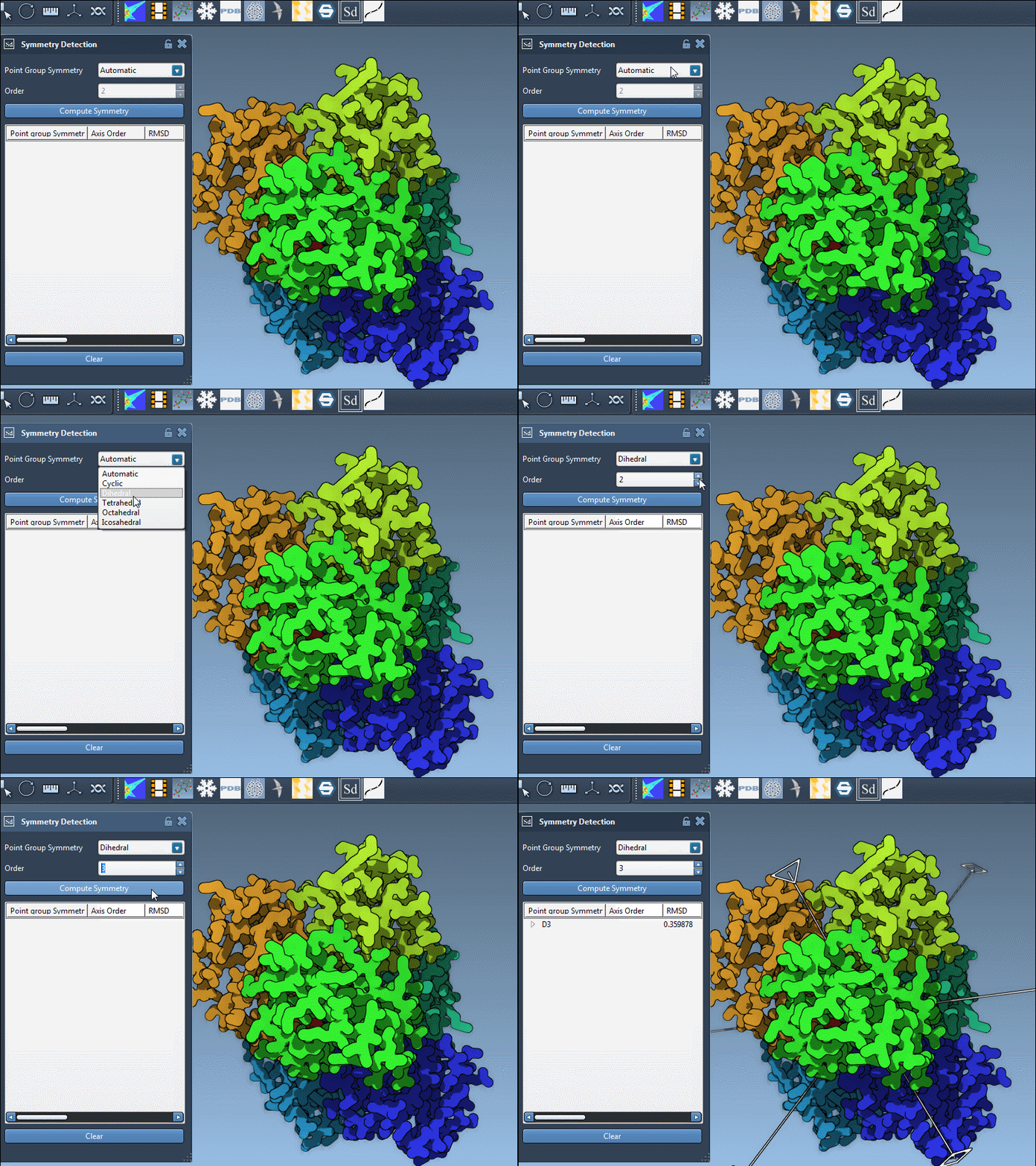
Exploring Individual Axes
Each symmetry group can contain several axes. To understand the full symmetry landscape:
- Single-click an axis to highlight it.
- Double-click an axis to align the camera and view the axis head-on.
This helps in checking whether the symmetry is visually consistent with the molecular structure.
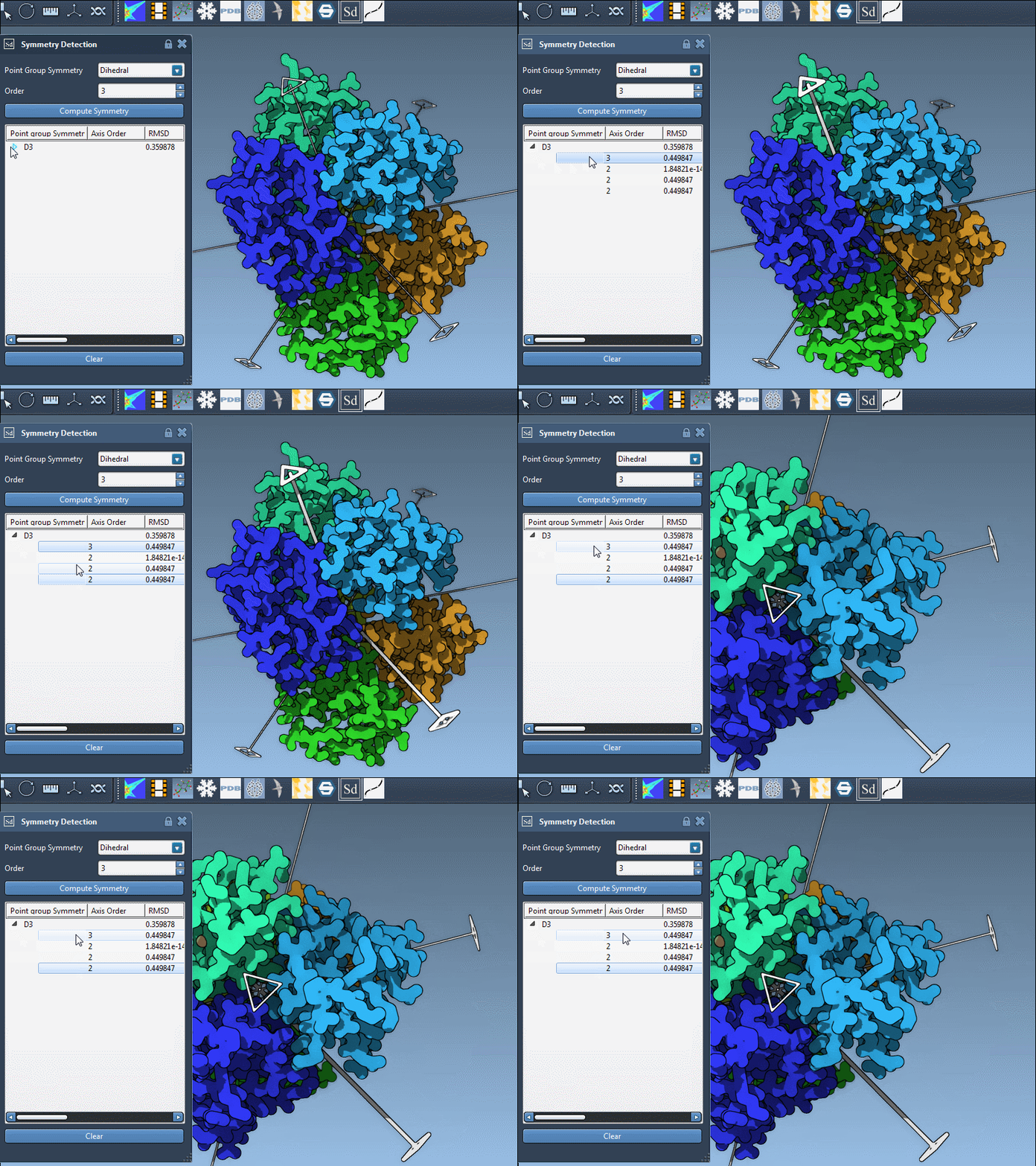
When Symmetry Isn’t Obvious
In borderline cases, experiment with simulations or visualization setups for multiple symmetries and evaluate the practical consequences. Sometimes, a slightly lower-order symmetry with better RMSD can turn out more useful.
Conclusion
Choosing the best symmetry group is as much about context as it is about fit quality. Explore the automatic suggestions in SAMSON, visualize the fits, and adjust based on what you know about your system. Understanding these choices helps create reliable models and more efficient simulation setups.
To learn more about symmetry detection in SAMSON, visit the full documentation page: Detecting Symmetry in Biological Assemblies.
SAMSON and all SAMSON Extensions are free for non-commercial use. You can get SAMSON at https://www.samson-connect.net.