



Creating carbon nanotube (CNT) models can be time-consuming if you’re constrained by parameter entry forms and repetitive manipulation steps. Molecular modelers often need to generate and iterate through multiple CNT geometries before locking one down for simulations. But what if you could build CNTs visually, directly in the molecular viewport, without opening up a separate interface—or even typing a single number?
The interactive mode of the Nanotube Creator Extension in SAMSON is designed to do exactly that.
Intuitively create CNTs in just seconds
With the interactive mode, you use the mouse directly in the 3D viewport to define the axis, length, and radius of your CNT in just a couple of gestures. It’s ideal when you’re exploring design directions, need to visualize configurations quickly, or are setting up a concept structure before refining parameters precisely in the GUI.
Step 1: Set the CNT axis and length
Press and drag the left mouse button directly in the viewport — this defines the nanotube’s axis and length (parameter n).
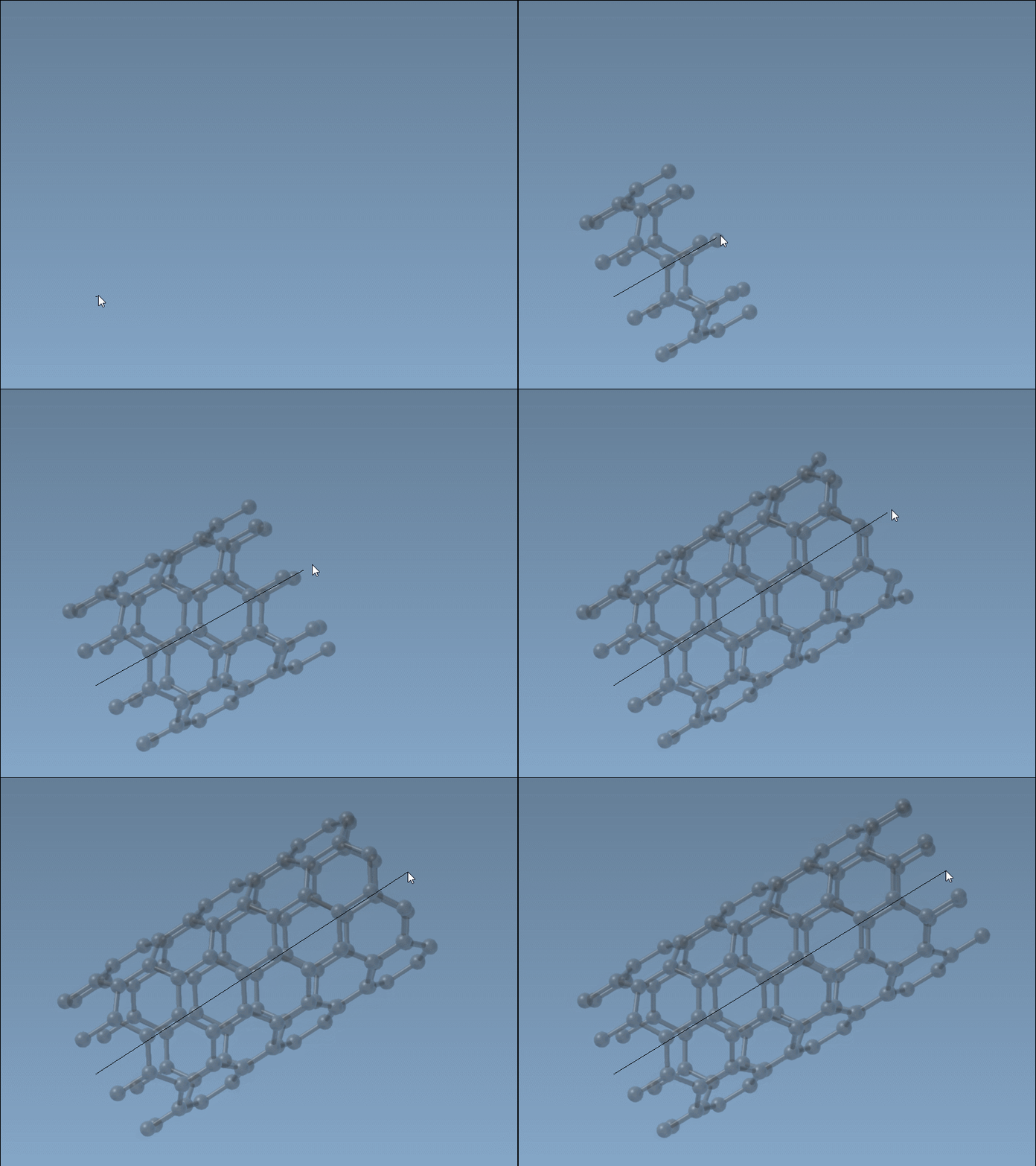
The status bar at the bottom updates live with axis and tube dimensions.

Step 2: Adjust tube radius
- Release the mouse button. The system enters radius-setting mode.
- Move your mouse — this changes the tube radius (parameter
m). - Click again to confirm.
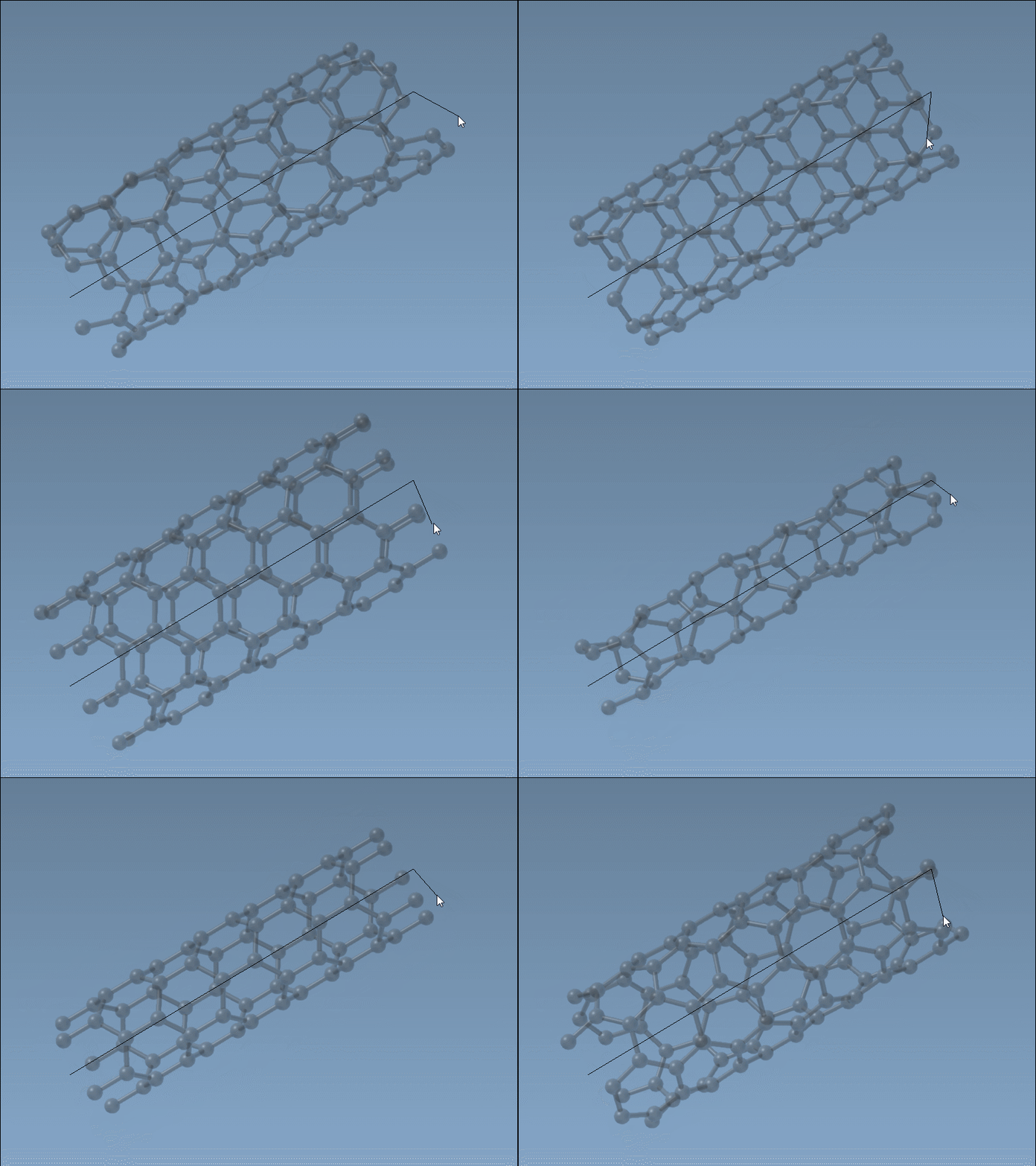
Perfect when you’re sketching ideas
This method is especially useful when speed matters. You don’t have to calculate coordinates or enter parameters manually. Just sketch your structure on screen and refine later if needed. Since the status bar shows live n and m values, you still have full control over geometry, but at a much faster pace.
When should you avoid it?
When ultra-precise parameterization is required—such as for publications or high-fidelity simulations with validated chiral vectors—the Graphical Interface mode of Nanotube Creator might be more appropriate. But the interactive editor gets your ideas off the ground in seconds.
Quick activation
To launch the interactive editor in SAMSON, either:
- Go to … > Materials > Nanotube Creator in the left-side viewport menu
- Press Shift + E and type “Nanotube Creator”
If you’re new to the Nanotube Creator Extension, get started by adding it from here.
Conclusion
Whether you’re prototyping transport channels, modeling nanostructures, or analyzing carbon-based materials, interactive CNT building helps you start fast and adjust quickly. It’s like sketching molecular ideas in real-time.
Learn more about building CNT models with the Nanotube Creator Extension in the detailed tutorial here: SAMSON documentation.
SAMSON and all SAMSON Extensions are free for non-commercial use. You can download SAMSON here.