



One of the recurring challenges in molecular modeling is ensuring that force field parameters truly reflect the intent behind your molecular system. Whether you’re refining a biomolecule or designing a novel compound, automatic parameterization tools can’t always know exactly what you want. That’s where customization becomes essential.
In this post, we’ll walk you through how to effectively customize bonds and atom types in UFF simulations using SAMSON. This is especially useful when you’re working with exotic molecular structures or you need absolute control over specific interactions.
Why Customize UFF Parameters?
By default, UFF in SAMSON automatically computes bonds, bond orders, and atom types based on atomic positions and types. This works well in most cases, but there are situations when:
- The automatic perception yields unexpected atom types or bond orders.
- You’re modeling a non-standard structure with unusual bonding schemes.
- You want to freeze certain parameters for consistency across simulations.
How to Manually Adjust Bond Orders
To force a specific bond order:
- Select the bond(s) to modify.
- In the UFF parameter window, choose a bond order value between 0.1 and 3.9.
- Click Set to apply the value.
You can go a step further and freeze the bond order so it remains unchanged during subsequent automatic perception steps. Great for keeping important bonding patterns intact.
Customizing Atom Types
Sometimes UFF may assign an atom type that isn’t optimal for your system. Here’s how to override it:
- Select the atom(s) you want to change.
- Pick the desired UFF type from the dropdown in the Typization group.
- Click Set to enforce the type.
Want to lock in that type? Just click Freeze. This is critical when fine-tuning molecular mechanics models.
Advanced: Adjusting Maximum Coordination and Valence
For advanced users, SAMSON lets you tweak the default limits on coordination number and valence:
- Select an atom with non-standard bonding context.
- Modify its max coordination or valence via the dropdowns.
- Click Set. UFF will now perceive bonds within the new limits.
Note: These changes are only effective if your new settings are more restrictive than the defaults.
Resetting and Recomputing
Messed something up? Don’t worry. You can:
- Reset all bond orders, types, and coordination back to default.
- Reset perception to recompute all parameters based on the current atom positions and your custom settings.
These tools let you experiment without fear of messing things up permanently.
Hands-on Example
Here’s a visual reference of the customization workflow in action:
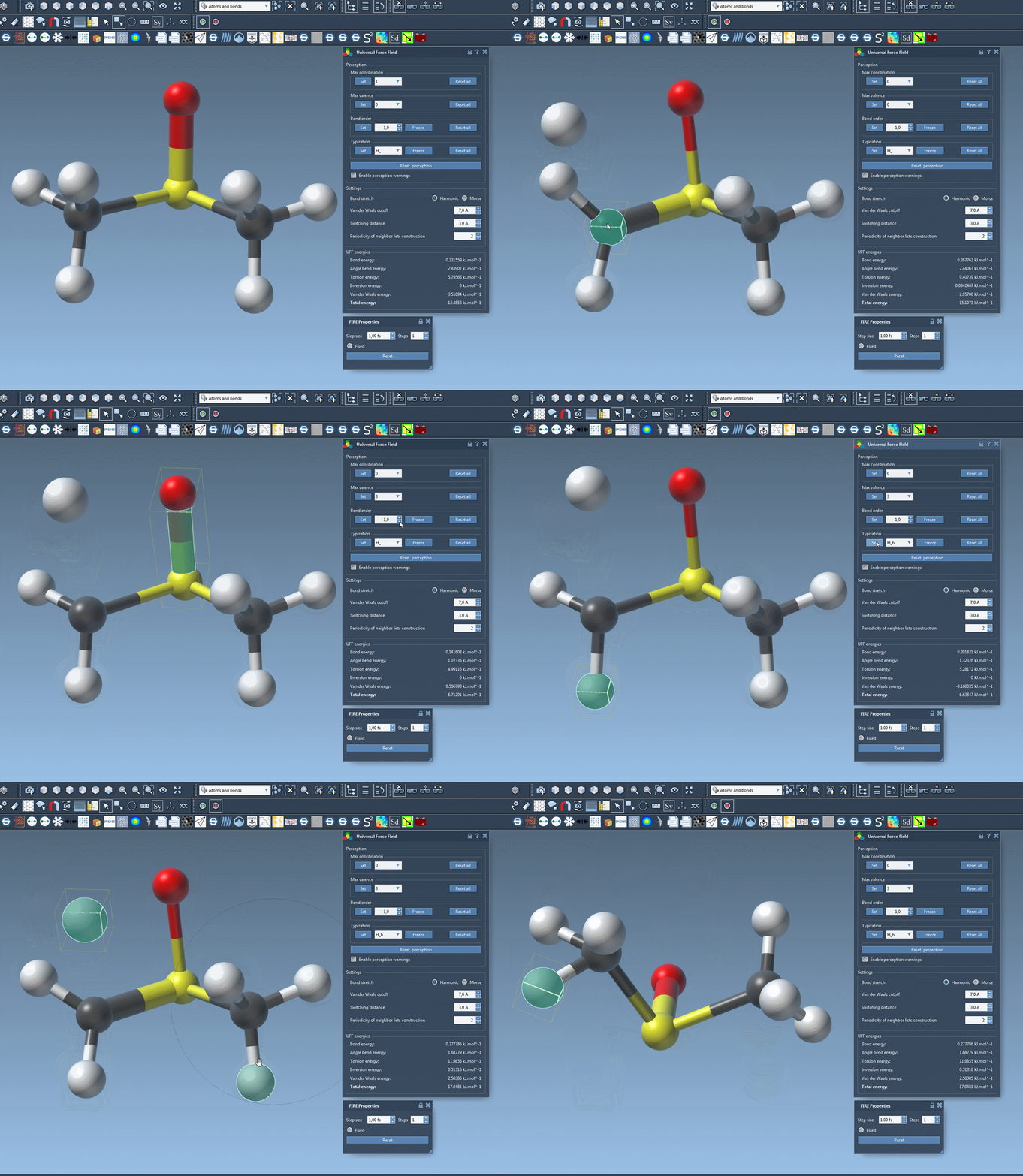
The ability to fine-tune your force field settings gives you direct control over your simulation. This can make a big difference in accuracy for systems where default heuristics fall short.
To learn more and explore the full UFF tutorial, visit the original documentation at https://documentation.samson-connect.net/tutorials/uff/uff/.
SAMSON and all SAMSON Extensions are free for non-commercial use. You can download SAMSON at https://www.samson-connect.net.