



Are you working with complex molecular systems and struggling to fine-tune force field parameters? While the Universal Force Field (UFF) is designed to automatically determine atomic types, bonds, and interactions, there are cases where customization becomes vital, especially when dealing with intricate or unconventional molecules. This blog post will walk you through practical options for customizing UFF typization in SAMSON, empowering you to tailor simulations to your needs.
Why Customize UFF Typization?
UFF typization works automatically to perceive bonds, bond orders, and atom types, based on atomic configurations and distances. However, advanced modelers often encounter cases where:
- Specific bond orders need to be fixed to prevent automatic changes.
- Certain atomic types require manual adjustments to ensure accurate results.
- Default coordination or valence limits need refinement for unique atoms.
By customizing typization, you gain granular control over these parameters, allowing for better alignment with experimental results or specific modeling goals.
Options for Customizing UFF Typization
SAMSON offers robust built-in options for advanced users to customize typization. Here’s an overview of the possibilities:
- Modifying Default Coordination and Valence Limits: You can adjust the maximum coordination (number of neighbors) and maximum valence (weighted number of neighbors by bond order) for atoms. Simply select an atom, choose the new value in the combo box, and click the Set button. Note: These changes are only effective if the new limits are lower than the default values.
- Forcing Bond Orders: Need to fix specific bond orders? Select one or multiple bonds, set the desired bond order value (ranging from 0.1 to 3.9), and click Set. For added control, use the Freeze button to prevent any updates to bond orders after a new round of automatic perception. Non-integer bond orders are also supported.
- Customizing Atom Types: Adjust UFF atom typizations by selecting atoms, assigning a new type, and clicking Set. To lock these changes, use the Freeze option, ensuring that the types remain fixed during subsequent automatic perception rounds.
Resetting and Recomputing Perception
Need a clean slate after testing multiple adjustments? Use the Reset all buttons to undo previous customizations. Once you’re satisfied with your adjustments, you can recompute automatic typization based on the customized values and current atomic positions by pressing the Reset perception button.
Key Considerations
While these customization options provide great flexibility, they also require careful use. Misconfigured settings may lead to unrealistic structures or unexpected results. It’s recommended to adopt these advanced methods only when necessary and to cross-check outcomes.
Visual Overview
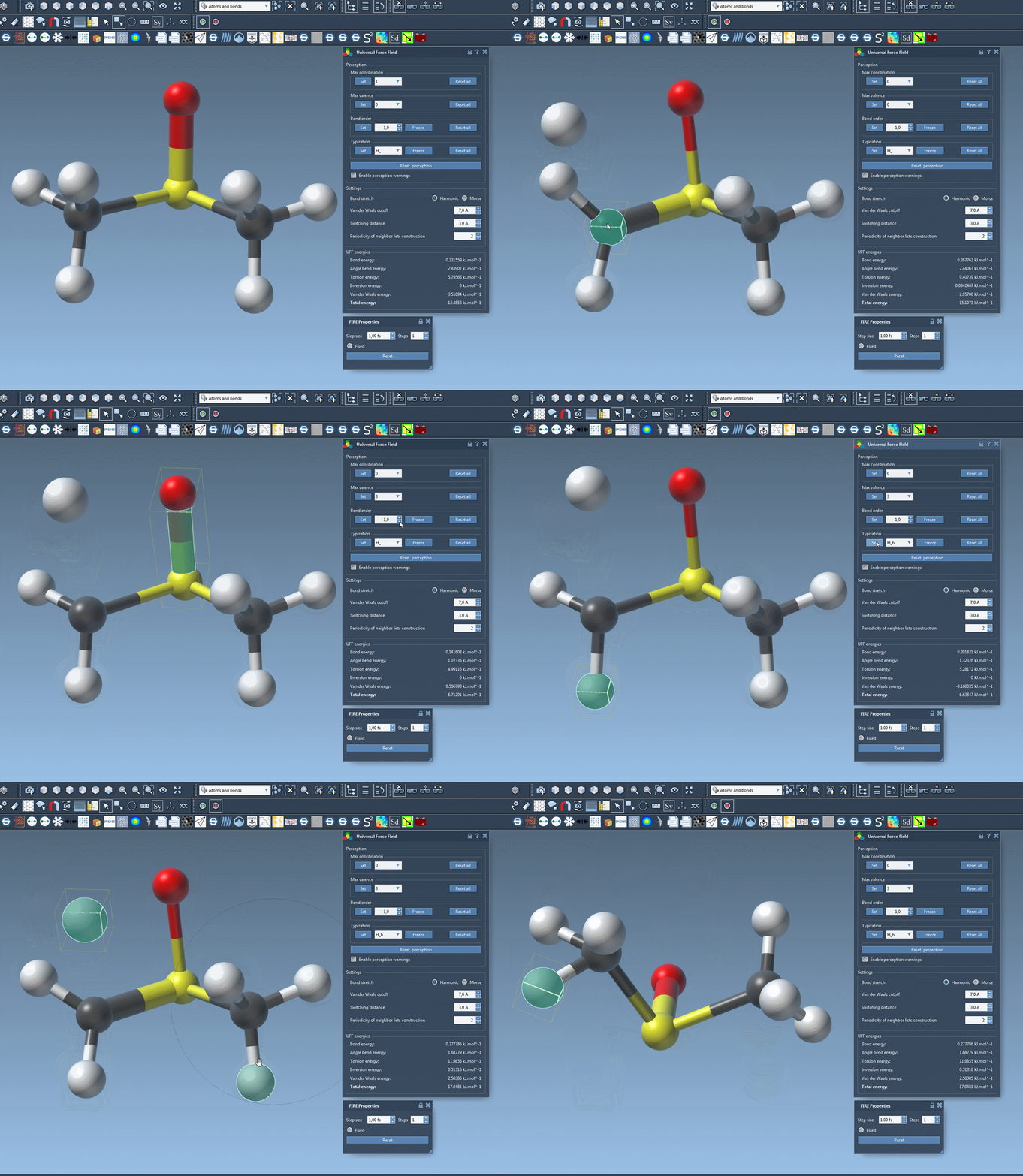
The image above illustrates a real-time application of custom settings while running UFF simulations. This level of control ensures that your molecular model fits even the most specific research requirements.
Learn More
Explore a detailed explanation of all UFF customization features in the official documentation page to optimize your molecular modeling experience.
Note: SAMSON and all SAMSON Extensions are free for non-commercial use. Download SAMSON at SAMSON Connect.