



When designing molecules, a common challenge is determining how replacing specific atomic patterns affects a molecule’s properties. Molecular modelers frequently face the need for new analogs, often wondering if small structural tweaks can enhance binding affinities, interactions, or other crucial properties. SAMSON’s SMILES Manager provides an intuitive way to tackle this through its pattern replacement functionality, offering tools to explore these possibilities efficiently.
Why Pattern Replacement Matters
Replacing or attaching specific atoms or groups in a molecule is an essential step in molecular design to optimize chemical structures. By systematically introducing changes to certain patterns, chemists can test a variety of analogs to identify improved interactions or evaluate the effects on binding affinities. With SAMSON’s SMILES Manager, this process becomes efficient and user-friendly, saving hours of manual effort.
Defining Your Search Pattern
The journey begins by identifying the atomic pattern you want to modify within your molecule. In SAMSON, this is done by inputting SMARTS (SMiles ARbitrary Target Specification), a powerful syntax for identifying substructures. For example, aromatic carbons can be specified with [cH].
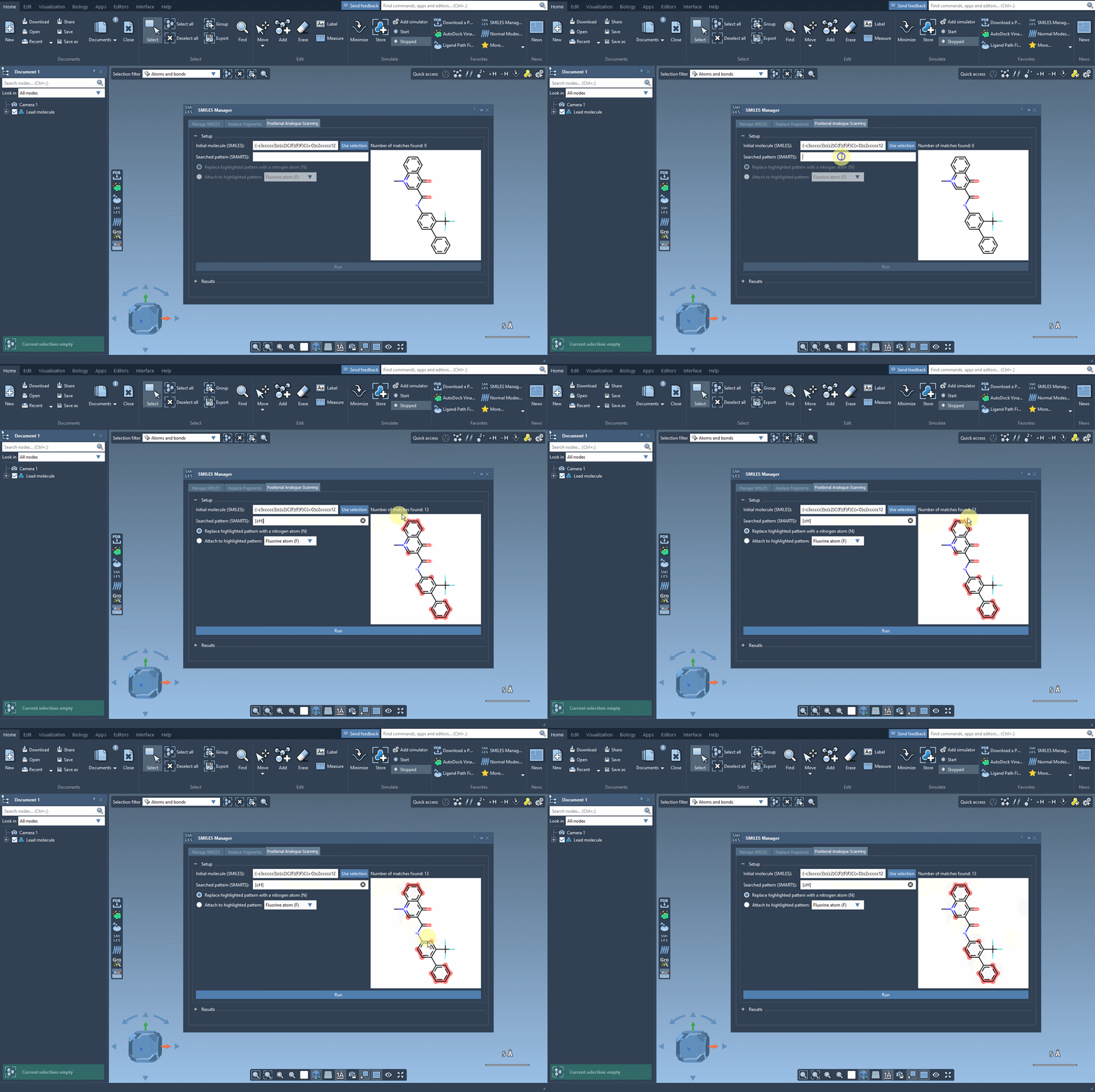
Once the pattern is defined, SAMSON highlights where the pattern appears in the molecule, making it easy to locate substitution sites. This interactive approach eliminates guesswork and facilitates precise manipulation of molecular structures.
Replacing or Attaching Groups
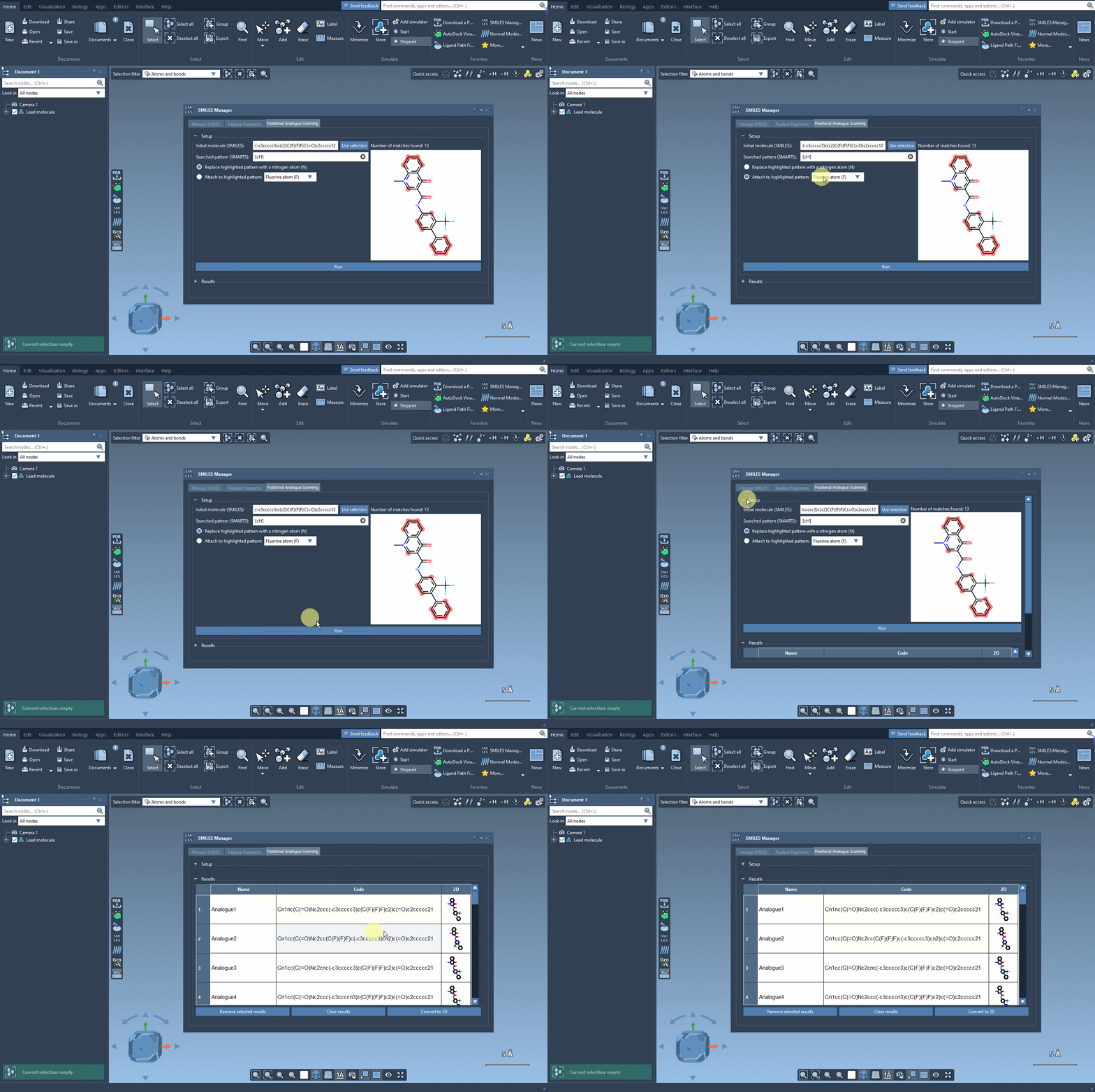
After identifying the patterns, you can choose whether to replace them entirely or attach a new atom or group. For example, you might replace an aromatic carbon with a nitrogen atom (N) or attach a fluorine atom (F) or methyl group (CH3).
The interface provides a seamless experience, allowing you to run the command and generate results instantly. A collection of analogs appears in the results section, giving you visual feedback in the form of their SMILES codes and 2D depictions. This streamlined workflow is particularly suitable for rapid prototyping of molecular analogs.
Key Benefits for Molecular Modelers
- Efficiency: SAMSON quickly generates analogs without needing external tools or scripting.
- Visualization: Direct integration of 2D depictions with SMARTS highlights ensures clarity and speed.
- Convenience: You can modify results directly, delete unnecessary entries, and tailor outcomes to suit your study.
Whether you’re designing drug candidates, materials, or exploring the relationships between structure and function, this method serves as a valuable tool in your molecular modeling toolkit.
Learn More
If you’re curious to explore this feature in-depth, check the original documentation at Perform Positional Analogue Scanning using the SMILES Manager. You’ll find detailed instructions, examples, and further applications to enhance your molecular design journey.
SAMSON and all SAMSON Extensions are free for non-commercial use. Get SAMSON at https://www.samson-connect.net.