



For molecular modelers, the ability to strategically modify specific portions of a molecule can be critical for understanding and optimizing molecular properties. Whether it’s improving binding affinity, reducing toxicity, or analyzing structure-activity relationships, having precise control over pattern selection is an essential step in the design process. If you’ve ever found yourself manually scouring your structure to identify actionable patterns, SAMSON’s SMILES Manager makes this process streamlined and intuitive.
Let’s explore how to define and search for patterns within your molecule using the SMARTS feature in the SMILES Manager, a highly targeted tool for molecular editing.
Why Care About Specific Patterns?
Molecular patterns represent substructures or functional groups in a molecule that define its interactions and properties. These are crucial for tasks like positional analogue scanning, where modifying patterns unlocks insights into how structural changes influence molecular behavior.
In SAMSON, identifying these patterns is easy thanks to the SMARTS syntax. SMARTS allows users to define atomic or structural sub-patterns with high granularity. For aromatic carbons, for instance, you could use the SMARTS code [cH] to locate targeted points in your molecule.
Step-by-Step Guide to Defining Patterns
The process is intuitive and integrated into the SMILES Manager. Begin with the following:
- Step 1: Load your molecule into SAMSON, initiated either by entering its SMILES code or selecting an existing molecule in the interface. The SMILES Manager includes practical buttons such as Use selection to simplify the insertion. Here’s an illustration of how this initialization works:
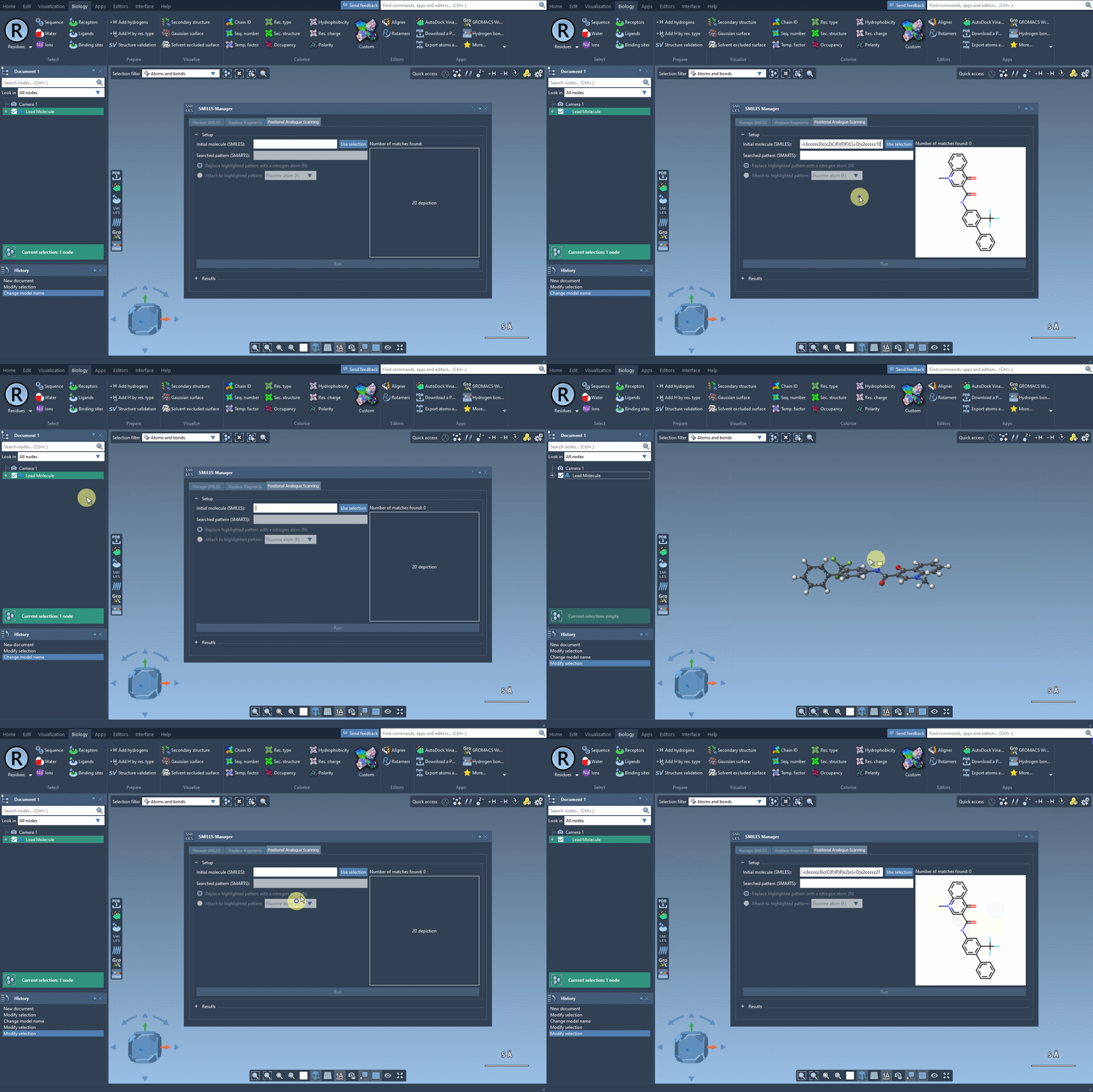
- Step 2: Input the SMARTS code for the pattern you wish to identify. In this example, we use
[cH]to pinpoint aromatic hydrogens. As you input the code, SAMSON automatically highlights all matching substructures in the molecule, eliminating guesswork.
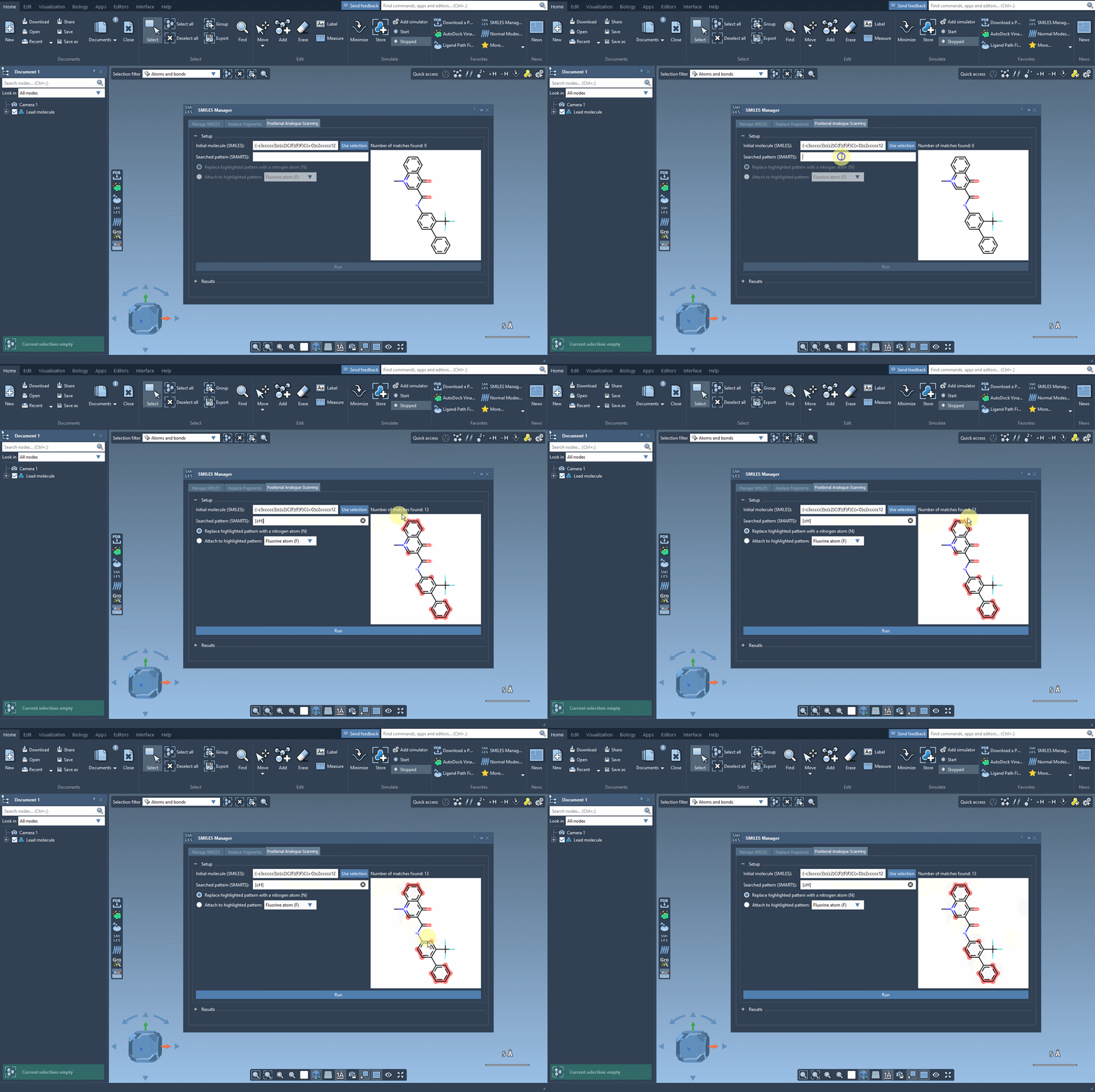
The Power of Accurate Pattern Highlighting
The visual feedback provided by SAMSON’s SMILES Manager ensures that your pattern matches are accurate, making it easier to decide how to modify your molecule effectively. Imagine identifying dozens of functional groups in just a few seconds or ensuring that specific substructures receive tailored modifications—a feature that’s invaluable for iterative analogue design and testing.
From here, you can proceed to explore modifications by replacing or attaching functional groups to the highlighted patterns and generating analogues for further study.
Why It Matters
Having a tool that eliminates manual labor and reduces errors while identifying patterns means that you can focus on designing better molecules faster. Whether you’re a chemist optimizing a lead compound or a researcher exploring protein-ligand interactions, precision pattern recognition saves time and opens doors to new insights.
Ready to get started? Explore the full SAMSON SMILES Manager documentation page here to learn more.
Note: SAMSON and all SAMSON Extensions are free for non-commercial use. You can download SAMSON at SAMSON-Connect.net.