



For molecular modelers working with complex biological assemblies like protein complexes or viral capsids, understanding symmetry can significantly simplify tasks ranging from structural validation to computational simulation setups. However, manually identifying axes of symmetry in intricate structures can be a daunting challenge.
This is where the Symmetry Detection extension in SAMSON becomes a problem-solver. This tool is designed to automatically find and visualize symmetry axes in large biological assemblies, helping modelers streamline their workflows efficiently while also discovering useful structural patterns. Below, we’ll explore how to make the most of this feature, especially if symmetry detection is new to you.
Why Understanding Symmetry Matters
Working with symmetric assemblies opens new possibilities in molecular modeling. Here are a few key reasons why symmetry detection might transform your workflow:
- Save Time and Resources: Using symmetry means you can simulate only the unique asymmetric unit instead of the entire assembly, reducing computational costs.
- Validate Molecular Structures: Symmetry analysis lets you check whether experimental structures match their expected symmetry, identifying discrepancies.
- Design Better: Symmetry-guided solutions can unlock improved designs for tasks such as mutagenesis or creating symmetric nanomaterials.
How to Use the Symmetry Detection Tool
Not sure how to get started? The Symmetry Detection extension is intuitive, with just a few steps to follow:
- Open SAMSON and load your assembly file (e.g., PDB files such as
3NQ4,1CHP, or1B4B). Be sure the biological assembly option is enabled when importing certain files. - Navigate to Home > Apps > Biology > Symmetry Detection and launch the extension.
- Click Compute symmetry. The app will automatically detect and display symmetry axes.
- Review the results and choose the axis of symmetry that fits your objective. Highlight primary axes or explore multiple symmetry groups for larger assemblies.
Examples in Action
Here’s a look at two different use cases:
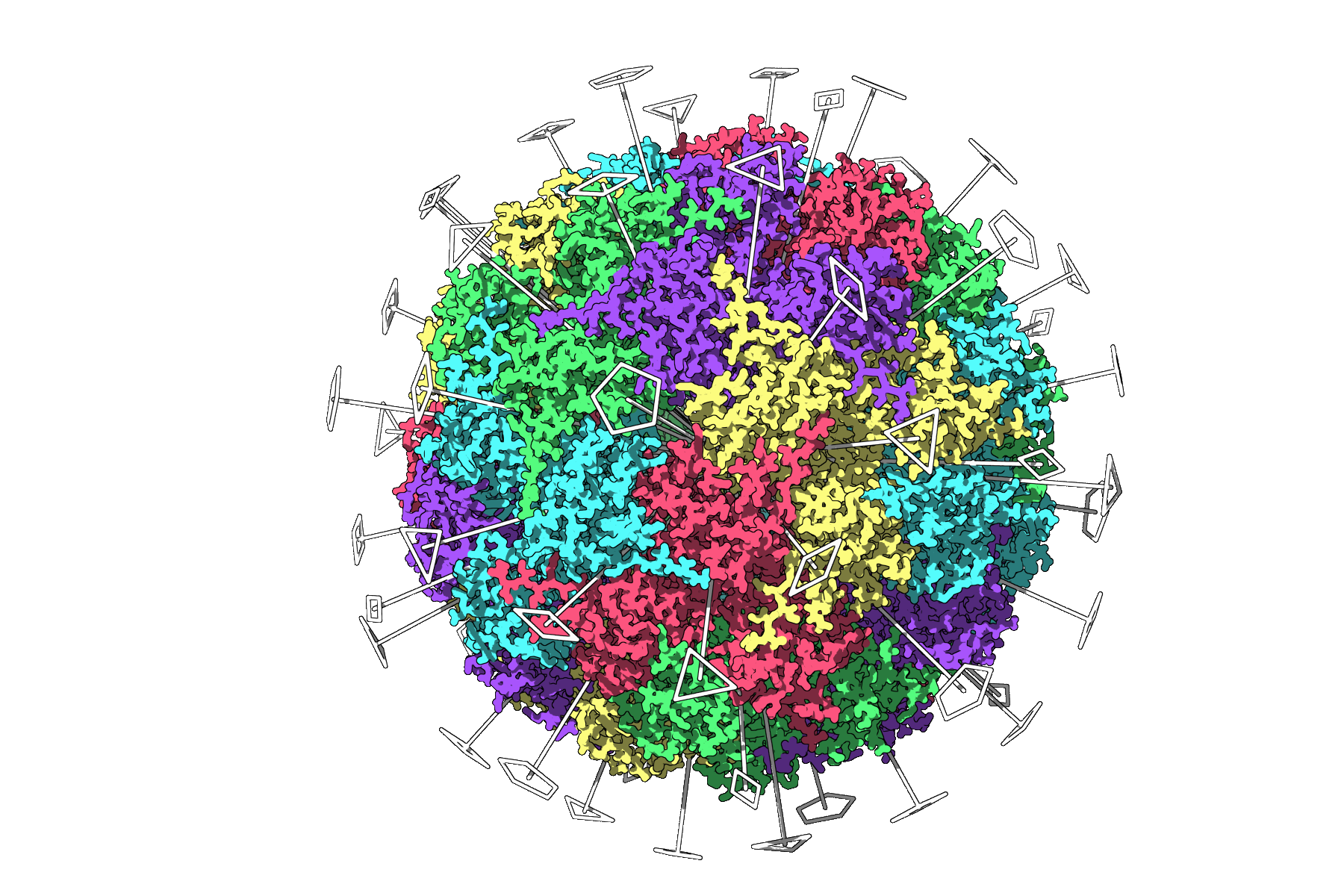
1. Icosahedral Capsid (PDB: 3NQ4)
The Symmetry Detection extension works seamlessly for viral capsids with complex geometry. For 3NQ4, the system detects the full icosahedral symmetry, including 2-, 3-, and 5-fold axes. You can also visualize a unique asymmetric unit to prepare for simulations:
2. Large Assembly (PDB: 1CHP)
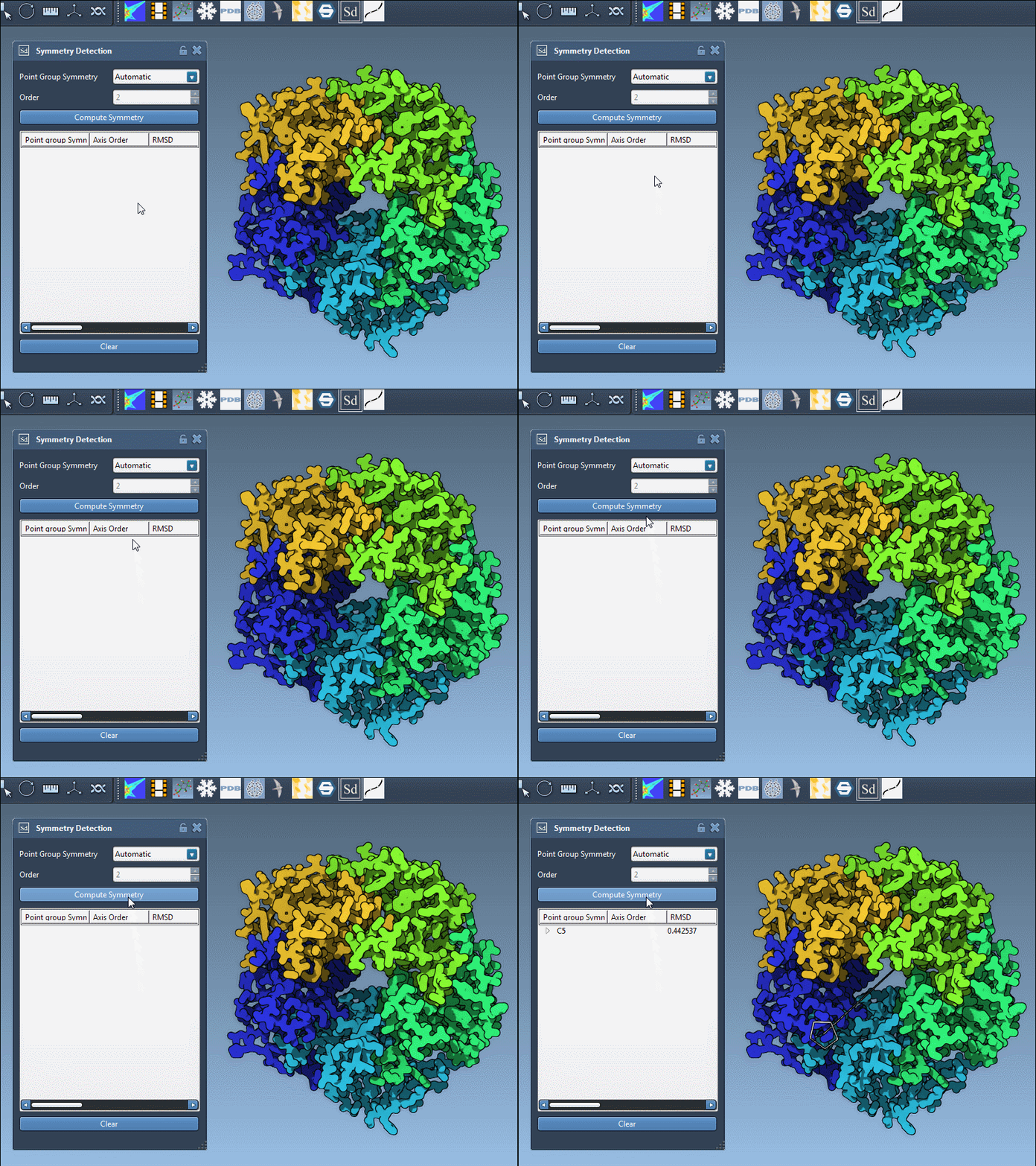
For larger assemblies like 1CHP, the application may propose multiple symmetry groups, giving you flexibility in choosing the best symmetry representation for your workflow. Symmetry is visualized interactively, making it easier to select and identify groups.
Practical Tips for Enhanced Insights
Here are some tips to maximize what you can achieve with symmetry detection:
- 💡 Combine Visuals: Overlay detected symmetry axes with surface or ribbon models for clarity.
- 💡 Colorize Asymmetric Units: Highlight chains with distinct colors to help visualize repeating patterns.
- 💡 Capture for Publication: Save viewport snapshots to prepare high-quality visuals for papers or presentations.
Get Started with Symmetry Detection
The Symmetry Detection extension is a robust tool that brings clarity and efficiency into modeling symmetric molecular assemblies. Whether you’re analyzing structural interfaces, testing various simulation setups, or designing symmetric nanostructures, this feature enables you to work smarter. Explore these tools and take your research even further.
To dive deeper into symmetry detection, visit the official documentation page.
SAMSON and all SAMSON Extensions are free for non-commercial use. Interested? You can download SAMSON at samson-connect.net.