



A molecular structure can look plausible and still need a little cleanup before you simulate it or continue modeling. Atoms may need to shift together to reach a lower-energy geometry, and a slow optimization can make that preparation feel like a bottleneck. The FIRE (Fast Inertial Relaxation Engine) minimizer offers another option in SAMSON, particularly for optimization involving large-scale or collective motions.
FIRE is a geometry optimization method, not a replacement for choosing an appropriate interaction model. The interaction model defines the forces used in the workflow; FIRE is the state updater that moves the system during minimization. It can work with any SAMSON interaction model, making it useful as a general relaxation step before simulation or interactive modeling.
A simple cleanup workflow
Start with the molecular system you want to prepare. SAMSON can load structures from PDB, MOL2, and other supported formats. If you are new to loading structures, see the Loading Molecules Guide.
- Add a simulator. In SAMSON, go to Edit > Add Simulator.
- Select an interaction model. Choose the model appropriate to your system and task.
- Choose FIRE as the state updater. Select FIRE in the State Updaters list.
- Begin with a small test system if you are learning the controls. A small example makes it easier to see how the settings affect the displayed progress.
The FIRE controls include Step size, the initial integration step for minimization, and Steps, the number of FIRE steps performed between viewport updates. The optional Fixed setting keeps the step size constant. These controls affect how the minimization proceeds and how often you see updates; the documentation does not prescribe one universal setting, so treat them as parameters to explore for your system rather than as a single recipe.
Reading the animation
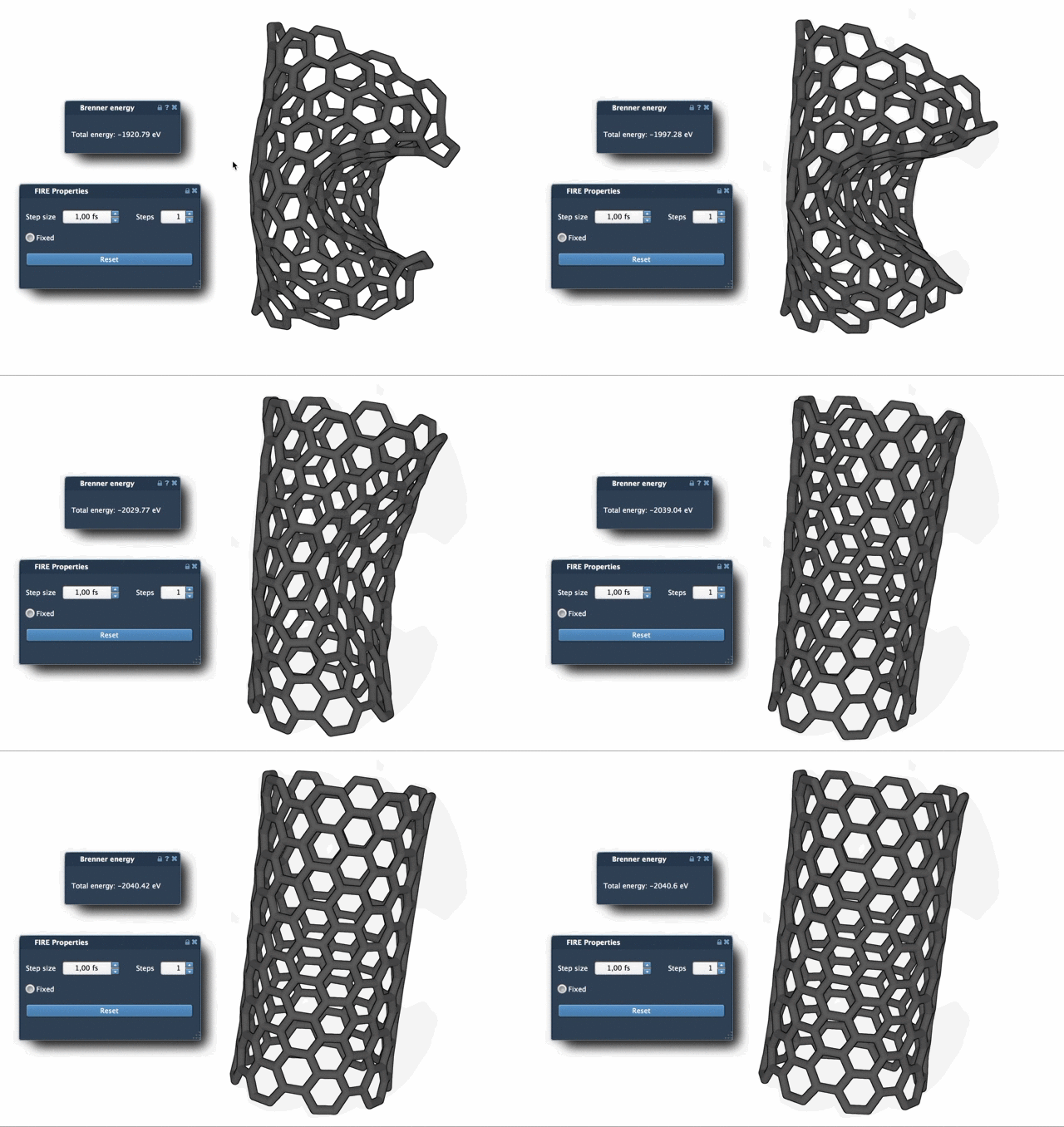
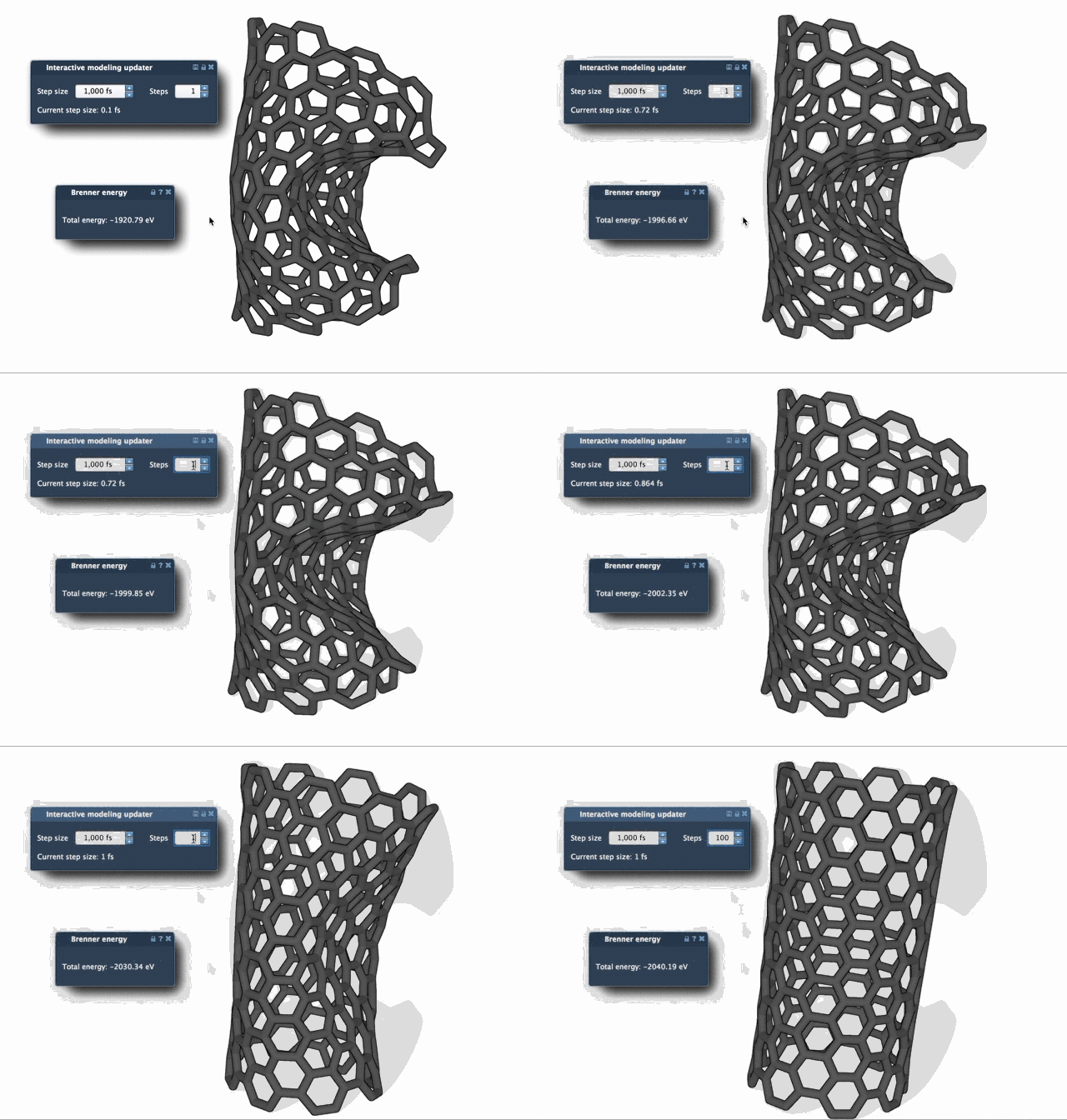
One practical difficulty in optimization is judging progress from a changing structure. The comparison below shows FIRE and steepest descent relaxation. FIRE is described as offering faster convergence, especially when potential energy changes are small while the geometry continues to evolve substantially. If the viewport updates make that evolution hard to follow, increase Steps for fewer, more pronounced updates.
One useful habit: reset after manual edits
If you move atoms manually while minimization is running, the current FIRE history may no longer match the edited structure. Press Reset to clear that history before continuing. This small step helps keep an interactive workflow tidy when you alternate between hands-on adjustments and automated relaxation.
FIRE is also useful beyond a standalone cleanup: SAMSON implements it as a state updater, so other apps and extensions can use it for geometry optimization. For example, the Molecular Restrainer extension uses FIRE to minimize NMR-derived structures.
For the complete tutorial and its settings details, read the FIRE Minimizer documentation.
Note: SAMSON and all SAMSON Extensions are free for non-commercial use. Get SAMSON.