



Defects in crystals are a central topic when studying material properties, especially in semiconductors, ionic conductors, and many catalysts. While perfect crystals might be ideal starting models, real materials almost always include imperfections like vacancies and substitutions. But simulating these local disruptions can feel tedious without the right tools.
Fortunately, SAMSON provides a straightforward way to introduce and visualize structural defects in crystals, thanks to the Crystal Creator extension. Here’s a simple guide to modeling atomic vacancies in a diamond crystal using a CIF file — no scripting or external preprocessing needed.
Step 1: Load the Diamond Structure
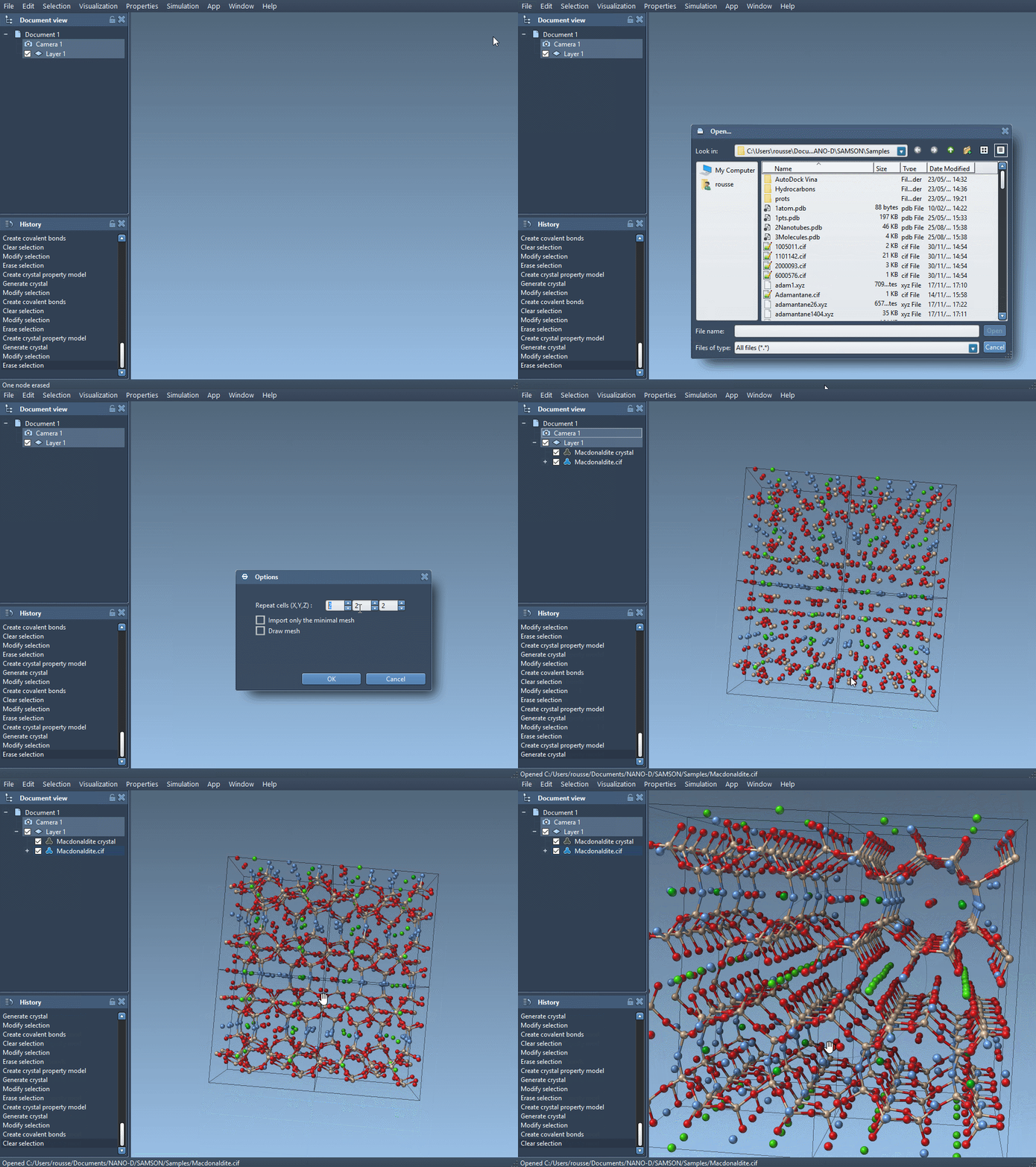
If you already have a diamond CIF file, simply load it using the Crystal Creator App in SAMSON. You can fetch standard diamond CIFs from public databases like the RRUFF Project or the American Mineralogist Crystal Structure Database. When loading the file, configure the import settings for the number of unit cells, symmetry handling, and mesh display based on your preferences.
After loading the crystal, use SAMSON’s interactive tools to create bonds between atoms for better structural visualization.
Step 2: Introduce a Defect into the CIF File
To simulate an atomic vacancy, simply edit the CIF to reduce the occupancy of specific atoms. For example, at the end of your CIF file, replace the standard atomic site block with one that defines occupancy:
|
1 2 3 4 5 6 7 |
loop_ _atom_site_label _atom_site_fract_x _atom_site_fract_y _atom_site_fract_z _atom_site_occupancy C 0.00000 0.00000 0.00000 0.95 |
This means that the carbon atom at the origin now has a 95% probability of being present. Save the file and load it again in SAMSON using the Crystal Creator tool.
Step 3: Compare and Analyze
Once the modified crystal loads, regenerate the bonds as before. Then, visually inspect how the structure appears different due to the probabilistic removal of the atom. For further insight, you can apply structure minimization tools within SAMSON (like using the Brenner interatomic potential) to observe how atoms rearrange due to the defect.
This gives users a direct and visual way to understand how small imperfections influence material properties — useful for those simulating semiconductors, photonic materials, and carbon-based nanomaterials.
Why This Matters
Introducing defects doesn’t require manual deletion of atoms or complex scripting anymore. By leveraging occupancy factors, you can easily simulate various concentrations of vacancies or substitutions directly from the CIF level. Whether you’re teaching, prototyping, or researching advanced materials, quick workflows like this help accelerate insights.
Crystal defects aren’t just errors; they are often the reason materials work the way they do. Using tools like SAMSON’s Crystal Creator helps make this connection more intuitive and accessible.
Curious to experiment further? Learn how to visualize symmetry, cut specific crystal faces, or build crystals from scratch using the full tutorial here: SAMSON Crystal Creator Documentation.
SAMSON and all SAMSON Extensions are free for non-commercial use. You can download SAMSON at https://www.samson-connect.net.