



If you’ve worked with crystallographic protein structures, you’ve probably come across a common frustration: a PDB file only shows the asymmetric unit, not the complete biological assembly. This often leaves molecular modelers wondering how the actual protein complex is organized in 3D space, which is critical for simulating interfaces, exploring quaternary structures, or designing protein-based materials.
Fortunately, there’s a streamlined way to reconstruct these biological assemblies directly from PDB annotations using the Symmetry Mate Editor in SAMSON. This editor offers an interactive way to generate symmetry mates derived from both CRYST1 and BIOMT records embedded in PDB files.
What Are Symmetry Mates, and Why Should You Care?
Symmetry mates are structural replicas of a protein generated through symmetry operations provided in PDB files. They help visualize how protein chains organize into biologically relevant complexes or crystalline arrangements.
- BIOMT entries represent biological assemblies.
- CRYST1 entries describe crystallographic symmetry in the crystal lattice.
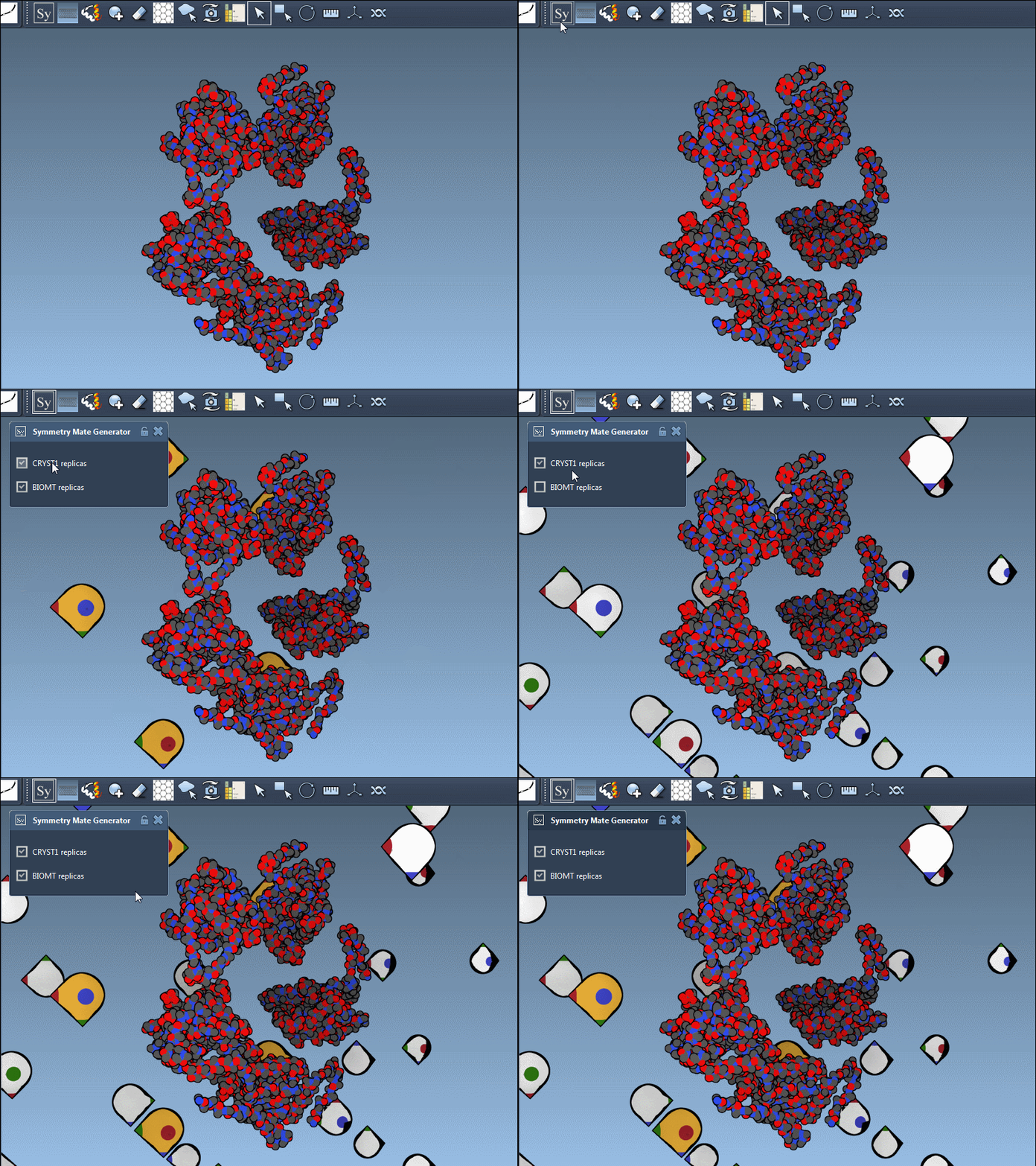
The Symmetry Mate Editor supports both and gives you control over which one to display using a simple toggle. Each type is color-coded in the interface: white widgets for CRYST1-based transformations, and yellow for BIOMT-based ones.
How to Interactively Preview and Generate Mates
When you open the Symmetry Mate Editor via the Find Everything panel or the Editors menu, symmetry transformation nodes appear in the viewport. Here’s what you can do:
- Use Ctrl (or Cmd) + mouse wheel to scale how many nodes appear.
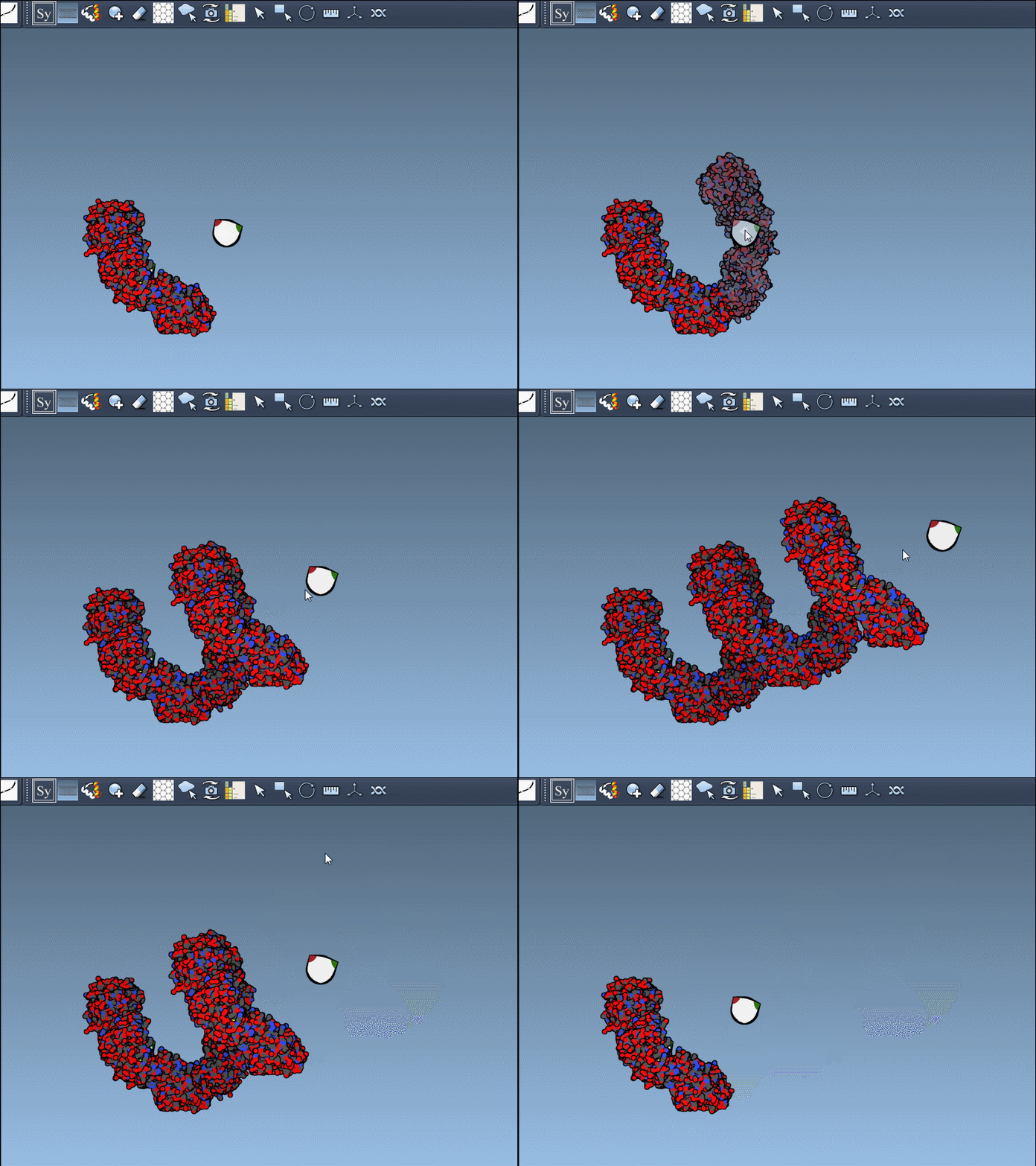
- Hover over a node to preview what the symmetry mate will look like in the current structure.
- Left-click a node to generate a replica and make it part of your model.
- Ctrl/Cmd + Click to preview and generate all symmetry mates at once.
This makes it possible to go from a single asymmetric unit to a full oligomer or even a nanocage structure in just a few clicks.
Practical Example: CRYST1 vs. BIOMT
Here’s an example using the PDB file 1B5S. The ability to toggle between CRYST1 and BIOMT representations is quite insightful for analyzing the structural organization. One might reveal a crystal contact, while the other shows the physiological quaternary structure.
Benefits for Molecular Design
This functionality goes beyond just visualization. You can:
- Build complete assemblies starting from minimal data.
- Detect and investigate repeat units and symmetric patterns.
- Design symmetric macromolecular complexes without manually computing transformations.
It also integrates well with other SAMSON features, like symmetry detection and visual representation tools, for further customization and analysis.
Final Notes
If you find yourself repeatedly reconstructing biological assemblies manually, the Symmetry Mate Editor can save significant time while improving accuracy. It’s accessible directly in SAMSON, and easy to activate and use interactively.
To learn more, visit the complete guide here: Generating Symmetry Mates.
SAMSON and all SAMSON Extensions are free for non-commercial use. You can download SAMSON at www.samson-connect.net.