



Designing custom polymers can often feel daunting, especially when precision and flexibility are critical. Whether you’re modeling biopolymers, crafting molecular scaffolds, or exploring synthetic chains, SAMSON’s Polymer Builder offers an intuitive way to create custom solutions for molecular design and simulation tasks without overwhelming complexity.
The Challenge of Custom Polymer Design
Molecular modelers frequently encounter roadblocks when trying to build polymers tailored to specific research needs. Managing complex monomer sequences, avoiding steric clashes, and ensuring molecular integrity can turn into painstaking work. Fortunately, the Polymer Builder extension for the SAMSON platform alleviates these difficulties by streamlining key steps in the polymer customization process.
Step 1: Registering Monomers
At the heart of SAMSON’s Polymer Builder lies the ability to register and reuse custom monomers. After selecting any molecular fragment or monomer unit in SAMSON’s environment, click Register monomer from selection. This process automatically identifies the start and end atoms of the structure, essential for defining polymer connections.
If you need more control, you can refine these settings manually:
- S: Set atom from selection by choosing any displayed atom.
- P: Pick an atom directly from the monomer’s atom list.
- V: Visualize highlighted structures or atoms.
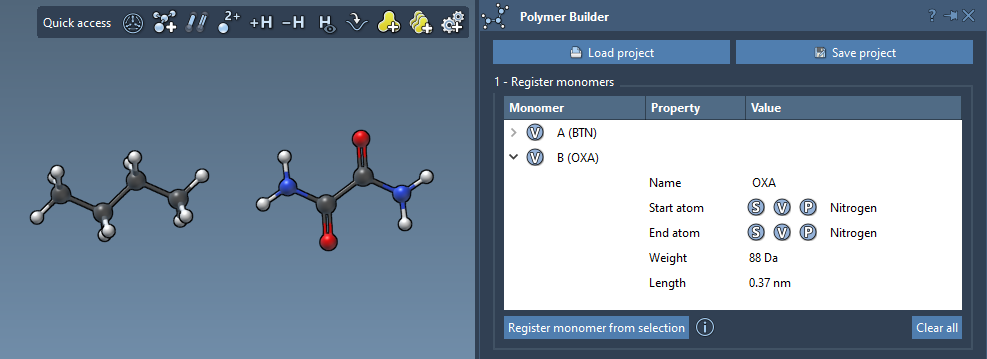
Each registered monomer is automatically assigned a unique letter ID (A, B, C, etc.), streamlining polymer assembly. You can even check metrics like molecular weight and distance between start and end atoms directly in the monomer table:
Step 2: Sequence Registration for Patterns
For polymers with repeating patterns, SAMSON’s sequence registration feature simplifies the process:
- Click Add new sequence.
- Define your sequence using registered monomers’ IDs (e.g.,
ABBA).
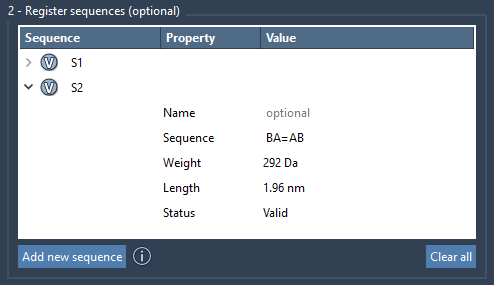
The table will validate sequences, noting errors if applicable. Bonds between monomers are single by default but can be customized:
A=B: Double bond.A#B: Triple bond.
You can also assign names to sequences to group monomers or structural patterns in the resulting polymer:
Step 3: Polymer Assembly in Minutes
Once your monomers and patterns are registered, generating a polymer becomes straightforward. Simply provide a sequence expression like:
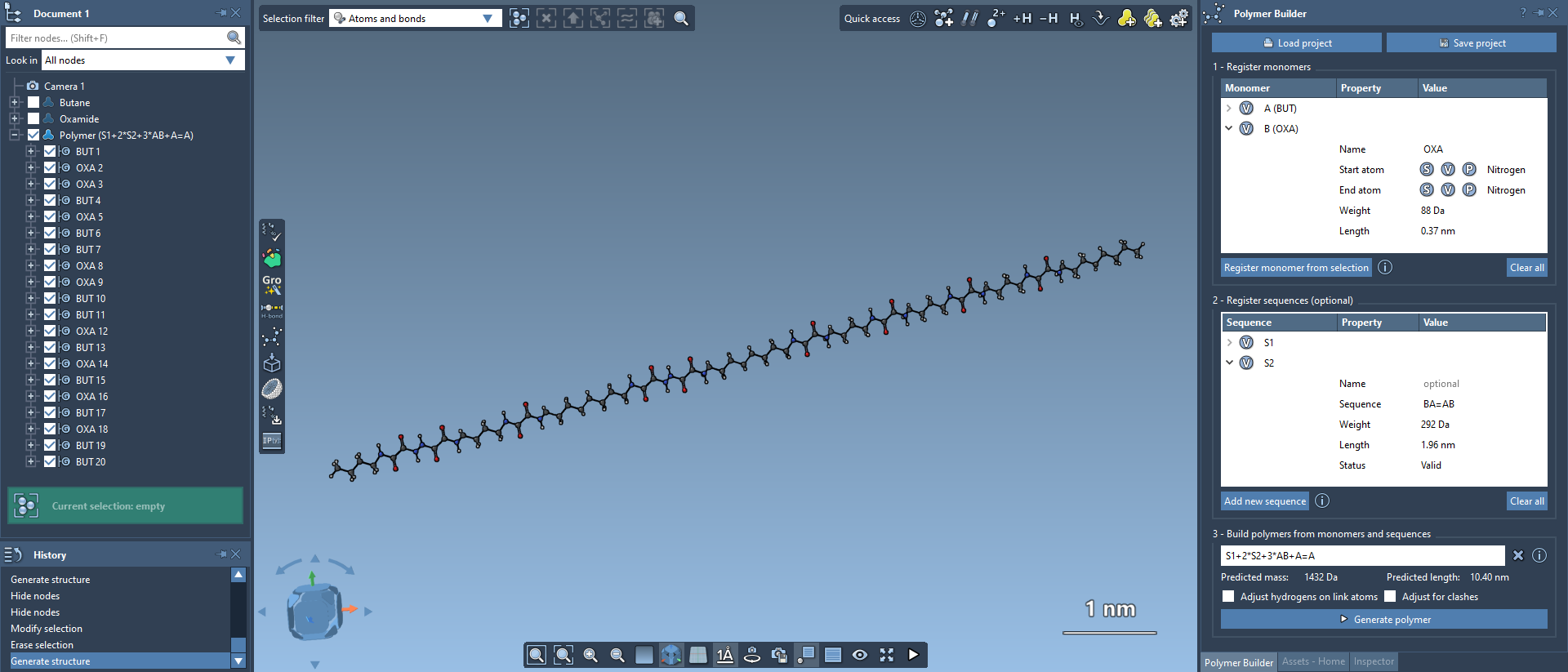
S1 + 2*S2 + AB=BA
This example uses basic identifiers to define sequence repetition, specifying bond types between segments where needed. The Polymer Builder even predicts molecular weight and length estimates, helping you iteratively refine your design:

When ready, click Generate polymer. SAMSON ensures accurate structural alignment, automatically adjusting hydrogens and avoiding steric clashes where necessary:
Further Possibilities
SAMSON’s Polymer Builder offers a wealth of advanced features, from building cyclic polymers to enabling coarse-grained modeling. The polymers you generate can also integrate seamlessly with simulation engines, including SAMSON engines, GROMACS, and more.
To learn more about the Polymer Builder and its diverse features, visit the full documentation at SAMSON Polymer Builder Documentation.
Note: SAMSON and all SAMSON Extensions are free for non-commercial use. Download SAMSON today at SAMSON Connect.