



Carbon nanotubes (CNTs) are key components in molecular design, nanotechnology, and materials science. However, building CNTs with precision can often feel tedious and prone to errors, especially when working with complex parameters. If you’ve faced this challenge, SAMSON provides an effective solution through its Nanotube Creator Extension, enabling you to build custom CNTs interactively within the viewport.
Why Interactive Building Makes a Difference
Models of CNTs often require fine-tuning of structural parameters (like the chiral vector) and the ability to quickly visualize outcomes. Traditional graphical interfaces can sometimes interrupt creative workflows. Thanks to the Nanotube Creator’s interactive features, you can work directly in the viewport by simply using your mouse, receiving live feedback in the status bar. There’s no need to switch between tabs or windows: everything happens in front of you, in real time.
Step-by-Step Guide to Building Nanotubes Interactively
Ready to build a nanotube interactively? Here are the steps:
1. Define the Axis and Length
- To start, click and drag the left mouse button in the viewport.
- A line will appear, representing your nanotube’s axis and length. The
nparameter, which influences the tube’s chirality, will update dynamically as you drag. - The status bar at the bottom of your viewport provides live feedback on the axis orientation and length, helping you make precise adjustments.

2. Set the Radius
- Once satisfied with the axis and length, release the mouse button.
- Move your mouse to adjust the nanotube radius, which modifies the
mparameter in real time. - When ready, click the left mouse button again to confirm the radius.
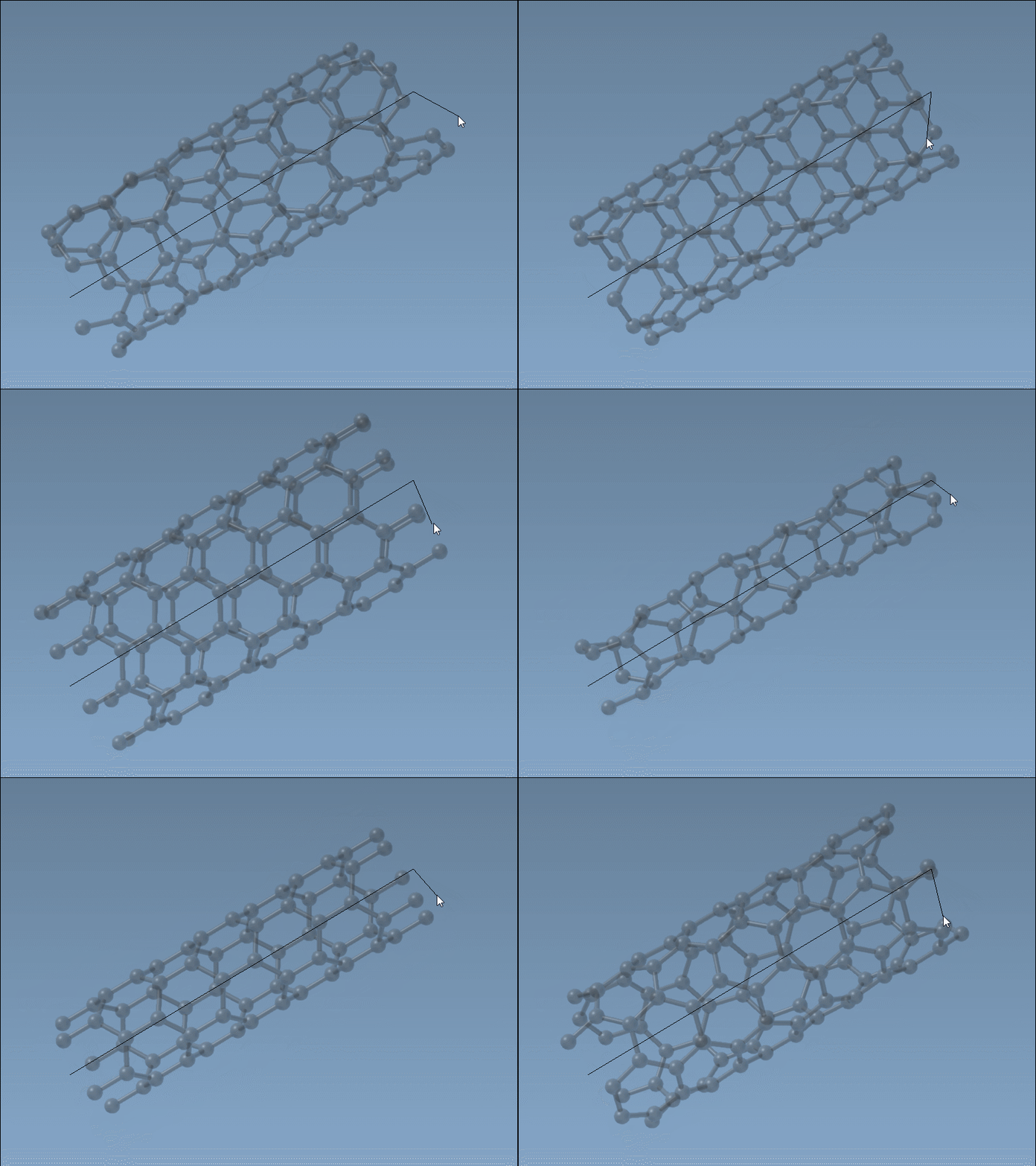
Throughout the process, the dynamic status bar updates to show the evolving n and m parameters, ensuring you have complete control over your nanotube’s structure.
Why This Approach is Helpful
The interactive viewport method blends creativity and precision by allowing instant feedback and iterative tweaks. For example, if you’re designing CNT-based sensors, you might need to align properties precisely with experimental data. The visual and intuitive process can significantly improve modeling efficiency, cutting down trial-and-error cycles commonly faced when adjusting parameters in static GUIs.
Limitations and Further Features
While interactive building is great for quick prototyping, you may still prefer the graphical interface for highly structured, multi-walled nanotube designs. The Nanotube Creator seamlessly transitions between both modes, so you’re never locked into one workflow. Learn more about alternate methods and advanced parameters via the documentation page.
Learn More About SAMSON
Learn more about building carbon nanotubes and explore other cutting-edge tools via the full Nanotube Creator documentation.
Note: SAMSON and all SAMSON Extensions are free for non-commercial use. You can download SAMSON at https://www.samson-connect.net.