



Molecular modelers often face the challenge of creating and modifying atomic structures for experiments, educational purposes, or visualization. One major pain point is achieving this with efficiency and precision while experimenting with unconventional molecular shapes and arrangements. How can you achieve complex atomic geometries while making the learning process engaging? Enter the Simple Script Extension in SAMSON, which provides a streamlined way to manipulate atoms using scripting. In this post, we’ll dive into how you can use this tool to solve practical molecular modeling tasks in a programmatic way.
What Can You Achieve with Simple Scripts?
The Simple Script Extension in SAMSON enables atom-level control in your molecular model by allowing you to use mathematical and logical expressions for selecting and modifying atoms. This is not only a highly practical tool for modeling but also an intuitive introduction to scripting for molecular structures.
Imagine using simple scripts to:
- Modify the positions of selected atoms.
- Show or hide specific types of atoms.
- Create nanoscale shapes like sinusoidal graphene sheets or intricate custom designs like Batman’s iconic batarang.
How Does It Work?
The Simple Script Extension leverages predefined variables and expressions, enabling you to focus on structure manipulation rather than syntactical complexities. For example, you can define properties such as an atom’s position (a.x, a.y, a.z), visibility (a.visibilityFlag), element type, and much more. Loops and conditional statements make it easy to implement logic for more advanced manipulations.
Example: Modify Atomic Positions for Sinusoidal Effects
Let’s start with an example where we change the z-coordinate of all atoms using a sinusoidal function:
|
1 |
a.z := sin(a.x * π / 12); |
Executing this script warps a flat graphene sheet into a sinusoidal shape. You can visualize this stunning transformation directly in SAMSON.
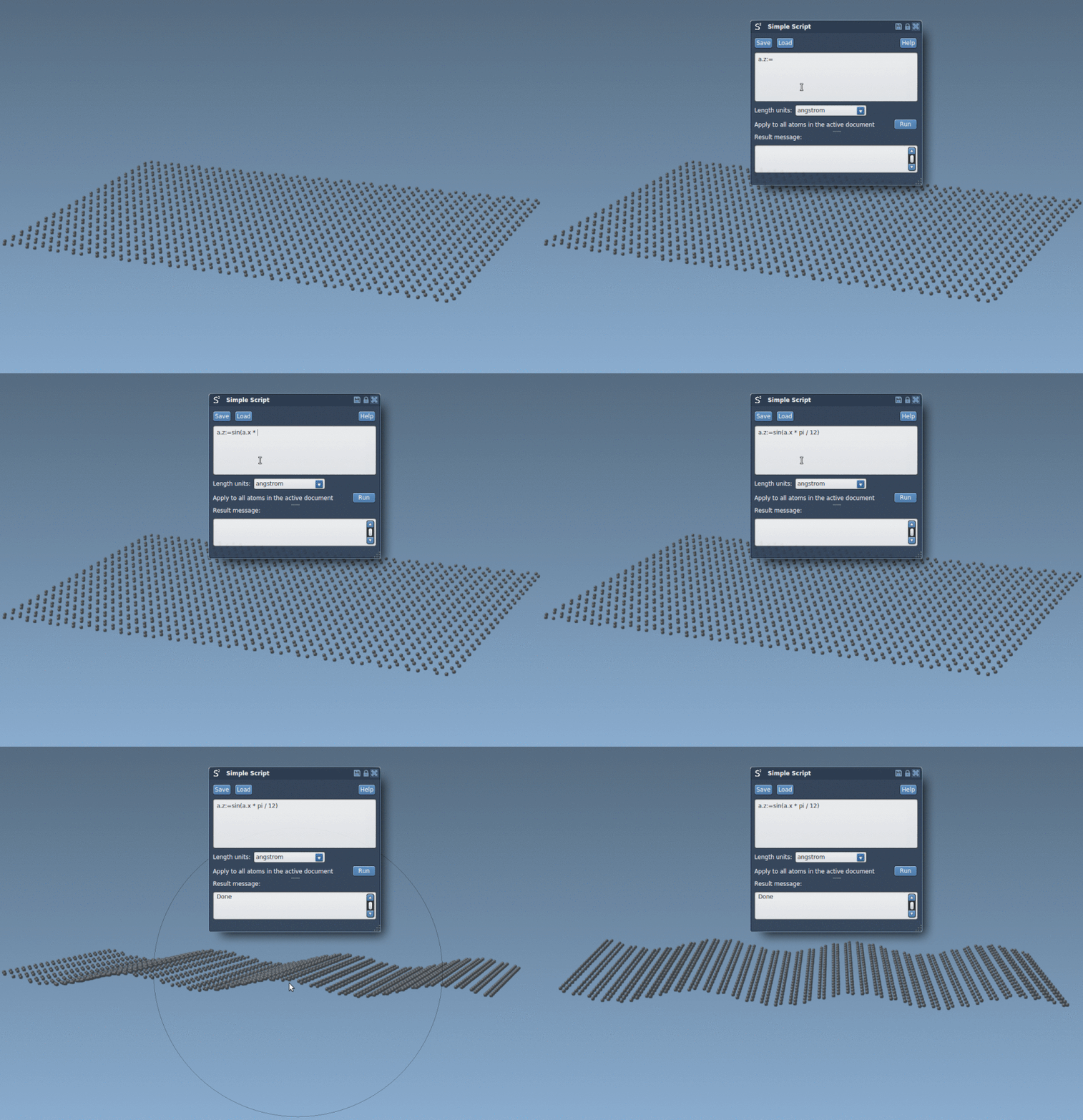
Example: Select and Move Specific Atoms
Suppose you want to move all atoms with a specific type (e.g., Hydrogen) in the y-direction by 5.25 units. Here’s a simple way to do it:
|
1 |
if (a.elementID == 1) a.y += 5.25; |
This script demonstrates how you can tailor your manipulations to specific atoms efficiently.
Creating Custom Shapes: From Nano-Tiles to Nano-Batarangs
One of the most creative uses of Simple Script is crafting nanoscale versions of real-world shapes, like tiles or even nanostructures inspired by popular culture. For example, you can use the extension to create a graphene-based nano-batarang, using mathematical expressions to carve intricate designs out of molecular sheets. This is an excellent way to practice and experiment with scripting!

Why Scripting is Worth It
By incorporating scripting into your molecular modeling workflow, you:
- Gain full control over individual molecules and their attributes.
- Learn to automate repetitive modeling tasks for greater efficiency.
- Open the door to creating unconventional models that push the boundaries of molecular design.
It’s also worth noting that learning simple scripting within SAMSON is an ideal steppingstone toward more advanced programming, such as using Python for automating workflows.
Get Started Today
Are you ready to bring custom atomistic designs to life? The Simple Script Extension is user-friendly and provides a rich set of capabilities to get creative with your molecular models. Visit the SAMSON documentation page to learn more about Simple Scripts and start experimenting with your own molecular structures today.
Need another reason to try? SAMSON and all SAMSON Extensions are free for non-commercial use. You can get SAMSON at SAMSON Connect.