



For molecular modelers looking to simulate membrane-protein interactions, creating lipid layers around proteins can often be a daunting task. The Molecular Box Builder extension in SAMSON offers a powerful yet simple solution for generating lipid membranes, enabling researchers to focus on their simulations without struggling with setup. In this post, we’ll take you through the process of building a single-layer lipid structure around a protein using the Molecular Box Builder.
Step 1: Align Your Protein
Before creating a lipid layer, it’s essential to properly orient your protein. Follow these steps:
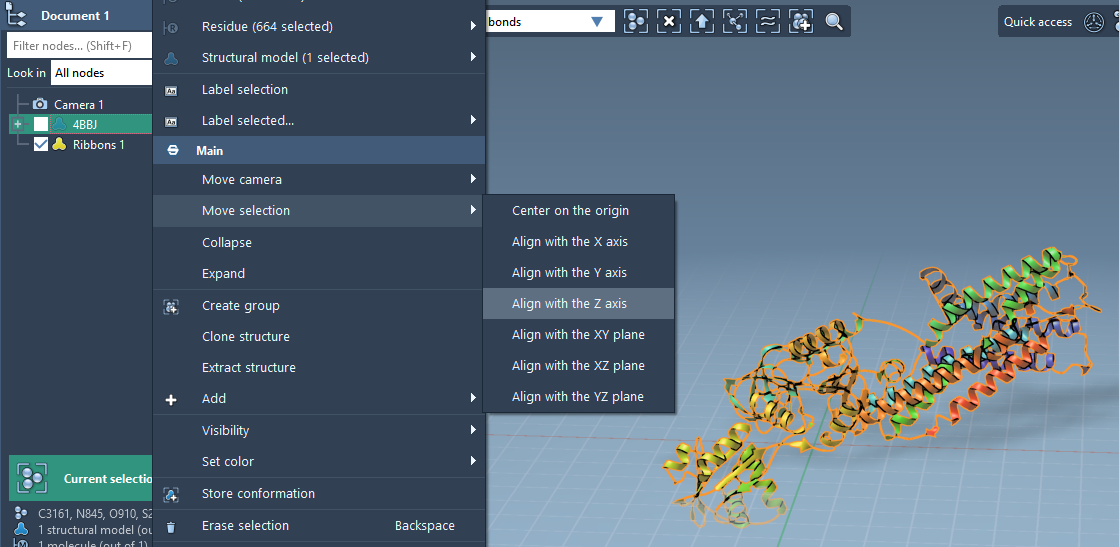
- In the Document view, right-click your protein structure.
- Select Move selection > Align with Z axis from the context menu.
- Next, choose Move selection > Center on the origin. This centers the protein and aligns it for membrane placement.
Step 2: Set the Lipid Molecule
Now, import and prepare a lipid molecule:
- Import a lipid molecule file into your workspace.
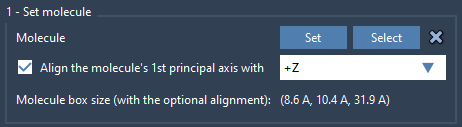
- Select the lipid molecule and click Set in the Molecular Box Builder app.
- To ensure the correct orientation, align the lipid’s principal axis with the
+Zaxis using the app’s alignment options.
Step 3: Define the Box
Next, it’s time to define the dimensions and placement of the molecular box:
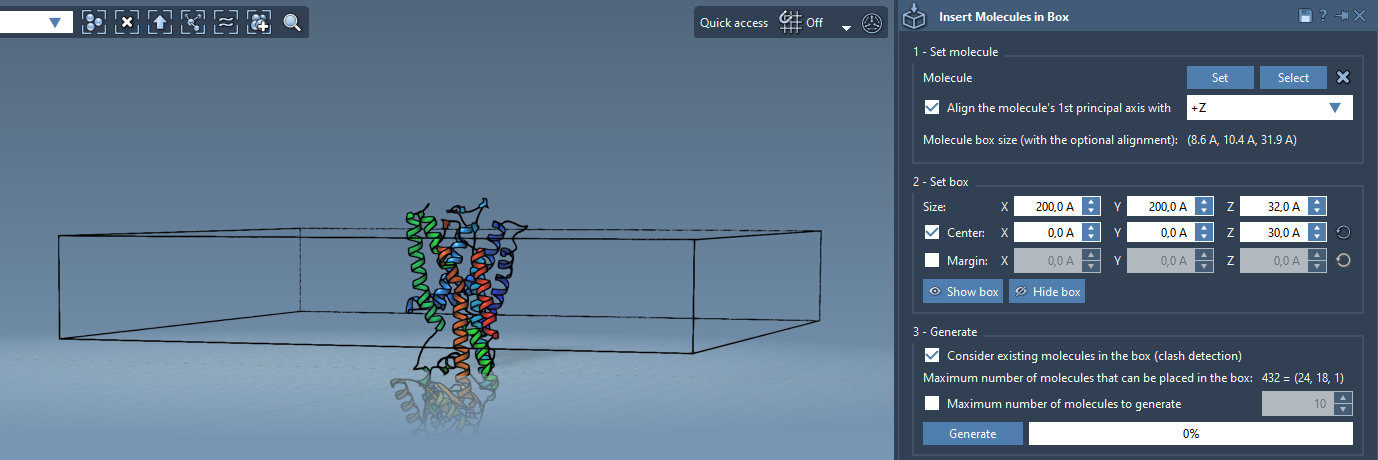
- Position the box so that it is centered around your protein. This ensures the lipid molecules will be evenly distributed around the protein.
- Adjust the box size to fit a single layer of lipids.
- If necessary, specify a margin between inserted lipids. Depending on the dense packing you need, this value can be positive or negative.
Step 4: Generate the Lipid Layer
Once the configuration is ready, you’re set to generate the lipid layer:
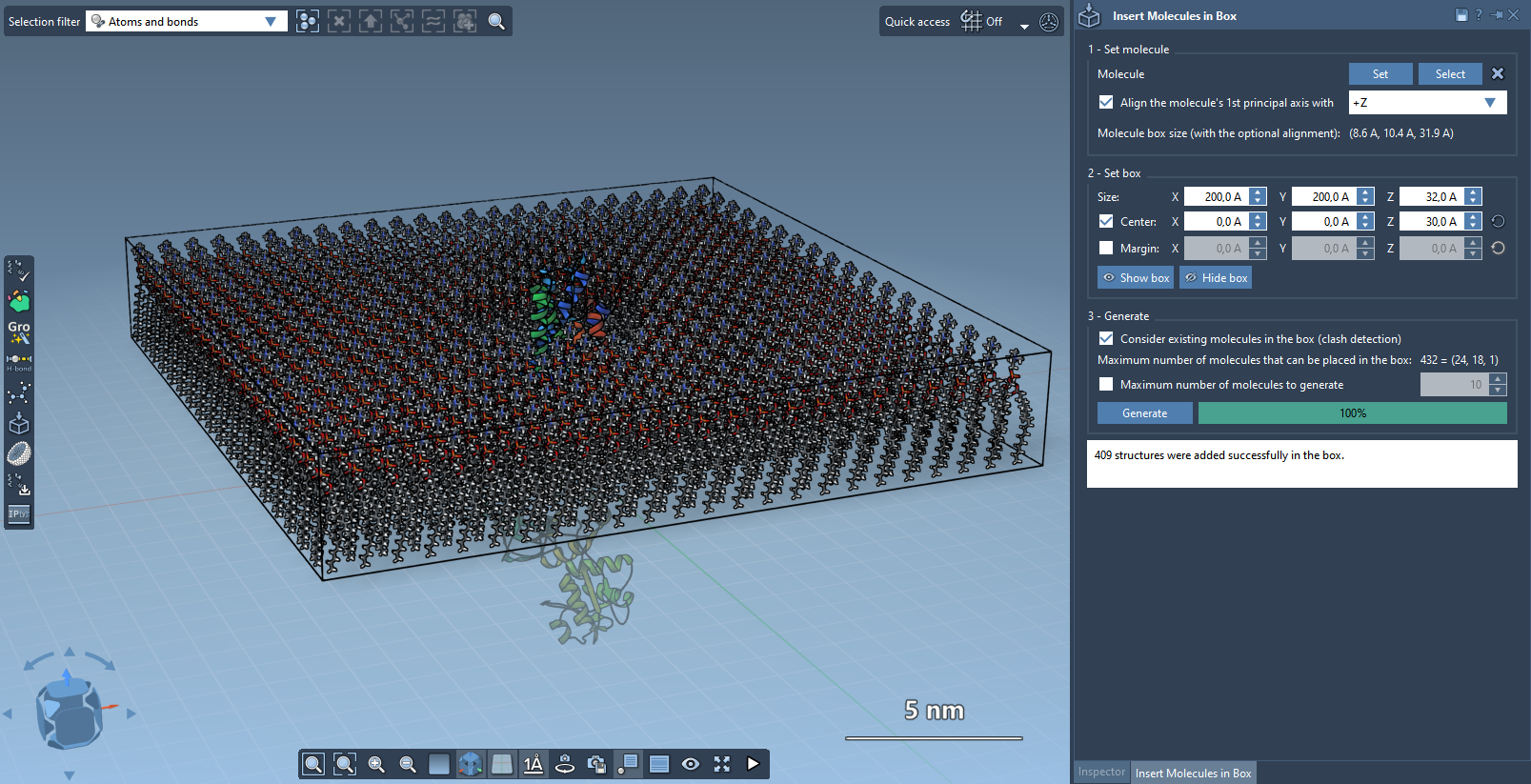
- Enable the option Consider existing molecules in the box. This ensures lipids are only placed in available spaces, leaving the protein intact.
- Click Generate. The tool will populate the box with lipids in the defined configuration.
After generation is complete, you should have a single lipid layer perfectly enveloping your protein structure.
Optional: Create a Lipid Bilayer
If your project requires a bilayer configuration, here’s what to do:
- Create the first lipid layer with
+Zalignment. - Shift the molecular box slightly in the
Z-direction to leave room for the second layer. - Generate another lipid layer with
-Zalignment.
This method results in a complete lipid bilayer wrapping your protein, ready for simulations.
Final Notes
By leveraging the Molecular Box Builder, molecular modelers can streamline the process of preparing lipid membranes, saving time and effort in building complex systems. To optimize these results, you can further refine the simulated system using tools like the GROMACS Wizard for minimization, equilibration, and dynamic studies.
To dive deeper into the full range of capabilities, visit the original documentation here.
Note: SAMSON and all SAMSON Extensions are free for non-commercial use. Get started today by downloading SAMSON at https://www.samson-connect.net.