



When modeling large biological assemblies like viral capsids, it’s common to encounter more than one possible symmetry group. For molecular modelers, this raises an important question: how do you choose the most meaningful symmetry group for your system?
Incorrect or suboptimal symmetry classifications can lead to inefficient simulations, misleading visualizations, and inaccurate results in downstream applications like coarse-grained modeling or docking. Fortunately, the Symmetry Detection extension in SAMSON provides tools to help you pick the most suitable symmetry group from a list of candidates.
Understanding Multiple Symmetries
For large structures, SAMSON may detect more than one group of symmetry. This is especially true in cases where slight irregularities or flexible regions could suggest lower-symmetry alternatives to what appears to be a more symmetric global structure.
Take the example of the PDB structure 1B4B. The symmetry detection tool identifies a D3 (dihedral of order 3) symmetry. How can we verify that this is the best choice?
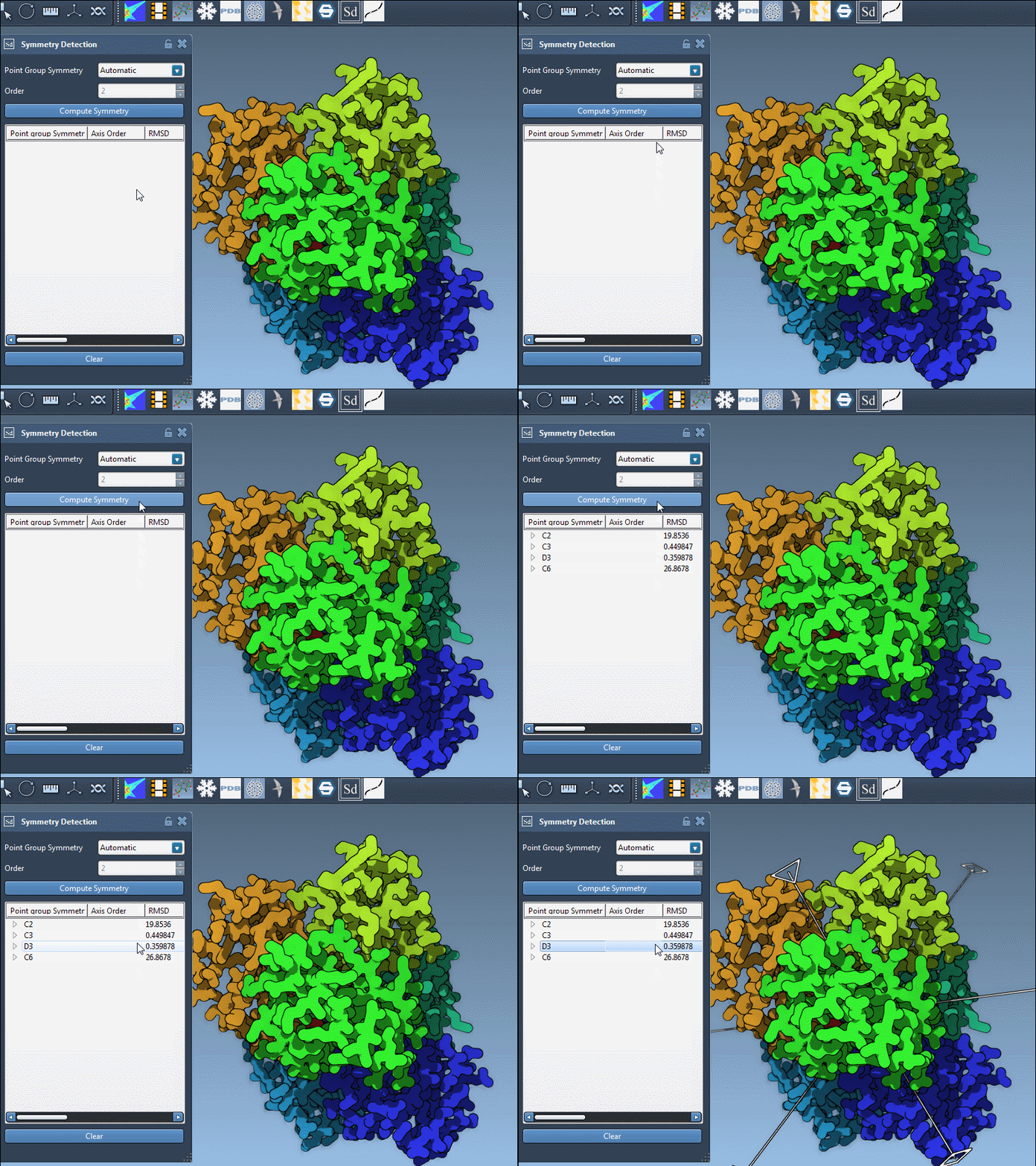
How to Select the Most Appropriate Symmetry Group
- Compare RMSD values: SAMSON automatically ranks symmetry hypotheses based on root-mean-square deviation (RMSD). Lower RMSD generally means better alignment with the hypothesized symmetry. Favor higher-order groups with small RMSD.
- Highlight groups in the viewport: Simply click on a proposed group to see where its axis lies in 3D space. This visual feedback helps in recognizing patterns that match known biological features.
- Manual selection: If you already know the expected symmetry (e.g., from literature or experimental validation), you can manually specify both the symmetry group and its order using dropdown menus.
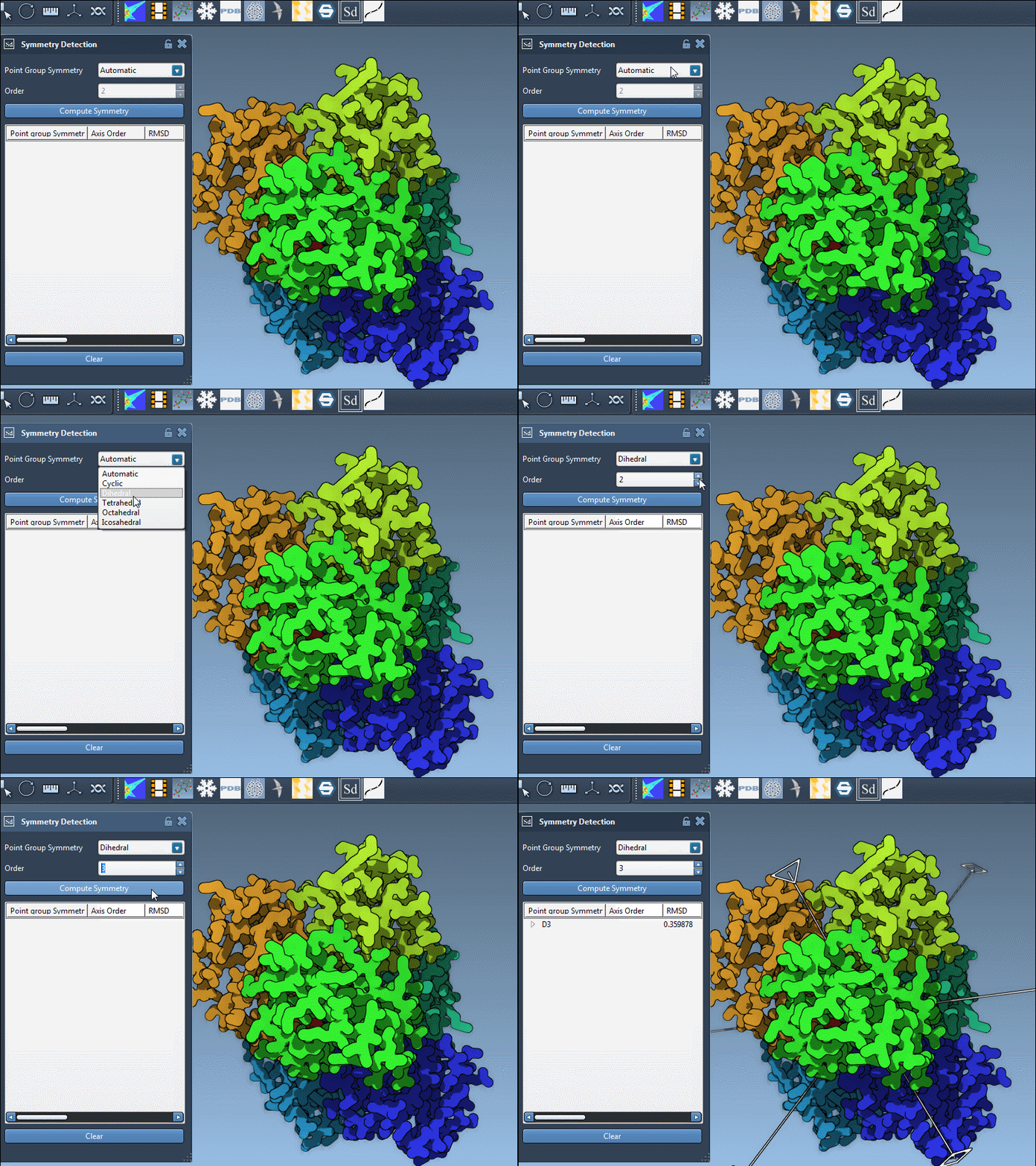
Delving Into Axes and RMSD
Even within a selected symmetry group, you can explore individual symmetry axes. Expand the group in the sidebar to list its axes, each with its RMSD score. This is especially useful if you’re focusing on certain functional interfaces or planning to simulate only the asymmetric unit.
- Single-click on an axis to bold it in the viewport.
- Double-click to reorient the camera to look along that axis.
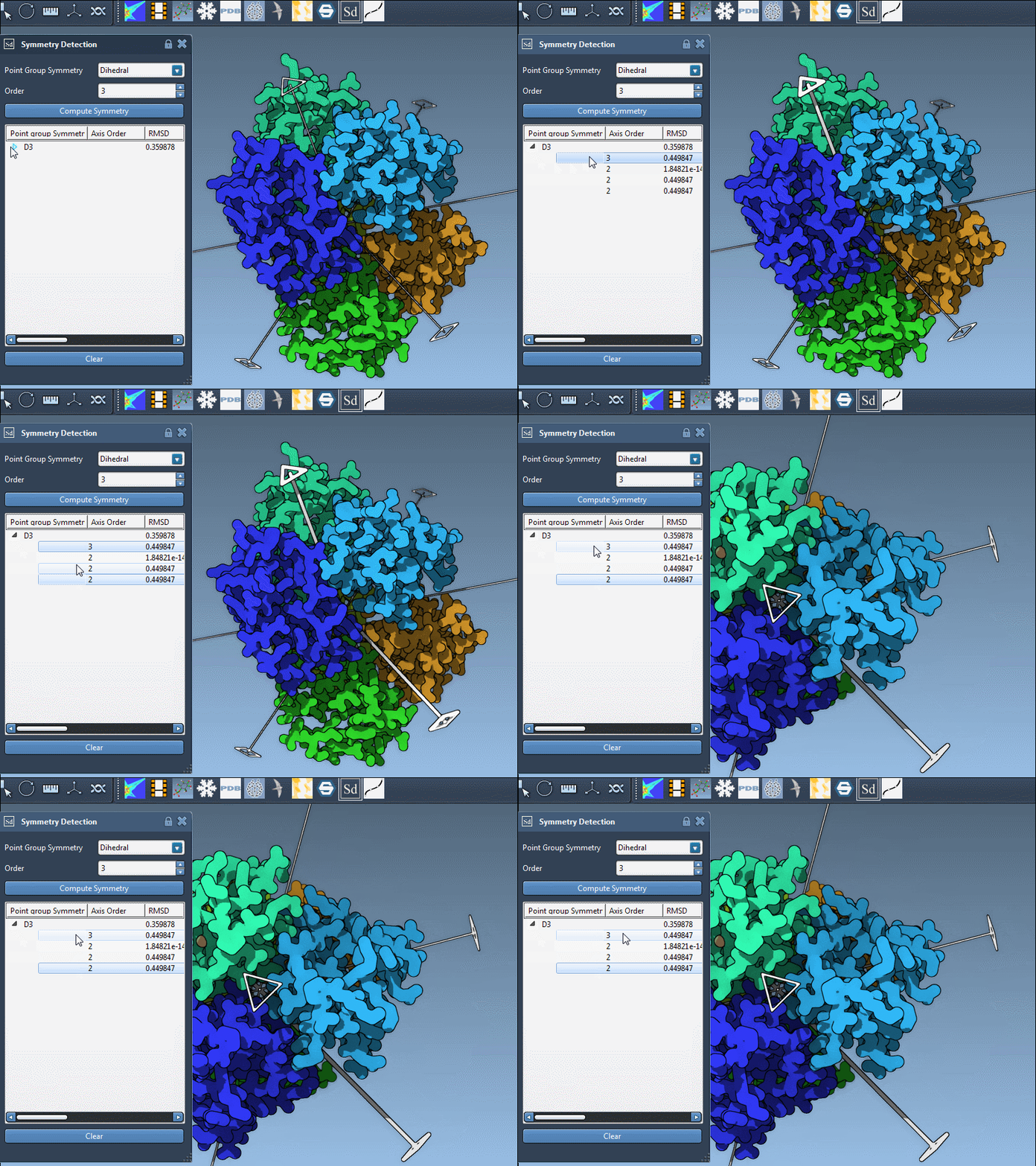
Tips for Confident Symmetry Assignment
- Cross-check with known data: Reference PDB annotations or relevant literature when possible.
- Use visual models: Combine symmetry axes with ribbon or surface representations to ensure alignment with observable features.
- Start simple: If you’re unsure, begin with the symmetry group that yields the lowest RMSD and then refine based on experimental context.
Confidently selecting the right symmetry group sets the foundation for efficient simulation, clean visualization, and targeted molecular design.
To learn more, visit the original documentation page: Symmetry Detection in Biological Assemblies.
SAMSON and all SAMSON Extensions are free for non-commercial use. You can download SAMSON from https://www.samson-connect.net.