



When working with complex biological assemblies—like viral capsids or symmetrical protein complexes—one of the recurring challenges in molecular modeling involves identifying and exploiting symmetry. Symmetry helps reduce computational costs, validate structure quality, and guide the design of biomolecular nanostructures. But in large structures, automatically detected symmetry groups can be ambiguous. That’s where things can get confusing.
This post explores a common situation that arises while using the Symmetry Detection extension in SAMSON: multiple plausible symmetry groups being proposed for the same biological system. If you’ve ever asked yourself which one should I pick?, keep reading.🧠
When multiple symmetries make sense
In large systems like the PDB structure 1B4B, it’s not unusual for the symmetry detection tool to return more than one plausible group. The extension supports cyclic (Cn), dihedral (Dn), and cubic groups (tetrahedral, octahedral, icosahedral), and can recognize multiple models at once.
This is not a bug—this is actually quite useful. But it means the burden is now on the researcher to make an informed choice about the most relevant symmetry group for their modeling objective.
So… how do you decide?
- Favor higher-order groups with low RMSD: If several symmetry types are detected, check the root-mean-square deviation (RMSD) associated with each. Lower RMSDs generally correspond to better symmetry fits. When RMSDs are similar, it’s often preferable to go with the higher-order group, as this results in a smaller asymmetric unit.
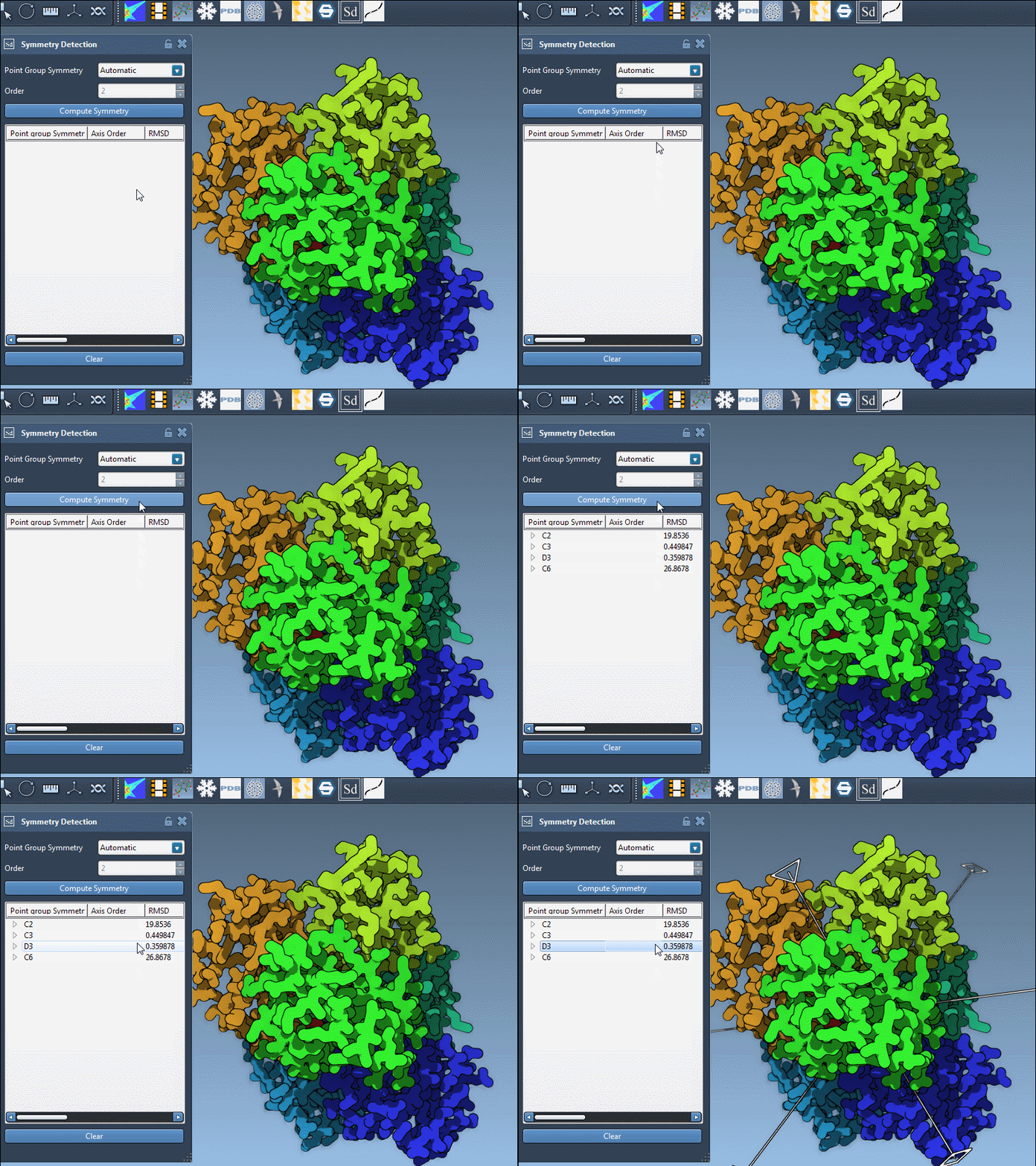
- Test the visualization: Click on each group in the SAMSON interface to highlight the primary axis in the viewport. This helps you visually evaluate how well the symmetry matches your expectations or what you observe in the structure.
For example, in the 1B4B structure, a dihedral symmetry of order 3 (D3) may be detected. Once selected, the visualization highlights its characteristic 2-fold and primary 3-fold axis alignments:
Got prior knowledge? Use it.
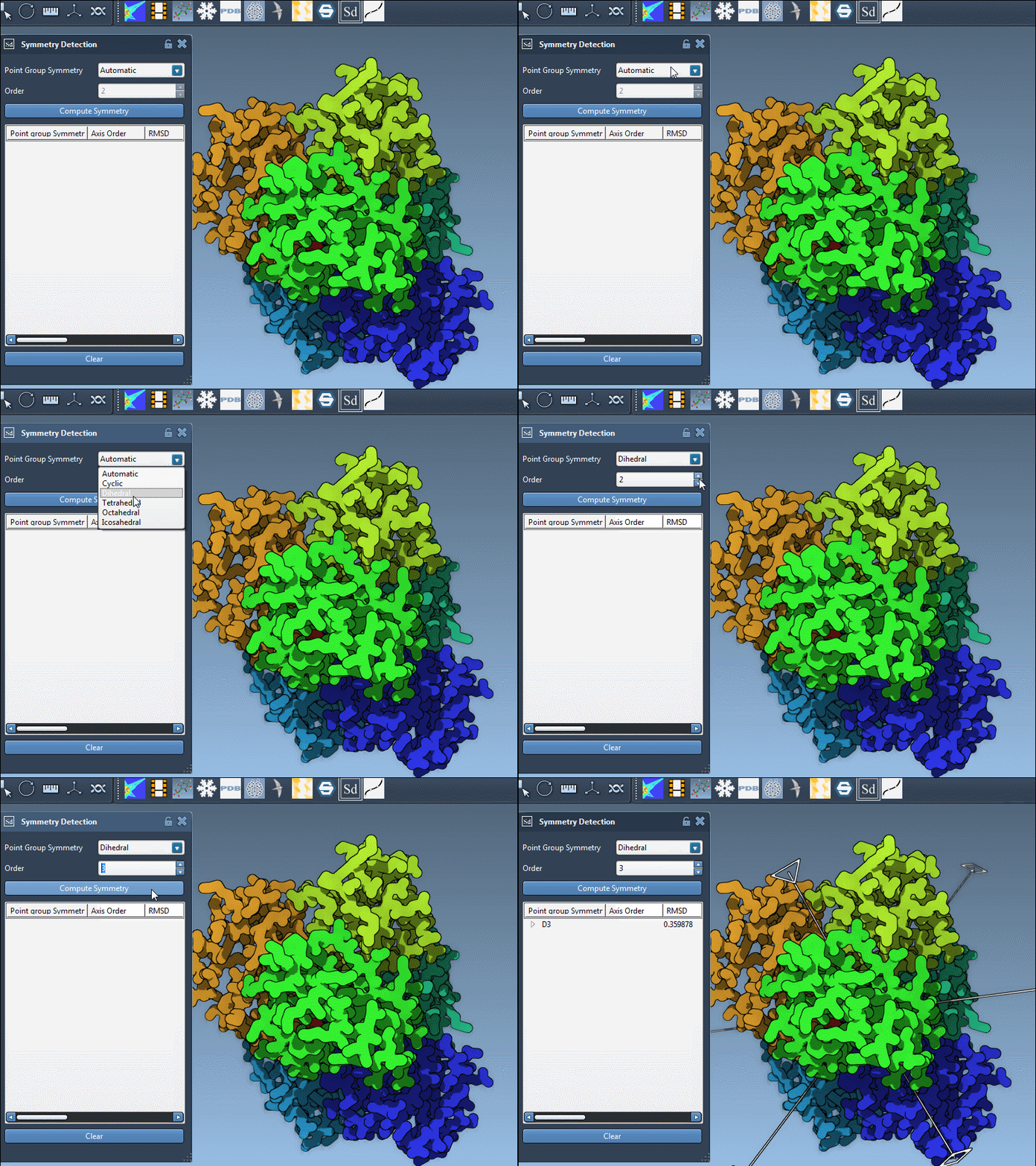
If you already know the expected symmetry of your system—say from the literature or a previous modeling workflow—you can manually specify a symmetry group in the extension. Simply choose the group and order from the dropdown menus.
This approach is useful when symmetry detection is inconclusive or when you’re refining simulations based on known structural motifs.
Dive into axes and RMSDs
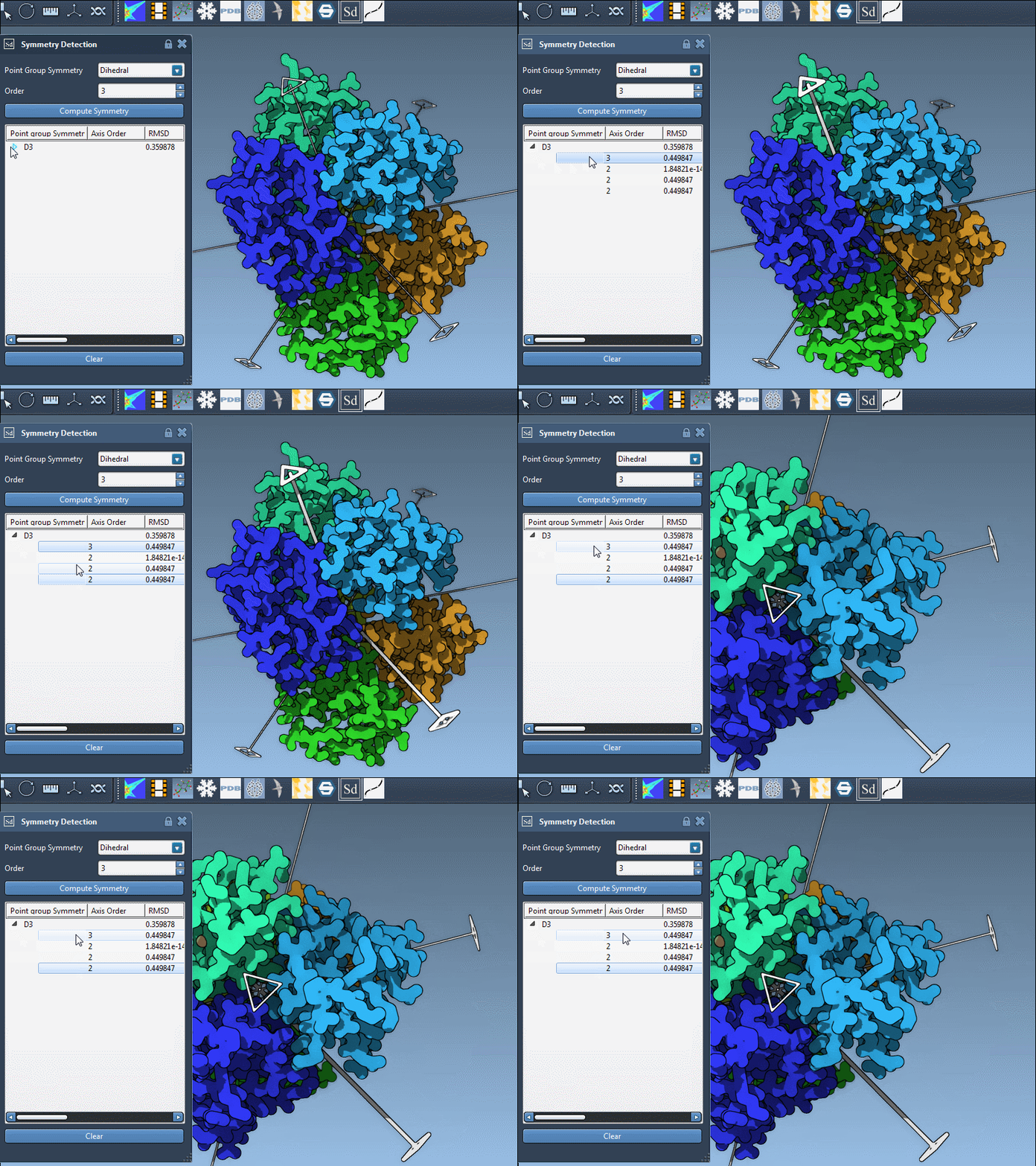
Each detected group can contain multiple axes, each with a corresponding RMSD score. Here’s how to explore them effectively in SAMSON:
- Single-click an axis to highlight it in bold in the viewport.
- Double-click an axis to rotate the camera and look down that axis directly.
This feature is particularly helpful for visual inspections and choosing an axis for focused simulations or mutagenesis planning.
Final thoughts
Detecting symmetry is more than a convenience—it’s a strategic step in serious molecular work. By learning how to interpret and manipulate symmetry groups in SAMSON, especially in ambiguous cases, researchers can significantly improve the accuracy and efficiency of their structural workflows.
To learn more about symmetry detection in SAMSON, visit the original documentation page:
Symmetry Detection Documentation.
SAMSON and all SAMSON Extensions are free for non-commercial use. You can get SAMSON at https://www.samson-connect.net.