



When studying large protein complexes or viral capsids, symmetry isn’t just beautiful—it’s practical. Detecting and analyzing symmetry in your biological assemblies can dramatically reduce simulation costs and improve the quality of your models. But what happens when your structure doesn’t have a single obvious symmetry?
For many molecular modelers working with large symmetric systems, a common issue is that multiple plausible symmetry groups emerge during detection. Choosing the right one can feel tricky—yet it makes a big difference in downstream workflows like coarse-grained modeling, docking, or mutation design.
How SAMSON Helps
The Symmetry Detection extension in SAMSON automatically detects symmetry groups and visualizes axes. For complex systems like 1CHP or 1B4B, it often returns several options. The built-in tools allow you to explore, compare and manually select the group that best suits your objective.
Step-by-Step Insights
1. Visualizing Symmetry Groups
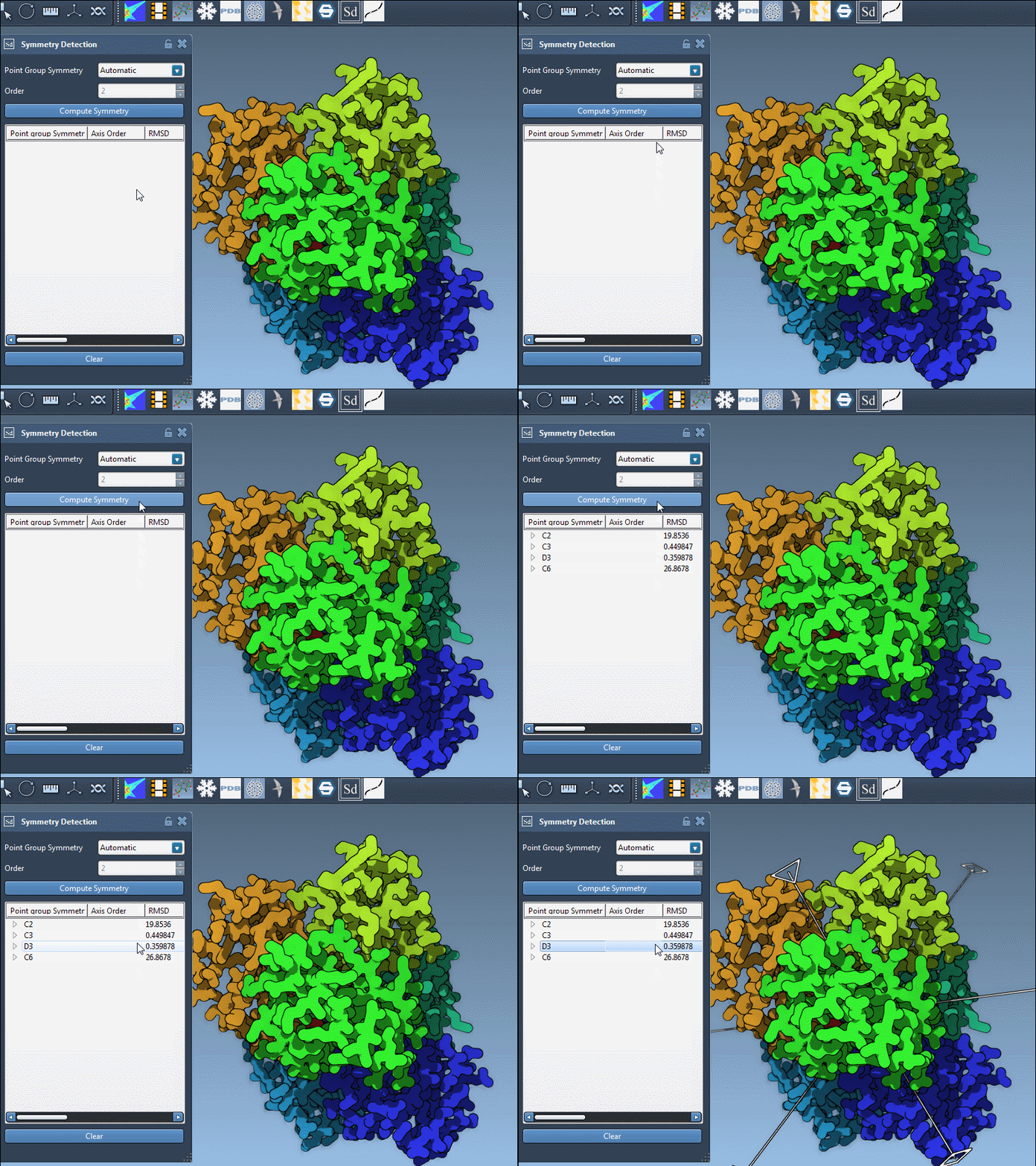
After clicking Compute symmetry, you’ll get a list of symmetry groups found in your structure. Each entry includes its name (e.g., D3, C4, etc.), its RMSD score, and the number of distinct axes. Lower RMSD values generally suggest a better symmetry match.
2. Choosing a Group Based on RMSD
Prefer symmetry groups that:
- Are of higher order (e.g., D3 over C2), if it yields a low RMSD.
- Have smaller RMSD scores — they indicate better overlap between symmetric units.
Clicking on a group in the list will highlight its main axis directly in the viewport, helping you visually compare them.
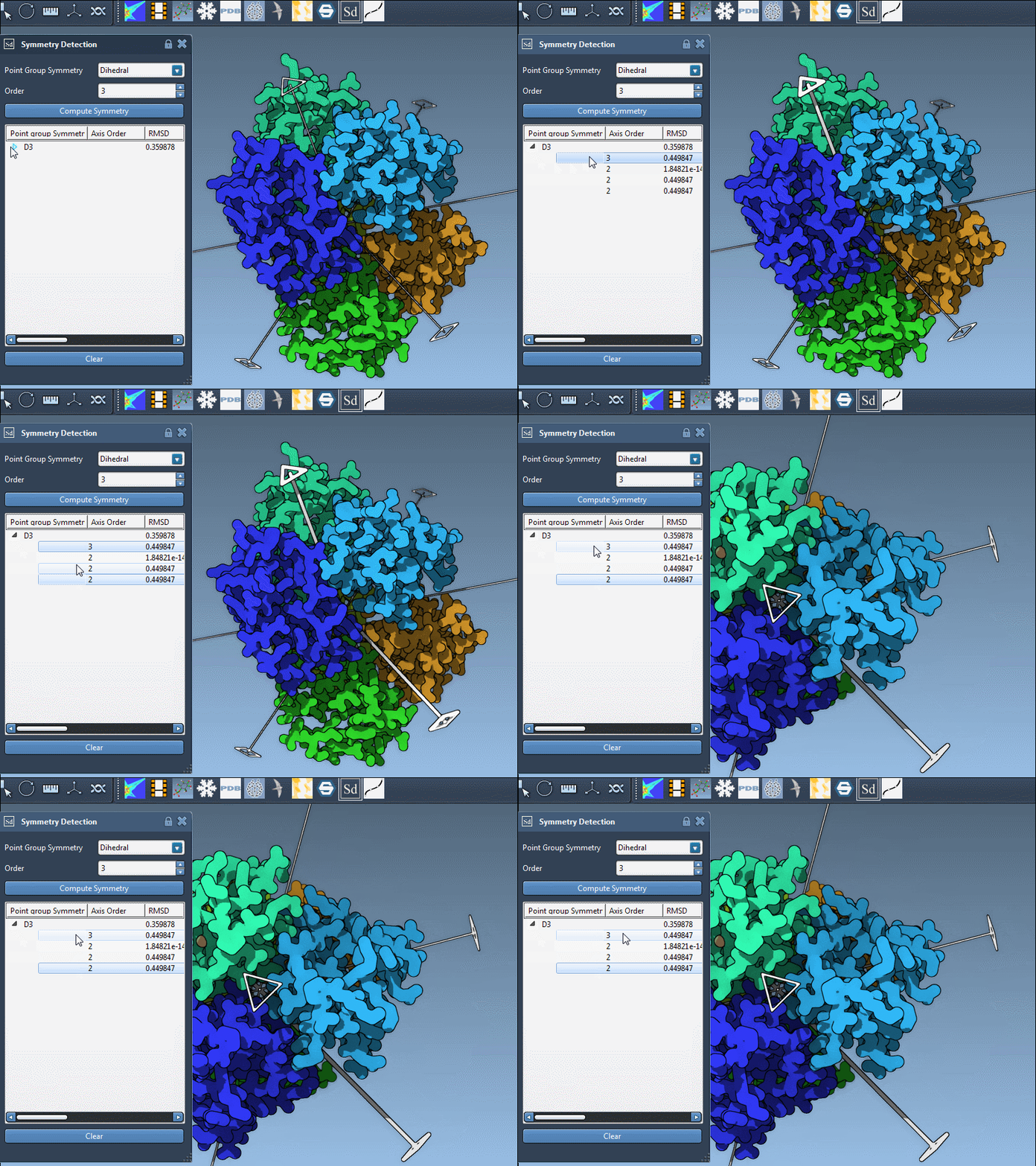
3. Exploring Axes within a Group
- Single-click an axis to bold it in the viewer.
- Double-click it to align your camera with the axis direction.
This makes it easier to observe and judge how well the structure conforms to a given symmetry. Sometimes, subtle deviations become much more apparent when viewing the model along the axis.
4. Manual Choice of Symmetry
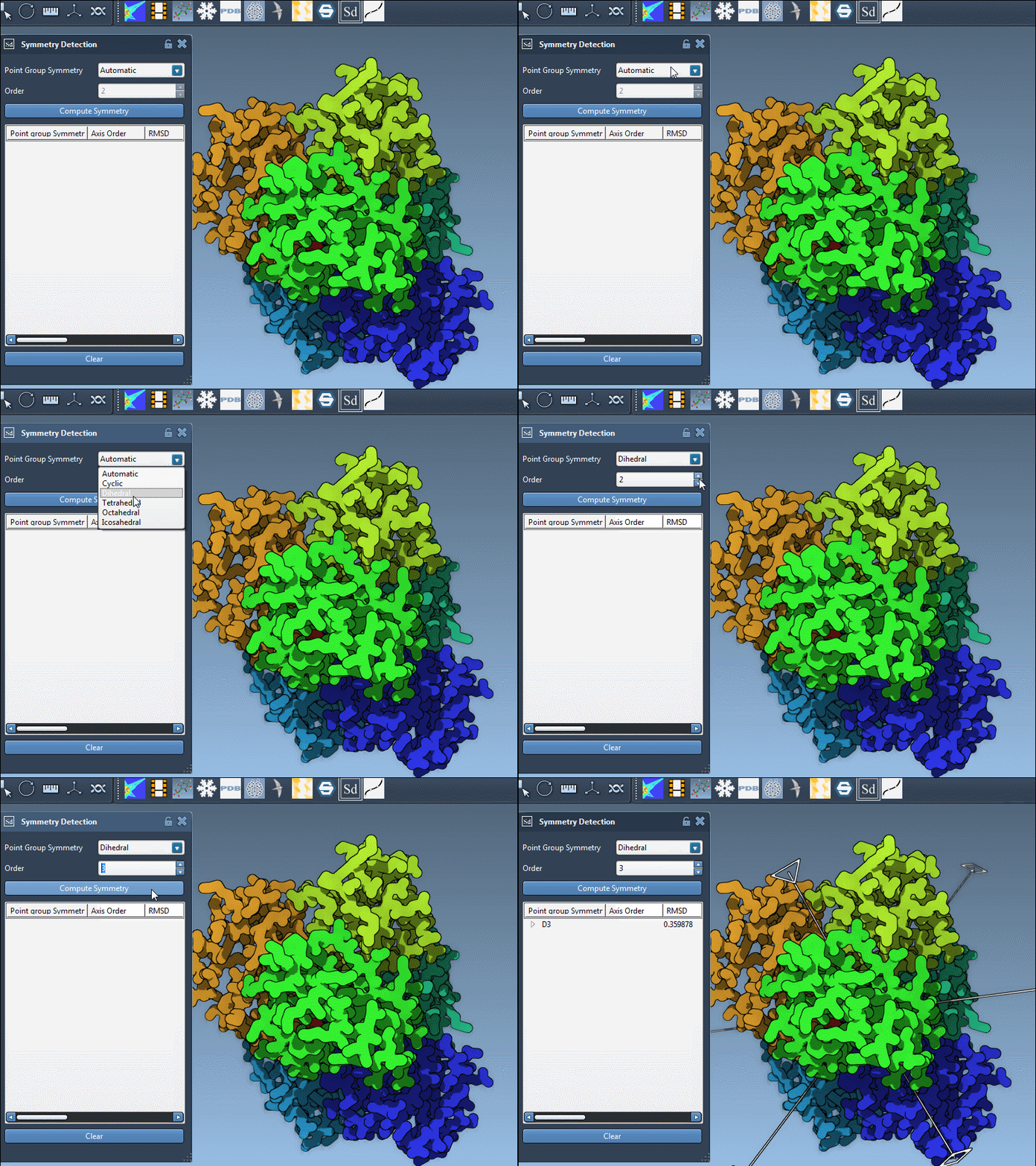
If you already know which symmetry your system should have (e.g., from previous studies or related structures), SAMSON lets you specify it manually. Simply choose the group and order from the dropdowns.
This feature is particularly useful in cases where an expected high-order symmetry is only partially detected due to missing density or noise in your structural data.
Why This Matters
Selecting the right symmetry group can:
- Help you isolate the correct asymmetric unit
- Increase confidence in the biological relevance of the structure
- Streamline simulations by minimizing redundancy
Final Tip
When in doubt, export and simulate both options—starting with the one having the lower RMSD. SAMSON makes it easy to experiment without rewriting your whole pipeline.
To learn more, visit the full Symmetry Detection documentation page here.
SAMSON and all SAMSON Extensions are free for non-commercial use. You can get SAMSON at https://www.samson-connect.net.