



Molecular modelers often face challenges when trying to create custom nanoscale structures and manipulate atomic models with precision. This task can be particularly time-consuming without the proper tools and workflows. Fortunately, the Simple Script Extension in SAMSON is here to help! This blog post introduces how to use Simple Script to modify atomic properties and craft unique nanoscale designs—all while learning powerful scripting techniques.
What is Simple Script in SAMSON?
The Simple Script Extension is a feature in SAMSON that allows researchers and modelers to modify atomic properties—such as positions, visibility, and element types—by using a lightweight scripting language. Whether you’re working on a graphene sheet or building nano-batarangs inspired by Batman, Simple Script provides a hands-on approach to manipulate structures efficiently.
Why Use Simple Script?
One pain point molecular designers encounter is the lack of intuitive yet powerful tools to apply mathematical expressions to their molecular models. With the Simple Script Extension, you can:
- Select atoms based on complex mathematical conditions.
- Modify atom properties, including spatial positions and visibility.
- Create unique and intricate nanoscale shapes using programmable workflows.
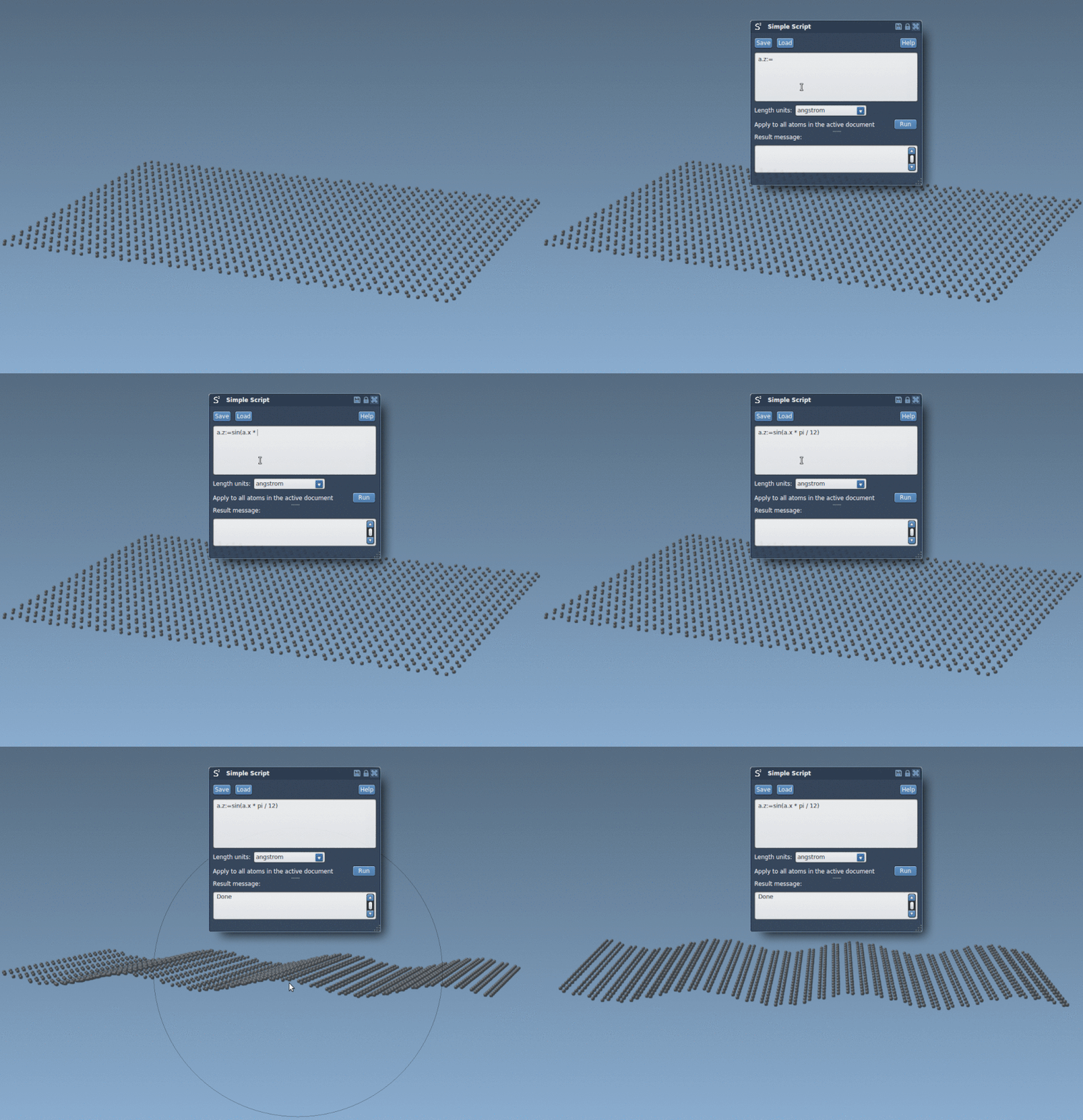
For example, if you want to apply a sinusoidal pattern to a graphene sheet, you can do so in just a few lines of code:
|
1 |
a.z := sin(a.x * π / 12); |
Key Features and Capabilities
The scripting capabilities of Simple Script include:
- Mathematical and logical operators such as
+, -, *, /, ^andif-then-elsestructures. - Advanced functions, ranging from
sinandcostosqrtandclamp. - Atom-specific variables like
a.x,a.y,a.z(coordinates), anda.elementID(atomic number).
For instance, you can selectively shift hydrogen atoms (elementID = 1) in the y-direction:
|
1 |
if (a.elementID == 1) a.y += 5.25; |
Shape Creation: A Hands-On Example
One of the highlights of this tutorial is using Simple Script to create a nano-scale object—Batman’s batarang. This exercise is not just fun, but it also provides a practical way to learn about scripting atom selection and shape creation in SAMSON. By combining atom-specific variables, logical conditions, and mathematical expressions, a graphene sheet can be transformed into this distinct batarang shape:

You can dive deeper and replicate this batarang creation by referencing the documented script here, allowing you to fine-tune it according to your needs.
Seamless Integration with Other Tools
For users who prefer a purely selection-based approach, the Atoms Selector Extension is an excellent partner. It enables you to use the same variables and expressions as Simple Script but is tailored toward selecting atoms rather than scripting complex modifications. This pairing makes SAMSON’s ecosystem adaptable for both simple and advanced projects.
Getting Started
To get started with the Simple Script Extension, ensure you’ve added it to SAMSON. Follow the step-by-step examples provided in the documentation, which build on earlier syntax for better learning continuity.
By practicing with these scripts, you’ll gain a practical introduction to scripting workflows while exploring new ways to customize and control molecular models. This makes Simple Script not just a tool but a learning resource for enhancing your modeling expertise.
Explore more about the extension, including detailed examples and complete scripts for the batarang and other shapes, in the official documentation.
Note: SAMSON and all SAMSON Extensions are free for non-commercial use. Get started with SAMSON today at https://www.samson-connect.net.