



Building accurate models of carbon nanotubes (CNTs) for simulations or experimental planning can be time-consuming, especially when dealing with multi-walled configurations. For molecular modelers exploring structural, mechanical, or transport properties of CNT-based systems, being able to quickly generate these models with control over structural parameters is essential.
If you’ve ever struggled with tuning n and m values for concentric CNTs or getting the geometry aligned properly in visualization software, SAMSON’s Nanotube Creator might be exactly what you need. This blog post walks you through building multi-walled carbon nanotubes (MWCNTs) using its graphical user interface, showcasing a faster and more controlled approach for creating guided systems in nanoscale modeling.
Why Multi-Walled CNTs?
Multi-walled carbon nanotubes consist of multiple concentric single-walled nanotubes with increasing radii. They are commonly used in:
- Nanoelectromechanical systems (NEMS)
- Molecular channels for selective transport
- Thermal and electrical studies of composite materials
- Hybrid systems coupled to other molecules or nanostructures
Accurately building geometries for such CNTs is critical to ensure consistent spacing, chirality, and alignment across the walls. SAMSON makes this process easier with parameter tuning and live feedback.
Using the Graphical Interface
Once you’ve activated the Nanotube Creator in SAMSON, the graphical interface allows you to precisely set:
- The start and end positions of the CNT in 3D
- The
nandmparameters, which define the chirality and radius
Here’s how to build a sample MWCNT using the interface:
- Set the start and end positions to
(0, 0, 0)and(40, 0, 0)— this sets the length of the nanotube to 40 Å along the x-axis. - For the first (innermost) tube, enter
n = 6andm = 6, then click Build. - Repeat the build process with
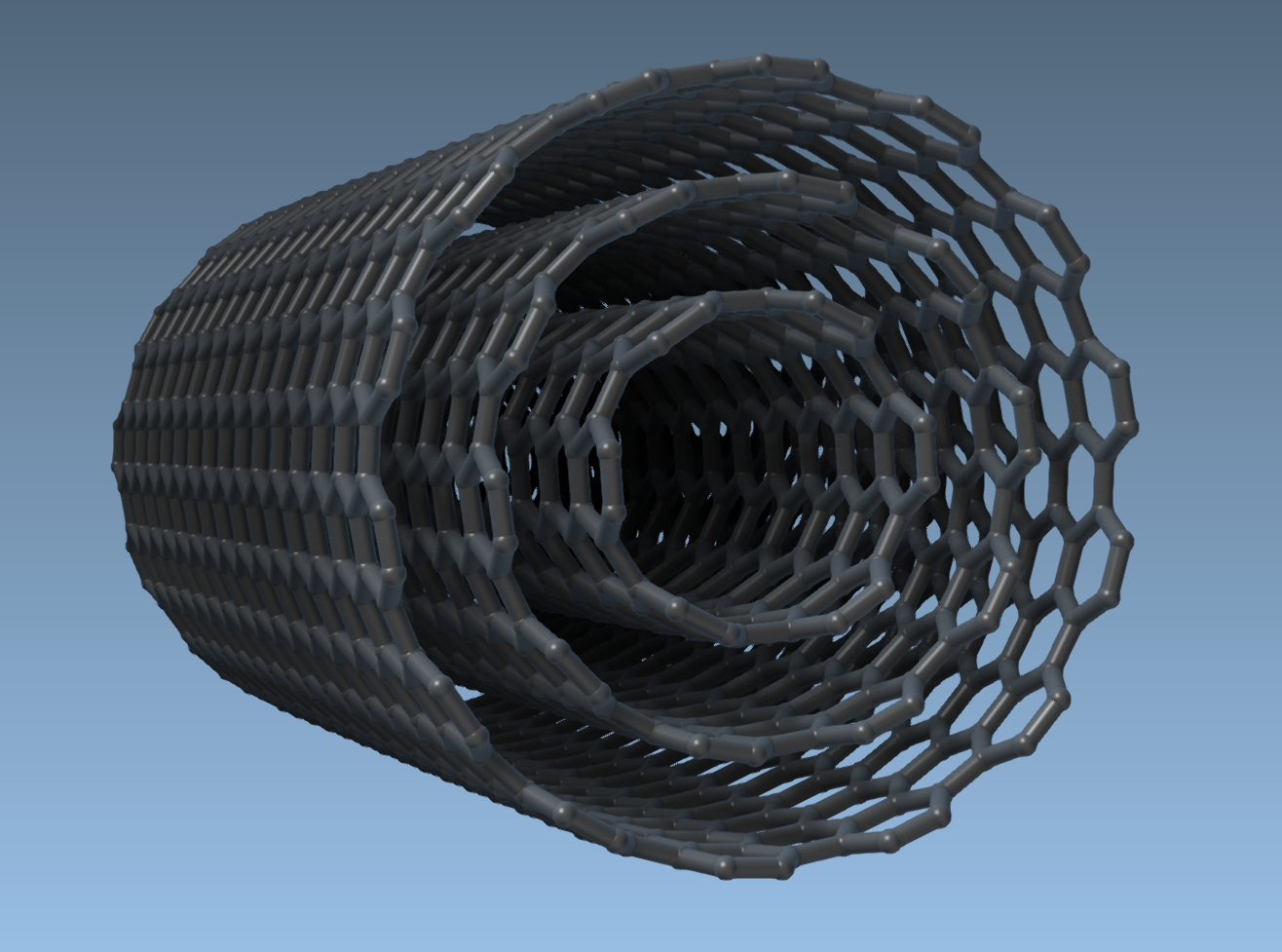
n = 10, m = 10andn = 14, m = 14for the second and third walls, respectively.
This results in a triple-walled CNT with concentric alignment and uniform wall spacing. Here’s what the resulting model looks like:
Applications and Next Steps
Once the structure is built, you can use it in SAMSON for simulations, e.g., using the Brenner potential for real-time interaction. Many researchers also export their CNTs as part of more complex systems, combining them with molecules or membranes to study transport effects and mechanical properties.
The graphical approach offers several benefits over interactive drag-and-click methods:
- Precise setting of tube length and chirality values
- Easy repetition to build concentric tubes
- Reduced human error in axis definition and alignment
If you need even more control, SAMSON’s scripting and automation tools open the door to batch-building different configurations of CNTs for parameter sweeps or systematic studies.
To learn more about building carbon nanotube models in SAMSON, visit the official documentation page: https://documentation.samson-connect.net/tutorials/nanotubes/building-nanotubes-models/.
SAMSON and all SAMSON Extensions are free for non-commercial use. Get SAMSON at https://www.samson-connect.net.