



One of the recurring challenges for molecular modelers is analyzing conformational changes in proteins. Whether it’s modeling transition states for drug discovery, preparing reaction coordinates for free energy simulations, or simply visualizing conformational dynamics, obtaining a realistic, continuous transition pathway between two protein conformations can be a complex task. Fortunately, the ARAP Interpolator extension in SAMSON provides a simple, efficient tool to address this pain point by generating realistic structural transitions.
Why ARAP Interpolation?
The ARAP method creates smooth and biologically meaningful transition paths by deforming the protein structure while maintaining as much rigidity as possible. Here’s why it’s a valuable tool for molecular modeling:
- Speed: Generate continuous structural transitions within seconds.
- Accuracy: Maintains biologically meaningful alignments and geometric integrity.
- Versatility: Applications span conformational analysis, umbrella sampling setup, and more.
In this post, we’ll walk you through the process of using this tool, from preparing input structures to generating and exporting the interpolated pathway.
Step-by-Step Guide
1. Preparing Protein Structures
To ensure high-quality results, your protein structures need to be cleaned and prepared. Fetch example structures directly within SAMSON:
- Go to Home > Fetch and load
1DDTand1MDT. - Work with chain
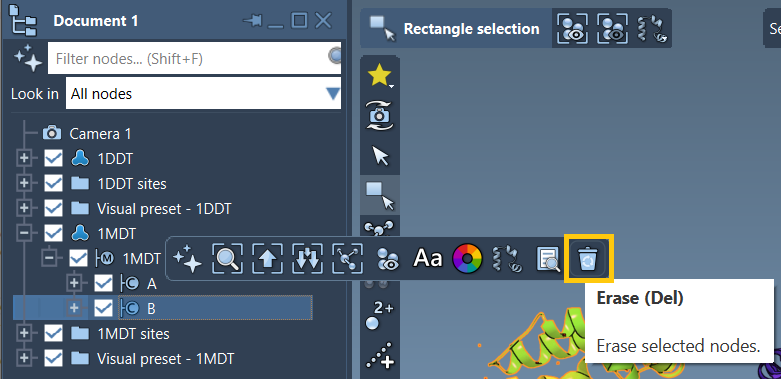
Aonly by deleting chainBin Document view and clickingDel. - Run Home > Prepare to clean up structures by removing alternate locations, water, ligands, and ions.
Need a refresher on protein preparation? The Protein Preparation Guide provides detailed instructions.
2. Defining Start and Goal Conformations
Create conformations for both cleaned structures:
- Select
1DDTin Document view. - Go to Edit > Conformation and name it
1DDT A.
Repeat the above for 1MDT, naming it 1MDT A. These conformations act as the start and goal for generating the transition path.
3. Running the ARAP Interpolation
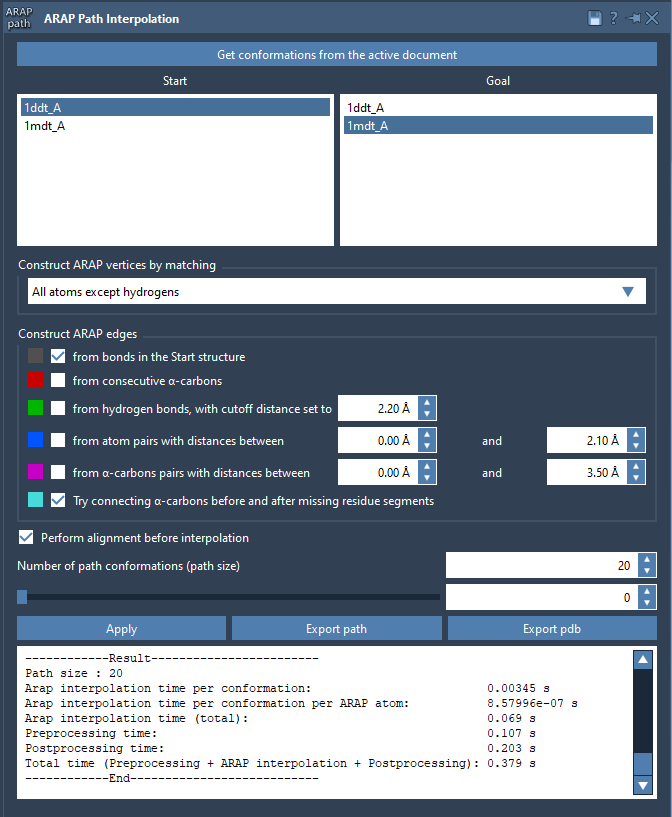
Launch the app from Home > Apps > Biology > ARAP Path Interpolation and follow these steps:
- Choose conformations: Load conformations
1DDT A(start) and1MDT A(goal). - Match atoms: Select All except hydrogens for constructing ARAP vertices.
- Define edges: Check from bonds in the Start structure and Try connecting α-carbons before and after missing residue segments to ensure proper connectivity.
- Set configuration: Enable Perform alignment before interpolation and set the number of path conformations to 20.
Click Run and let ARAP compute the interpolated path!
4. Visualizing and Exporting Results
Once the computation is complete, you can explore the generated pathway:
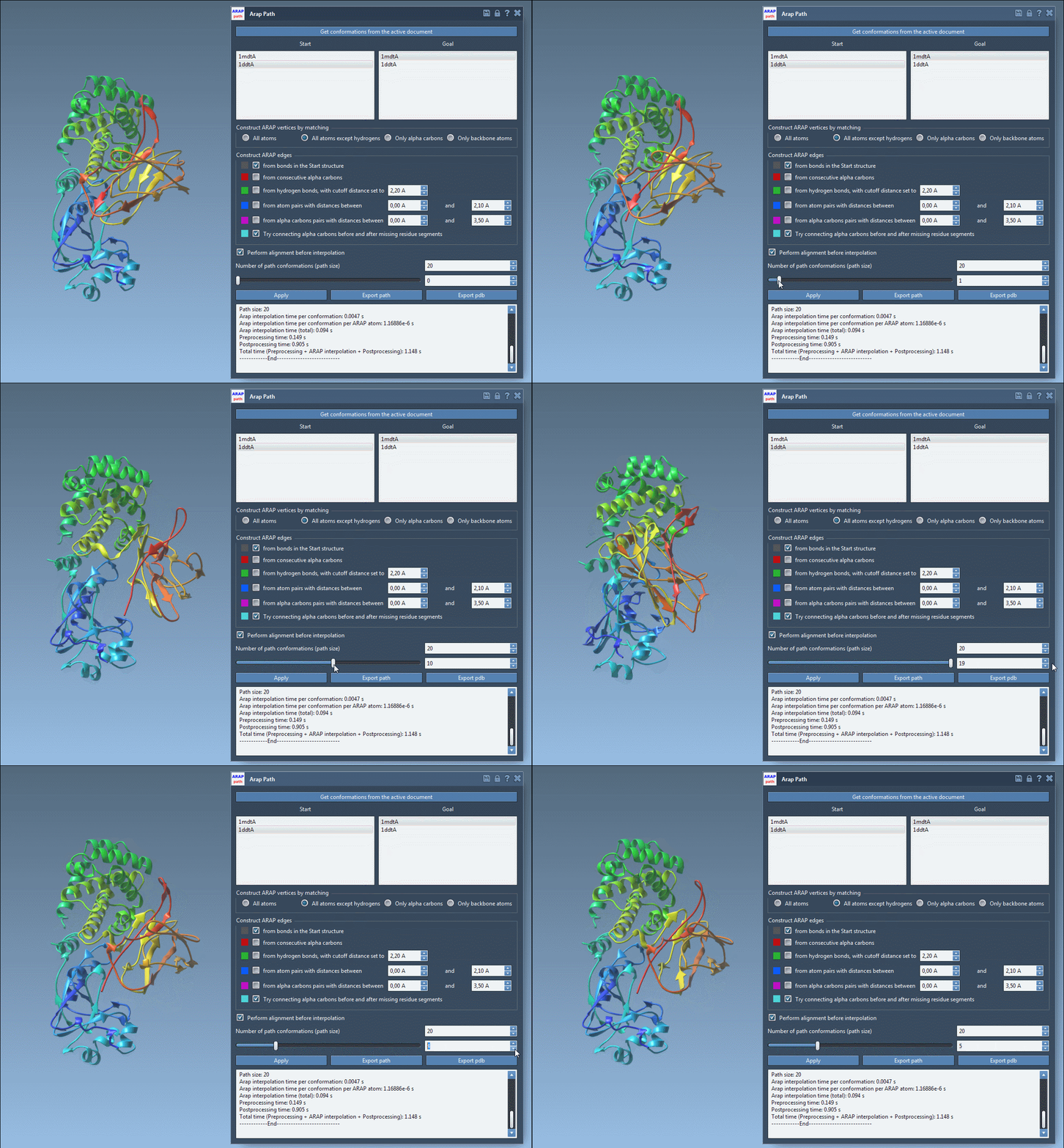
- Visualize: Use the app’s slider to scrub through the conformations and observe the transition.
- Understand edge construction: Toggle visibility of ARAP edges to study how connections were made.
- Export: Save the path as a trajectory object or output to PDB files for further analysis.
Next Steps
Paths generated through ARAP Interpolation can be used as input for advanced simulation techniques such as umbrella sampling or steered molecular dynamics. For more details, visit the official documentation page.
SAMSON and all SAMSON Extensions are free for non-commercial use. Try it today by downloading SAMSON at samson-connect.net.