



Building carbon nanotube (CNT) models for simulations or theoretical analysis can often feel like an intimidating task, especially when it involves setting atomic coordinates or chiral vectors manually. Researchers and students alike face the challenge of quickly prototyping different CNT structures without getting bogged down in low-level atomic modeling. If you’ve ever wished you could design nanotubes as intuitively as sketching a line, there’s a feature in SAMSON that may simplify your workflow a lot.
In this post, we’ll explore how to create carbon nanotubes interactively using your mouse inside the SAMSON platform with the help of the Nanotube Creator Extension. The goal is to let you build the geometry you need while getting immediate visual and numerical feedback—ideal for quick testing or iterative design.
Why Interactive Creation Matters
Traditional approaches to building nanotube structures often involve setting values for n and m parameters (which define chirality and diameter) or manually scripting coordinates. While precise, these methods slow down modeling workflows—especially when multiple iterations are needed.
In contrast, the interactive approach in SAMSON lets you use your mouse to define a nanotube’s length, orientation, and radius directly in the 3D viewport. This drastically reduces setup time and promotes experimentation.
How It Works
Once you’ve installed and activated the Nanotube Creator Extension, you can generate nanotubes in just two quick steps:
- Set the Axis and Length: Press and drag the left mouse button in the viewport. This defines the orientation and axial length—effectively setting the
nvalue. A status bar will display parameters like tube length and axis as you work. - Adjust the Radius: Release the mouse button, move the mouse sideways to grow or shrink the tube’s radius (affecting the
mvalue), and click to confirm.


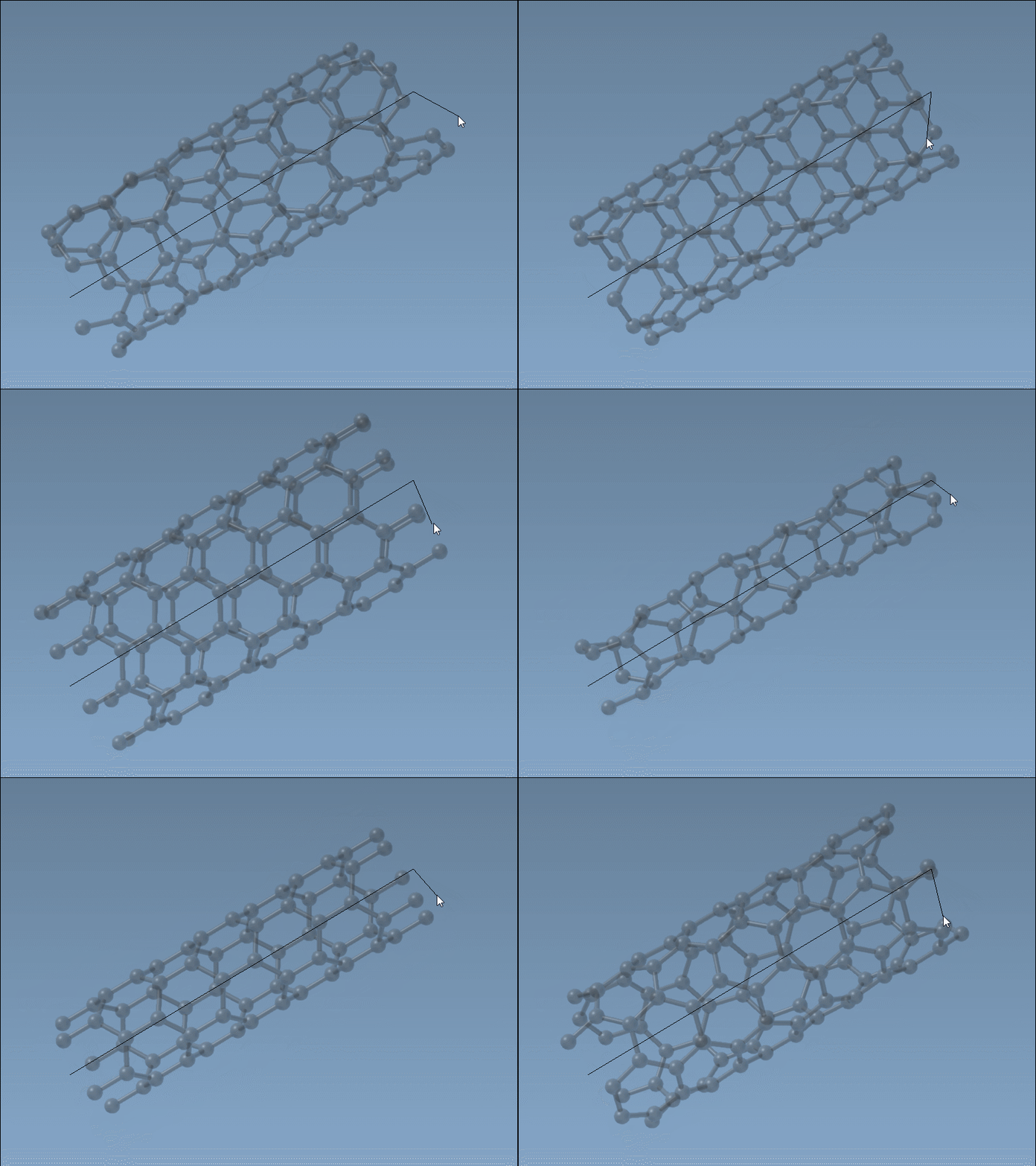
The status bar updates in real time, helping you stay aware of the underlying nanoscale dimensions you’re working with. Whether you’re building a short segment for a device or a longer tube for membrane transport simulation, you won’t need to guess parameter values or jump back and forth between tools.
When and Why to Use This
Interactive building is especially helpful when:
- Exploring how variations in length and radius affect a CNT-based device.
- Quickly generating structural hypotheses before energy minimization or simulation.
- Visualizing CNT orientations in a specific system or with respect to other molecules.
You can always fine-tune your models later in the GUI editor (also accessible via the Nanotube Creator Extension) if higher precision is required.
A Prototype in Seconds
This method allows students and researchers to build working prototypes in just seconds. It lowers the barrier to exploring nanotube-based designs in nanotechnology, molecular transport, or materials modeling. Even if you eventually export or simulate using other engines, having a rapid modeling tool can make a notable difference in your workflow.
Learn more about building carbon nanotube models in SAMSON.
SAMSON and all SAMSON Extensions are free for non-commercial use. You can get SAMSON at https://www.samson-connect.net.