



For molecular modelers exploring protein structure transitions, generating realistic intermediate conformations can be a challenging step in workflows like conformational analysis or reaction coordinate modeling. If you’ve ever found yourself needing a fast and precise way to visualize or refine transition states between protein conformations, SAMSON’s ARAP Interpolator extension provides an elegant solution.
What is ARAP Interpolation?
ARAP Interpolation stands for As-Rigid-As-Possible Interpolation. This method generates smooth, biologically meaningful paths between two protein conformations. These transition paths are particularly useful for applications like free energy simulations, umbrella sampling setups, or simply visualizing how a protein transitions between different structural states.
How Does It Solve the Problem?
The ARAP Interpolator in SAMSON offers a highly automated workflow to create continuous structural transitions. Within seconds, you can compute a realistic path that places conformers in alignment using biologically relevant geometric models. Since these workflows often require intermediate protein conformations, the tool delivers significant time savings and improved precision compared to manual modeling methods.
Key Features and Workflow
Here are the main steps to generate a protein transition path using ARAP Interpolation:
- Start and Goal Structures: Identify and clean the two protein conformations you want to interpolate. For instance, the tutorial works with
1DDTand1MDT, which represent two conformations of the Diphtheria Toxin protein. - Create Conformations: For each structure, select
Home > Preparein SAMSON to remove ligands, water, and ions. Then, designate each structure as a distinct conformation, such as1DDT A(start) and1MDT A(goal). - Configure ARAP Interpolation: Launch the ARAP Interpolation app (
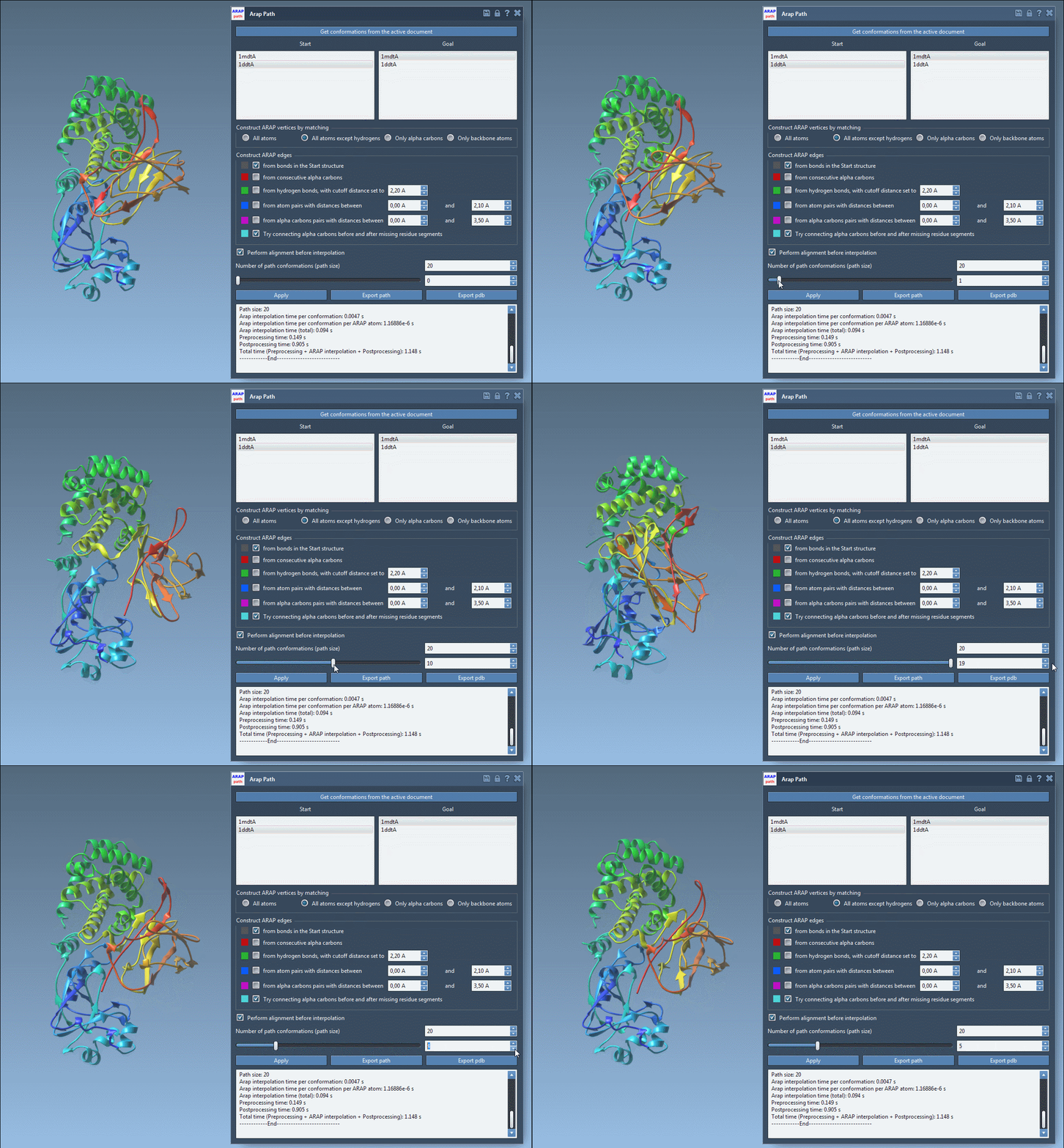
Home > Apps > Biology > ARAP Path Interpolation) and select the start and goal conformations. Match atoms based on criteria such as all except hydrogens, and define how ARAP edges should be built (e.g., using bonds from the start structure or connecting alpha carbons). - Run and Visualize: Choose the number of intermediate conformations for the path (e.g., 20) and click Run. Once computed, the app provides a slider to visualize the transition path.
Visualization and Analysis Features
The ARAP Interpolation app also adds value by allowing you to analyze the resulting transition paths:
- Pathlines: Use the slider in the app to move through the intermediate conformations interactively and observe how the protein structure evolves between states.
- Edge Visualization: Visualize ARAP edges in SAMSON’s Document view. Edge color coding helps to understand which construction logic is used for different connectivity rules.
- Export Options: Save the path either as a trajectory object or output it as PDB files for further analysis with other tools.
Applications in Protein Research
Once a transition path is generated, you can use it as input for sophisticated simulation techniques such as umbrella sampling to calculate free energy profiles or refine the path with tools like Parallel Nudged Elastic Band (P-NEB) simulations. Additionally, these paths can help researchers visualize structural ensembles or explore dimensionality reduction methods for conformational diversity analysis.
Start Generating Transition Paths Today
For a detailed, step-by-step guide to using ARAP Interpolation, visit the official documentation at this link.
SAMSON and all SAMSON Extensions are free for non-commercial use. Don’t have SAMSON yet? Download it here.