



One of the common challenges molecular modelers face is efficiently exploring how small changes in a molecule can affect its properties or interactions with a target. SAMSON’s Positional Analogue Scanning feature in the SMILES Manager offers an elegant solution for this. By specifying a molecular pattern, you can explore multiple analogs of your molecule in just a few clicks.
If you’ve ever needed to substitute functional groups or test different patterns in a molecule, this feature streamlines the process by automating analogue generation. Let’s look at how to define patterns and use replacements for quick analogue generation.
Defining a Searched Pattern
The first step is to specify the portion of your molecule you’d like to modify or to which you’d like to add new groups. For this, you’ll use SMARTS patterns. For instance, you can target aromatic carbons in your molecule by entering the SMARTS code [cH]. The SMILES Manager will highlight the matching patterns in your molecule. Have a look at how it works in action:
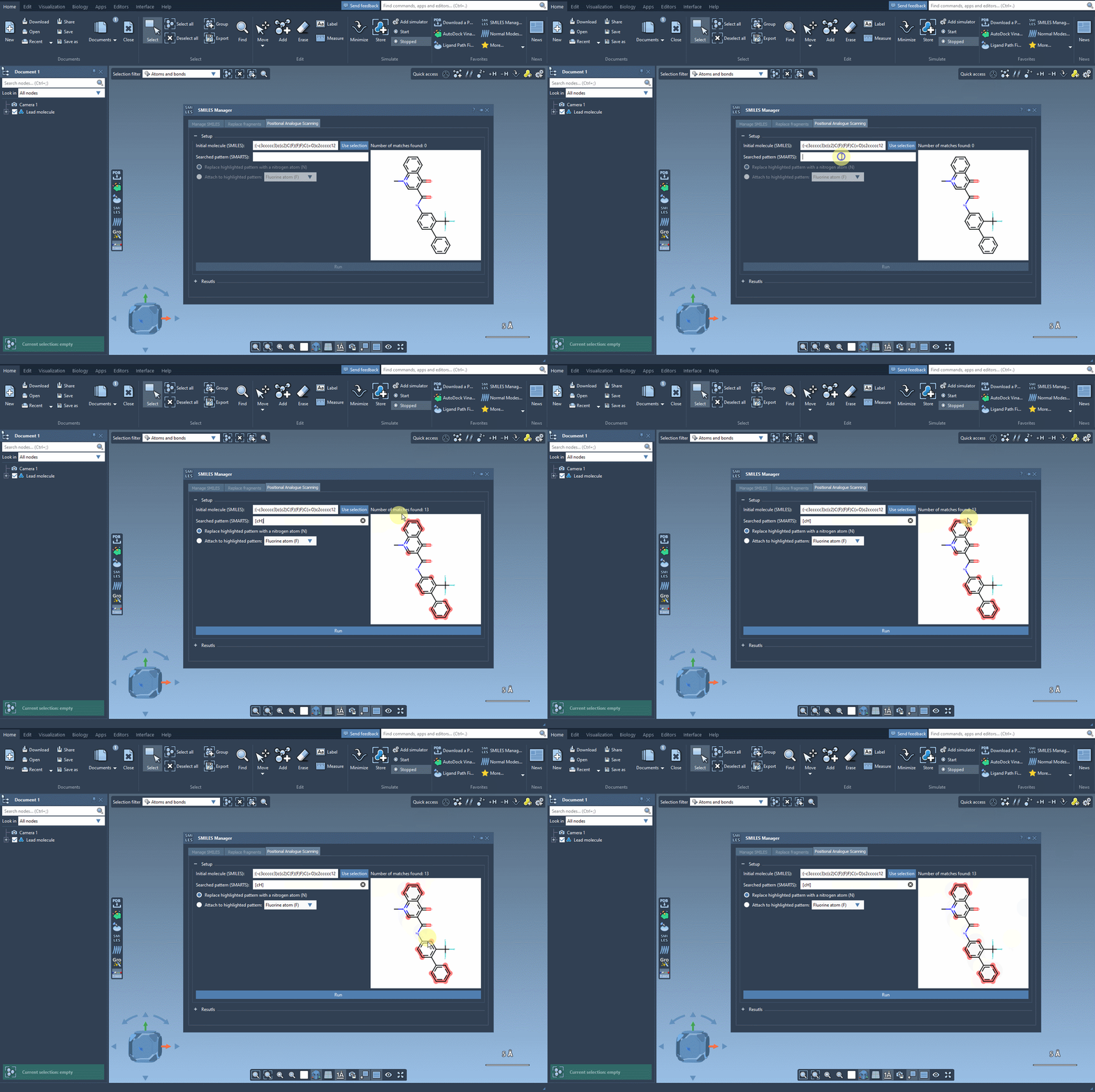
As shown, matching parts of the molecule are immediately identified, making it clear where substitutions or additions can occur.
Replacing or Attaching Groups
Once your target pattern is defined, you can decide how to modify it. Do you want to replace it entirely? Add a new group? The SMILES Manager provides a simple interface for these choices. For example:
- Replace the pattern with a nitrogen atom (
N) - Attach a fluorine atom (
F) - Add a methyl group (
CH3)
After making your choice, simply hit the Run button, and the SMILES Manager will generate the analogues instantly. Here’s how it looks:
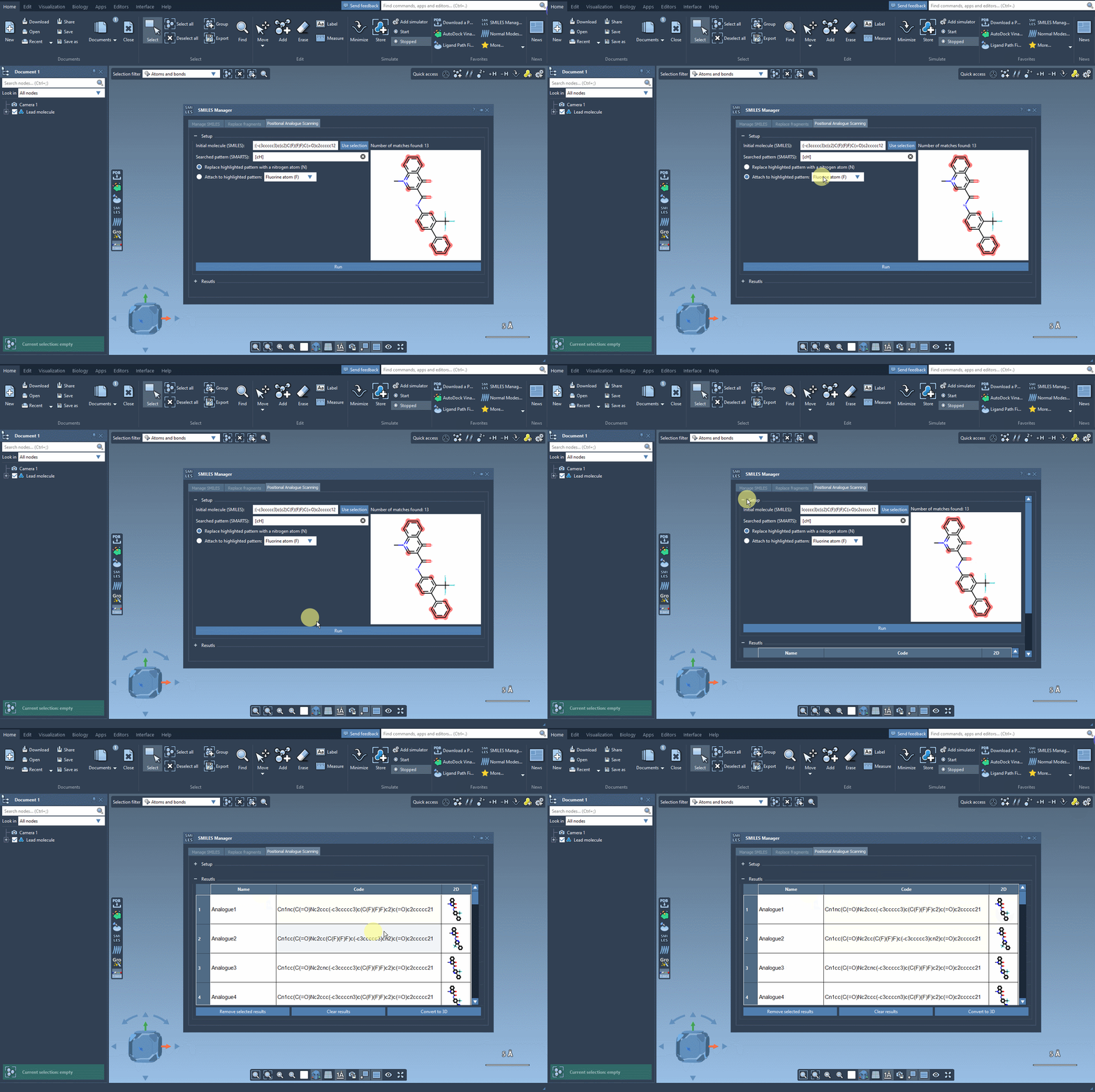
The results not only include the SMILES strings for the analogues but also their 2D depictions, giving you immediate visual feedback on the changes. From this straightforward process, you can quickly assemble a set of analogues for further analysis.
Why This Matters
This streamlined workflow addresses one of the major bottlenecks in molecular design: manually creating and visualizing structural modifications. With SAMSON’s SMILES Manager, you can methodically explore the impact of pattern changes and advance your projects without investing hours in structure editing.
Next Steps
Once you generate and visualize your analogues, take them further: convert them to 3D structures, perform docking studies, or analyze their interactions with your target protein. Combined with SAMSON’s other extensions such as AutoDock Vina Extended, you can seamlessly go from analogue generation to in-depth analysis in the same platform.
If you’d like a more detailed guide or want to explore additional features of this tool, check out the full documentation here.
Note: SAMSON and all SAMSON Extensions are free for non-commercial use. You can get SAMSON here.