



Working on large or complex molecular systems often involves switching between several regions of interest — ligands, receptors, water molecules, cofactors, etc. Repeating selection steps every time can quickly become tedious and error-prone.
Quick Groups in SAMSON address this pain point with an intuitive tool that lets you rapidly store, recall, and act on multiple selections without naming or saving anything permanently.
What Are Quick Groups?
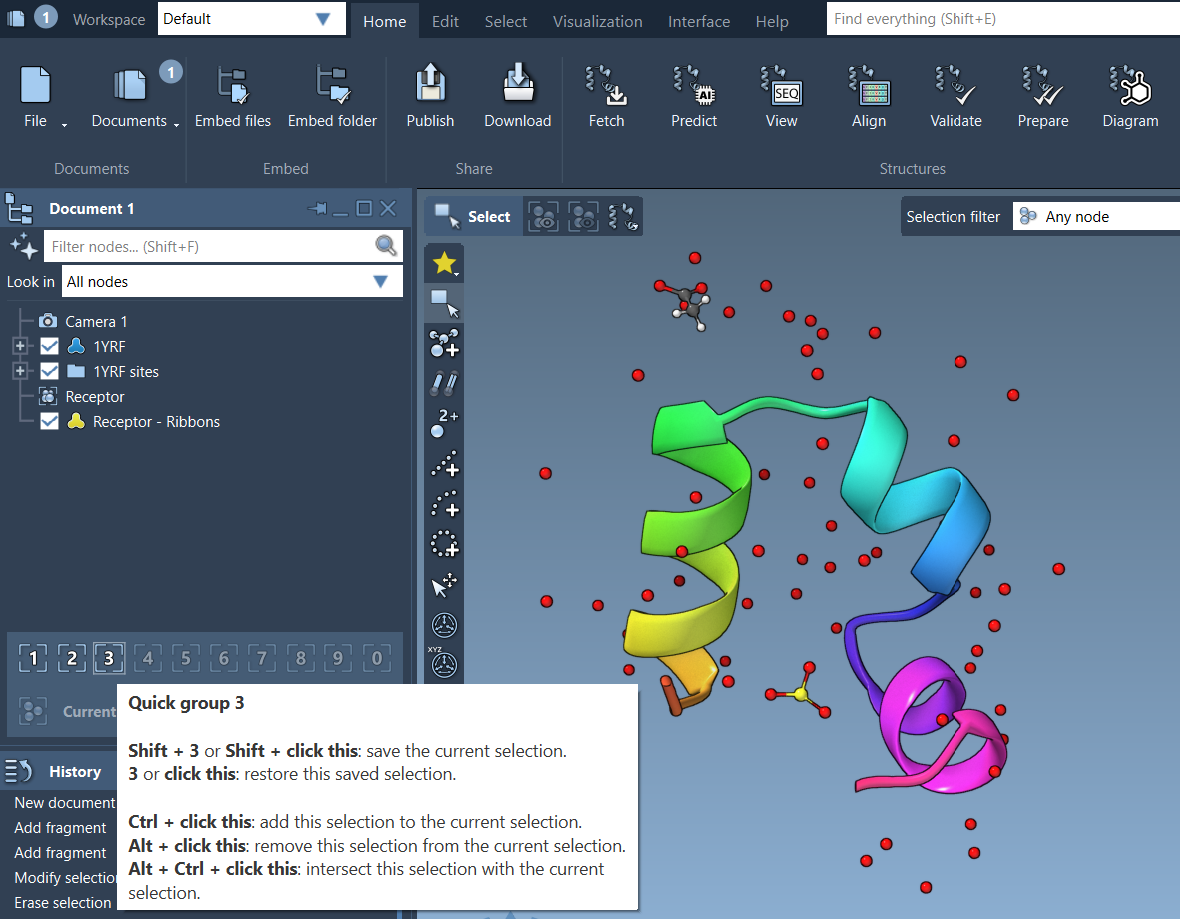
Quick Groups are temporary, unnamed groups that let you quickly save and recall a selection using a number key (1–10). Once assigned, you can switch between them with a single key press.
They’re especially useful for workflows involving:
- Frequent toggling between structural parts
- Selecting different zones for visualization or simulation steps
- Teaching and walkthroughs that highlight multiple regions
How to Assign Quick Groups
- Select one or more nodes (atoms, residues, chains…)
- Assign to a Quick Group using:
- Mouse method: Hover over a Quick Group slot in the Document view and press Shift + click
- Keyboard method: Press Shift + 1 … 0 to assign to Quick Group 1 to 10
Switching Between Groups
- Press 1, 2, etc. to select the matching Quick Group
- Double-press the key (e.g. 3 then 3) to center the view on that selection
- Click on the Quick Group in the Document View to select it directly
Example: Ligand-Receptor-Water Workflow
Let’s say you’re studying a binding site:
- ➡ Select the ligand, assign to Quick Group 1 (Shift+1)
- ➡ Select the receptor, assign to Quick Group 2
- ➡ Select water molecules, assign to Quick Group 3
Now you can toggle between each part with just 1, 2, or 3, and apply different visuals or transformations accordingly.
Why It Matters
This small feature can save time and reduce friction in daily tasks. Whether you’re presenting, analyzing, or iterating on designs, Quick Groups let you avoid repetitive steps and focus on your science.
To learn more about Quick Groups and explore other selection tools in SAMSON, visit the full documentation page.
SAMSON and all SAMSON Extensions are free for non-commercial use. You can download SAMSON at https://www.samson-connect.net.