



Working with complex molecular systems often means handling thousands, even millions of atoms, residues, chains, and other entities. For molecular modelers, selecting specific parts of a model—like all oxygens within a certain range from a binding site—is a common but time-consuming task.
SAMSON’s Node Specification Language (NSL) offers a solution. Using proximity-based queries, you can instantly and precisely select nodes based on their spatial relationship with others, saving time and improving reproducibility.
Why Proximity Matters in Molecular Modeling
Whether you’re analyzing binding sites, solvent-accessible surfaces, or interactions between ligand and receptor, proximity queries are essential. For example:
- Which atoms are within 5 angstroms of the bound ligand?
- Are there specific residues close to a mutation site?
- How far is a certain domain from a phosphorylation site?
Doing this manually in large biomolecular structures is inefficient and error-prone. That’s where NSL’s spatial operators come in.
How to Use NSL Proximity Operators
NSL lets you define spatial relationships using:
within {distance} of: matches nodes inside a sphere of radius distancebeyond {distance} of: matches nodes that are outside that sphere
Short versions of these operators are w and b, respectively. Here’s how they’re used in context:
|
1 |
"CA" within 5A of S |
This matches all nodes named “CA” that are within 5 Å of any sulfur atom.
|
1 |
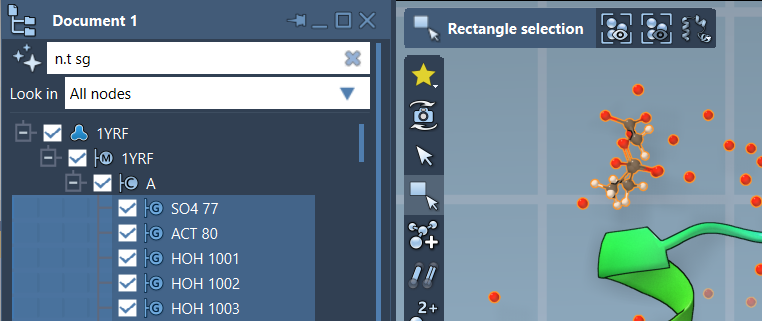
n.t r b 5A of n.s |
This finds all residues beyond 5 Å from the current selection—useful to isolate regions not interacting with a ligand.
Avoiding Common Pitfalls
If your query returns unexpected results, check the following:
- Make sure you’re specifying the node type if needed.
* within 5A of "GLN 2"might select unexpected nodes like folders or entire documents, since those also “contain” atoms near “GLN 2”. - Use
n.t ato filter only atoms, e.g.,n.t a within 5A of "GLN 2". - If you want to exclude the reference node itself, use
out ofconditions:
1n.t a within 5A of "GLN 2" out of "GLN 2"
Use the AI Assistant for Help
If you’re unsure how to write the correct NSL query, SAMSON includes an AI Assistant that understands the current document and can generate appropriate expressions for you. Look for the Ask AI feature next to selection boxes.
With proximity operators, selections that used to take several minutes can now be defined and reused in seconds. If you handle large biomolecular systems or repetitive spatial analyses, this functionality can make your work smoother and more consistent.
Learn more in the official NSL documentation.
SAMSON and all SAMSON Extensions are free for non-commercial use. You can download SAMSON at www.samson-connect.net.