



If you work in molecular modeling, chances are you’ve encountered SMILES strings. These compact notations make it possible to represent molecular structures concisely. But what happens when you need to organize, edit, or refine a large dataset of SMILES strings? Managing such collections manually can range from tedious to downright difficult. Enter the SMILES Manager module in SAMSON, a versatile tool designed to simplify these tasks while enriching your workflow.
Why Manage SMILES?
SMILES strings are a cornerstone of cheminformatics, helping to encode molecular structures in a standardized format. However, handling tasks such as bulk importing, editing, and organizing these strings can be challenging. Incorrect inputs or redundant data add unnecessary friction for molecular modelers. The SMILES Manager is here to eliminate those roadblocks, providing powerful features for importing, editing, and visualizing SMILES strings in just a few clicks.
What Can You Do with the SMILES Manager?
Here’s an overview of some key functionalities:
- Bulk Import SMILES Strings: Easily load datasets using RDKit-style
.smifiles,.txtfiles, or even files with additional attributes. The extension filters out unnecessary data during import, ensuring a clean start. - Edit, Add, or Remove Entries: Quickly update your data with direct in-line editing. Add new SMILES entries manually or remove existing ones with ease. No hunting for hidden menus—everything is intuitive and accessible.
- Showcase 2D Depictions: View automatically generated 2D depictions of your SMILES strings using RDKit functions for quick verification. Open full views, zoom, or interact with the visuals to dive deeper into the molecular representation.
What sets the SMILES Manager apart is its focus on enabling efficient workflows. For instance, modifying a molecule’s code or name will instantly update the corresponding 2D depiction. Seamless and instant feedback ensures that you can focus on modeling without second-guessing the results.
How To Manage Your SMILES Strings
Here’s how it works:
1. Import SMILES
Start by importing your datasets. Whether you have a list of SMILES in a plain-text file or structured .smi files with molecule names, the SMILES Manager ensures hassle-free uploads. Need to include additional attributes? No problem—the tool will ignore irrelevant data during processing.
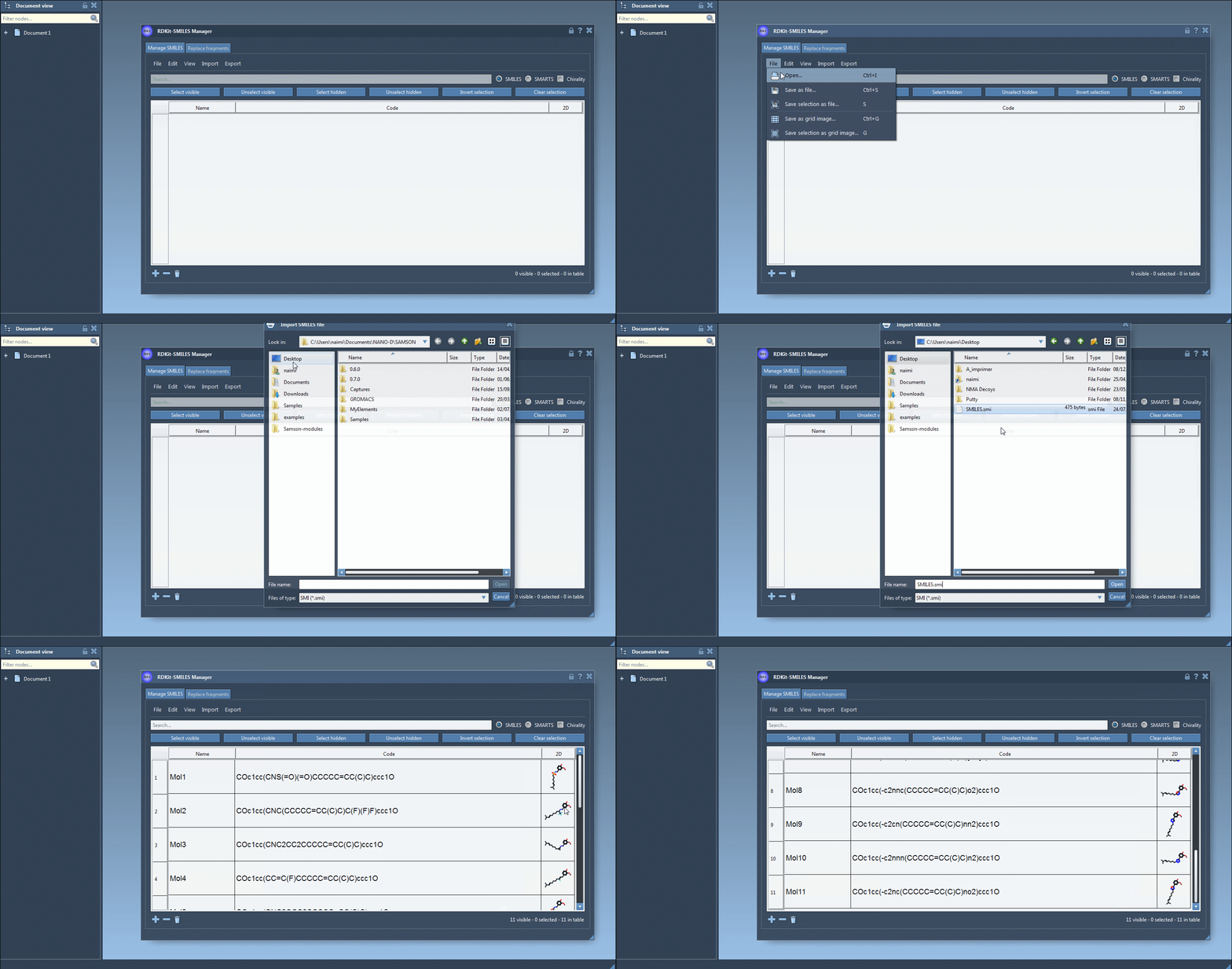
2. Simplify Editing
Need to tweak or refine your dataset? Tools such as “Add line” and “Remove entries” let you manage content quickly. By allowing direct cell-based edits in the table, the SMILES Manager minimizes distractions and saves time.
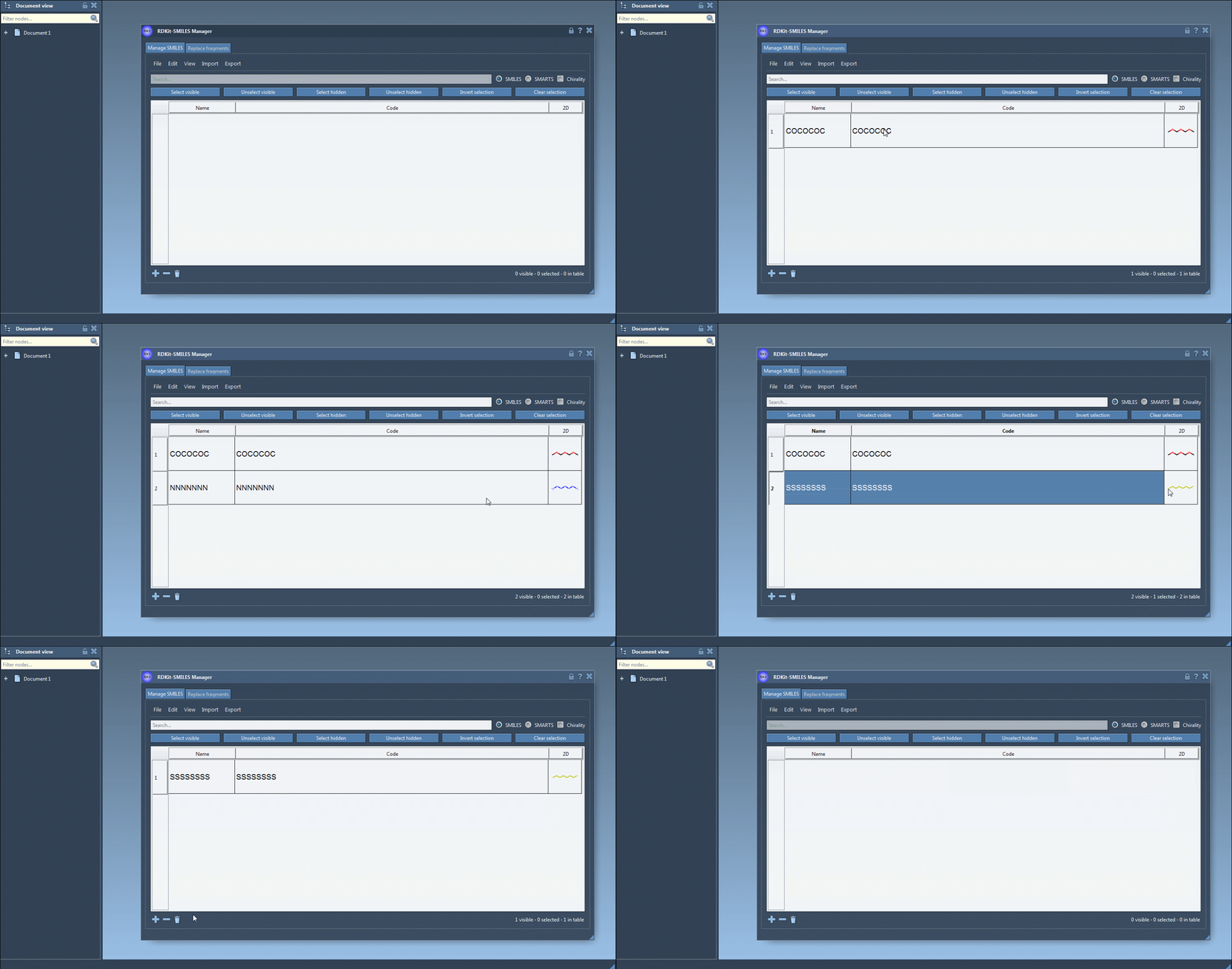
3. Showcase 2D Visuals
What’s a molecule without its structure? View accurate 2D depictions of your SMILES strings as they’re generated in real-time. Invalid entries are easily spotted with error highlights, saving you from costly modeling mistakes.

You can also hide 2D visuals to declutter your workspace, compare multiple molecules across open windows, or even save these depictions as PNG or SVG images for reports or presentations.
Save Time with SMILES Manager
By streamlining essential tasks, the SMILES Manager allows molecular modelers to focus on innovation rather than data preparation. Save time, enhance clarity, and minimize errors in your workflows. Ready to dive in?
For a full breakdown of the features covered in this post and more advanced capabilities, check out the complete documentation at this link.
Note: SAMSON and all SAMSON Extensions are free for non-commercial use. Download SAMSON at www.samson-connect.net.