



Building accurate and customizable carbon nanotube (CNT) models can be a daunting task for molecular modelers, especially when targeting applications like nanostructure modeling, nanosensors, or transport system simulations. Thankfully, SAMSON’s Nanotube Creator Extension offers a streamlined, intuitive solution for generating both single-walled and multi-walled CNTs with ease.
In this post, we will explore how you can create nanotube models interactively and gain precise control over parameters without programming expertise. Whether you are aiming for quick prototypes or detailed multi-walled structures, Nanotube Creator has you covered. Let’s dive in.
Interactive Nanotube Building
The Nanotube Creator enables quick interactive creation of CNTs directly within the SAMSON viewport. Here’s how it works:
- Setting the Axis and Length: Press and drag the left mouse button in the viewport to define the nanotube axis and its length. Real-time feedback about the axis orientation and tube length is available in the status bar for precision.

- Adjusting the Radius: Once the axis and length are set, release the mouse button, move the mouse to adjust the radius (modifying the
mparameter), and click again to confirm.
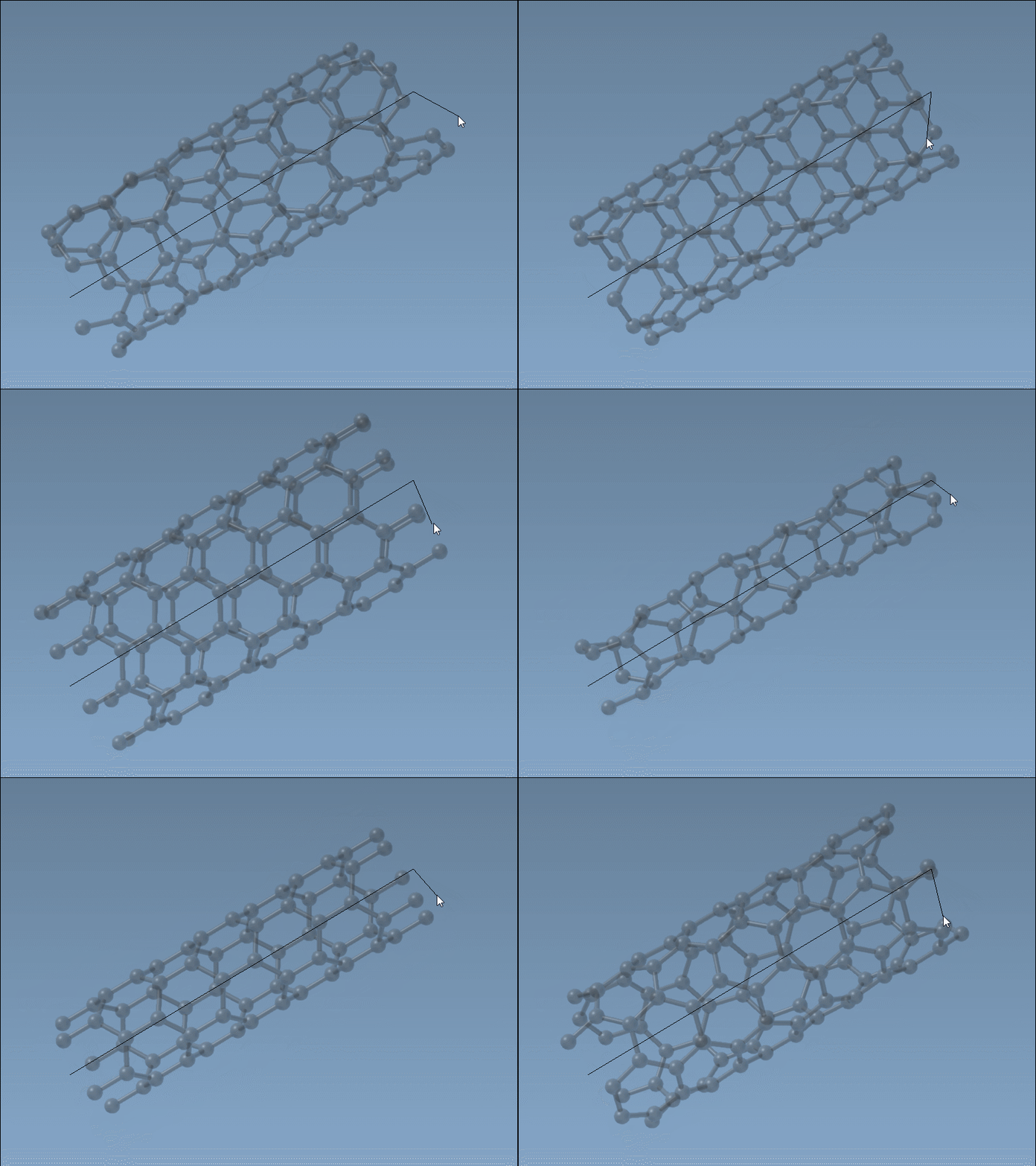
This method is ideal for users who benefit from visual feedback and want to iteratively tweak parameters.
Precision with the Graphical Interface
For those who prefer more control, the Nanotube Creator’s GUI offers a parameterized editor. By activating the editor, a simple and intuitive interface allows you to define details such as:
- Start/End Positions: Specify exact 3D coordinates to define the nanotube’s axis.
- n/m Values: Modify chiral vectors to control the structure and radius of the nanotube.
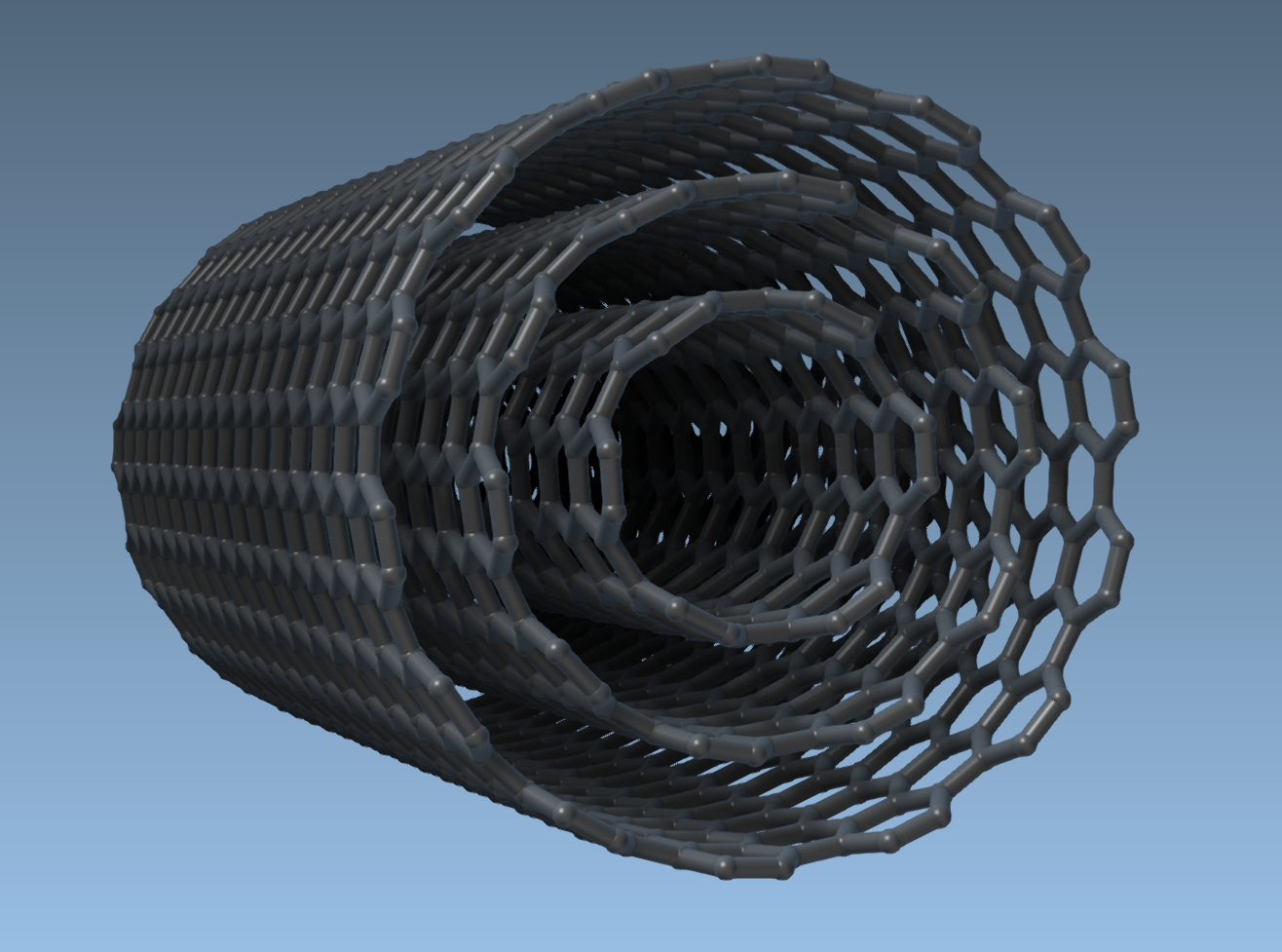
Using the GUI, modelers can easily create multi-walled nanotubes by building concentric tubes with increasing radii. For example:
- Set the start and end positions (e.g.,
(0, 0, 0)to(40, 0, 0)) to create a 40 Å nanotube along the x-axis. - Define parameters for each layer:
- Layer 1:
n = 6,m = 6 - Layer 2:
n = 10,m = 10 - Layer 3:
n = 14,m = 14
- Layer 1:
The result is a fully customizable multi-walled CNT, such as this one:
Why Use Nanotube Models?
Carbon nanotubes find use in a wide variety of fields, including molecular transport systems, nanoelectronics, electromechanical systems, and drug delivery research. By enabling easy creation of CNTs with precise control over dimensions and chirality, the Nanotube Creator Extension helps save substantial time and removes friction in molecular modeling workflows.
You can also take your models to the next level by combining CNTs with other molecular structures or exploring their mechanical and thermal properties through simulations. Learn more about these features in the official tutorial.
SAMSON and all SAMSON Extensions are free for non-commercial use. Try it for yourself by downloading SAMSON today!