



Have you ever needed to compare two protein structures and wished for a seamless way to align them? Whether you’re studying conserved residues, analyzing conformations, or building homology models, aligning protein structures is a crucial step for molecular modelers. With SAMSON’s Protein Aligner, this task becomes straightforward and efficient.
Why Does Protein Alignment Matter?
Protein alignment is fundamental for understanding biological function and designing molecular workflows. It helps you:
- Identify key residues: Detect conserved residues responsible for function or ligand interaction.
- Compare conformations: Evaluate differences between species, mutants, or binding states.
- Homology modeling: Use alignments to guide accurate models for future molecular design.
Let’s dive into how SAMSON enables this process with minimal effort.
Step-by-Step Guide to Aligning Protein Structures
Here is a quick overview of the protein alignment process using SAMSON:
Step 1: Fetch Your Proteins
Start by loading the protein structures you want to compare. For example, let’s align the hemoglobin structures 1DLW and 1RTX. To do this:
- Go to Home > Fetch in SAMSON.
- Input the PDB codes
1DLW 1RTXand click Load.

Make sure the structures are prepared (e.g., remove solvents or ligands). See the Protein Preparation & Validation guide for details.
Step 2: Launch Protein Aligner
Open the alignment tool by clicking Home > Align.

The intuitive interface allows you to align sequences and superimpose structures easily.
Step 3: Whole-Protein Superposition
To align the two structures:
- Ensure no residues are selected in the sequences.
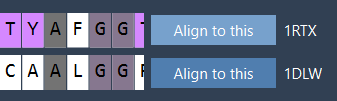
- In the Protein Aligner table, click Align to this on the first model’s row.
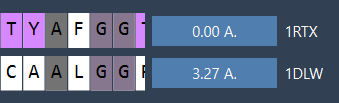
Once aligned, the second structure’s row will display the RMSD value (e.g., 3.27 Å):
Voilà! Your two proteins are now superimposed, aligning their structural features for further analysis:
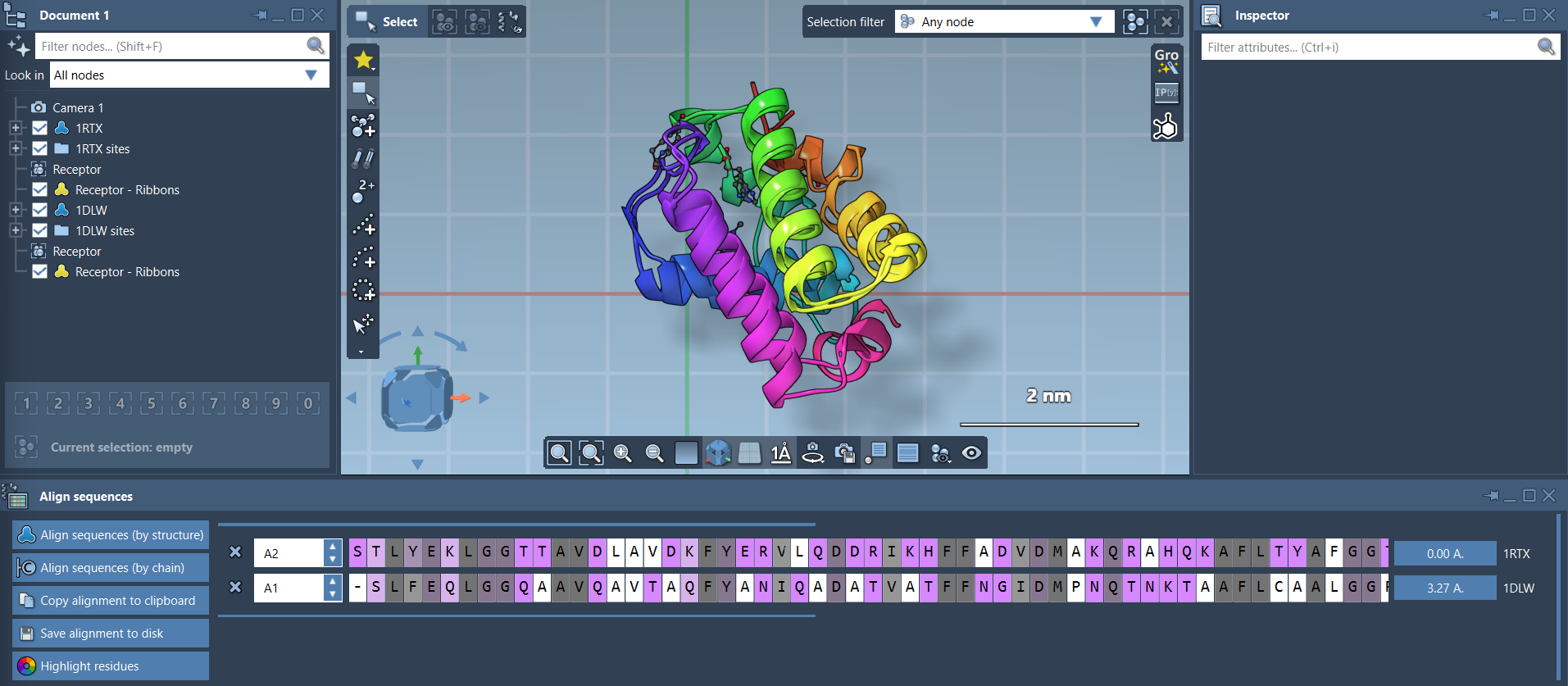
To improve clarity, you can enhance the visualization by adding ribbon models (Visualization > Visual model > Ribbons) or toggling atomistic views in the Document view.
Step 4: Region-Specific Alignment
Sometimes, a global alignment isn’t enough, particularly if only specific regions matter. In such cases, you can align based on selected residues. For example, if you want to align the first 20 residues of both sequences:
- Select the first 20 residues of both sequences in the Protein Aligner.
- Click the alignment button next to the selection (e.g., the 0.0 Å button).

The result focuses on your region of interest, ensuring precise analysis.

Conclusion
The Protein Aligner in SAMSON transforms the traditionally tedious task of protein alignment into an accessible and efficient workflow. Whether you’re aligning sequences, superimposing structures, or focusing on critical regions, the process is intuitive and backed by powerful visualization tools.
Ready to streamline your molecular modeling process? Learn more about the Protein Aligner here.
SAMSON and all SAMSON Extensions are free for non-commercial use. Explore these tools and more by downloading SAMSON at www.samson-connect.net.