



As a molecular modeler, you often face challenges in customizing molecular systems to fit specific use cases without disrupting structural integrity. Wouldn’t it be great to have a tool that allows tailored adjustments with a safety net against common pitfalls? If you’re using SAMSON, the Universal Force Field (UFF) implementation has fine-tuned solutions for you. In this post, we’ll explore how SAMSON empowers advanced users to customize UFF typization with precision while ensuring molecular accuracy.
An Advanced Feature with Depth
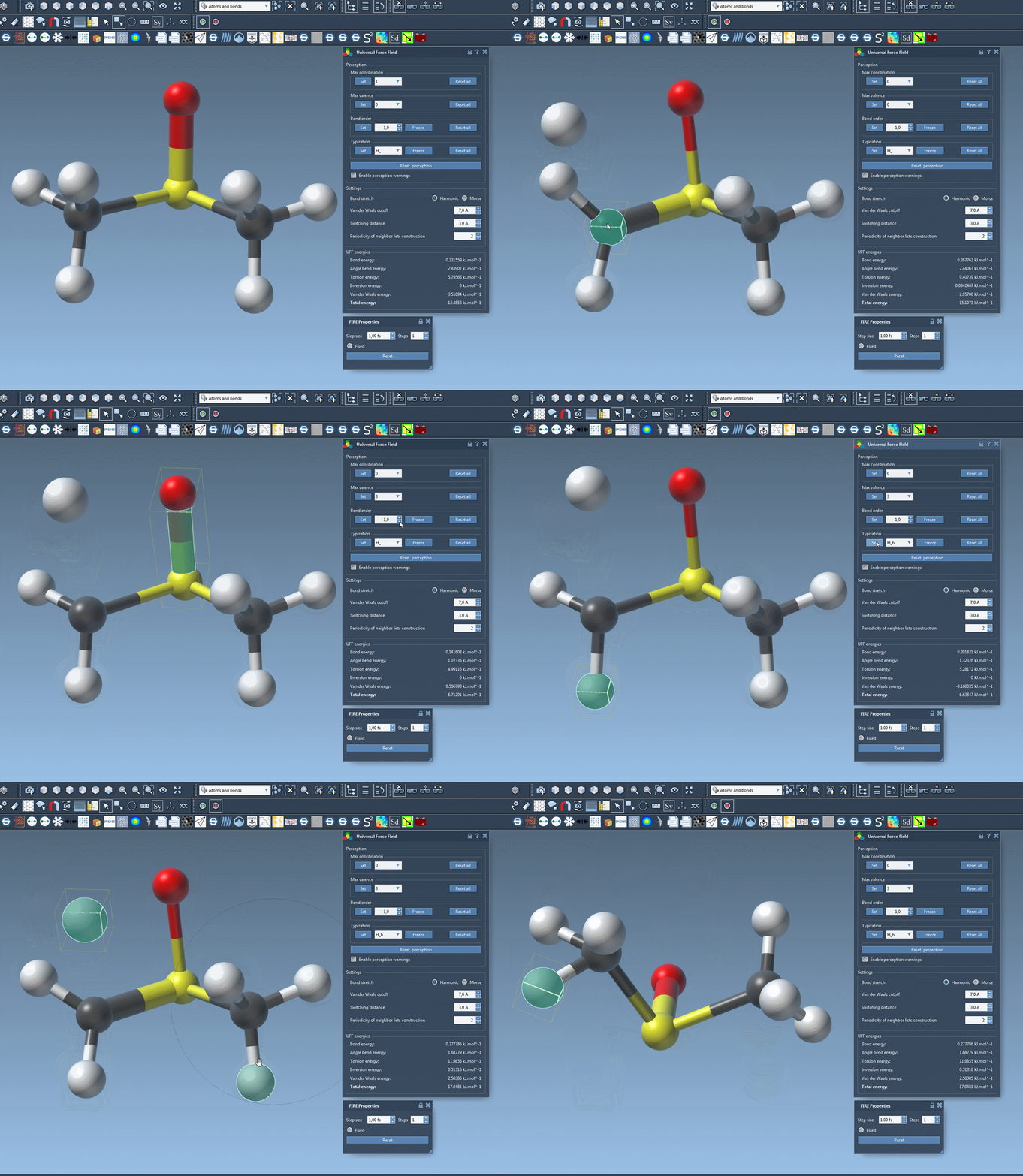
For advanced users, customizing the typization of atoms, bonds, and interactions is an essential task to refine systems for specific simulations. SAMSON’s UFF module offers intuitive controls for modifying default parameters such as maximum coordination, valence, bond orders, atom typization, and even freezing certain aspects of perception. Let’s dive into the key features of this customization process:
1. Modifying Coordination and Valence
Atoms have default maximum coordination (the number of neighboring atoms) and maximum valence (weighted number of neighbors by bond order). You can override these defaults:
- Select the atom in question and change the coordination or valence via a drop-down option.
- Press the Set button to apply your chosen value.
Note: Changes take effect only if the new value is lower than the default, ensuring structural safety. After updates, a new round of perception is performed automatically.
2. Forcing and Freezing Bond Orders
Sometimes, specific bonds in your molecular model need an exact order. In SAMSON’s UFF module, you can:
- Select one or multiple bonds you want to adjust.
- Assign a bond order (between 0.1 and 3.9) in the parameters menu.
- Click Set to enforce the new bond order during computations.
- Alternatively, freeze the bond order to prevent changes in future perceptions by clicking Freeze.
The flexibility to define non-integer bond orders adds further precision to your models.
3. Customizing Atom Typization
Like bond orders, atom typization can also be fine-tuned:
- Select one or more atoms you wish to customize.
- Choose a specific UFF type from the interface.
- Click Set to lock in your changes, or Freeze to prevent any future adjustments.
This feature is indispensable when your model requires specific typizations unavailable through automatic perception.
4. Resetting and Recomputing Perceptions
At any time, you can reset all customizations (coordination, bond orders, and typizations) back to default values using
Reset All. To recompute perception using your customized parameters and current atom positions, use the Reset perception option. This flexible workflow means you can safely experiment without worrying about irreversible mistakes.
5. An Intuitive Interface
The UFF module’s interactive parameter window consolidates these features, making customization straightforward. You’ll also find detailed explanations for each option, reducing the chance of errors. The ability to visualize real-time changes in molecular structure ensures confidence in every customization step.
Why Customize UFF Typization?
These advanced customization features are particularly useful when working on molecular systems that are either non-standard or require precise, application-specific adjustments. Whether you’re studying a small organic molecule or a complex biomolecule, using these options enables you to:
- Adapt molecular systems for unique applications (e.g., drug design, materials science).
- Ensure simulation accuracy without compromising structural integrity.
- Save time with efficient, built-in customization tools.
Where to Go From Here
The robust customization options in SAMSON’s Universal Force Field module are designed for advanced users seeking fine control over molecular systems. By leveraging these precise tools, you can enhance your workflows and simulations with confidence. To explore these and other features in more depth, visit the official UFF documentation in SAMSON.
Note: SAMSON and all SAMSON Extensions are free for non-commercial use. Get SAMSON today at SAMSON Connect.