



As a molecular modeler, you’ve likely faced the challenge of extracting atomic trajectories in a meaningful way for downstream analysis. Whether you’re working on reaction coordinate studies, free energy calculations, or ligand movement tracking, the process can often feel tedious and time-consuming. Fortunately, SAMSON’s Export Along Paths extension provides a streamlined solution to this pain point.
Why Export Atomic Trajectories?
Exporting atomic trajectories allows you to take molecular models further by preparing input files for advanced simulations or extracting essential movement data from ligand pathways. For example, once you’ve computed an extraction path for a ligand, exporting its atomic coordinates along this path becomes crucial for tasks like energy profiling or tracking specific molecular interactions.
A Simplified Process
Using the Export Along Paths extension in SAMSON, you can export atomic coordinates in just a few steps.
Step 1: Load Your System
Begin by loading the molecular system you want to analyze. A helpful example is the sample system available here, containing a structural model of Lactose permease (1PV7) with its ligand Thiodigalactosid (TDG) and precomputed unbinding paths.

With this document, you’ll have a pre-generated system ready to work with, complete with paths that represent ligand movement.
Step 2: Open the Export Along Paths App
To start extracting trajectories, navigate to the Export Along Paths app:
- Click Home > Apps > All > Export Along Paths.
- Alternatively, use the shortcut Shift + E to search for the app quickly.
 Once opened, you’ll have access to an intuitive interface for exporting.
Step 3: Choose Export Options
The app allows flexibility in how trajectories are exported:
- Option 1: Export all atoms along the path. Perfect for visualizing the full system’s behavior.
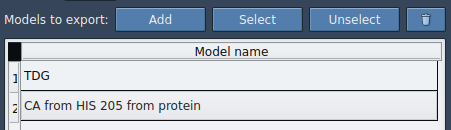
- Option 2: Export a subset of atoms. For example, focus on the ligand alone (
TDG), which is beneficial for specific analyses such as reaction coordinate profiling.
Select paths in the Document view, and choose whether to output all frames in a single PDB file or as separate files for each frame. Optional adjustments like frame export intervals can be set in the Advanced panel.
Benefits of Exported Trajectories
- Prepare reaction coordinate files for free energy profiling.
- Track ligand exit or entry pathways for enhanced sampling simulations.
- Export intermediate states for visualization purposes.
- Focus on specific atoms, such as a ligand or protein binding site.
By leveraging these trajectory data, you can enrich your molecular modeling efforts and gain deeper insights into molecular interactions and dynamics.
Try It Yourself
The Export Along Paths extension is a versatile tool that saves time and effort for molecular modelers. To get started with this functionality, explore the complete tutorial at this documentation page.
*Note: SAMSON and all SAMSON Extensions are free for non-commercial use. You can download SAMSON at https://www.samson-connect.net.